


Amazon Business Punchout Integration
How do I get the Amazon Punchout option added to my account?
The Amazon Punchout is a premium integration. To get started, please contact your Tradogram Account Manager. Once they enable the module for your company, the settings will become visible in your Company Profile under the Punchout Integrations tab.
I know the feature is enabled, so why can’t I see it?
If the module has been activated but you still don’t see the option, it is likely a permissions issue. Access to integration settings is restricted to specific user roles. Please reach out to your Internal Company Admin to ensure your profile has the necessary permissions to manage punchout integrations
Where do I find my Amazon Business credentials?
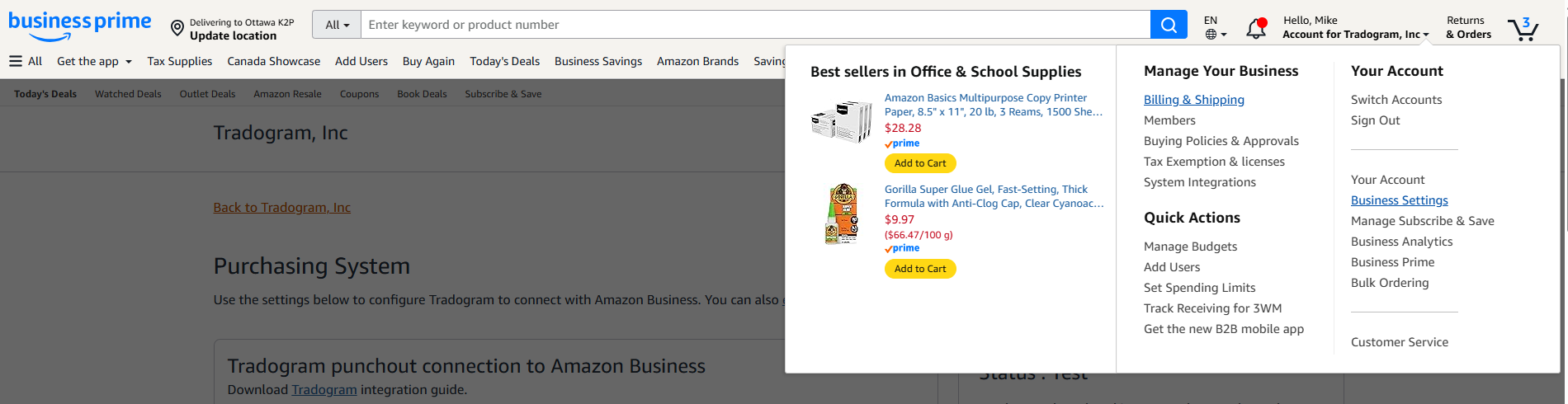
To link Tradogram and Amazon, you must retrieve credentials from your Amazon Business account. Note that you must be an Amazon Business Admin to access these:
- Log in to Amazon Business and go to Business Settings.
- Scroll to System Integrations and select Purchasing System.
- Here, you will find your Punchout URL, Purchase Order Request URL, Shared Secret, and From Identity.
What values should I enter for the "Domain" and "Identity" fields?
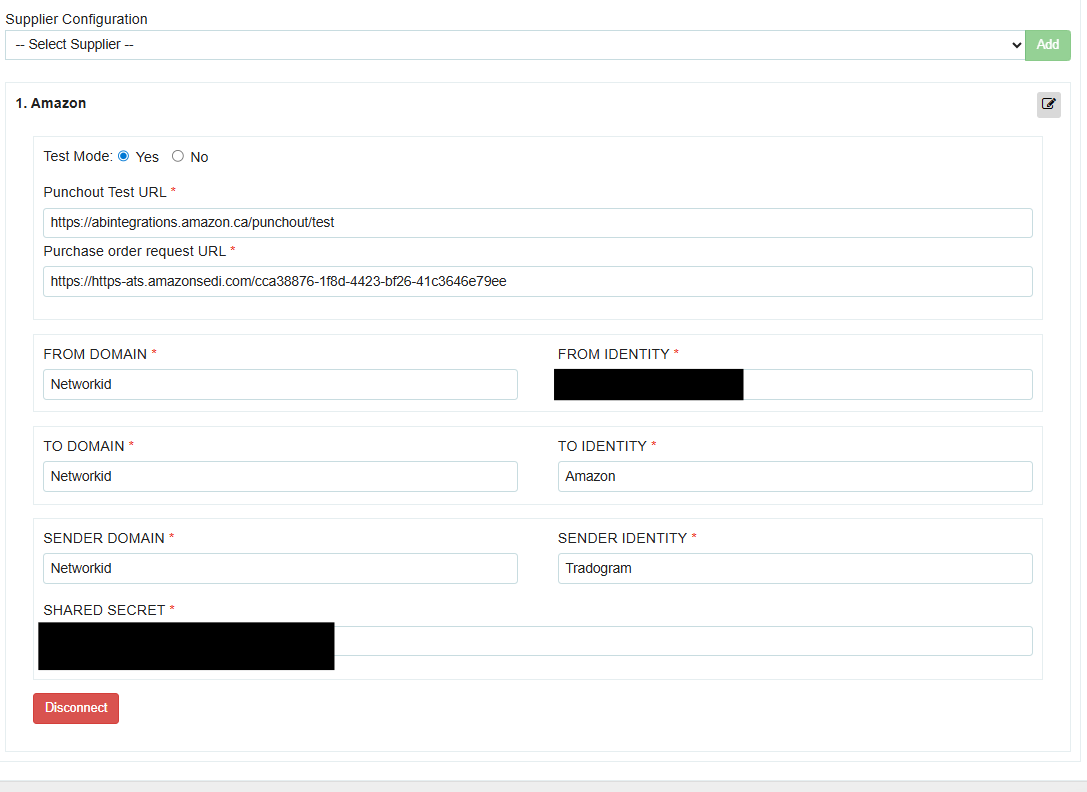
When configuring the integration in Tradogram, use the following standard values:
- From Domain, To Domain, & Sender Domain: Enter Networkid
- To Identity: Enter Amazon
- Sender Identity: Enter Tradogram
Can I test the integration before my whole team starts using it?
Yes. There is a Test Mode toggle available on the configuration page. We highly recommend keeping this enabled during your initial setup to perform a "test" purchase and ensure the data is flowing correctly between both systems before going live.
How do I actually add the supplier once I have my details?
Simply navigate to the Punchout Integrations page in your Tradogram profile, find "Amazon" in the suppliers list, and click the green "Add" button. Enter your retrieved details into the required fields and click Save Configuration.
.webp)
.png)


