


How can a request be reused?
You can easily reuse an existing request by using the Clone Request feature. This creates an exact copy of a past request, saving you the time of re-entering all the original details.
Step-by-Step Guide
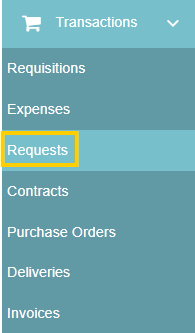
- Navigate to Transactions from the left-hand toolbar and select Requests.
- Click on any request from the request listing page to view its details.

- Click the "Clone Request" button located at the bottom right of the expanded options panel.

This will create an identical copy of the request, which you can then edit to make any necessary adjustments (such as changing suppliers, dates, or items) before initiating the new sourcing event.
Thank you! Your submission has been received!
Oops! Something went wrong while submitting the form.
.webp)
.png)


