


How can messages sent and received through Tradogram be reviewed?
Tradogram provides several ways to access and manage your communications, ensuring that you can keep track of all internal and external discussions. To get a better understanding of how these tools can streamline your communication, you can explore our guide on what messages are used for.
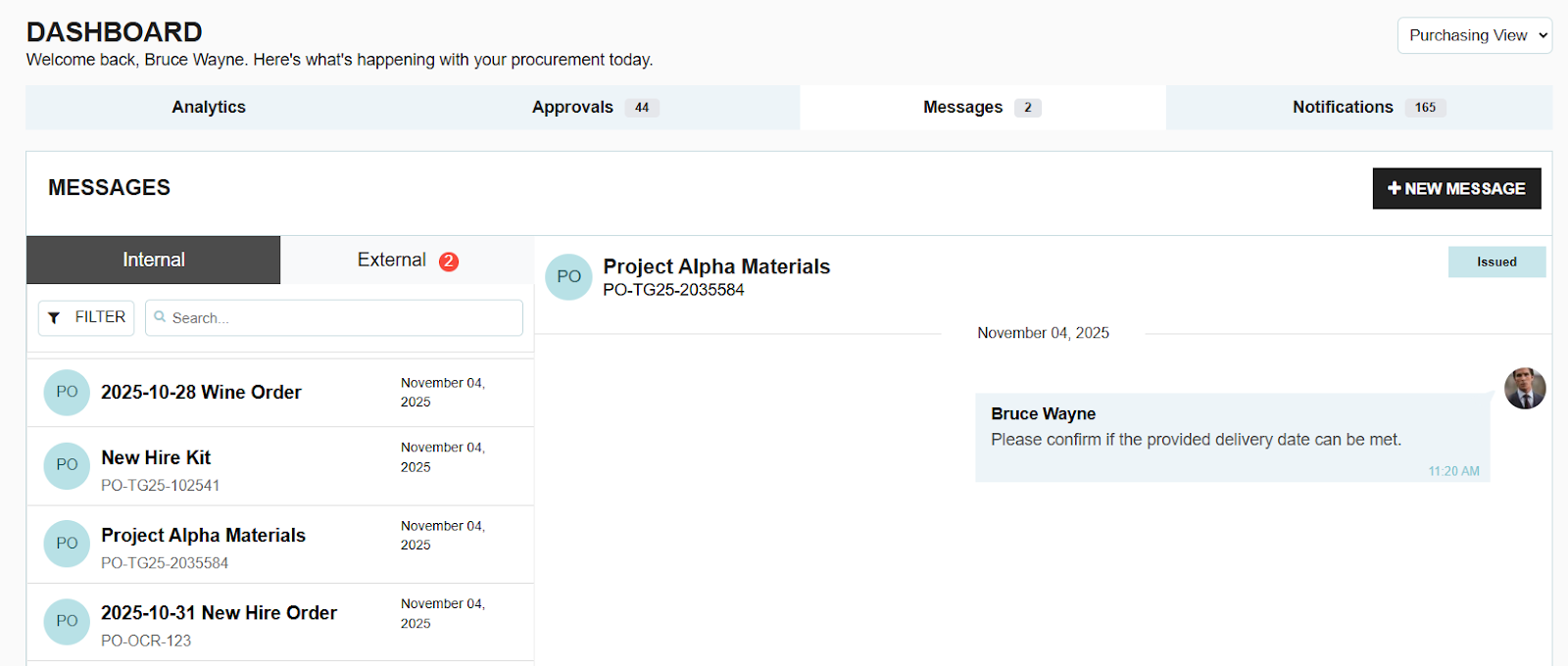
Accessing the Message Hub
There are two primary ways to access your full message history within the platform:
- Global Message Icon: Click on the dedicated "Messages" button located at the top right of your screen from any page.

- Dashboard Access: From your main dashboard, you can click on the Messages tab to open the same communication window.

Both options lead you to a centralized hub where you can view all sent and received messages across your entire account.
Reviewing Transactional Messages
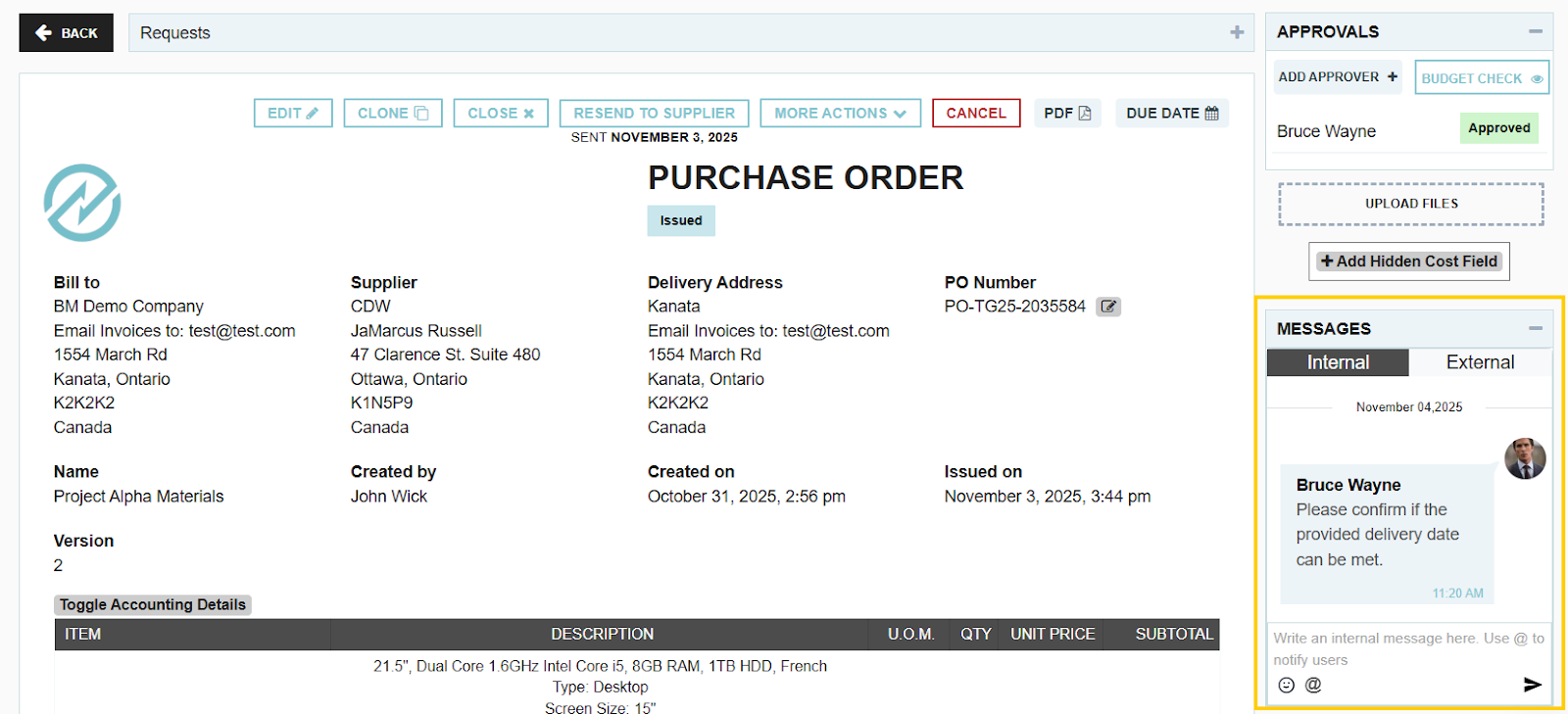
Messages are often tied directly to specific procurement activities. If a message is connected to a specific record—such as a Purchase Order or Requisition—the conversation will be visible on the right side of the transaction document. This allows you to review the context of a discussion without leaving the transaction you are working on.
Helpful Resources
If you are new to the platform or want to see these features in action, we recommend watching our guided tutorial on using messaging in Tradogram. This video covers everything from starting a new thread to managing notifications.
.webp)
.png)


