


If a contract is declined by a supplier, can it be resent to the supplier?
Yes. If a supplier declines a contract, you do not need to start the process over from scratch. Tradogram allows you to treat a declined contract as a live negotiation, letting you make necessary adjustments and resubmit it for a fresh review.
Understanding the Status Change
When a contract is initially sent to a supplier, it will have the status of "Pending Supplier Acceptance".

If the supplier chooses to decline the contract, several things happen:
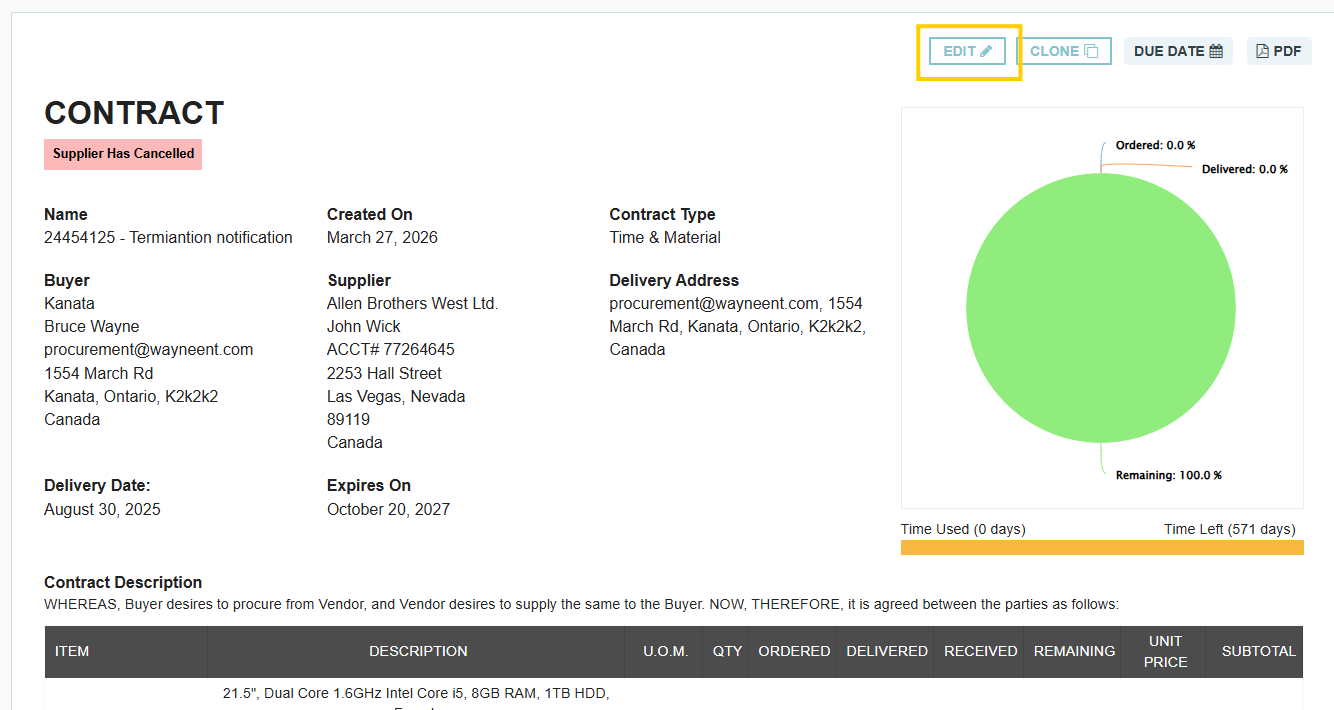
- Status Update: The contract status will change to "Supplier Had Cancelled".
- Supplier Feedback: Suppliers have the opportunity to enter a note explaining why they declined the terms (e.g., pricing or delivery dates).
- Activity Log: You can scroll to the bottom of the contract to see the activity log entry for the decline. A popup option will be available to view the specific notes included by the supplier.

How to Adjust and Resubmit
To resend the contract to the supplier, follow these steps:
- Edit the Contract: Open the declined contract and click the Edit (pencil) icon to make the necessary changes based on the supplier's feedback.
- Internal Approval: Once your changes are saved, the contract must first go back through your company's internal approval flow.
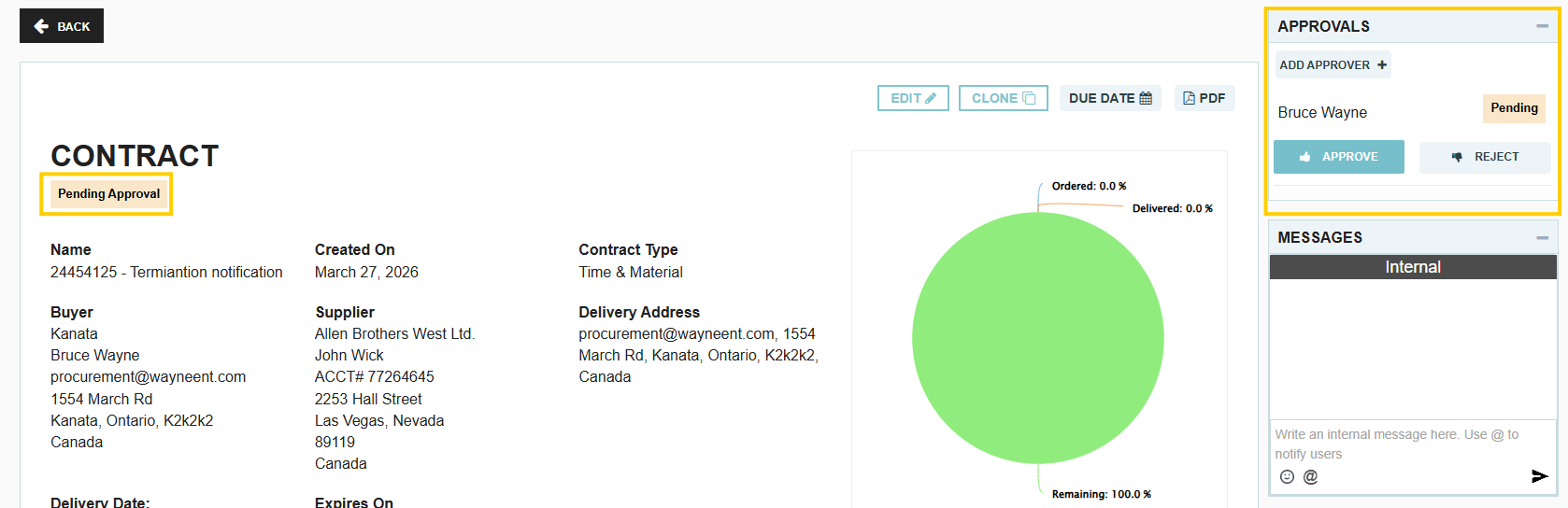
- Resend to Supplier: Once it has been fully approved internally, the option to resend it to the supplier will become available.

Key Workflow Details
- Version Control: The system maintains a history of the contract, allowing you to track changes made between the original submission and the revised version.
- Notifications: The supplier will receive a new email notification once the revised contract is sent, directing them to review the updates.
- Collaboration: Using the Comments or Messages feature throughout this process is highly recommended to ensure both parties are aligned before resubmitting.
Thank you! Your submission has been received!
Oops! Something went wrong while submitting the form.
.webp)
.png)


