


Project Import Errors
This guide details potential errors you may encounter when importing or updating projects in Tradogram and how to resolve them.
CSV Column Headers Do Not Match

This indicates that the column headers in your import file differ from the headers in our official template.
To resolve this issue:
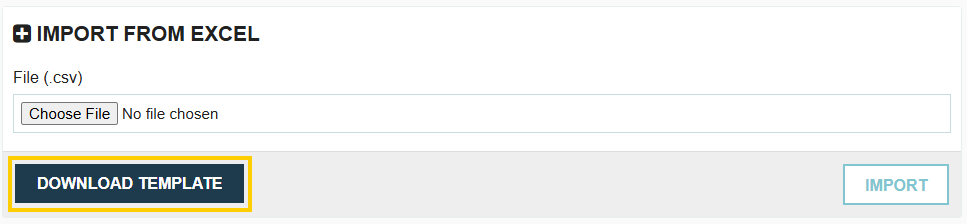
- Click the Download Template button to obtain the latest, correct template.
- Copy your existing import data into the newly downloaded template.
- Save and re-upload the new file.
Name is Mandatory

The Project Name field is required when creating or importing a project. You cannot successfully import a project without a name.
Budget Amount cannot Contain Commas

The Budget Amount field must be entered as a simple numerical value without any commas (e.g., enter 100000 instead of 100,000).
Binary Value Errors (Yes/No)
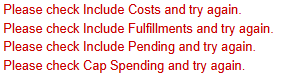
The following fields only accept specific values to indicate a yes or no answer:
- Please check Include Costs and try again: Use "Y" or "Yes" for yes, or "N" or "No" for no.
- Please check Include Fulfillments and try again: Use "Y" or "Yes" for yes, or "N" or "No" for no.
- Please check Include Pending and try again: Use "Y" or "Yes" for yes, or "N" or "No" for no.
- Please check Cap Spending and try again: Use "Y" or "Yes" for yes, or "N" or "No" for no.
Please Check Is Active Value and Try Again

The status of the project must be clearly defined. The only acceptable values for the active status are "Active" or "Inactive."
Please Check Currency Code and Try Again

The Currency Code entered in your import file does not match a currency supported in Tradogram. You must verify the code against the list of currencies supported in your account and try again.
Project Name Already Exists

This means that the Project Name you are attempting to import already exists in your current import file, or it already exists as an active project in your Tradogram account. Project names must be unique.
.webp)
.png)


