

Key Takeaways:
- Importance of Purchase Orders (POs): POs serve as legally binding documents that outline agreed-upon terms between buyers and suppliers, ensuring clarity, control of budgets, and accurate records.
- Purchase Order Process: Involves creation, review, dispatch, acceptance, and delivery of goods or services, culminating in the issuance of an invoice.
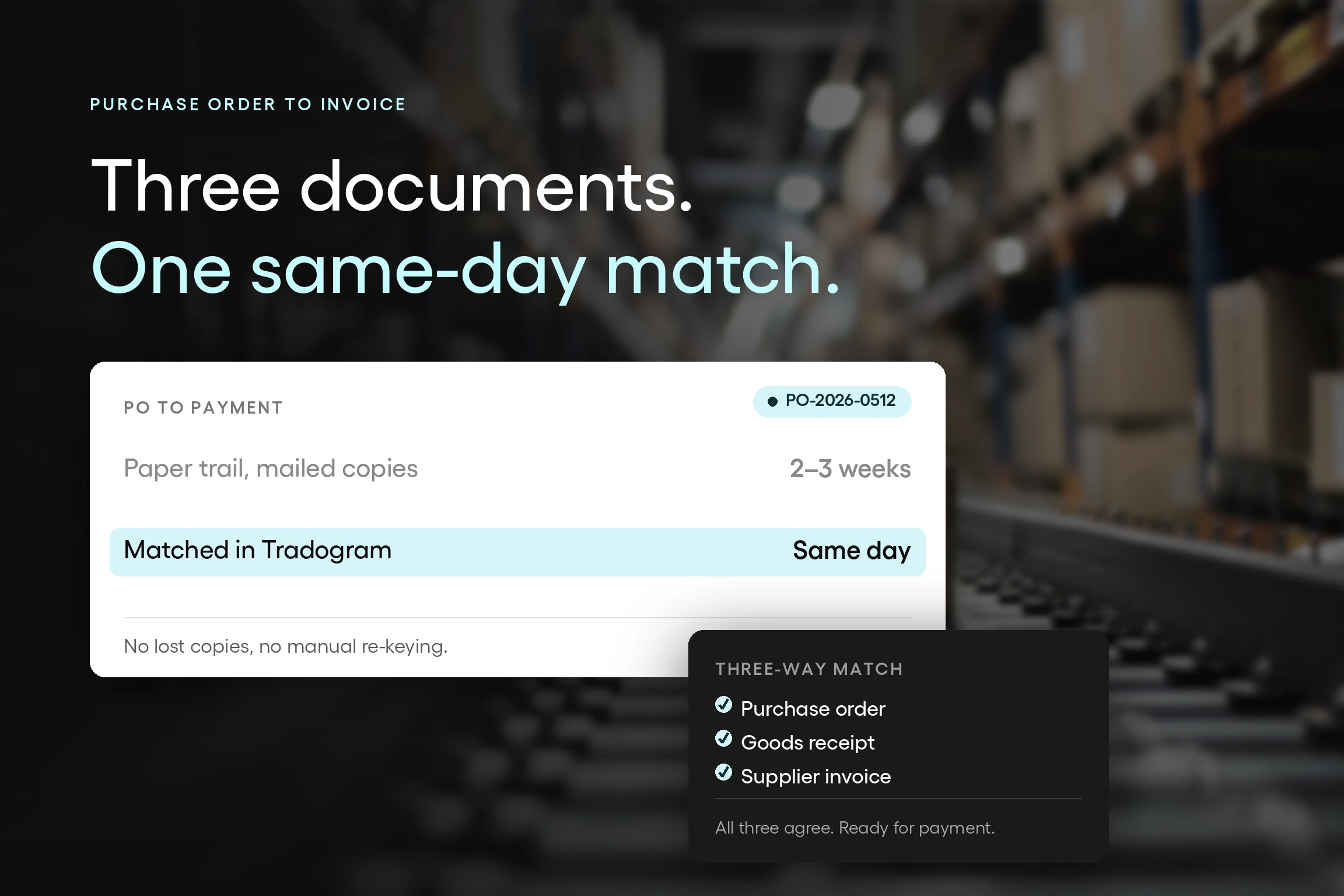
- Invoice Processing: Involves a three-way matching process between purchase orders, order receipts/packing slips, and invoices to ensure accuracy before payment.
- Challenges of Manual Processes: Manual PO and invoicing processes can lead to higher costs, inefficiencies, delays, errors, compliance issues, and lack of visibility.
- Automation: Utilizing purchase order management software can streamline processes, provide transparency, and enhance efficiency in procurement workflows.
Once upon a time, purchase orders (POs) were manually written or typed on carbon paper, creating three copies - one for the vendor, one for the accounts payable department, and one to keep on departmental file. Once the purchase order had been fulfilled by the vendor, they would send in their invoice for payment. This invoice would then need to be married up with the associated PO and approved for payment.
It was not unusual for the purchase order to invoice process to take weeks, and that's only if the process worked as it should. Lost or illegible PO copies could cause huge delays in vendors getting paid and problematic paper trails that would cause issues for finance teams and auditors alike.
These were dark times for financial departments.
In today's fast-paced connected world, a slow or archaic PO process could be crippling to your business, damage external business relationships and hamper your progress. In this article, we'll take a look at the complete end-to-end process from purchase order to invoice and show you how to make the process as smooth and efficient as possible.
GET A FREE DEMO REQUEST TODAY
Why Are Purchase Orders Important?
Whether you are ordering goods from a supplier or procuring their services, the purchase order process will ensure that the buyer and supplier understand what has been agreed upon. For both buyer and supplier, the purchase order details exactly what has been ordered, the cost, delivery expectations, and payment terms. The journey of the PO from the moment it is created involves approval, dispatch, delivery of goods or services, invoicing, matching and closure.
Once approved by the business and accepted by the vendor, the PO becomes a legally binding document. POs provide clear instructions to the vendor and help buyers to maintain control of budgets and an accurate paper trail. Without POs in place, the agreement between buyer and supplier could become subject to dispute and open to misinterpretation.
What are the Steps of Invoice Processing?
The invoice processing workflow ensures that vendor payments are accurate, timely, and compliant with business policies. The key steps include:
- Invoice Receipt – The vendor submits an invoice, either electronically or in paper format.
- Invoice Verification – The accounts payable team checks for errors, inconsistencies, or missing details.
- Three-Way Matching – The invoice is matched with the corresponding purchase order and goods receipt to confirm accuracy.
- Approval Process – If discrepancies exist, they must be resolved before approval; otherwise, the invoice is sent for payment authorization.
- Payment Execution – Once approved, payment is processed according to the agreed-upon terms with the supplier.
- Record-Keeping & Compliance – The transaction is documented for financial reporting and auditing purposes.
Purchase Order Creation
The creation of a purchase order should consist of several approval and compliance checkpoints along the way. Most POs will be subject to the following steps:
Creation of the PO
A purchase order is raised detailing the nature of the goods or services ordered. The purchase order may include details supplied by the vendor, such as a quote number.
Purchase Order Review
Following budget alignment and approval, the purchase order is approved or rejected. Additional documentation or information may be required before approval is granted.
PO Dispatch
Once approved, the PO will be sent to the vendor over email, by post or through a third-party PO system used by vendor and buyer.
PO Acceptance
The vendor acknowledges and accepts the PO and the PO becomes a legally binding contract.
Invoice Process and Delivery of the Goods or Services
The next stage in the process is the delivery of goods or services by the vendor. Depending on the mechanisms in place, you may need to prove that goods or services have been delivered satisfactorily and in accordance with the PO. For example, goods may need to be signed for or you may need to sign a client satisfaction document on completion of works. Once proof of signature or receipt has been received by the vendor, they will submit their invoice. This may be submitted electronically or through the postal system.

The Invoice Process and Three-Way Matching Process
Once the invoice has been received by the vendor, it must undergo what is known as the three-way matching process.
This procedure ensures that payment is accurate and complete and ensures that any discrepancies are discovered before payment. This can help to avoid overspend or paying for items that were not received or for services that were not delivered satisfactorily. Three documents are key to the three-way matching process. These include:
- Purchase orders
- Order receipts and/or packing slips
- Invoices
Order receipts and packing slips are proof of payment and delivery. An order receipt will be supplied by the vendor during delivery and prove that the goods have been delivered to the buyer.
Before an invoice can be paid, it must go through a series of checks with the accounts payable department. This will include a review of quantities, prices, and terms to ensure that the vendor has fulfilled their contractual obligation according to the details of the purchase order. For small and recurring purchases, this process may not be required.
If any discrepancies are discovered, such as incorrect pricing, inaccurate quantities or damaged goods, the payment will not be processed until these issues are rectified. Once the invoice has passed the three-way matching process, the payment will be sent according to the vendor's payment terms.
The three-way matching process saves businesses money by verifying data and highlighting problems before payment, optimizes vendor relationships, and can help you to get the seal of approval at audit time.
What Are the Steps to Process an Invoice?
Understanding how to process an invoice is crucial for ensuring smooth financial operations and maintaining strong vendor relationships. The invoice processing workflow typically involves the following key steps:
- Invoice Reception – The company receives an invoice from a vendor, either electronically or in paper format. The invoice should include details such as the PO number, vendor information, itemized charges, and payment terms.
- Invoice Verification – The accounts payable team reviews the invoice for accuracy by performing a three-way matching process, which compares the invoice against the purchase order (PO) and delivery receipt to ensure consistency.
- Approval Workflow – If the invoice matches the corresponding PO and delivery receipt, it is forwarded for approval based on internal authorization policies. Automated invoice management systems can streamline this step.
- Discrepancy Resolution – If discrepancies are found (e.g., incorrect amounts, missing items, or quality issues), the accounts payable team works with procurement and vendors to resolve them before payment.
- Invoice Coding and Recording – The approved invoice is assigned the appropriate expense category and recorded in the accounting system to ensure accurate financial reporting.
- Payment Processing – Once approved, the invoice is scheduled for payment according to the agreed terms (e.g., net 30, net 60). Payments can be processed via bank transfer, check, or electronic payment platforms.
Archiving and Audit Compliance – After payment, the invoice is stored in the company’s financial system for future reference, audits, and compliance tracking.
But What Happens if I Need Goods or Services Urgently?
Of course, there may be times when you cannot afford to wait for approval from multiple parties and need to bypass the PO process. In these cases, you would use a non-purchase order process instead. A non-purchase order is an order for goods or services that has not been through the standard purchase order verification and approval process. For example, if you need the services of an IT contractor urgently, you could get written or verbal approval quickly from higher up in the chain and use this agreement to raise a non-purchase order.
Of course, problems can arise with non-purchase orders, not least because of the lack of visibility and verification when it comes to invoice payment. A non-PO invoice can be harder to manage as there is no audit trail.
How a Manual Purchase Order and Invoicing Process Can Damage Your Business
Processing purchase orders and invoices manually can introduce some major pain points to your business including higher costs, inefficiencies, and poor budget control.
The detriments of manual PO processes include:
- Spikes in expenses
- Lack of visibility
- Cause delays in the PO processing cycle
- Rely on human intervention and can be vulnerable to errors
- Can create compliance issues and bottlenecks
- May involve an endless loop of people and communication going back and forth
What is Invoice Purchasing?
Invoice purchasing is a financial arrangement that involves the acquisition of outstanding invoices or accounts receivable by a third party, often known as a factor or invoice purchasing company. In this process, businesses can sell their unpaid invoices at a discount to the invoice purchasing entity, allowing them to access immediate cash flow rather than waiting for the payment term specified in the original invoice. This practice is a strategic component of the invoice purchase order process, enabling companies to manage their working capital effectively and address short-term financial needs. Through invoice purchasing, businesses can optimize their cash flow, improve liquidity, and streamline their financial operations, making it a valuable tool for enhancing financial flexibility and supporting sustained growth.
What is the Invoice to Payment Process?
The invoice to payment process encompasses all steps involved from the moment an invoice is received from a vendor until the payment is completed. It ensures a smooth workflow that minimizes errors and inefficiencies while maintaining strong supplier relationships. This process generally involves multiple stages, including receiving and verifying the invoice, matching it with the corresponding purchase order and delivery receipts, resolving any discrepancies, and finally, approving the invoice for payment. Automating the invoice to payment process can help organizations enhance cash flow management, reduce manual intervention, and achieve greater accuracy and compliance.
What Is a PO Number On an Invoice?
A PO number on an invoice is a unique identifier assigned to a specific purchase order, helping to track and manage the procurement process efficiently. It ensures a clear link between the goods or services ordered and the invoice issued, streamlining both internal and external communications. When suppliers include this number on their invoices, it becomes easier for the buyer's accounts payable department to verify and match the invoice with the original purchase order, reducing discrepancies and speeding up the payment process.
In Conclusion
When it comes to procuring goods and services from external suppliers, you must have the right processes and procedures in place. Standardizing, maintaining and reviewing these processes can be made infinitely better by using purchase order management software that automates many processes and provides you with complete transparency and visibility.
Optimize Your Procurement Process with Tradogram
Managing purchase orders and invoices manually can be time-consuming and prone to errors, leading to inefficiencies and unnecessary costs. Tradogram's procurement software simplifies and automates the entire purchase order-to-invoice process, ensuring seamless workflow management, enhanced visibility, and compliance.
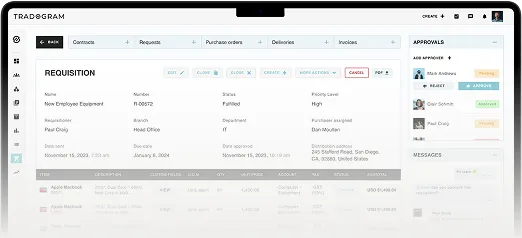
With real-time tracking, automated approval workflows, and seamless three-way matching, Tradogram helps businesses eliminate manual bottlenecks and optimize procurement operations. Take control of your procurement process today—schedule a free demo and discover how Tradogram can transform your purchasing and invoicing efficiency.
Additional Resources:
- What is a Purchase Order? Everything You Need to Know
- What is Invoice Management?
- What is Invoice Processing?
- Comparing Purchase Order vs Invoice vs Sales Order