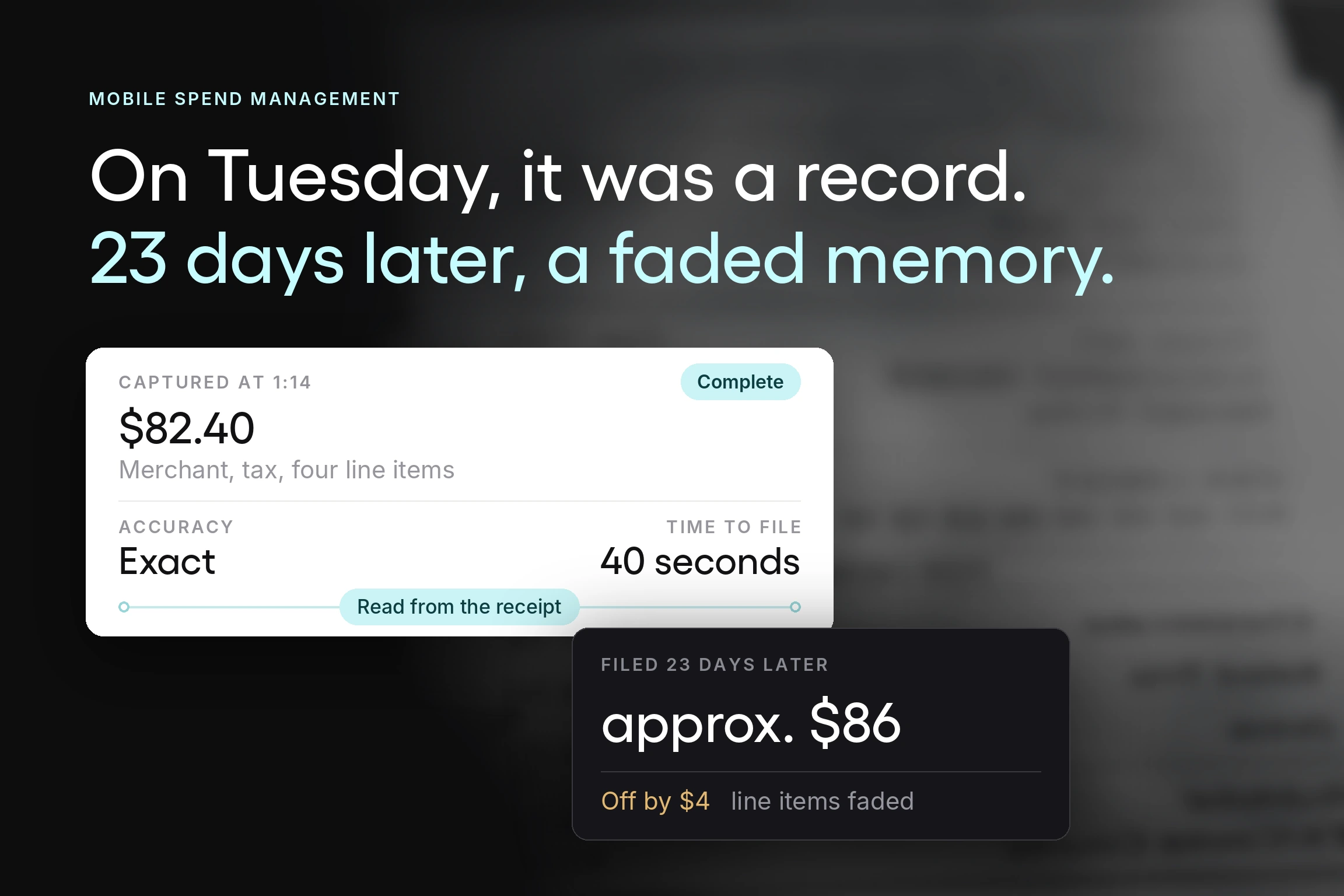


A receipt prints at 1:14 on a Tuesday afternoon. At that moment it is a complete and accurate financial record. It carries the merchant, the date, the time, the amount, the tax line, and four itemized lines that make the purpose of the spend obvious to anyone who reads them. Finance would need nothing else.
At 1:20 it goes into a jacket pocket, and that is where it stops being a record and starts being an object.
Twenty-three days later it comes back out, along with two others and a parking stub. The thermal ink has faded across the item lines. The employee remembers the lunch, roughly, and remembers who was there, mostly.
What gets typed into the expense report is "client lunch, approx. $86, sales." The amount is off by four dollars. The category is a reasonable guess. The four itemized lines, the part that explained what the money bought, are gone entirely.
Same purchase, same person, same company. The only thing that changed between 1:14 on Tuesday and the moment of submission was elapsed time, and elapsed time turned a complete record into an approximation that finance will now spend eighteen minutes querying.
That is the gap mobile spend management closes. Everything below follows from it.
Key Takeaways
- The cost of expense management sits in corrections. GBTA Foundation research, conducted with HRS, found that one in five expense reports contains errors or missing information, and each one costs an additional $52 and 18 minutes to fix. Capture at the point of spend attacks the errors rather than the processing.
- Mobile expense reporting works because it captures the record at the moment of spend. A receipt photographed at the table carries a correct date, amount, and merchant. The same receipt reconstructed three weeks later carries a guess, and finance queries the guess.
- Reimbursement speed is an employee experience issue as much as a finance one. Employees who front company costs on personal cards and wait weeks to be repaid experience that as the company borrowing from them. Shortening the cycle removes a low-grade friction that finance rarely hears about directly.
- Policy enforced at submission beats policy enforced at review. Business rules that flag an out-of-policy expense as it is entered resolve it while the employee remembers the context. The same flag raised two weeks later is an interrogation.
- The integration matters more than the app. Expense data that lands in your accounting system without re-keying is where the finance-side time saving comes from. An excellent mobile app that exports a spreadsheet has moved the work, not removed it.
- One app for expenses and purchasing beats two. Many expense tools stop at reimbursement. A platform that also handles requisitions, approvals, and receiving means the same phone that captures a receipt clears the approval holding up an order, and finance reconciles one data set instead of two.
What mobile spend management covers
Mobile spend management uses a mobile app to capture, categorize, approve, and reimburse employee expenses at the point they occur, with the resulting data flowing into the accounting system without manual re-entry.
The term gets used for three different things, so it is worth drawing a boundary. This guide is about employee expenses: the purchases people make on behalf of the business, on a company card or their own, that need recording, approving, and reimbursing. Meals, travel, fuel, supplies, subscriptions bought on a card.
It is not about managing your corporate mobile phones. That is telecom expense management, a separate product category. If you arrived looking for how to right-size data plans across a fleet of devices, this is the wrong page.
It is also distinct from mobile procurement, which covers raising and approving purchase requests and orders using a phone or other mobile device before committing funds. The two are complementary and frequently confused. If you're interested in the purchasing workflow, the article on mobile procurement solutions covers that side.
The distinction matters practically. Expense management is reactive by nature. It records money already spent. Procurement is preventive and controls money before it goes. A business with a serious spend control problem usually needs the second. A business with a serious admin problem usually needs the first.
What an expense costs before anyone fixes it
At Tradogram, we have helped thousands of organizations digitize their purchasing and expense processes, and the cost that surprises finance teams most is never the processing. It is the rework.
The clearest public measurement of that rework is dated but specific. In 2015, GBTA Foundation research with HRS put the cost of processing an expense report for a single night's hotel stay at $58 and 20 minutes, and found that 19% of expense reports contained errors or missing information, each costing an additional $52 and 18 minutes to correct. Note what that ratio means. Roughly one report in five doubles its own cost.
Supplier invoices show a similar pattern in more recent data. Ardent Partners' State of ePayables 2025 puts the average cost of processing a single invoice at $9.84, the average cycle at 8.2 days, and the exception rate at 18.4%. Invoices and expense reports are different documents, but in both, a significant share arrives in a state that needs a person to fix it before it can be processed.
Ardent also measures what the top performers do about it. Best-in-class accounts payable teams process at 79% lower cost, 79% faster, and with 47% fewer exceptions. Fewer exceptions start with better data, and for expenses, data quality is set at the moment of capture.
The clock: where the days go
Follow one expense from the moment it happens, and the delays become obvious.
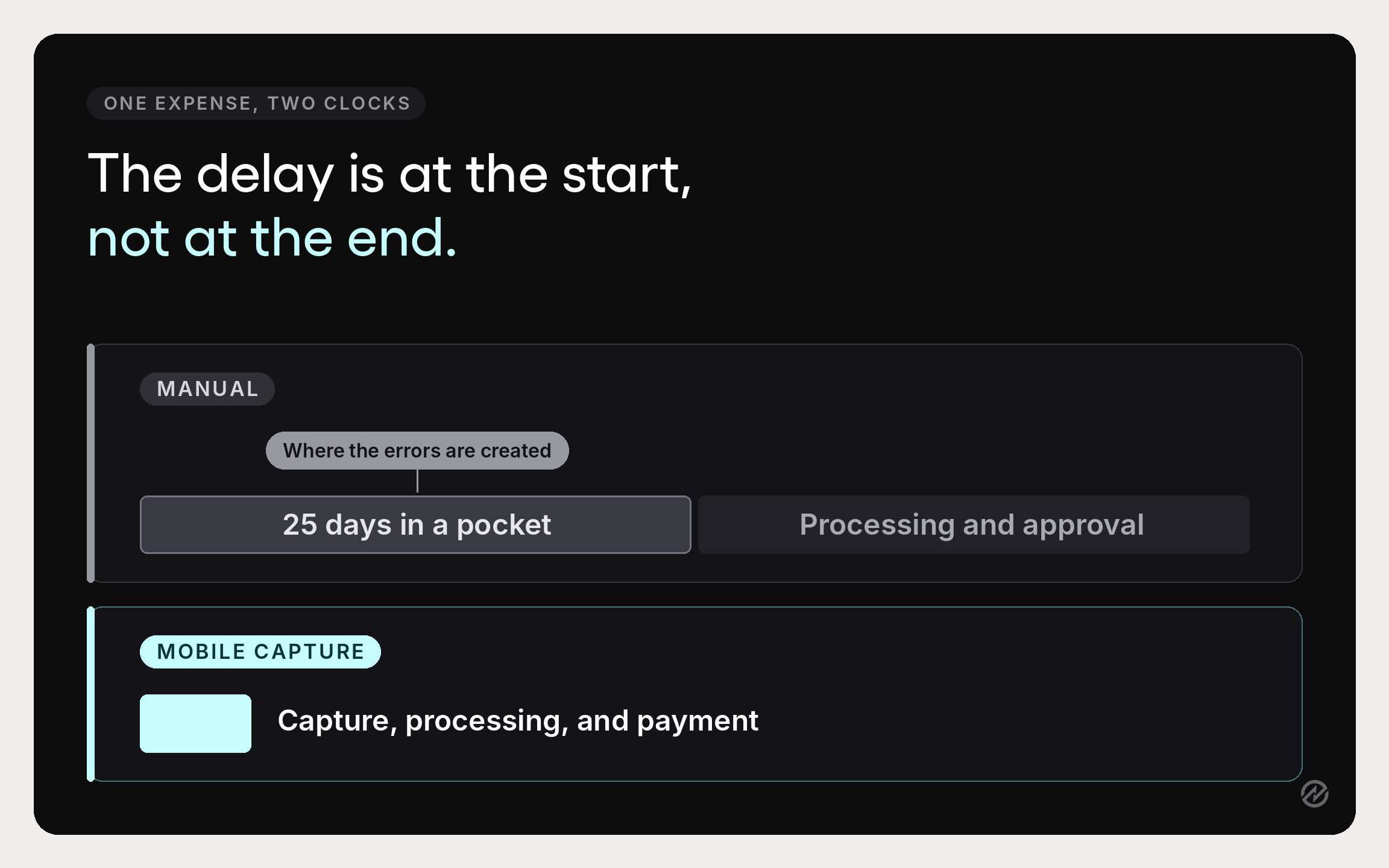
Minute zero: the purchase. An employee pays for something. With a mobile app, this is where the record is created: a receipt photo, the amount read automatically, the category suggested, the whole thing done before they leave the table. Without one, this is where nothing happens.
Days 1 to 25: the receipt exists somewhere. In a wallet, a bag, a laptop case, or a car. This is the stage where lost receipts happen, and it carries pure risk with no offsetting benefit. Every day here increases the chance of a missing item and degrades the accuracy of whatever is eventually recorded.
Days 26 to 30: the reconstruction. The employee sits down at the end of the month to submit expense reports.GBTA puts the average at 20 minutes to complete a report. Categories are guessed. One receipt is missing and gets estimated or dropped. This is where errors like the ones GBTA measured get introduced.
Days 30 to 35: the approval queue. The report reaches a manager who was not present for any of the purchases and has limited basis for judgment beyond whether the total looks reasonable. Approval workflows tied to a single named person add days here whenever that person is unavailable.
Days 35 to 40: the finance review. Finance checks against company policies, queries the guessed categories, and sends back whatever does not reconcile. Each correction is the $52 and 18 minutes GBTA measured.
Days 40 to 50: reimbursement. In this example, the employee is reimbursed five to eight weeks after spending their own money. For context on how slow the final leg is even when the paperwork is clean, APQC benchmarks the median time from receiving an invoice to paying it at 15.0 days across 2,226 organizations. If reimbursements run on the same payment cycle as supplier invoices, every day of submission delay is added on top.
Mobile expense management systems collapse this by attacking the first three stages. Capture at minute zero removes the twenty-five days of drift, which removes most of the reconstruction, which removes most of the errors, which removes most of the finance review.
The five benefits, in order of value
1. Capture at the point of spend, which removes errors before they exist
The camera is the feature that matters, and it is the first thing to test. Receipt capture through a phone, with optical character recognition reading the merchant, date, amount, and tax off the image, means the receipt data is correct because it came from the receipt.
What this fixes in practice:
- Lost receipts stop being a category of problem. Scan receipts on the spot and the paper is irrelevant. Saving paper receipts becomes an obsolete habit, and there is no separate step later to upload receipts from a pile.
- Receipt details are accurate. Merchant, date, and amount are read from the image. Manual data entry drops to a review step, and data entry is where most manual errors were being introduced.
- Expense categorization is suggested, not guessed, and the suggestion improves as the system learns the merchants your team uses. Categorizing expenses stops being a monthly chore and becomes a confirmation.
The GBTA numbers make the argument here. One expense report in five contains errors or missing information, at $52 and 18 minutes to correct each one, and much of that correction work traces back to reconstructing a purchase after the fact. Closing the delay and generating far fewer corrections in the first place. That is why the savings are larger than a faster version of the traditional process would produce.
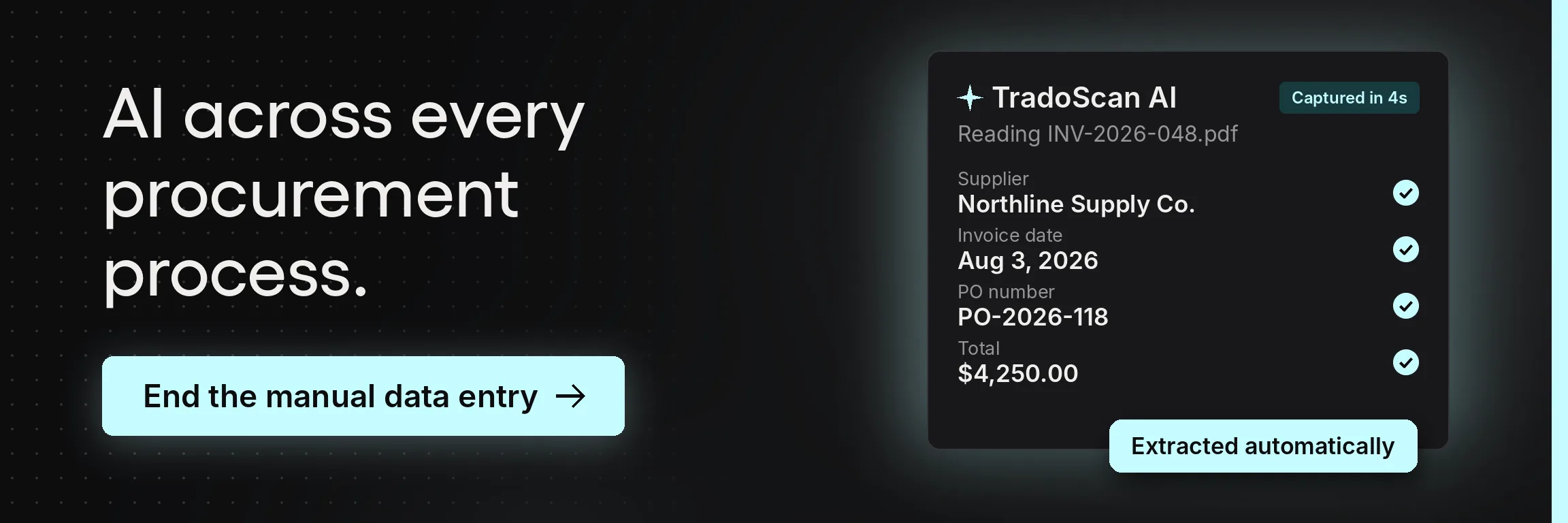
Tradogram handles the capture side through TradoScan AI, which reads receipts, invoices, quotes, and supplier documents and extracts the merchant, date, amounts, tax, and line-item detail into structured data.
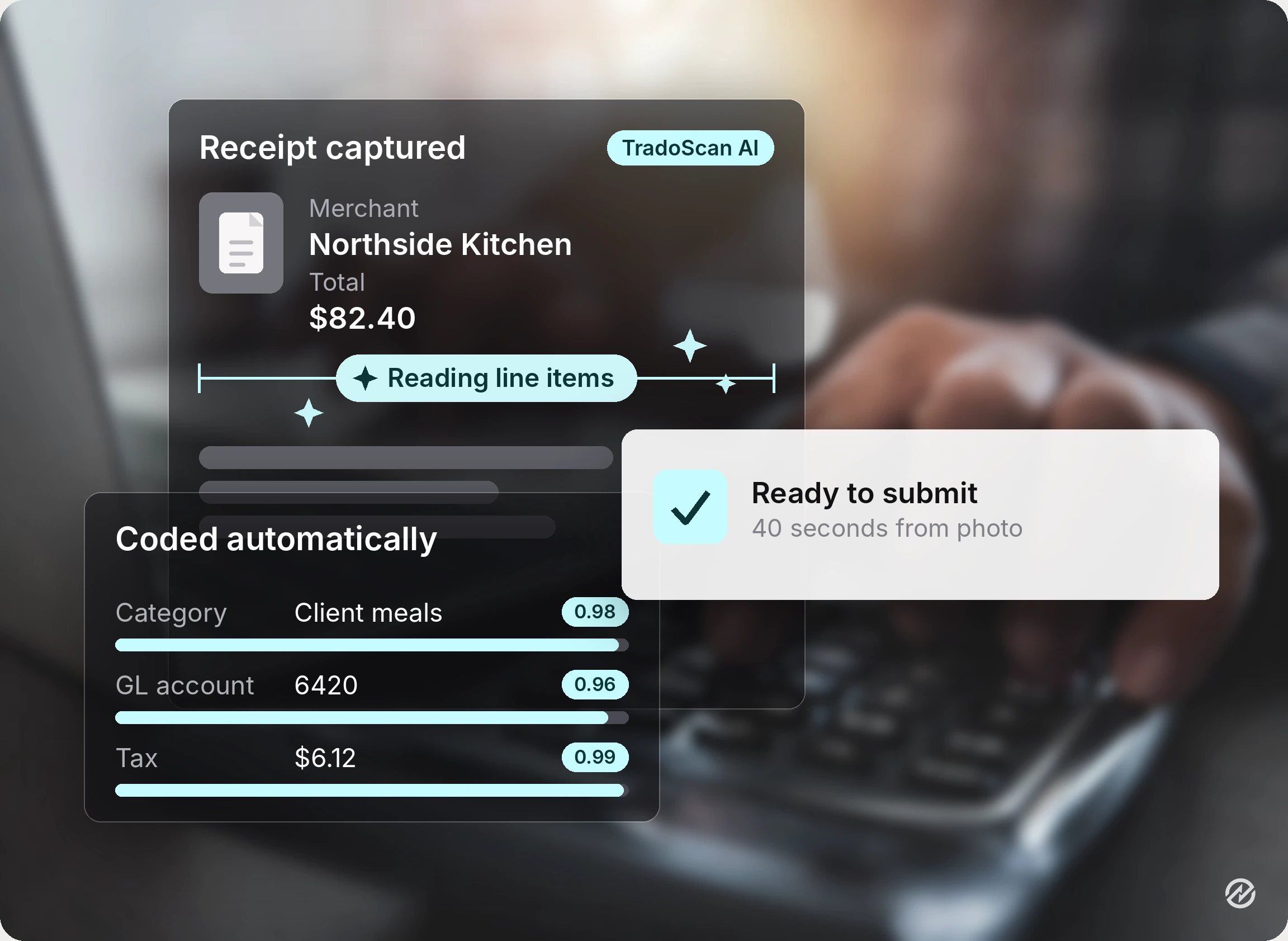
For expenses, it automatically pulls receipt and expense details, reducing the manual coding that slows submission and where most miscategorization originates.
Internal measurements put initial capture accuracy at 90% with an 80% reduction in manual data entry, and the system improves as users correct it. A person stays at the approval gate, the right place for judgment to sit.
2. Reimbursement that does not take six weeks
Employees who front company costs on personal cards are extending credit to their employer, usually without anyone framing it that way. A cycle measured in weeks is a real friction that surfaces as grumbling, never as a finance issue, and that is why it persists.
Same-day submission compresses everything downstream. When people submit expenses the same day, the report arrives complete and doesn't bounce. It arrives promptly, so it joins the current payment run instead of the next one, and finance can send payments on schedule. Frequent travelers feel this most, and they are usually the people carrying the largest balances.
3. Policy enforced while the context is still fresh
Business rules applied at submission are a different experience from business rules applied at review.
If a claim exceeds a limit, sits outside policy rules, or is missing a required field, flagging it as the employee enters it lets them fix it in thirty seconds while they remember what happened. The same flag two weeks later requires them to reconstruct the context, and it arrives as a challenge.
There is a control argument underneath the convenience one. The ACFE's 2026 Report to the Nations, drawn from 2,402 cases of occupational fraud, found that more than half involved either an absence of internal controls or an override of existing controls, and that the median case ran 12 months before anyone detected it.
Expense reimbursement is one of the categories where that delay is structural: a claim reviewed in aggregate, weeks after the fact, by someone with no visibility into the underlying purchase is a weak control by design. Moving the check to submission is the cheapest way to strengthen it.
This is the underrated reason expense management systems improve compliance without anyone becoming stricter. The enforcement moves earlier, and earlier enforcement is cheaper for everyone.
4. Spend visibility that arrives before month-end
Real-time visibility is the benefit finance leaders care about and employees never see.
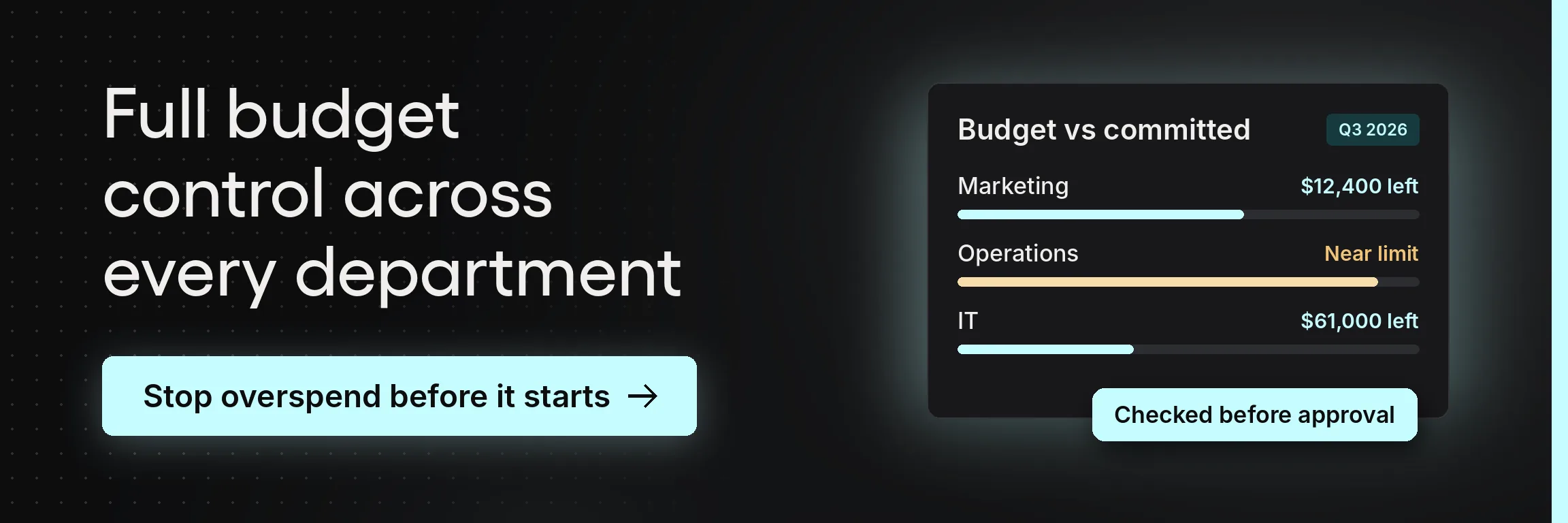
When expenses are captured as they happen, the spend data is current. Tracking expenses as they occur means employee spend against budget is visible during the month, while there's still time to act. A report describing a month that has already closed offers no such option. Notifications on unusual items keep financial oversight continuous, and monthly reconciliation stops being the only time anyone looks.
That is cost control. Cost reporting is the thing it replaces, and the difference shows up as noticing a spending pattern while it forms instead of discovering it in arrears. Teams gain insights during the month that manual processes only surface afterward.
5. Accounting integration, where the finance time is saved
This is the benefit most often underweighted in evaluations. Expense management software that writes into your accounting platform removes the work. Software that does not simply relocates it.
Accounting integrations with QuickBooks Online, Xero, or your ERP systems mean approved expenses post as transactions without anyone re-keying them. Transaction data from company cards and bank accounts can be pulled in and automatically matched against captured receipts, so reconciliation becomes a review of exceptions. Financial records stay current, and the month-end close no longer depends on a backlog of expense reports clearing first.
An expense app that produces a spreadsheet for someone to import has moved the manual work one desk to the left. Proper integration removes a retyping step entirely, and anything that removes a retyping step reduces manual errors, because the key details never get retyped in the first place.
Choosing expense management apps people will open
The evaluation question is not which product has the most features. It is which one an employee will open at a restaurant table, standing up, in under a minute.
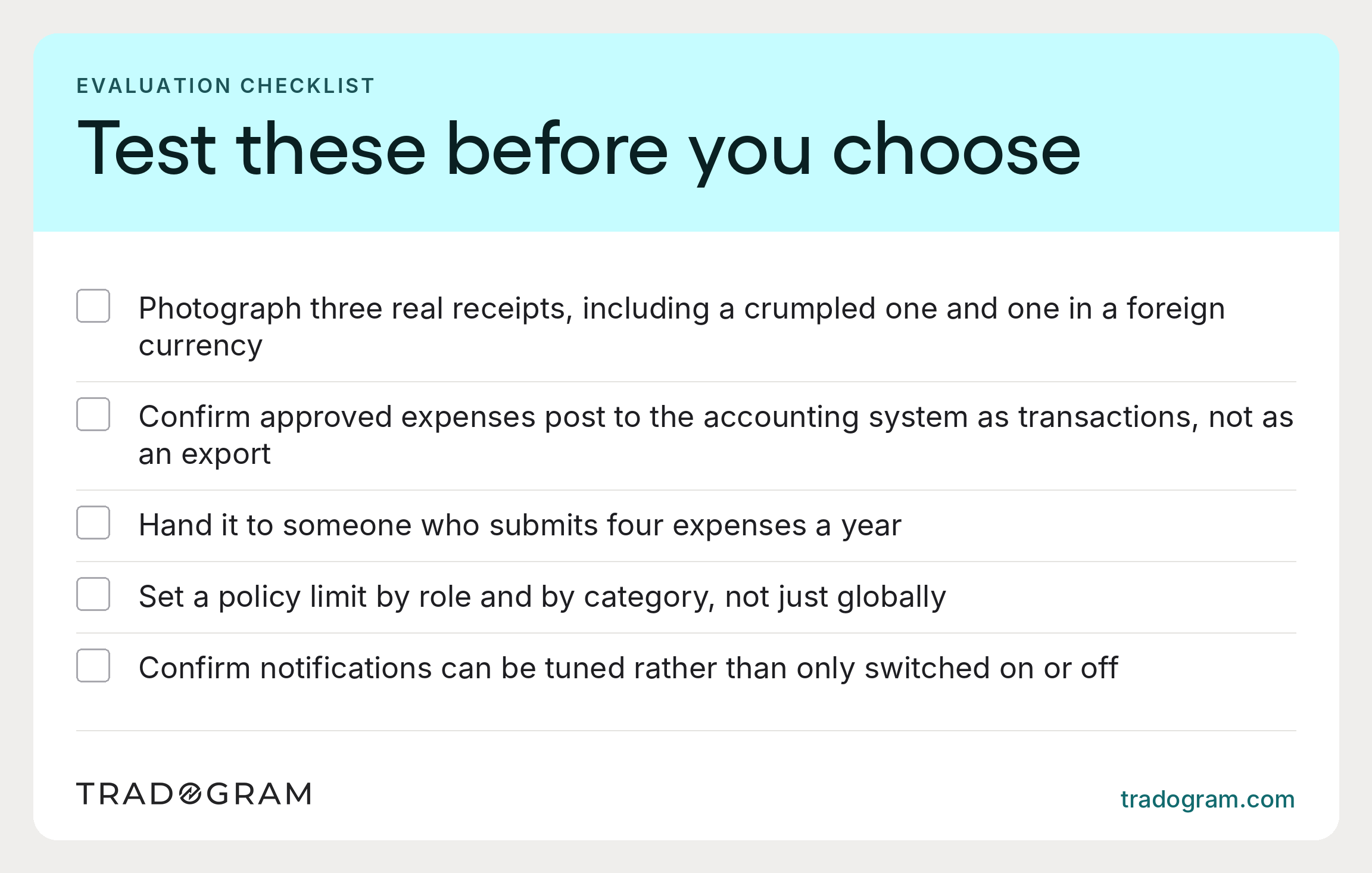
Test the capture, not the dashboard. Photograph three real receipts, including a crumpled one and one in another currency. If receipt scanning is unreliable, nothing else matters, because employees revert to paper after the second failure.
Confirm the accounting sync writes both ways. Not an export. A connection. Ask specifically whether approved expenses post to your accounting software as transactions and whether card feeds match transactions to receipts automatically.
Look at the occasional user. The person who submits four expenses a year determines your data quality, not the frequent traveler who knows the app. Hand it to someone who has never seen it.
Check the policy configuration depth. Can you set different limits by role, category, and location, or only one global rule? Managing business expenses across a growing team needs the first, and managing them consistently across departments is impossible with the second.
Ask about notification control. Push notifications can quickly become noise, and noise gets switched off along with the alerts that mattered.
For small businesses, spreadsheets and a shared folder work at low volume. The switch is justified when handling expenses consumes meaningful finance time, which usually arrives earlier than expected because the time is fragmented across several people. No one holds expense processing as a full-time job, and that is exactly why it goes unmeasured.
What Tradogram gives you on a phone
Being concrete matters here, because "mobile" means very different things across products.
Tradogram has a mobile app on iOS and Android, found by searching Tradogram in the Apple App Store or Google Play. It uses the same login as the desktop platform and supports single sign-on when a company enables it, so no one has a separate account to forget. For people who would rather not install anything, the platform is fully mobile-responsive in a browser at app.tradogram.com.
The app is built around the tasks that belong on a phone rather than replicating the whole desktop:
- Upload receipt photos for expense tracking, at the moment of the purchase
- Review and approve requisitions and purchase orders from wherever the approver happens to be
- Record received items during delivery, at the loading bay
- Real-time status notifications, so nothing sits waiting silently
The combination matters more than it looks. Because Tradogram covers purchasing as well as expenses, the same app captures a receipt and clears the approval that would otherwise hold up a purchase order. Many expense apps only do the first half, so a business running both ends up with two tools, two logins, and two sets of data that finance reconciles by hand.
Behind the capture is TradoScan AI, which extracts the data so a photograph becomes a coded, submittable expense. Combined with mobile capture, that is the mechanism this guide has been describing: the record gets created where and when the money is spent, by the person who spent it, in about the time it takes to put a receipt back in a wallet.
What changes in the first month
Mobile expense management is one of the few finance changes where the result is visible almost immediately, because the behavior it changes happens daily.
Week one. Receipts start arriving the day they are generated, because it is now easier to handle expenses on the spot than to defer them. This alone will surprise whoever handles expenses.
Week two. The first out-of-policy claim gets flagged at submission and resolved the same day, well before it can become a month-end query.
Week three. Finance can see the month's employee expenses to date, which most teams have never had before the month closed.
Week four. The close is faster because there is no backlog of expense reports to process before the books can be reconciled.
What doesn't change is the need to make decisions. Mobile tools remove the administrative handling around an expense, not the judgment about whether it should have been incurred. Expense tracking tells you where the company's money went. It does not tell you whether it should have gone there.
Teams expecting the app to enforce good spending behavior are usually disappointed. Teams expecting it to eliminate the manual work around recording that behavior, and to give them the visibility to have the spending conversation while it still matters, generally are not.
Adoption is the variable that decides all of it, and the industry data is blunt on that point. PwC's fifth Global Digital Procurement Survey, covering 1,000 respondents, found that 94% of organizations use a source-to-pay platform while only 37% of transactional processes are digitalized, and it named user take-up as a limiting factor. Buying the software is the easy part.
The measure to track is simple: average days from expense incurred to expense recorded. If that number falls, everything downstream improves on its own. If it holds steady, the app is installed but not adopted, and that is a rollout problem, not a product one.
To see how this works in practice, book a demo and we'll walk you through the key features: receipt capture on a phone, approvals from anywhere, and expense and purchasing records kept in one platform. For small businesses, that means one tool to roll out and one set of data to reconcile.