

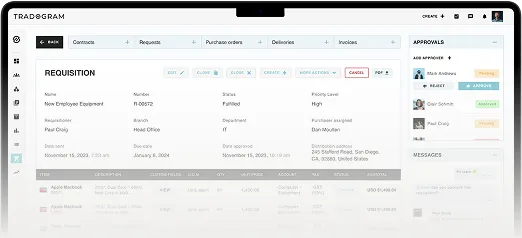
A department can look like it's on budget right up until three approved purchase orders reach accounts payable in the same week. Nothing went wrong, exactly. Every request was legitimate, someone approved each one, and the suppliers delivered on time. The problem is that finance didn't see any of it until the invoices showed up.
That gap, between the moment a purchase is decided and the moment anyone in finance sees it, is a common reason growing companies start shopping for a purchase order management system.
And the gap in operational efficiency has a name: committed spend. Committed spend is money your organization has already agreed to pay but hasn't been invoiced for yet, and company spending starts accumulating the moment an approver says yes, not the moment a bill arrives. On net 30 terms, those two moments can sit a month or more apart, and every purchase approved in between is invisible to anyone reading the general ledger. Your accounting system isn't wrong about this, it's just recording a different event at a different time.
Most teams arrive at this point the same way. Purchasing worked fine with a shared spreadsheet and a few emails when there were 10 people and one office. Then came a second location, a third budget owner, a handful of new suppliers, and a finance lead who now has to explain a variance nobody predicted.
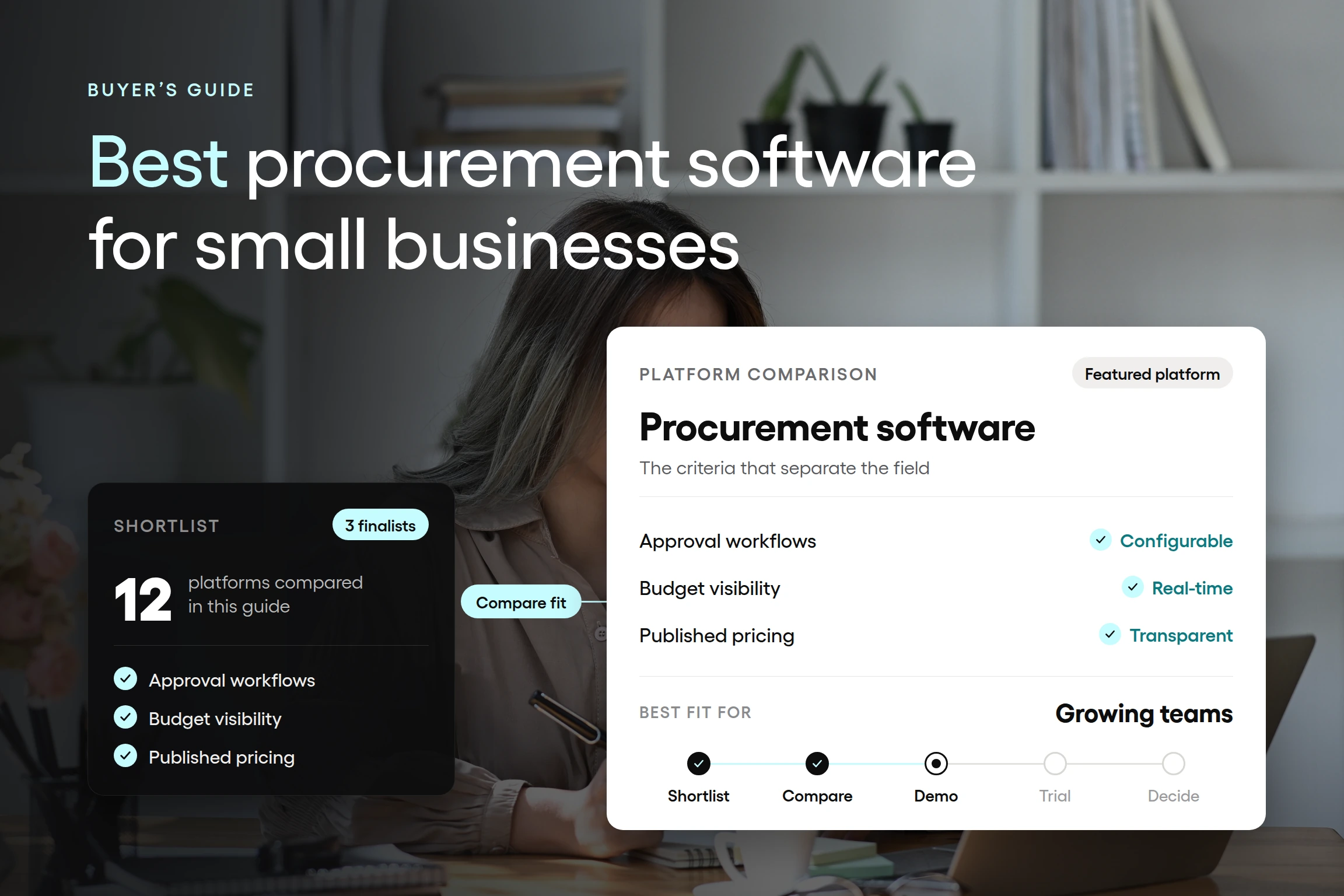
This guide walks through the twelve best procurement software platforms for small and mid-size companies in 2026, what each one does well, where each falls short, and what they cost as of publication. It ends with the questions worth asking a salesperson before you sign anything.
The best procurement & purchasing software for small businesses
Twelve platforms made this list, but they don't all belong to the same category. Some are purpose-built procurement systems that carry a purchase from request through approval, order, receipt, and invoice review using automated workflows. Others are accounting tools that added purchase order screens, or workflow builders you configure yourself. That distinction matters more than any individual feature, because procurement management software from the wrong category can handle your paperwork perfectly and still leave you exactly where you started on visibility.
Here's what we weighed when assessing each option.
Fit for a mid-market team. Enterprise procurement software can do nearly anything, given a long implementation and someone to own it. That's a poor trade for a company with a limited or busy procurement team.
Control before the commitment. Can the platform stop or route a purchase before someone agrees to pay for it, or does it only document what already happened?
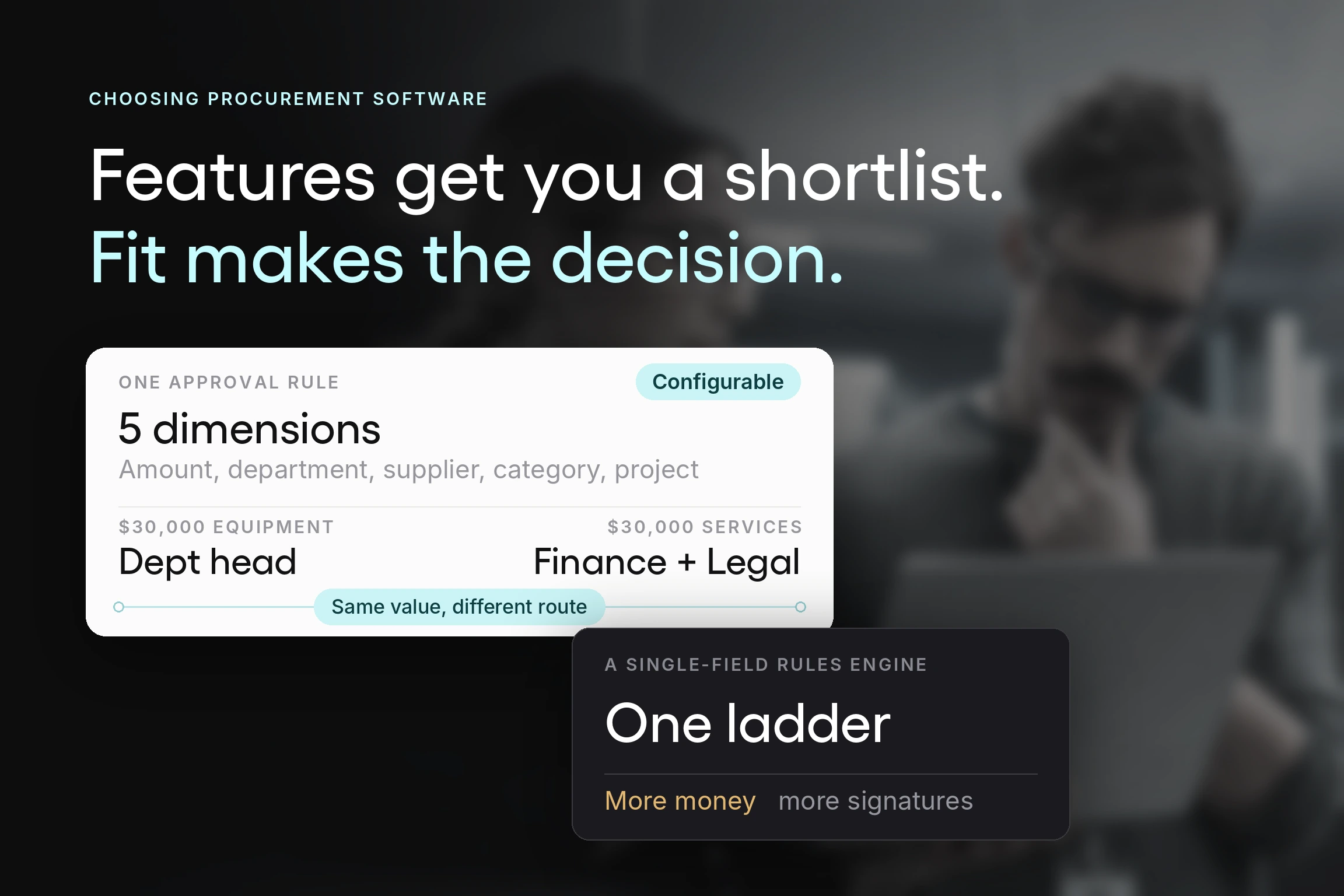
Approval rules that match reality. Most organizations approve differently by amount, department, location, project, or category. A single linear approval chain pushes every exception back into email.
Connected records. When a request becomes an order, and the order becomes a delivery and then an invoice, does that history stay linked, or does each stage start over in a new place?
Everyday usability. Requesters and approvers use these systems occasionally, not daily. If they need training to submit a request, they'll find a workaround instead.
Published pricing. Some procurement software platforms post their numbers, and some quote everything after a sales call. Both are legitimate paths, but you deserve to know which you're walking into.
A note on how we researched this. Pricing, plan names, and feature availability were checked against each vendor's own pricing and product pages in August 2026, not against software directories. That matters more than it sounds: while researching this article, third-party listings for a single platform showed four different starting prices, none of which matched the vendor's published rate. Review data comes from G2 and Capterra as of the same date. Where a vendor publishes nothing, we've said so rather than repeating an estimate.
The 12 best procurement software platforms to simplify procurement for small and mid-size companies in 2026:
- Tradogram
- ProcureDesk
- Pipefy
- Procurify
- Kissflow
- ProcurementExpress.com
- Xero
- Zoho Books
- Bellwether
- Coupa
- SAP Ariba
- Order.co
Every entry below follows the same format: who it fits, what it does well, where it falls short, published pricing (where available), and integrations. Pricing reflects each vendor's own site as of publication, but pricing does change, so confirm before you budget.
A disclosure before we go further: Tradogram is our platform, and it appears first on this list. We've written the entry the same way as the others, including a section on where it falls short, and we've linked to every competitor so you can check our work.
1. Tradogram
Best for: growing organizations that need approvals, budgets, receiving, and invoice matching to work together, without the implementation load of an enterprise suite.
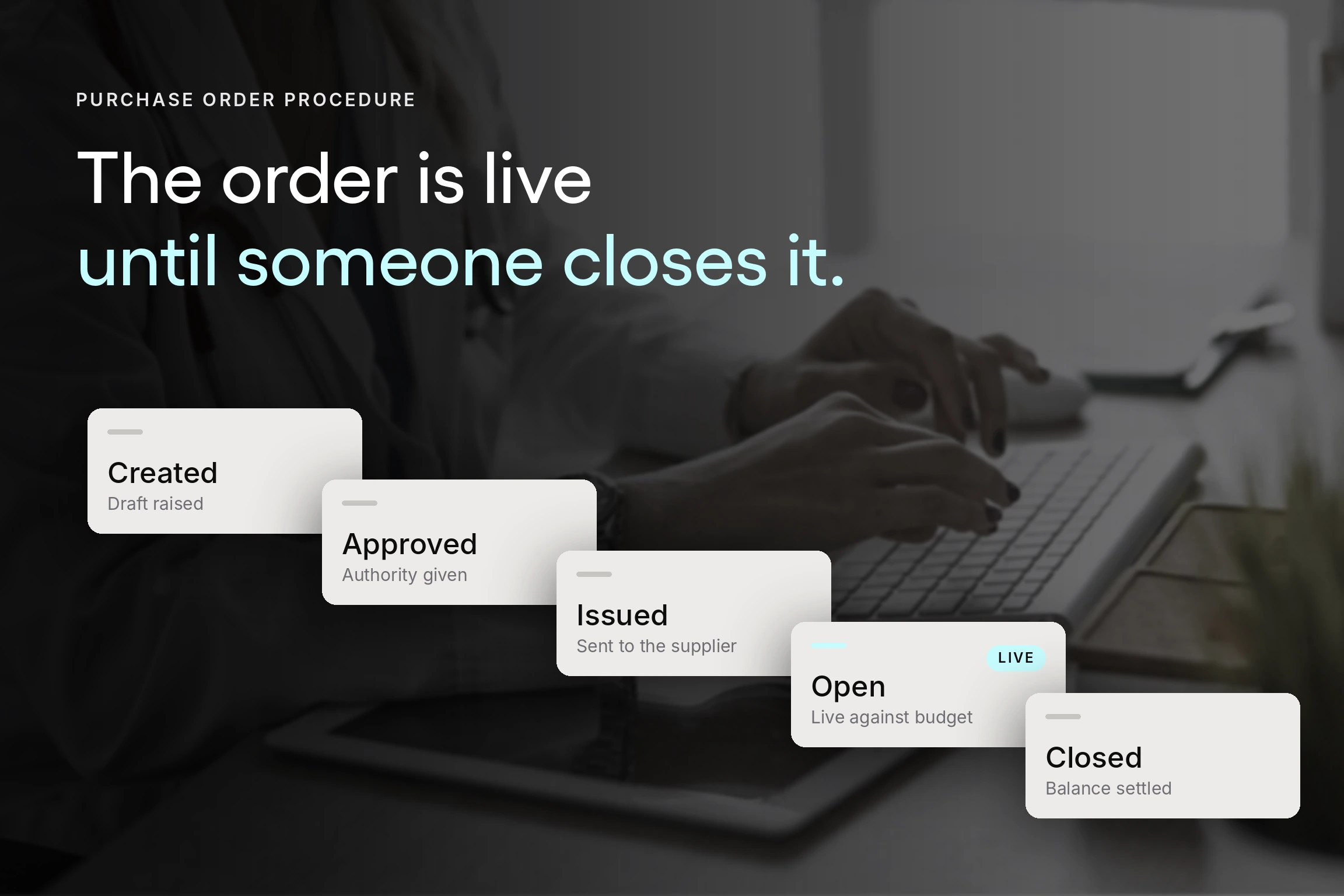
Tradogram is a cloud-based procurement platform built around a single idea: the organization should be able to see and shape a purchase before it becomes a bill. A requester submits a requisition through a standard form, the request routes to whoever the rules say should see it, and once approved, it converts to a purchase order without anyone rekeying the details. Receiving records confirm what actually arrived, and invoices are matched against both the order and the receipt before payment moves forward.
That sequence is what separates a procurement system from a purchase order generator. Each stage transfers its data to the next, so the audit trail assembles itself instead of being reconstructed later from folders and inboxes.
What it does well
Approval routing that reflects how you actually operate. Rules can be built on amount, department, location, project, category, or a combination. A $900 supply order clears with one approval while a $40,000 contract renewal routes to the department head and finance before anyone signs. Reed Global, a multi-branch staffing organization, used criteria including price, category, and location to give different branches different rules inside one system, and reported completing a full approval cycle in under two hours.
Committed spend visible while it's still a decision. Real-time budget tracking checks requests and approved orders against the relevant budget, so a budget owner sees the commitment when it's created rather than when it's invoiced. This is the specific gap described at the top of this article, and it's the capability most worth testing during a demo.
Connected supplier and contract management. Supplier records, contacts, documents, pricing, and agreements live in one place, with contract tracking and renewal alerts. Before a renewal conversation, the relevant history is already in the record instead of spread across three drives, so the decision to renew, renegotiate, or switch gets made on evidence rather than under deadline pressure.
AI-powered document capture. TradoScan AI runs OCR across expenses, requisitions, POs, and invoices, which cuts the manual entry that usually accompanies invoice processing. Accounts payable spends less time keying line items and more time resolving the exceptions that actually need a person.
Accounting integration that survives contact with month-end. Native connections cover QuickBooks Online, QuickBooks Desktop, Xero, NetSuite, Sage, and Dynamics 365 Business Central. Reed's finance director put the before state plainly: "Before Tradogram, we were reconciling purchase orders and invoices manually across spreadsheets."
Sourcing and payments in the same workflow. Sourcing RFx handles requests for quotation (RFQ) and requests for proposal (RFP) with responses compared side by side, and TradoPay processes supplier payments directly from the platform.
Example: Ashesi University, which moved from paper approvals, reduced purchase order processing from two to three business days to under two hours and reported a 15% cost reduction. Results like that depend on the organization's starting point, and a team already running a disciplined procurement process shouldn't expect the same delta.
Where it falls short
The Essentials plan at $99 per month is not the full procure-to-pay (P2P) workflow. POs, supplier management, AP invoices, TradoPay, TradoScan AI, expense management, and mobile apps are included, but requisitions, custom approvals routing, receiving, real-time budget tracking, contract management, inventory, and multi-entity support are add-ons at that tier. Since requisitions and approval routing are the reason most teams buy procurement software in the first place, budget for add-ons or price out Premium. Chat support is also excluded from Essentials, leaving the knowledge base as your first line of help.
Premium is where the connected workflow arrives intact, and it's aimed at 20 or more users on a custom quote. Teams of eight who want the full workflow should get that number early in the conversation.
Multi-entity support is worth a specific note for organizations structured as parent-subsidiary entities. It's the capability that lets a single Tradogram account apply different approval rules, budgets, and permissions to each subsidiary or branch, while still rolling activity up into a single consolidated view for the parent organization, rather than requiring separate accounts per entity. Organizations evaluating procurement software for this structure should confirm that multi-entity configuration is included in their quote rather than assuming it, as it falls outside the Essentials tier.
Expense management is functional rather than deep. Organizations that need heavy corporate card programs or complex reimbursement policies may still want a dedicated tool alongside it.
Integrations: QuickBooks Online, QuickBooks Desktop, Xero, NetSuite, Sage, Oracle, SAP, Dynamics 365 Business Central, and more.
Pricing: Starts at $99 per month for 1 user.
Book a Tradogram demo to see how approval rules and budget checks handle a purchase your current process would miss.
2. ProcureDesk
Best for: finance-led teams whose main pain is accounts payable, particularly companies wanting purchasing and invoice processing handled by the same procurement software as their accounting stack.
ProcureDesk approaches procurement from the accounts payable side. Where some platforms start with the requisition and work forward, ProcureDesk's positioning speaks directly to CFOs and controllers who don't find out about a purchase until the invoice lands. The purchasing module covers purchase requests, self-hosted and PunchOut catalogs, configurable budgets, automated order dispatch to suppliers, and purchase order receipts. The accounts payable module adds OCR, two-way and three-way invoice matching, invoice approval workflows, and credit memos.
The company is based in Cincinnati and reports serving more than 300 companies, with published case studies concentrated in biotech, charter schools, and manufacturing.
What it does well
Budget control at the request stage. Configurable budgets and custom approval workflows are both included in the entry tier, so the spend check happens before the order goes out rather than at reconciliation. For a team whose specific problem is committed spend, that matters more than the invoice features.
Onboarding that doesn't fall to your team. White-glove onboarding is standard on every package, with ProcureDesk handling account configuration, approval workflow mapping, supplier catalog setup, and accounting syncs. For a company with no dedicated procurement staff, that removes an adoption risk.
A genuine risk reversal. A 30-day money-back guarantee applies even after onboarding and training. Few vendors in this category offer that, and it's a reasonable thing to hold them to.
Deep accounting integration. Bidirectional API connections come standard across packages rather than being reserved for enterprise buyers.
Nonprofit pricing. A 15% subscription discount is available with tax-exempt documentation.
Where it falls short
The entry plan is purchasing only, and the split is sharper than it first appears. Invoice matching, OCR, invoice approval workflows, credit memos, and the vendor portal are all excluded from Purchasing Automation. If three-way matching is why you're shopping, your actual starting price is the Purchasing & AP Automation tier, not the headline number. Automated invoice coding and custom system integrations are Enterprise only.
Seats are bundled in blocks of 10 rather than sold individually, which is efficient for a team of nine and expensive per seat for a team of three. Reviewers on G2 and Capterra also raise recurring notes about approval routing and invoice matching feeling slow or unintuitive, and rate ease of setup lower than several competitors on this list. Worth probing in a demo with your own approval structure rather than the sample one.
Sourcing is also thin. There's no RFQ or RFP event management comparable to what a strategic sourcing workflow requires, so bid comparison stays outside the system.
Integrations: QuickBooks Online, QuickBooks Desktop and Enterprise, Xero, Sage Intacct, NetSuite, Microsoft Dynamics 365 Business Central, Bill.com, and Slack notifications. SOC 2 compliant.
Pricing: Starts at $598 per month for 10 users. Purchasing & AP Automation starts at $1,020 per month. Enterprise is a custom quote.
3. Pipefy
Best for: teams that want to design their own procurement workflow from scratch, and have someone willing to own it after launch.
Technically, Pipefy isn't procurement software. It's a no-code business orchestration and automation platform, and procurement is one of a dozen departments it serves alongside human resources, legal, IT, and customer service. In 2026 the company has repositioned heavily around AI, offering packaged "AI Studios" including a procure-to-pay studio and a quotation studio that use AI agents to run purchasing workflows against your enterprise resource planning (ERP) system.
That distinction shapes everything else. With ProcureDesk or Tradogram, purchase requests, approval routing, budgets, and supplier records already exist, and you can configure them. With Pipefy, you get a canvas, a template library, and the tools to build those things yourself. For a team with unusual purchasing rules that no packaged system quite fits, that flexibility is the whole appeal. For a team that just needs approvals working by next quarter, it's a big project.
What it does well
Genuine flexibility across departments. One platform can run purchasing, onboarding, contract review, and IT tickets, with conditional logic and role-based access on each. Companies already using Pipefy elsewhere get procurement workflows without adding a vendor.
A free tier that's actually usable for evaluation. Up to 10 users, five workflows, and 50 cards per month, with no credit card required. You can model your approval process and see whether the shape works before spending anything.
A small business program. Pipefy advertises a fixed-price offer for companies with 11 to 200 employees, with discounts it describes as up to 90% off standard packages, subject to conditions. If you're in that band, ask about it directly rather than accepting list pricing.
Strong reviewer sentiment on usability. Ease of use rates well on G2, and the no-code builder genuinely doesn't require a developer for straightforward workflows.
Where it falls short
The procurement-specific mechanics aren't there out of the box. No supplier master record, no three-way matching engine, no committed spend tracking against a budget, no receiving module tied to orders. You can build approximations of several of these, but you're building them, maintaining them, and owning the gaps.
Accounting integration is the harder problem. Native integrations cover Slack, GitHub, BitBucket, and Google Hangouts, with everything else running through Zapier, the API, HTTP requests, or a custom integration quoted separately. There's no packaged QuickBooks, Xero, or NetSuite connector comparable to what the purpose-built procurement software ships. For procurement, where the whole value depends on purchasing data reaching accounting cleanly, that's a significant gap.
Also, you’ll need to watch two consumption limits during evaluation.
1) Automation jobs are capped monthly, at 15 on the free tier and 300 on Business, and a multi-step approval workflow consumes them quickly.
2) Every plan also includes 1,000 single-use AI credits, after which additional credits are purchased as add-ons, so the AI features that anchor the current marketing carry a variable cost that isn't in the subscription price.
Pricing transparency is limited. Only the free tier has a published number, and both paid tiers route to sales. The enterprise customer logos on the pricing page, including IBM, Toyota, and Kraft Heinz, suggest the product is being built primarily for enterprise buyers.
Integrations: Slack, GitHub, BitBucket, and Google Hangouts natively, plus Zapier, a public API, and HTTP requests. Custom integrations are quoted separately.
Pricing: Starter is free for up to 10 users and five workflows. Business and Enterprise are quote-only, with no published per-user rate.
4. Procurify
Best for: mid-market finance and operations teams that want purchasing, invoices, payments, and employee spending cards controlled from one place.
Procurify now describes itself as an agentic procurement platform covering intake-to-pay, meaning it picks up at the moment someone requests something and carries through POs, invoices, payments, and card spend. The company reports managing more than $100 billion in spend for mid-market organizations in healthcare, education, biotechnology, manufacturing, and nonprofits.
The company's real differentiator has stayed consistent across several product generations: it treats the employee doing the buying as a first-class user rather than an inconvenience. Physical and virtual spending cards carry pre-approved limits, so someone can make a purchase directly while the control sits in the card rather than in a form they have to fill out afterward.
What it does well
Card-based control for spend that resists purchase orders. Software subscriptions, conference registrations, and small supplier charges are the transactions that usually escape a purchase order process entirely. Issuing a card with a preset limit and automatic coding brings that spend into the same system without asking anyone to raise a requisition for a $60 charge.
Real-time budget checks at request time. Approvals and budgets work together, so a requester sees the budget position when submitting rather than after the fact.
Strong reviewer scores on everyday use. Procurify rates well on G2 for ease of use and meeting requirements, with a large review base behind those numbers, which is a better signal than a high average on 30 reviews.
Established ERP connections. NetSuite, QuickBooks, and other accounting systems are supported.
Where it falls short
There's no pricing page, no free trial listed, and every route leads to a sales conversation. Budget for a discovery call before you get a number, and expect that number to reflect mid-market affordability rather than small business.
The platform is built for organizations with roughly 100 to 1,000 employees. A 25-person company can buy it, but will likely pay for governance depth it doesn't need yet, and reviewers note that customization and flexibility are areas where competitors do better.
Integrations: NetSuite, QuickBooks, and other ERP systems.
Pricing: Quote only. Per-user pricing billed annually, with volume discounts and no published rate.
5. Kissflow
Best for: larger organizations consolidating several point solutions onto one no-code platform, particularly those already running other Kissflow workflows.
Kissflow Procurement Cloud is a procure-to-pay suite built on the company's low-code and no-code platform, covering purchase requisitions, approvals, purchase orders, three-way matching, supplier management, PunchOut catalogs, inventory, and expenses. The no-code foundation means procurement workflows can be reshaped without developer time, which is the main reason teams choose it over a fixed system.
What it does well
Real procurement depth on a configurable base. Unlike Pipefy, the procurement modules are prebuilt, so you're adjusting a working procure-to-pay process rather than assembling one.
Consolidation. For a company already running Kissflow for other departments, adding procurement avoids another vendor, another login, and another integration.
Accounting connections. QuickBooks, Xero, and other finance systems connect through the API.
Where it falls short
The small business fit has weakened. Kissflow's pricing is positioned around enterprise low-code deployments, scaling on user count, functionality, and transaction volume, and third-party listings describe entry configurations sized around 100 users. A 30-person company will likely find the procurement software capable, but will soon realize that the commercial model was built for someone else.
Integrations: QuickBooks, Xero, and other finance systems via API, plus PunchOut catalogs and custom integrations.
Pricing: Quote only, based on users, features, and transaction volume.
6. ProcurementExpress.com
Best for: small teams whose main need is purchase request approval and budget tracking, particularly grant-funded and nonprofit organizations that must prove spend control during an audit.
ProcurementExpress.com is deliberately narrow. It centralizes purchase requests, enforces approval workflows, tracks costs against budgets by department or job, and produces audit-ready records. It doesn't attempt sourcing, inventory, or full accounts payable automation, and it's better for the focus. The company has leaned into audit readiness and federal grant compliance as a specialty, which is a genuinely underserved niche.
What it does well
Budget visibility that requesters actually see. Reviewers repeatedly describe watching remaining budget update as requests are submitted, which is the behavior that changes spending habits rather than just recording them.
Very high usability scores. Ease of use rates 9.7 on G2, among the strongest on this list, with consistent praise for adoption across non-technical staff.
Mobile approvals for distributed teams. Useful for construction and field operations where approvers aren't at desks.
Where it falls short
The Basic carries a spend cap: it manages up to $10,000 per month. Paying roughly 4% of managed spend for the software is difficult to justify, and crossing that ceiling pushes you to the next tier. There's also a 10-user minimum, billed whether or not you have 10 active users, so a team of four pays for ten. A one-time $2,000 setup fee applies in some cases. Reviewers also flag accounting integration as expensive and cumbersome.
Integrations: QuickBooks Online, Sage 50, Sage 200, Xero, and Zapier.
Pricing: Basic starts at $415 per month for up to 10 users.
7. Xero
Best for: small businesses that need clean accounting first and can treat purchase orders as documentation rather than control.
First and foremost, Xero is accounting software. It can create POs, convert them to bills, store supplier contacts, and track inventory, and it does all of that inside a well-regarded general ledger with unlimited users on every plan. For a company issuing a handful of POs a month, that may genuinely be enough.
What it does well
Unlimited users at a flat rate. Every plan supports unlimited users with role-based permissions, which is unusual and matters when occasional requesters would otherwise need seats.
Purchase orders that flow straight into the books. A purchase order becomes a bill without re-entry, and the record stays in the same system the accountant already works in.
A large app marketplace. Where Xero stops, connected tools continue, including the Tradogram integration with Xero.
Where it falls short
A purchase order in an accounting system is created after the buying decision. There's no requisition step where a request gets reviewed before commitment, no approval routing based on amount or department, no receiving record to match against, and no budget check that shows a department its committed position. Xero will tell you accurately what you owe. It won't tell a budget owner what they've already agreed to spend.
Integrations: Extensive app marketplace, including procurement platforms.
Pricing: US plans run roughly $25 to $90 per month depending on tier.
8. Zoho Books
Best for: small businesses already in the Zoho ecosystem that want purchase order approvals without adding a separate procurement platform.
Zoho Books goes further into purchasing than most accounting software. It supports single or multi-level approval workflows on purchase orders before they're sent to suppliers, converts them to bills in one click, records partial receipts against an order when a supplier delivers in batches, and offers a vendor portal on higher tiers.
What it does well
Approval before the order reaches the supplier. A purchase order can be routed for review before it goes out, which is a real control point rather than a record after the fact.
Partial receipt tracking. Recording what actually arrived against what was ordered is the foundation three-way matching depends on, and few accounting systems bother.
Per-organization pricing. Plans are priced per organization rather than per user, so adding approvers doesn't add cost.
Where it falls short
The control still starts too late. There's no requisition step where an employee's request is reviewed before anyone decides to buy, no budget check showing a department its committed position, and no three-way match against a receiving record and invoice. Purchase orders arrive at the Professional tier rather than the entry plans. And because pricing is per organization, a company running three legal entities buys three subscriptions.
Integrations: The Zoho application suite, major payment gateways, and third-party connectors.
Pricing: Free for businesses under $50,000 in annual revenue. Paid plans run roughly $20 to $275 per month depending on tier.
9. Bellwether
Best for: organizations creating 50 to 1,000 purchase orders a month that need purchasing tied closely to inventory, particularly in manufacturing, construction, and healthcare.
Bellwether has been in this market since 1985, which is unusual in a category where most competitors launched after 2015. The product is modular: requisitions, purchase orders, receiving, invoicing, inventory, assets, and contracts are bought separately, so you add what you need rather than paying for a full suite from day one. The customer list skews toward established institutions and manufacturers.
What it does well
Conditional approval routing with line-item control. Rules run on order amount, item type, department, or custom conditions, and approvers can accept or reject individual lines rather than the whole order. That last detail matters more than it sounds when a request bundles one questionable item with five routine ones.
Requisition-stage budget visibility. Requesters see budget consumption by percentage against a general ledger account, project, or job while building the request.
Receiving depth. Partial shipments, rejections, and blanket purchase orders are handled natively, along with more than 50 PunchOut catalog connections.
A money-back guarantee. Bellwether advertises a 100% money-back guarantee, which is worth getting in writing during negotiation.
Where it falls short
Reviewers rate ease of use at 4.6 on Capterra, solid but below some of the other procurement software on this list, with recurring complaints about report filtering and the inability to upload spreadsheets or update codes without deleting the originals. The modular model also means the quote you get depends heavily on which pieces you select, so ask for the full configuration cost rather than a starting figure. Their G2 profile has also gone unclaimed for over a year, so recent third-party review data is thinner than for other platforms here.
Integrations: QuickBooks and ERP connectivity through invoicing, plus 50-plus PunchOut catalogs.
Pricing: Quote only, priced by module.
10. Coupa
Best for: enterprises consolidating procurement, accounts payable, expenses, and treasury onto one platform, with a procurement team and budget to match.
Coupa is a business spend management suite covering procure-to-pay, sourcing, contract lifecycle management, supplier risk, expenses, and payments, increasingly wrapped in AI agents. Its distinctive asset is benchmarking drawn from aggregated customer spend data, which no mid-market procurement software can replicate. It's a genuinely strong product, and its inclusion here is about fit rather than quality.
What it does well
Breadth no smaller platform matches. Sourcing, contracts, supplier risk, travel and expense, and payments all live on one transactional record.
Community benchmarking. Aggregated spend data across the customer base supports negotiation and category decisions in ways an internal dataset can't.
Enterprise ERP integration. Deep connections into the systems large multinationals actually run.
Where it falls short
The licensing model is the problem for smaller organizations. Coupa charges the same rate for an occasional approver as for a daily power user, which is backwards for a company where most participants touch the system twice a month. Reviewers consistently flag that advanced modules including analytics, contract lifecycle management, and sourcing optimization are priced separately and can be cost-prohibitive at mid-market scale, so the base quote rarely reflects the working configuration.
Analysts consistently place Coupa at the higher end of the market with meaningful implementation, integration, and training costs on top of subscription. Reviewers also cite a steep learning curve and complex systems integration.
Practically, organizations with revenue above roughly $50 million and a dedicated procurement team are where the return case starts to hold.
Integrations: Major ERP systems, plus a large partner ecosystem.
Pricing: Custom quote, with no free version or trial. Implementation and integration are priced separately.
11. SAP Ariba
Best for: large, often multinational organizations already running SAP, particularly those whose procurement value comes from supplier discovery and complex sourcing events.
SAP Ariba covers sourcing, contract lifecycle management, supplier management and risk, requisitions, purchase orders, and invoice processing, integrated with SAP S/4HANA. Its defining asset is the SAP Business Network, formerly the Ariba Network, connecting millions of buyers and suppliers for transactions, discovery, and collaboration.
What it does well
Supplier reach nothing else matches. For organizations that need to find and qualify new suppliers at scale, the network is a genuine strategic asset rather than a feature.
Complex sourcing events. Auctions, multi-round requests for proposal, and structured bid evaluation are handled natively.
Native SAP integration. If your finance system is S/4HANA, this is the path of least resistance.
Where it falls short
Implementation typically requires specialized consultants, and reviewers consistently describe a steep learning curve for standard users and administrators alike. Support feedback is mixed, with recurring complaints about irrelevant responses and weak documentation. Third-party estimates place annual subscription costs in the tens of thousands and up, though SAP publishes nothing and figures vary too widely to rely on.
The deeper mismatch is one of purpose. Ariba is built to manage supplier relationships across a global base. Most small businesses buy repeatedly from 20 to 50 known suppliers, where the problem isn't discovery but internal control. Buying supplier network capability to solve an approval routing problem is expensive in both money and adoption.
Integrations: SAP S/4HANA, SAP Business Network, SAP Fieldglass, and third-party ERP systems.
Pricing: Custom quote. Nothing published.
12. Order.co
Best for: multi-location operations, including hospitality, fitness, property management, and childcare, that buy consumable goods from many suppliers and marketplaces.
Order.co, formerly Negotiatus, approaches the problem from the catalog rather than the requisition. It captures purchasing from any website or marketplace, places orders through supplier portals and e-commerce sites automatically, tracks deliveries across suppliers and carriers, and consolidates the resulting invoices. Named to The Hackett Group's 2025-2026 "50 to Watch" list for a sixth consecutive year.
What it does well
Control at the point of purchase. Transaction-level and SKU-level pre-approvals stop out-of-policy spending before it happens, and vendor-specific, budget-controlled virtual cards handle the payment side.
Genuine multi-location strength. Ordering the same approved items across dozens of sites from a curated catalog is the specific job this product is built for.
Accounts payable depth. Automated general ledger coding, three-way matching, and line-level reconciliation.
Where it falls short
The model assumes catalog-based buying of physical goods. Services, professional fees, software subscriptions, and contract-based purchasing don't fit the pattern, and for many companies that's the majority of spend. There's no published pricing and no free tier.
Sourcing is also aimed elsewhere. The platform's savings claims rest on its supplier network and negotiated pricing rather than on helping your team run its own requests for quotation and compare bids, so if you want to own supplier negotiation, that capability lives outside the tool.
Integrations: Accounting and ERP systems, supplier portals, and e-commerce sites.
Pricing: Custom quote. Nothing published.
How the 12 procurement software platforms compare
The detailed entries above cover key features and tradeoffs. This recap pulls the two things worth holding side by side while you build a shortlist: who each platform is built for, and what it costs to start.
One pattern is worth naming before you scan it. Around half of these procurement tools publish no pricing at all, and among those that do, the entry price rarely covers the full workflow. The individual entries above note where each platform draws that line. Treat the numbers below as a starting point for a conversation, not a budget.
| Platform | Best for | Starting price |
|---|---|---|
| Tradogram | Growing organizations needing approvals, budgets, receiving, and invoice matching connected | $99/month |
| ProcureDesk | Finance-led teams whose main pain is accounts payable | $598/month, 10 users included |
| Pipefy | Teams building custom purchasing workflows on a no-code platform | Free tier; paid plans quote-only |
| Procurify | Mid-market teams combining purchasing with employee spending cards | Quote only |
| Kissflow | Larger organizations consolidating point solutions onto one platform | Quote only |
| ProcurementExpress.com | Small teams needing request approval, budget tracking, and audit records | $415/month, 10-user minimum |
| Xero | Small businesses needing accounting first, purchase orders second | $25/month, unlimited users |
| Zoho Books | Zoho users wanting purchase order approvals without a separate platform | Free under $50K revenue; paid from approximately $20/month |
| Bellwether | Organizations issuing 50 to 1,000 orders monthly with inventory needs | Quote only, priced by module |
| Coupa | Enterprises consolidating procurement, AP, expenses, and treasury | Quote only |
| SAP Ariba | Large SAP-based organizations needing supplier discovery at scale | Quote only |
| Order.co | Multi-location operations buying consumable goods from many suppliers | Quote only |
* Pricing verified against each vendor’s own pricing page in August 2026.
How to choose the right procurement software for your business
The criteria from earlier are worth turning into an actual sequence, because the order you apply them in changes the answer.
If you've been putting this decision off, that's fair. Most procurement software makes it genuinely hard to compare what you'd actually pay, and the differences that matter don't show up on a feature grid.
Start with where your process breaks, not with a feature list. If purchases are approved but invisible until invoicing, you have a spend visibility problem, and you need budget control at the request stage. If invoices arrive that nobody can match to an order, you have an accounts payable problem, and you need three-way matching. If you're paying too much because nobody compares bids, you have a sourcing problem, and you need strategic sourcing tools. These are three different products. Buying the wrong procurement software solves a problem you didn't have.
Size by transaction volume, not headcount. A 40-person engineering firm issuing 30 purchase orders a month has different needs than a 40-person restaurant group issuing 400. Bellwether states its range plainly at 50 to 1,000 orders a month, and it's a more honest sizing signal than employee count. Count your monthly purchasing activity before your first sales call.
Price the workflow, not the entry plan. Nearly every platform here gates something essential behind a higher tier. Requisitions and custom approvals are add-ons at Tradogram's Essentials level. Invoice matching sits above ProcureDesk's entry plan. Purchase orders arrive at Zoho Books' Professional tier. ProcurementExpress.com's Basic plan caps managed spend at $10,000 a month. Ask what your actual configuration costs, then compare those numbers.
Check the seat model against your approver count. Occasional approvers usually outnumber procurement staff several times over. Per-user pricing that looks reasonable for a five-person team gets expensive when 30 budget owners need access, and it creates quiet pressure to leave people out of the system, which reintroduces the manual processes you were trying to eliminate. Xero's unlimited-user model and Zoho's per-organization pricing sit at one end of this spectrum. Coupa, which charges the same rate for an occasional approver as for a daily user, sits at the other.
Test integration requirements early. Purchasing data that doesn't reach accounting cleanly creates reconciliation work that erases the time savings elsewhere. Ask specifically whether the connector is bidirectional, whether it's included or an add-on, and whether it handles your chart of accounts structure. ERP integrations are where implementations most often stall.
Ask what the reporting actually shows, not whether reports exist. Every platform here has dashboards. The useful question is whether spend analytics answer the questions your finance team actually asks. Can a budget owner see committed spend alongside actual spend, or only invoices already paid? Can you break procurement data down by department, project, location, and supplier, or only by month? Do real-time dashboards update when a request is approved, or when the bill posts? Spending patterns across a full year are what justify renegotiating with a supplier, so ask to see a report built from twelve months of data rather than a demo screenshot. Real-time visibility is the phrase every vendor uses. Make them show you which events it actually covers.
Treat AI claims as a question, not a feature. Most procurement software platforms now lead with AI. The useful question isn't whether a product has it but what it does and what it costs. Document capture and invoice coding are mature and genuinely reduce manual data entry. Autonomous negotiation agents are newer and less proven. Ask whether AI usage is included in the subscription or metered, since Pipefy's credit model shows how that can become a variable cost.
Weigh adoption above capability. The most capable procurement solution your team refuses to use is worth less than a simpler one they actually follow. Reviewer ease-of-use scores are a reasonable proxy, but a better test is watching someone outside the finance team submit a request during the demo without coaching.

Questions to ask before you sign
Even though some of the platforms offer published pricing, a sales conversation may be unavoidable. Go in with a list.
What does our configuration cost, with every module we discussed? Not the starting price. The working configuration, including add-ons.
Are there implementation fees, setup fees, or minimum user commitments? ProcurementExpress.com bills a 10-user minimum regardless of actual usage and charges a one-time setup fee in some cases. Ask directly rather than discovering it on the invoice.
What happens to pricing when we grow? Get the cost at your current size and at roughly double it. Some vendors index pricing to transaction volume or managed spend rather than seats, which changes the math considerably.
Is the accounting integration included, and is it bidirectional? Then ask which fields sync and which don't.
What are the contract terms? Month-to-month or annual commitment, notice period for cancellation, and whether the annual discount locks you in.
Who configures the approval workflows, and what does it cost to change them later? Your purchasing rules will change. Find out now whether that's a support ticket or a professional services engagement.
Can we see the vendor performance and spend reporting with our own data? Demo data always looks clean. Ask what the reports look like in month three with real supplier records.
What does support include at our tier? Chat support is excluded from Tradogram's Essentials plan, dedicated account managers are Enterprise-only at ProcureDesk, and SAP Ariba's documentation draws mixed reviews. Support quality matters most during the first six weeks when nothing works properly yet.
Where Tradogram fits, and where it doesn't
Tradogram is built for the organization in the middle: too complex for spreadsheets and email approvals, not ready for an enterprise implementation.
That middle is more specific than it sounds. It usually means multiple departments or locations, more approvers than one person can track, a growing supplier base, and a finance team that needs to see commitments before invoices arrive.
It often means limited or no dedicated procurement staff, which makes the connected workflow matter more than any individual capability. Requisitions, approvals, purchase order management, receiving, invoice matching, contract management, and supplier records operating as one system is the difference between controlling spend and documenting it afterward.
If your organization runs source-to-pay processes across a global supplier base with thousands of active suppliers, an enterprise suite will serve you better. If your problem is genuinely just a purchase order template and you issue five a month, your accounting software is probably enough, and we'd rather tell you that than sell you something. If most of your uncontrolled spend is employee card purchases rather than supplier orders, a card-first platform may fit the pattern better.
But if approved purchases keep surprising your finance team, if maverick spending is hard to trace, or if your budget owners find out about commitments when the bill arrives, that's the problem Tradogram was built to solve.
Book a Tradogram demo and bring a purchase your current process would have missed. That's a better test than any feature list.