
As businesses gear up for 2025, it's crucial to identify areas for improvement that drive efficiency and growth. One such area is accounts payable (AP) automation. This guide highlights the best AP automation software of 2025, offering practical tips for choosing the right solution and a curated list of top-performing tools.
Ready to enhance your AP processes? Let’s get started!
Challenges of Manual Procurement
Manual procurement processes can be riddled with inefficiencies. Here are some common challenges businesses face:
- Error-prone workflows: Paper-based processes and manual data entry increase the risk of mistakes.
- Limited visibility: Difficulty in tracking spending, managing suppliers, and ensuring compliance.
- Time-consuming tasks: Slow workflows hinder decision-making and responsiveness to market changes.
Why Accounts Payable Automation Matters
Adopting the right accounts payable software can transform your business operations. Here’s why it’s crucial:
- Streamlined workflows: Automation reduces errors and accelerates invoice processing.
- Improved visibility: Gain better control over financial processes for informed decision-making.
- Cost savings: Minimize paper usage, manual labor, and late payment penalties while optimizing cash flow.
Top Accounts Payable Automation Software for 2025
1. Tradogram
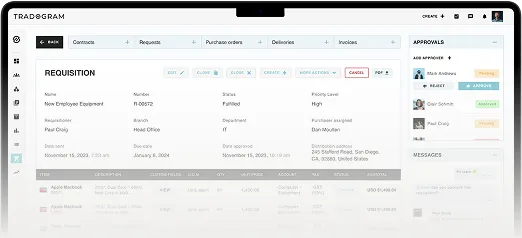
Tradogram is a comprehensive accounts payable and procurement solution designed to maximize efficiency and cost savings.
Key Features
- Digital record-keeping for tracking budgets, invoices, and data.
- Credit note management for streamlined invoicing.
- Automated budget adjustments and 3-way invoice matching.
- Supplier sourcing tools to enhance negotiations.
- Inventory management for stock tracking and purchase order automation.
- Multi-level management to support organizational hierarchies.
- Integration with QuickBooks, Xero, and NetSuite.
Pros
- User-friendly interface.
- Comprehensive tools, including RFQ/RFP and delivery tracking.
- Real-time analytics for data-driven decisions.
- Scalable cloud-based solution suitable for all business sizes.
- Cost-effective pricing.
Cons
- Some users report a learning curve for customizations.

2. Coupa
Coupa is a robust spend management platform offering procurement, invoicing, and expense management tools.
Pros
- Extensive supplier management features for onboarding and performance tracking.
- Advanced approval workflows for better oversight.
- Robust compliance tools to meet regulatory standards.
- AI-powered invoice processing.
Cons
- High cost, especially for smaller businesses.
- Limited customization options.
- Challenges during initial implementation.
3. Team Procure
Team Procure is a cloud-based software designed to simplify purchasing and supplier management.
Pros
- Real-time collaboration with team members and suppliers.
- Customizable approval workflows.
- Budget tracking and data-driven insights.
- Integration with various ERP and financial systems.
Cons
- Limited inventory management features.
- Steeper learning curve for advanced functionalities.
How to Choose the Right Accounts Payable Software Solution
When selecting an accounts payable automation tool, consider the following factors:
- Ease of Use: Choose software that’s intuitive and easy for your team to adopt.
- Integration Capabilities: Ensure it connects seamlessly with your existing systems.
- Automation and AI: Look for features that enhance efficiency and reduce errors.
- Scalability: Opt for a solution that grows with your business.
- Mobile Access: Prioritize tools that allow you to manage AP on the go.
- Security: Robust data protection and compliance features are essential.
- Cost Efficiency: Evaluate the total cost, including implementation and ROI.
Improve Procurement Processes with Tradogram
If you want to improve procurement efficiency and increase cost savings and ROI, then you are on the right track. Tradogram is a robust account payable automation that comes in handy with every feature necessary to handle purchasing from start to finish.
As discussed earlier, the platform offers features such as automation, invoice processing, inventory management, analytics, tracking, and many other useful tools to ease your procurement journey. Moreover, Tradogram is a platform with a friendly user interface and high scalability, allowing you to use the tool continuously as your business and supplier list keeps expanding.
To learn more about what we have to offer and how we can help you in 2025, contact us, and our team will be more than happy to assist you.