

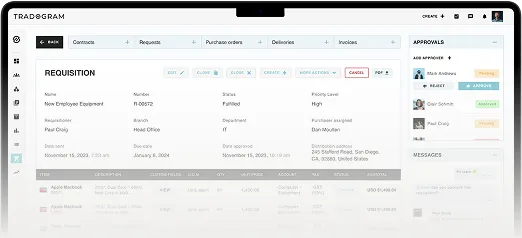
A procurement manager sits through a vendor demo and hears the word flexible four times in twenty minutes. Toward the end, she asks the question that actually matters: can the system handle the fact that her engineering team's approval rule is different from her facilities team's? The rep pauses. Then says they'll look into it.
That pause is the whole problem.
If you've sat through any procurement software demos this year, you've probably heard some version of the same word. Every vendor says flexible. Configurable. Customizable. Almost none of them get tested on it, because most buyers ask a yes-or-no question and accept a yes-or-no answer.
That's a mistake, and it's an expensive one to make after the contract is signed. A platform that can't match how your organization approves purchases creates friction and pushes people back toward the spreadsheets and email threads you were trying to replace.
This article gives you better questions to ask, and a specific way to test the answer, whether you're evaluating Tradogram or anyone else.
Key Takeaways
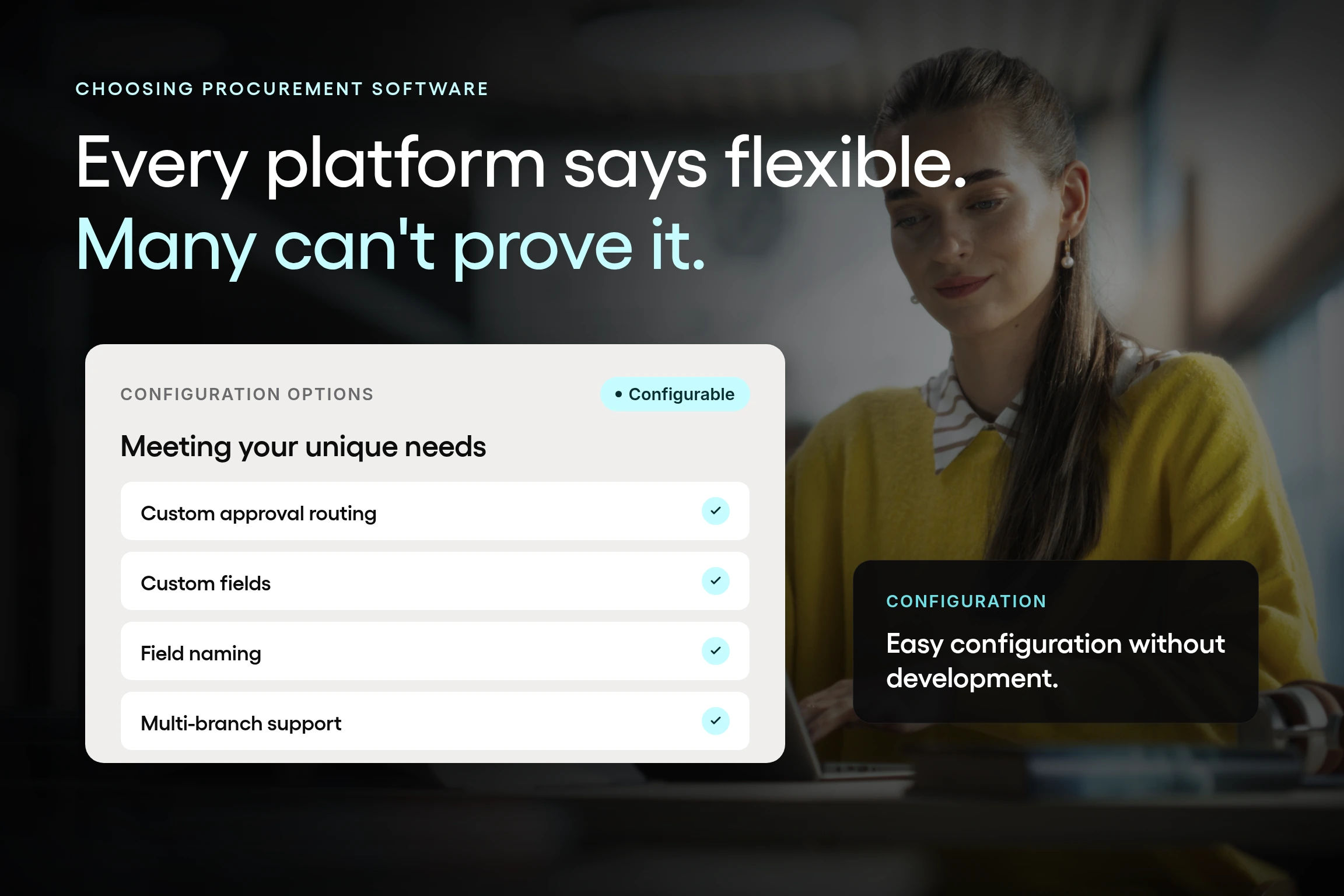
- Flexibility in procurement software is a specific, testable property, not a marketing claim. An administrator should be able to configure fields, approval routing, and purchase order structure to match how an organization already works, without custom code or a development request.
- Real flexibility spans four independent areas: required data, approval routing, terminology, and how a purchase order can represent a purchase. A platform can be configurable on one of these and rigid on the rest, and most buyers only test approval steps.
- The most reliable way to test a flexibility claim is to ask a vendor to configure one of your actual approval scenarios live, rather than asking a yes-or-no question. A vendor with genuine configurability can typically do this in the room rather than promising a follow-up.
- Configuration, assisted configuration, and customization are three different categories with different costs and timelines. Adding a required field or a routing rule happens without code, changing an existing field name may require a quick support ticket, and bespoke development for a unique need is evaluated and priced separately.
- Structured flexibility tends to produce more consistent policy enforcement, not less, because it removes the silent exceptions a rigid system forces people to create. When approval rules can be configured to match each department's real process, teams stop building workaround spreadsheets to route around a system that doesn't fit.
What "flexible" actually means in procurement software (and what it doesn't)
Flexible gets used so often in procurement software demos that it no longer means much. Here's a definition you can actually test.
Flexible procurement software means an administrator, not a developer, can configure much of the system to match how your organization already works: what data you capture, how approval requests are routed, and what a purchase order represents. No support ticket. No custom development request. No waiting on a vendor's engineering queue.
It does not mean unlimited or arbitrary customization. A genuinely flexible platform still has structure. The difference is who controls that structure and how quickly it can change.
Think of it as three separate categories.
- Configuration is something an administrator sets up inside the system: a required field, an approval threshold, a routing rule, etc. It happens in minutes, without code.
- Assisted configuration covers smaller changes that don't require development but do require Tradogram's team to make them, such as relabeling a field across the platform. It usually goes through a quick support request rather than an admin setting, but it's still configuration, not a custom build.
- Customization, in the fuller sense, means the vendor builds something new for you, including functionality that doesn't exist yet. That's a real category too, but it's evaluated and priced separately and typically reserved for genuinely unique needs rather than everyday configurations.
The distinction matters because it changes what you should expect. A required reference number field that an admin adds is fundamentally different from a support request to relabel a field, and both are different from a bespoke integration that requires a scoped development request. If a vendor can't tell you which category something falls into, that's worth noting.
In general, Tradogram's position on this is that procurement software should match the organization, not force the organization to match the software.
The two ways buyers already get this wrong
Most organizations that end up with the wrong procurement software didn't get fooled. They got caught between two systems that fail for opposite reasons, and they already recognize both from experience.
The first is total flexibility with no control: spreadsheets, email approvals, shared drives. Anyone can change anything, which sounds useful until you realize nothing gets enforced consistently. One department tracks approvals in a spreadsheet column. Another approves purchases over chat. Finance learns about a commitment when the invoice arrives.
The second is control with no flexibility: a rigid procurement system that forces every request through the same two-step approval regardless of department, project, or amount. It looks organized on a slide, but it doesn't match how a real organization actually works. So people route around it. A department builds its own shadow spreadsheet because the software couldn't adjust its actual approval routing. The exception becomes the norm, quietly.
Both failures produce the same underlying cost: undocumented exceptions. Whether the exception comes from a system with no rules or a system with the wrong rules, the result looks the same at audit time. Nobody can say with confidence what actually got approved, or why.
And the way to fix that isn't by adding more rules to a rigid platform; it’s by creating rules and workflows that match how the organization works.
Every organization processes purchases a little differently, and that's the point
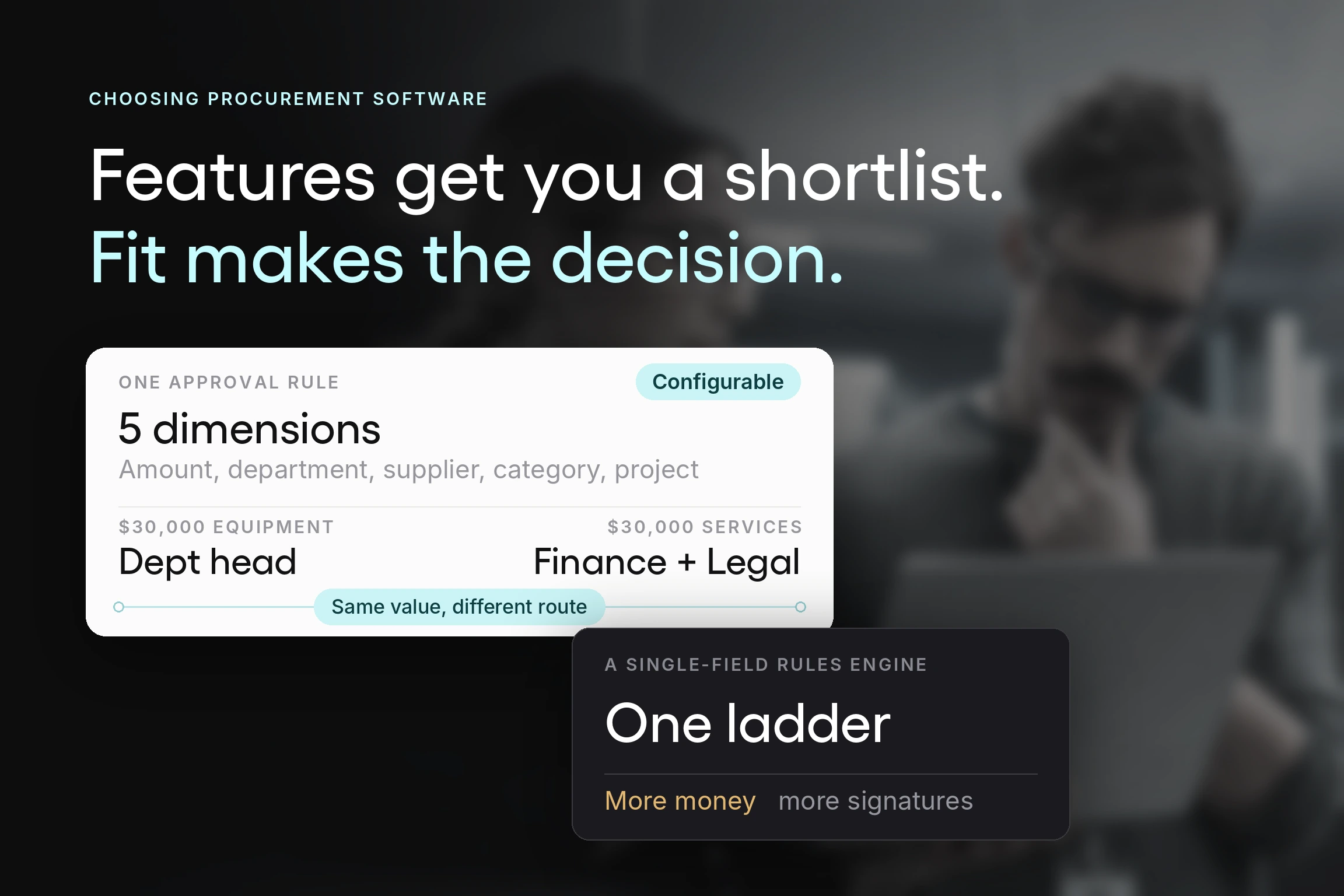
Two organizations of the same size in the same industry can have meaningfully different logic for approving purchase requests. One requires a department head's sign-off above $5,000. Another routes anything that touches IT through a separate reviewer, regardless of amount. A third calls its cost centers "departments" rather than "branches" because that's how the business is organized.
None of that is a mistake. It's what happens when an approval process grows out of a real organization instead of a generic template.
Software built around one fixed process will always be wrong for someone. That's the argument behind structured flexibility: real flexibility in procurement software spans several independent dimensions, not just one. It's about what data you capture, how approvals route, what things are called, and how a single purchase order can represent a multi-department purchase.
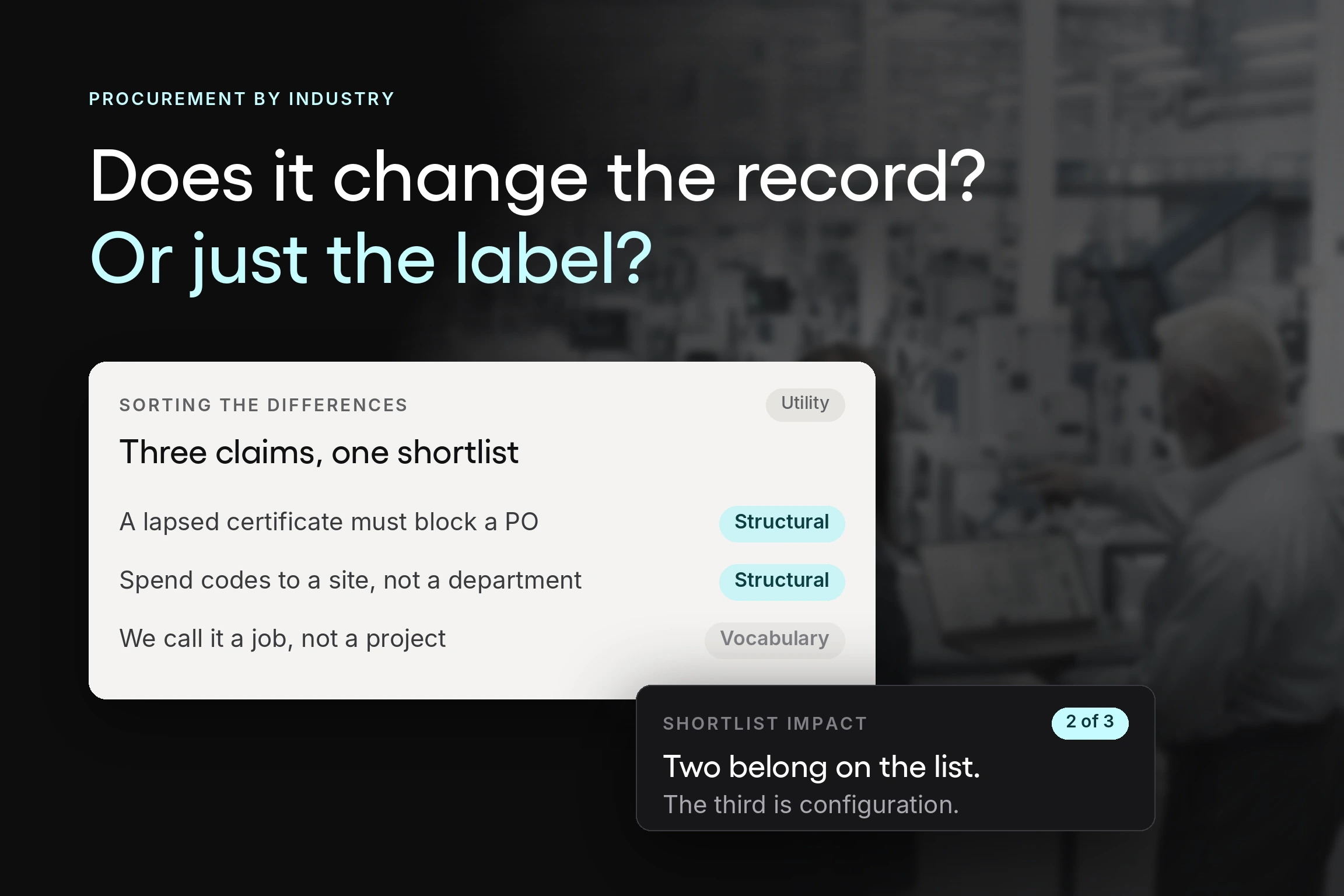
Take terminology. It sounds cosmetic until you're the multi-branch organization that has spent years building internal habits around the word "department" or “business unit,” and the software insists on calling it a "branch" everywhere a form or report appears. That's a small mismatch that creates a steady, low-grade friction for everyone who has to translate it back.
Four places rigidity usually shows up first
Here's where to look. Each of these is something you can ask a vendor to show you, not just describe.
1. The fields you're required to fill out (but don’t have)
Custom fields let an administrator capture exactly the data your approval process or supplier communication requires, rather than working around the generic fields the software shipped with.
Tradogram's custom fields come in four types: short text (up to 100 characters), long text (up to 2,000 characters), date, and dropdown. They can be applied to most document types, including purchase requisitions, purchase orders, invoices, and supplier records. A field can be marked required, so a request can't move forward without it.
Custom fields added to purchase orders, invoices, or supplier records can also be marked as internal-only, so they never appear in any document your supplier sees.
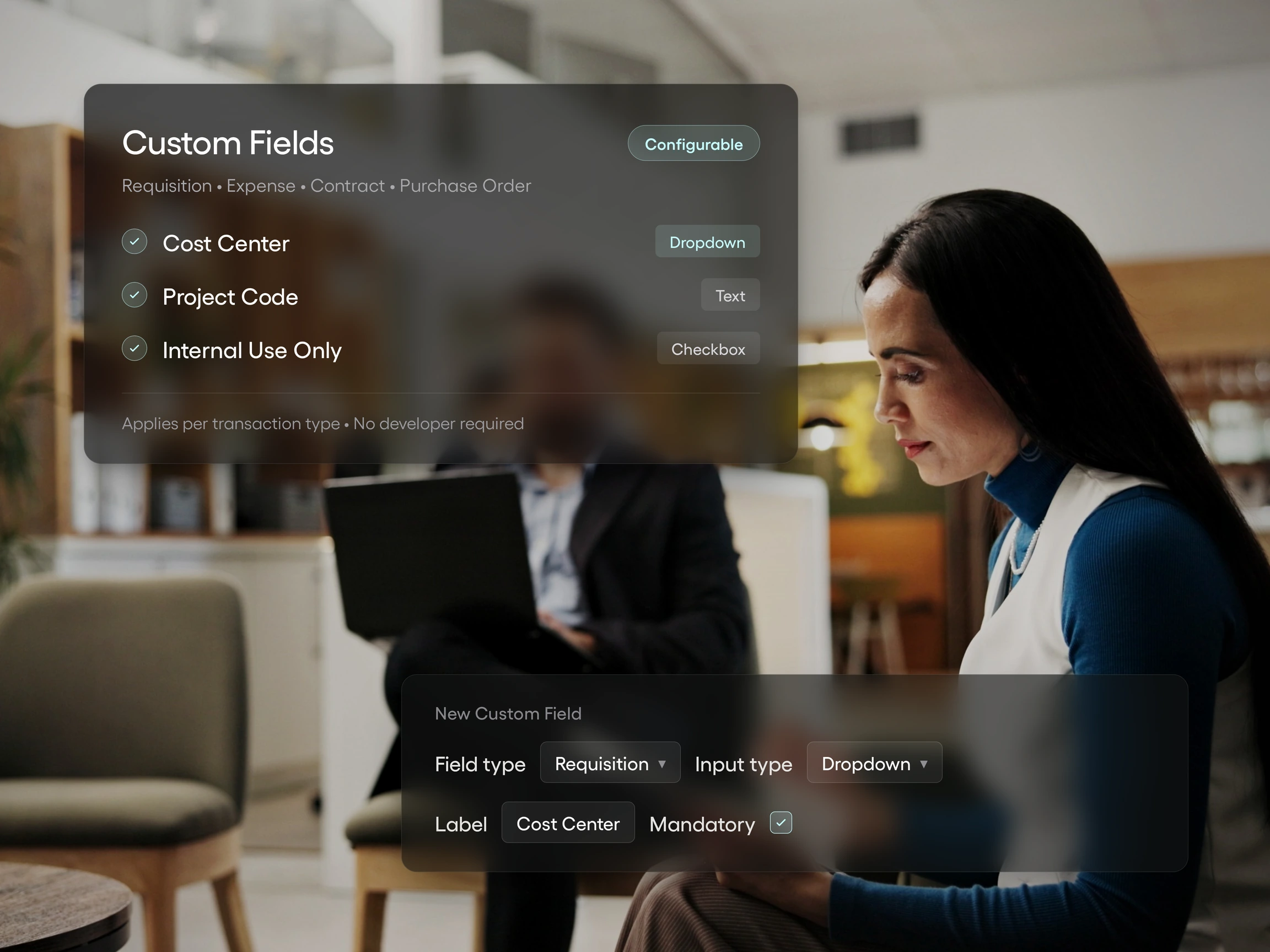
In practice, that looks like a required reference-number field or a warranty-expiration date field for equipment purchases, which an admin can add as soon as the field is needed. No ticket, no vendor involvement.
2. How purchase order approvals route (and who decides that)
Approval routing is where rigidity shows up fastest, because it's the part of the process every department feels, every single week.
In Tradogram, configurable approval workflows route requests by amount, department, location, project, or supplier, all within one system. A $5,000 threshold can route facilities purchases through a director while allowing engineering purchases under that amount to clear with a single manager's approval, without affecting how other departments' requests move.

The organization sets the thresholds and roles. The vendor doesn't fix them in advance and doesn't need to get involved when they change.
That's the practical test: ask whether a department with a different spend threshold or an extra approval step can be set up without opening a case with support.
3. What you call things
This sounds cosmetic until it isn't. An organization that has spent years calling its cost centers departments rather than branches has built real habits and reporting structures around that term. Software that insists on its own vocabulary forces a translation step onto every person who uses it.
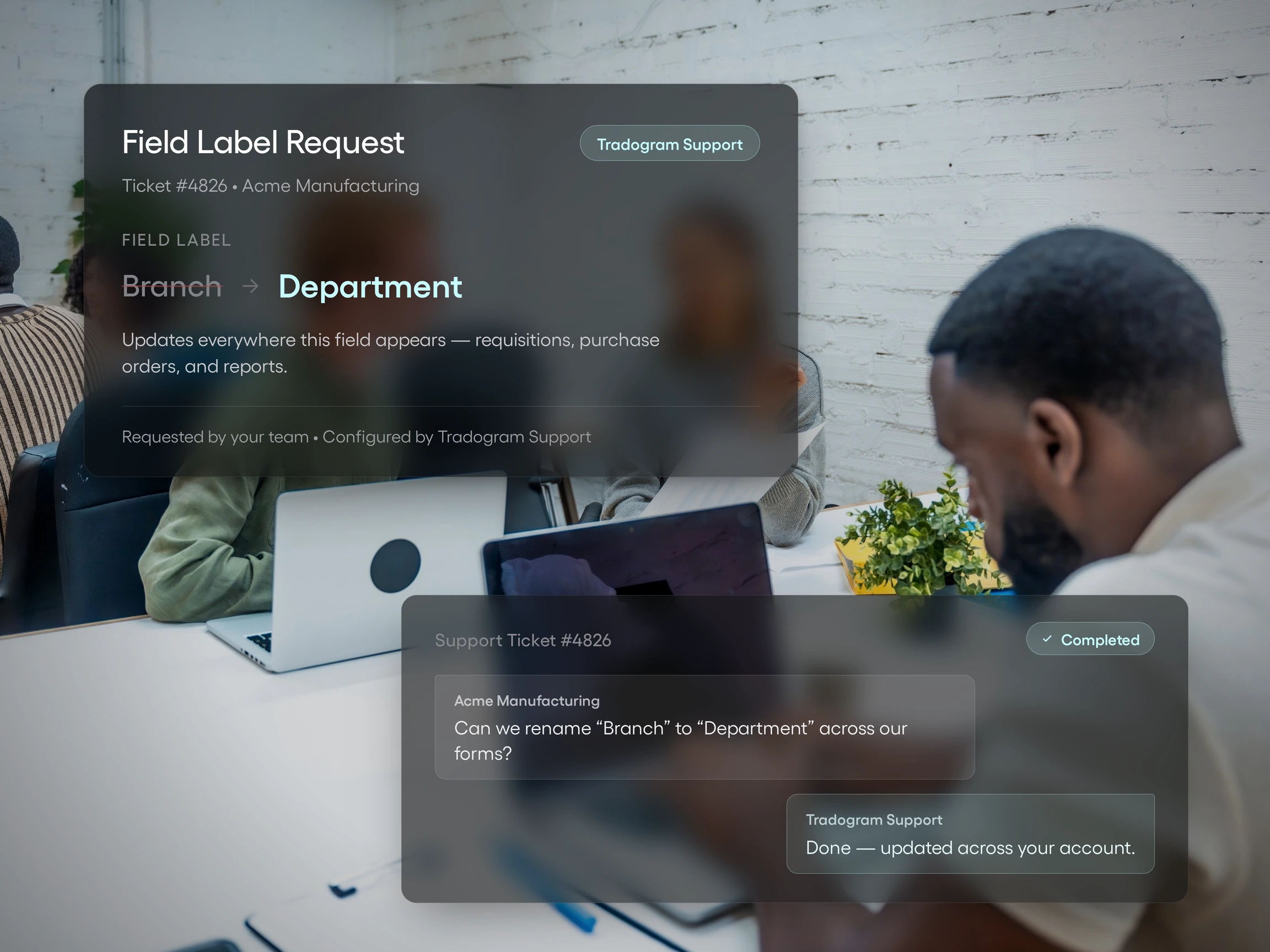
This is where assisted configuration comes in. In Tradogram, renaming a field throughout the platform is a quick change Tradogram's team can make rather than something that needs to be built from scratch. It's a small detail with an outsized effect on adoption, because people don't fight software that already speaks their language.
4. One purchase order, but multiple departments, GL codes, or locations
A purchase order should accurately reflect what actually happened, even when that's more complicated than a single line item going to one place.
In Tradogram's purchase order management software, a single purchase order can apply a single option to all items, or a different option per item for delivery address, date, project GL code, and department.
That matters for a purchase like an $8,000 IT equipment order that needs to be split across two departments, delivered to three locations, and routed through a department-specific approval rule.
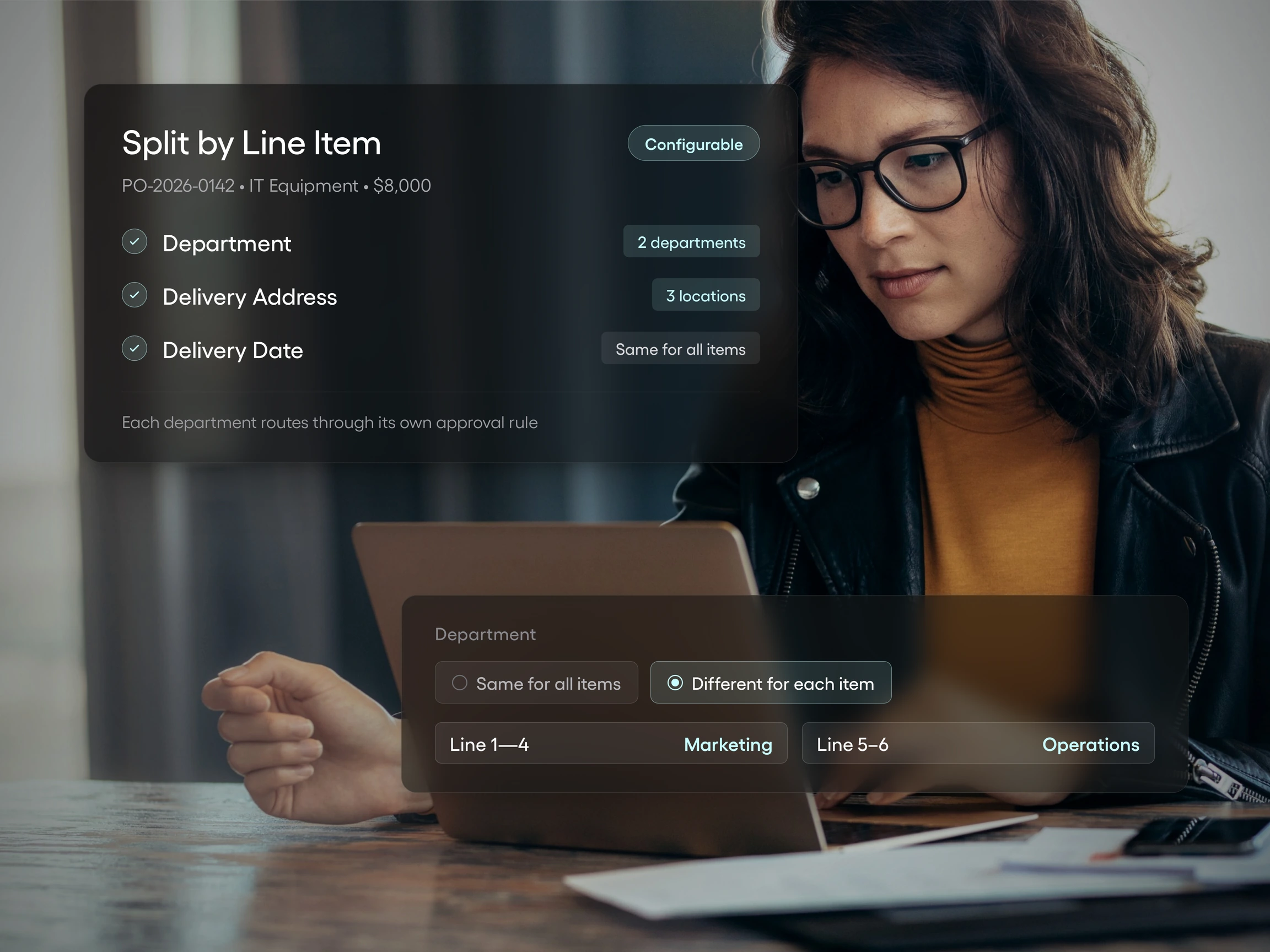
In a rigid system, that forces a generic two-step approval and two separate purchase orders, which usually means a manual workaround gets created to reconcile them later. A configurable system automatically routes the request and represents the full split for a single order.
A practical way to test a vendor's flexibility, in the room
Stop asking whether a platform is customizable. Ask them to prove it, live, against your own scenarios.
That one shift changes the entire evaluation. A yes-or-no question invites a yes-or-no answer. A live request doesn't.
Bring this checklist into your next procurement software demo, including Tradogram's.
- Ask the vendor to configure one of your actual approval rules, live, in the room. Not a generic example. Use the real threshold, an actual approval structure, and a departmental variation.
- Ask what happens when two departments need different required fields on the same document type. Can that be set up without a workaround?
- Ask who makes a configuration change after go-live. You, or a support ticket?
- Ask whether a required field can be marked internal-only, so it never reaches a supplier-facing document.
- Ask how a purchase order handles a request that spans two projects, departments, or delivery addresses.
- Ask for an example of a custom development project built for another customer, and how it was rolled out without changing the experience for anyone else.
What happens next matters more than what gets said. A vendor with real configurability will usually just do it, right there, using your scenarios. A vendor without it will describe the feature in the abstract, promise a follow-up, or quietly change the subject to something else the platform does well.
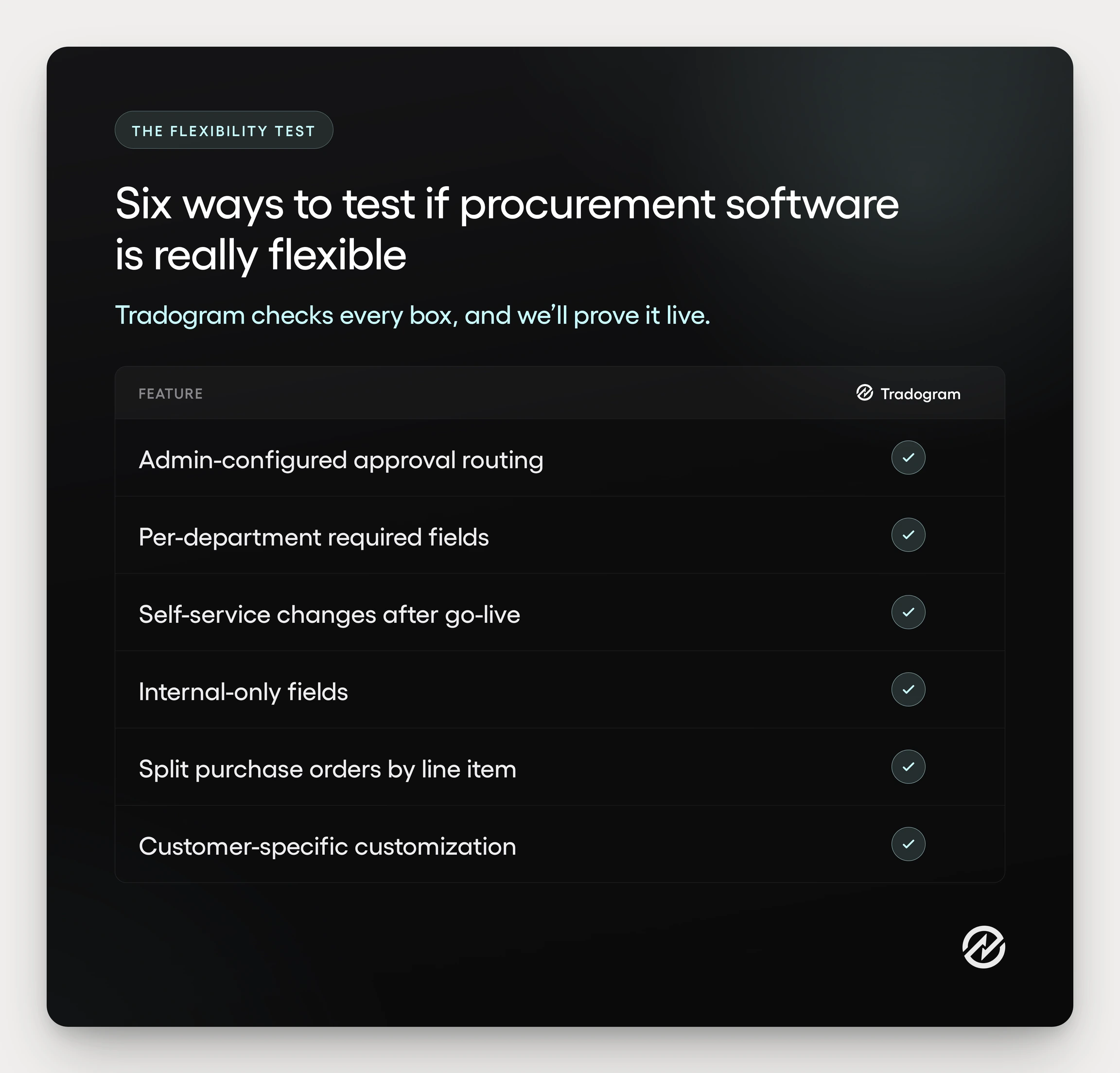
None of these are trick questions. Each of them maps to a specific mechanic: custom fields, approval routing, internal-only visibility, and purchase order splits. If a vendor is genuinely configurable, showing you shouldn't take longer than telling you.
Run this checklist against the demo scene from earlier. The rep who paused when asked about two departments' different approval rules wasn't being evasive. He just didn't have an answer ready, because the platform wasn't built to give him one on the spot. A vendor with structured flexibility doesn't need the follow-up meeting.
What changes when the software matches your process instead of the other way around
Structured flexibility produces more consistent policy enforcement, not less. That's the part that surprises people, because more configuration options can sound like more places for a process to go wrong. In practice, it's the opposite. Configurability removes the silent exceptions a rigid system forces people to create in the first place.
Go back to that $8,000 IT equipment purchase split across two departments. In a system built around the organization's real approval logic, it routes automatically to the right approvers; the split appears correctly on a single purchase order, and no manual patch is required during reconciliation. Nobody built a workaround spreadsheet, because nobody needed one.
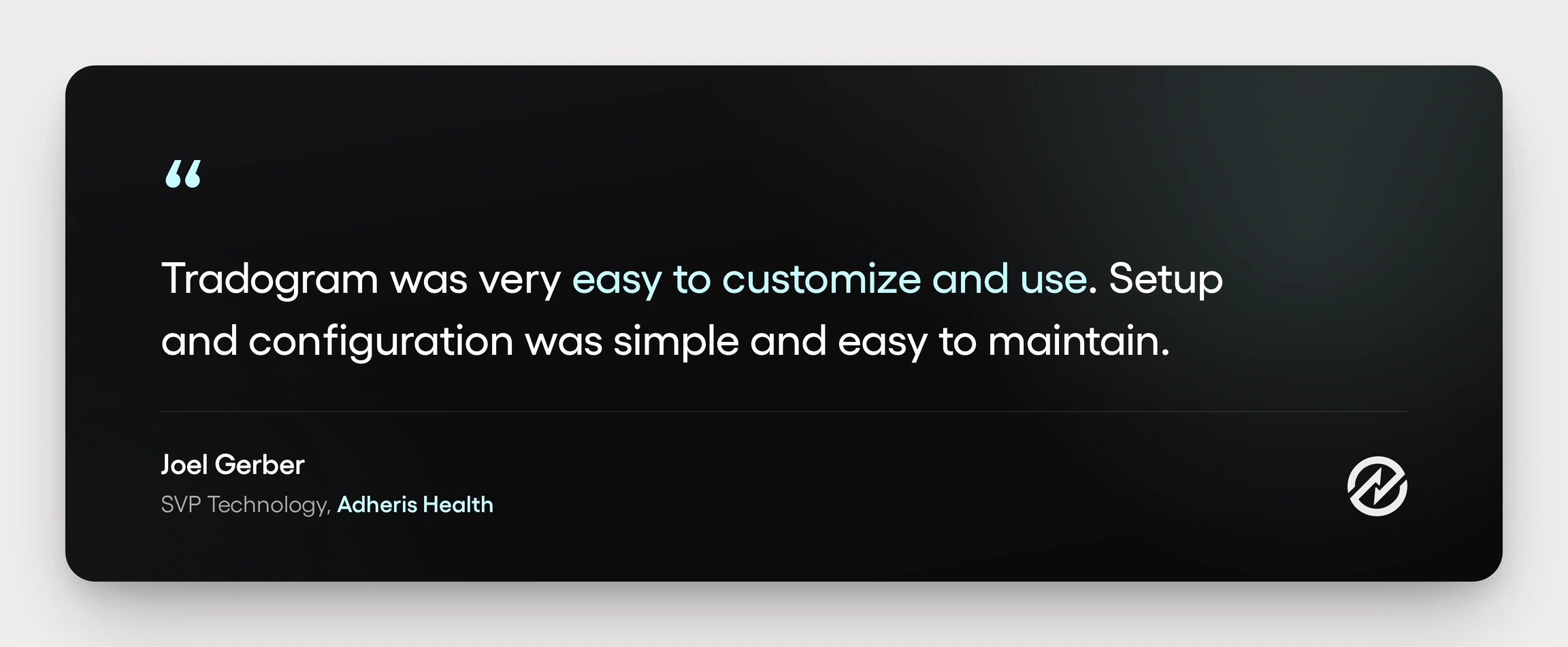
The same pattern shows up anywhere approval rules need to differ across branches or departments. When routing can be set by price, category, and location rather than forced through a single fixed workflow, managers gain visibility into spend before it's committed, not after.
Fewer shadow spreadsheets. Fewer manual workarounds. Approvals that reach the right person because the rule matches reality instead of a generic default.
If there's one thing to take away from this, it's this:
Test flexibility. Don't just ask about it.
The next time you're in a procurement software demo, bring the six questions from this article with you. Ask to see your own approval scenario configured, not described. The difference between a real answer and a demo script becomes obvious once you know what to ask for.
The Tradogram procurement platform was built around the idea that procurement software should match your organization, not the other way around. Configurable approval routing, custom fields, and purchase orders that can represent a real multi-department purchase are part of how that plays out in practice.
If you want to see it work against your own approval process, book a demo, bring your hardest scenario, and watch it get configured in real time.