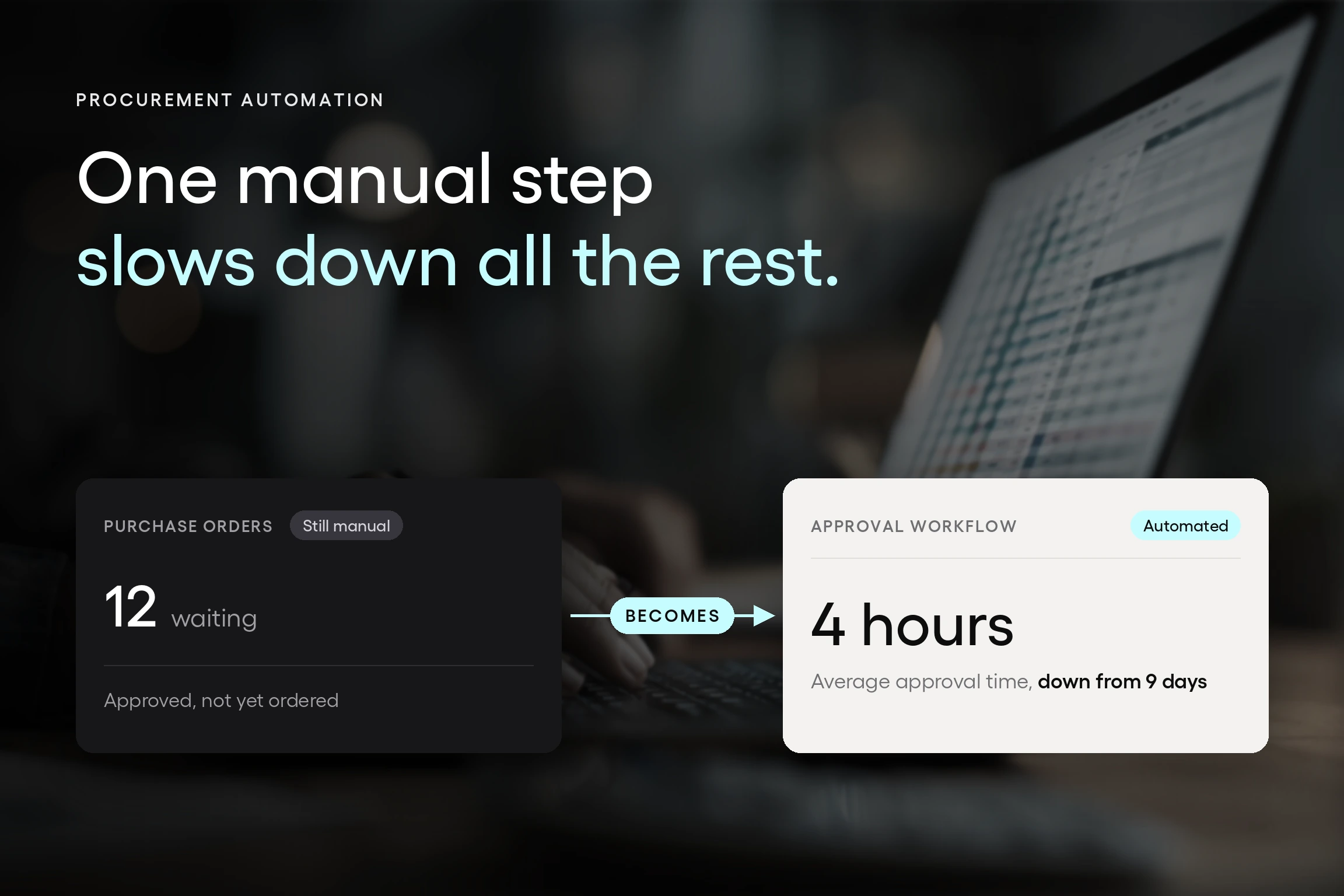


A laptop request has been sitting in an inbox for nine days. The requester has asked about it twice. The approver is traveling and doesn't know it's there. Finance has no idea the money is already spoken for, and when the invoice arrives next month, it won't match anything, because there's no purchase order to match it against.
Nothing about that is unusual. It's what a manual purchase order and approval process looks like from the inside. What's interesting is how teams usually respond: they go shopping for the loudest problem. Approvals are almost always the loudest, so an approval routing platform gets onboarded first, and then month-end is still painful for reasons nobody saw coming.
There's a more useful way to approach the decision. Every manual step in your purchasing process has a specific software replacement, and this article maps the procurement tools that replace manual PO and approval workflows step by step, from the first request through to payment.
One thing worth saying up front: this is Tradogram's answer, not a neutral roundup. We've helped thousands of organizations move purchasing off email and spreadsheets, and the map below is drawn from the problems we see most often. Compare it to your own process and see how much you recognize.
Key Takeaways
- Every manual step in a purchasing process has a specific software replacement, and there are eight of them. Intake, approval routing, order creation, sourcing, receiving, invoice matching, budget control, and the accounting handoff each have a defined tool that replaces the manual behavior. Knowing which step maps to which capability is what turns a vague shortlist into a defensible one.
- Automating one step relocates the manual work rather than removing it. A team that automates approvals still retypes purchase orders, and a team with excellent purchase order software still matches invoices by hand at month-end. The bottleneck moves to the next unautomated handoff and arrives looking like a new problem.
- Three-way matching depends on receiving, not on accounts payable. An invoice cannot be matched against a delivery receipt that was never recorded, which is why teams that already own purchase order software still compare documents manually. Receiving is the step most tool lists skip and the one that makes automated matching possible.
- The test for connected procurement is whether one step's output becomes the next step's input without retyping. Buying tools separately recreates the manual handoff at every boundary between them. That test is more useful during an evaluation than any feature comparison, because it measures the thing that actually consumes your team's time.
- Fix the handoff whose failure costs the most, not the one that generates the most complaints. Approvals are the loudest step because everyone feels the delay, but receiving and invoice matching are usually where the money leaks. Starting with the loudest complaint is the most common reason a first procurement software purchase disappoints.
What a manual PO and approval process actually costs
The real cost of a manual purchase order process isn't one bottleneck. It's the same delay repeating at every handoff, and it shows up in three places.
The first is time, measured in days per request. Every request waits for a person to notice it, which means the nine-day laptop isn't a policy failure. It's what happens when the approval queue lives in an inbox and nobody owns the follow-up.
The second is money that's been promised but can't be seen. Once a purchase is approved outside a system, that committed spend is invisible to finance until the invoice arrives. A department can sit 12% over budget for a month, and everyone finds out at month-end, which is the point at which nothing can be done about it.
The third is the record. When someone asks six months later why that supplier was chosen, at that price, approved by whom, the answer lives across an email thread, a spreadsheet, and somebody's memory. That's not an audit trail, and it usually surfaces at the worst time.
Tradogram's own figures across customer workflows show 75% less time spent on manual approval workflows, 60% fewer compliance violations, and 4x faster invoice processing when purchase order records stay connected. Your results depend on your process, but the direction is consistent: the gains come from the connections, not from any single tool.
So what replaces what?
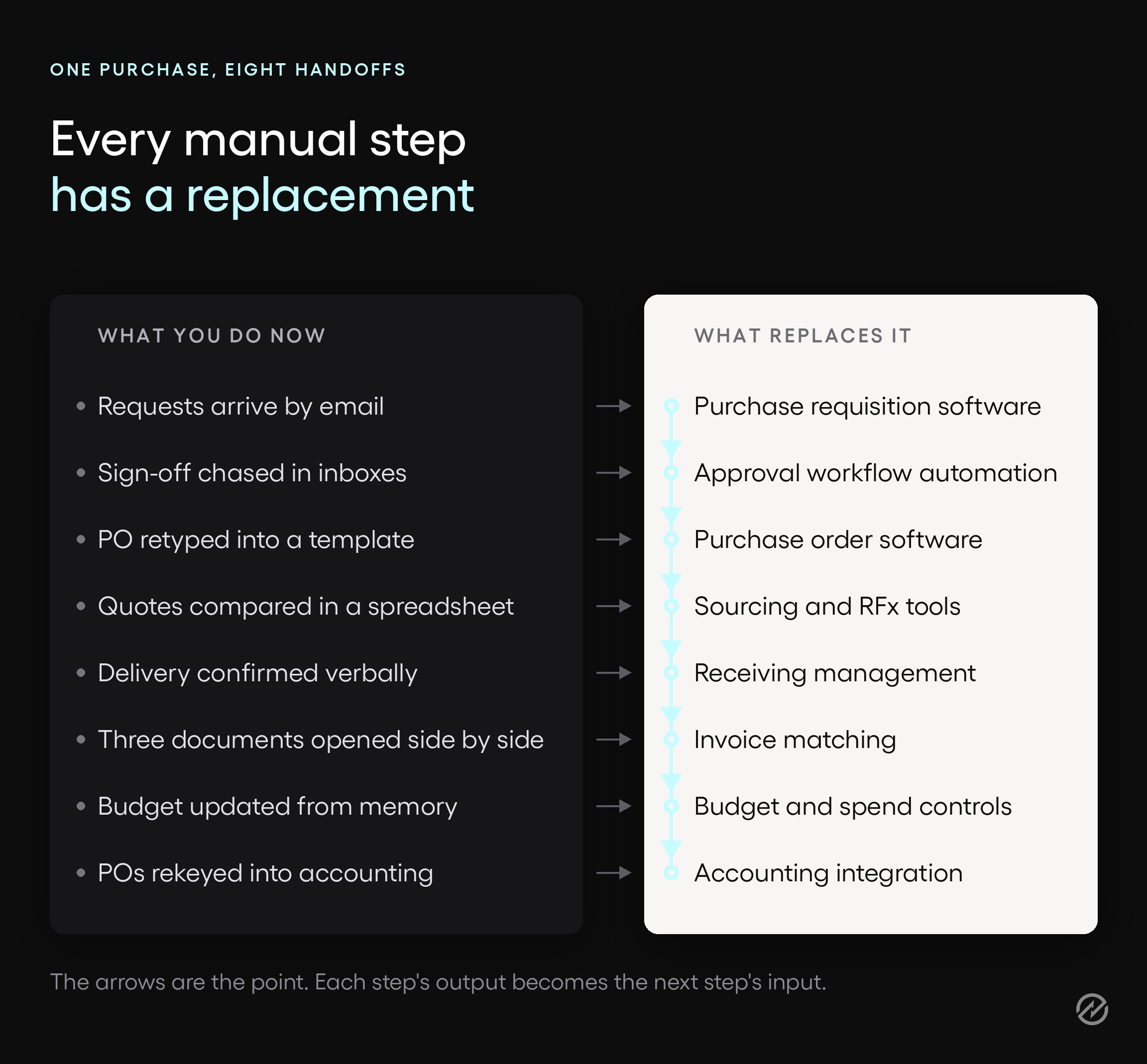
The tools that replace manual PO and approval workflows are purchase requisition software for intake, approval workflow automation for routing, purchase order software for ordering, sourcing tools for quotes, receiving management for delivery, invoice matching for verification, budget controls for spend, and an accounting integration to connect it all.
The manual procurement stack, replaced piece by piece
The rest of this article follows a single purchase in the order it actually moves through your organization: request, approval, order, quote comparison, delivery, invoice, budget, and reporting. That order matters, because it's the sequence that tells you where your own work is really going.
Feature lists don't do that. They group capabilities by category, which is useful for a vendor and useless for someone trying to figure out which step to fix first. Skip ahead to whichever step is worst in your organization if you'd rather start there.
Purchase requests in email, chat messages, and spreadsheets
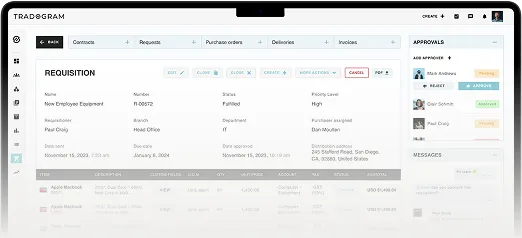
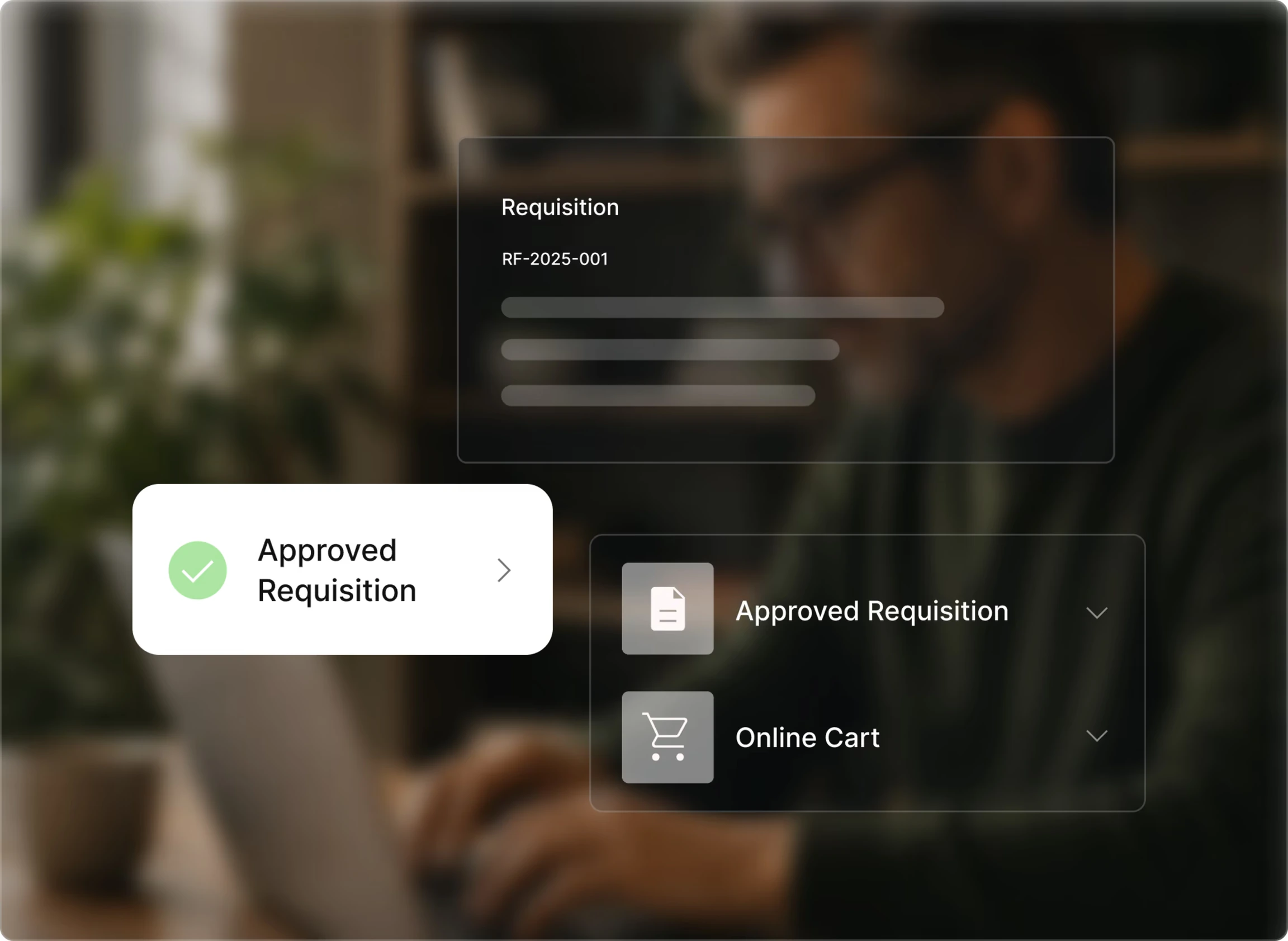
Purchase requisition software replaces ad hoc requests with a structured form that captures the fields you need, checks the request against budget at submission, and routes it automatically. Nobody has to remember what a complete request looks like, because the form won't let an incomplete one go through.
The practical difference is what the approver receives. A request submitted through purchase requisition software arrives with the specification, cost center, GL code, category, and attachments already on it, so the approver can decide instead of replying with questions. Forms can differ by company, division, department, or purchase type, which means an IT hardware request and a facilities request don't have to pretend to be the same thing.
Budget gets checked at submission rather than after the fact. If the laptop request pushes the department past its remaining budget, that shows up while the purchase is still a proposal, not once the purchase has been committed and the invoice is on its way.
Requesters can also see status in real time, from submitted through approved or converted to a purchase order. That single change quietly removes a whole category of work, because "any update on my laptop?" stops being a question anyone has to answer.
Worth clarifying the terms here, since they get used interchangeably. A purchase requisition is the internal request to buy something. A purchase order is the external commitment to the supplier. Requisition software handles intake, budget checks, and approval routing. Purchase order software takes the approved requisition and turns it into the order the supplier receives. In a connected system, the approved requisition becomes the PO without anyone retyping it.
What you stop doing: chasing requesters for information the request should have carried, and answering status questions.
Approvals chased over email
Approval workflow automation replaces email-based sign-off by routing each request to the right approver automatically, escalating or delegating when an approver is unavailable, and recording every decision. The routing rules are configuration, not custom development, and you set them once.
Rules can be built on any combination of:
- Amount, using approval thresholds you define
- Department or cost center
- Supplier
- Project
- Location
- Category or GL code
Requests can pass through as many approval levels as your policy requires, and approvers can act from any device, which matters more than it sounds. Most approval delay isn't reluctance. It's an approver buried in warehouse inventory, working on a job site, or waiting in an airport without a laptop open.
That's what the nine-day laptop was. With purchase approval software in place, the request either reaches the traveling approver on their phone or escalates to the next approver in the chain, and the purchase order approval workflow keeps moving without anyone noticing there was almost a problem.
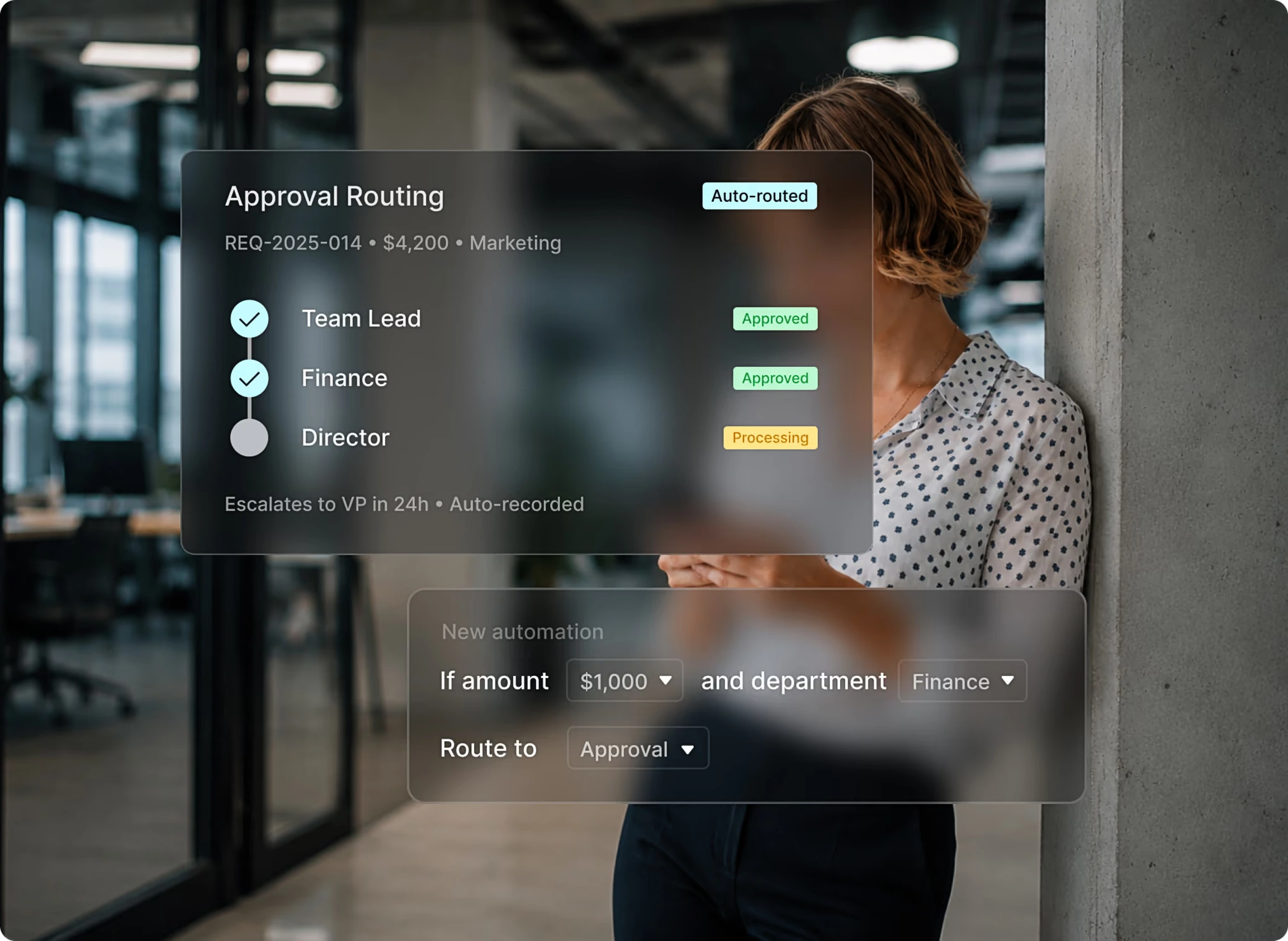
At Ashesi University, creating, approving, and issuing a purchase order used to take two to three business days, with staff walking between departments to collect signatures. After moving to Tradogram, the same process takes less than two hours, and the university reported a 15% cost reduction.
Every approval, rejection, delegation, and escalation is recorded with who acted, what changed, and when. That record is what turns an audit question into a lookup rather than an archaeology project.
One honest limit. Approval automation enforces the policy you configure. It doesn't write the policy for you, and it won't fix approval thresholds that were set five years ago and never revisited. If nobody can say who should approve a $12,000 purchase today, that conversation has to happen before any software can help.
What you stop doing: forwarding requests, following up on forwarded requests, and reconstructing who approved what.
Purchase orders retyped by hand
Purchase order software converts the approved request into a PO without re-entry, sends it to the supplier, and tracks the order from creation through delivery. The details that were approved are the details the supplier receives, because nobody typed them a second time.
That single change removes an entire class of error. The transposed quantity, the price that was right in the request and wrong on the order, the supplier name spelled two different ways: those are not carelessness, they're what happens when a person copies information between an email thread and a template at 4:45 on a Friday.
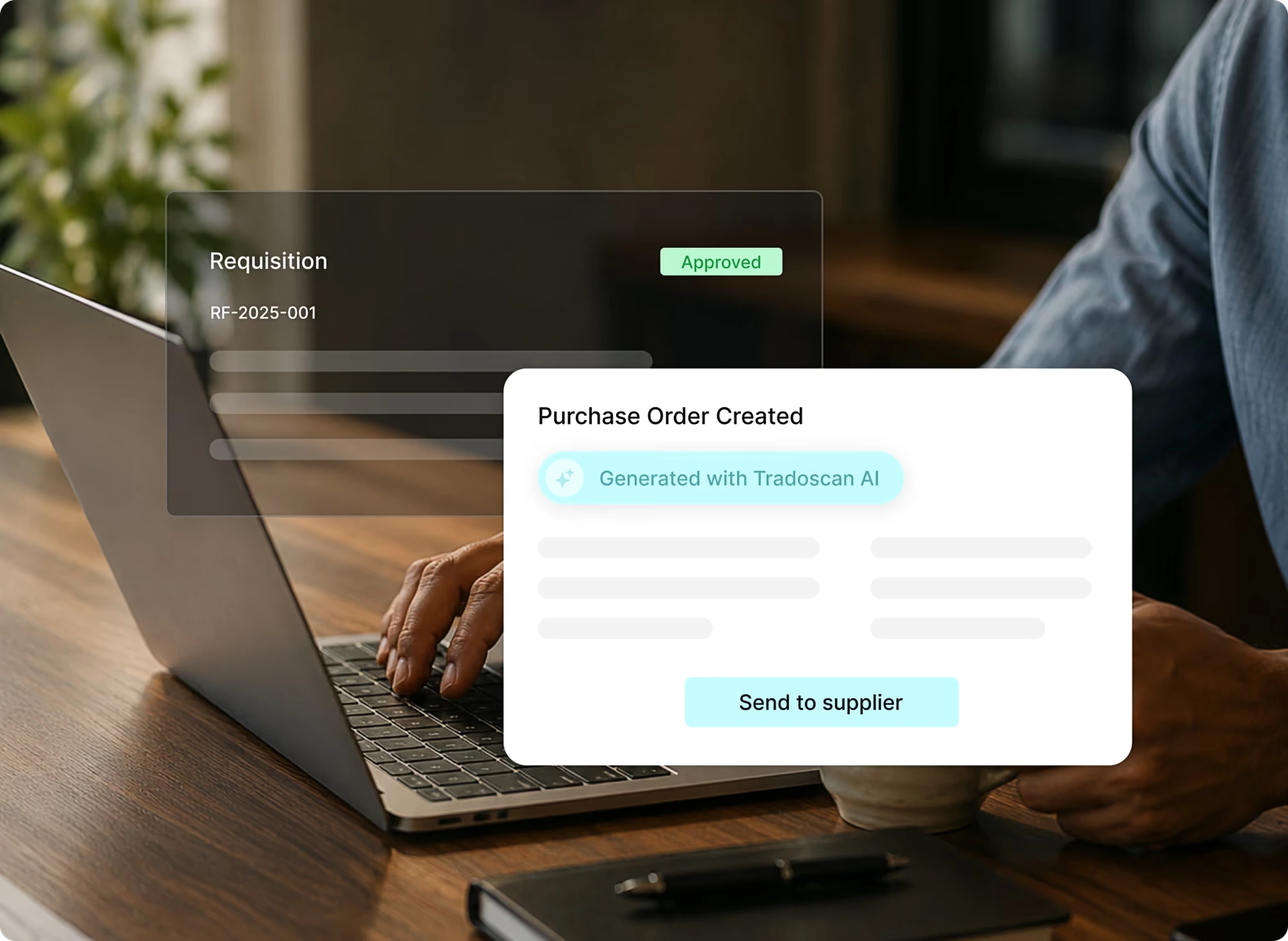
Beyond creation, three capabilities matter more than most buyers expect when they start looking at a purchase order management system.
Change orders are the first. Quantities, pricing, and delivery dates change after a PO is issued, and in a manual process that means a new attachment and a hopeful email. With built-in change order management, the revision goes through approval and the supplier gets an updated version, with every revision logged in full version history.
Order tracking is the second. Status moves from created to approved, sent, in transit, and delivered, so "where is it?" becomes a lookup rather than a phone call.
PunchOut catalogs are the third. Supplier catalogs connect directly to Tradogram, and TradoCart turns a shopping cart into a compliant purchase order, which is how you give people the convenience of buying online without losing the PO.
If you want the mechanics in more depth, we've covered purchase order automation separately, along with where a purchase order template stops being enough.
What you stop doing: rekeying approved requests, emailing revised PDFs, and telling requesters you'll go and find out where their order is.
Supplier quotes compared in a spreadsheet
Sourcing tools handle RFQ and RFP events inside the system, so the bids and the comparison stay attached to the request that prompted them. A request for quotation collects pricing on something you've already defined. A request for proposal asks suppliers to propose an approach along with the commercial terms.
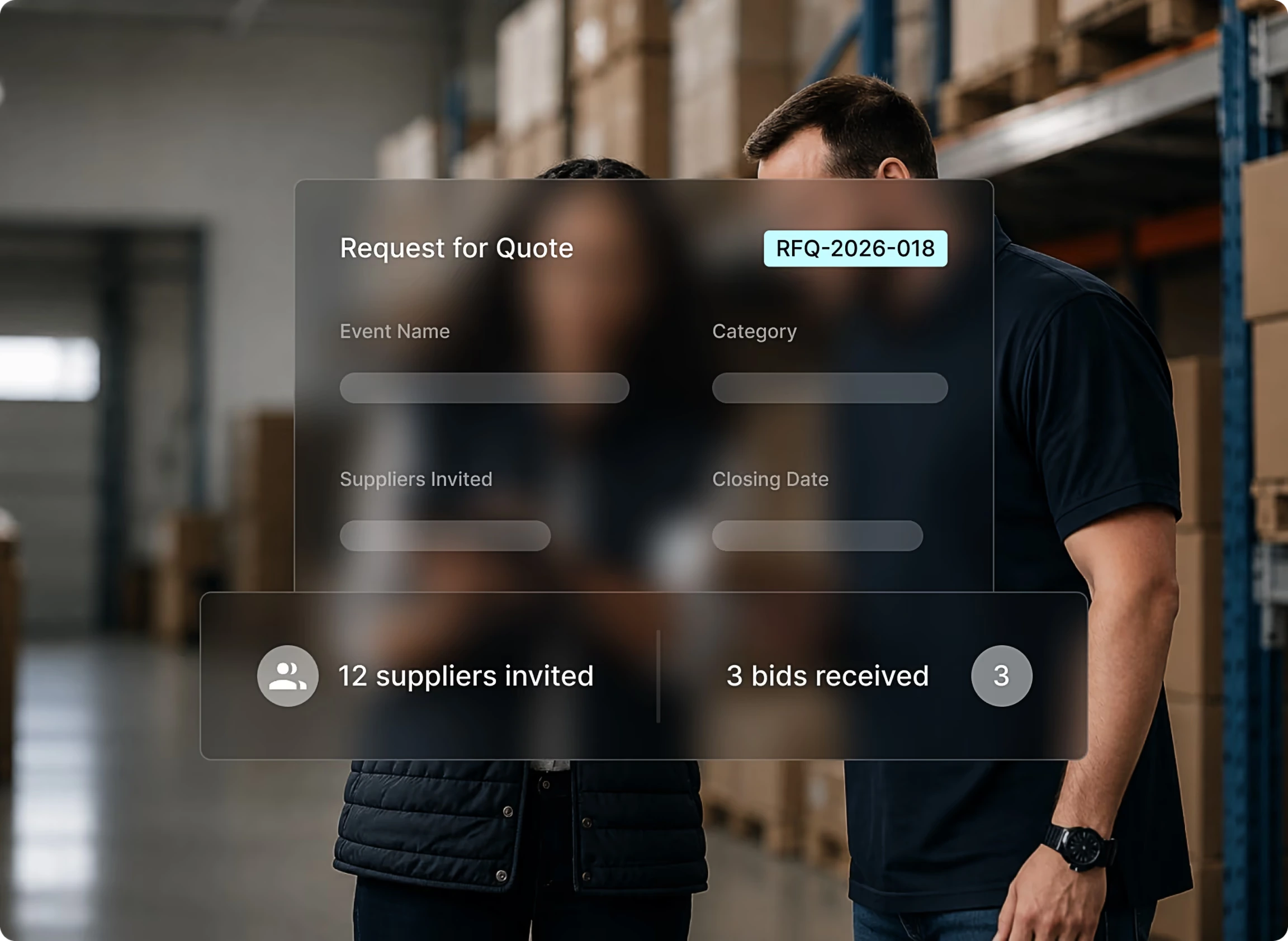
With sourcing management software, you build the event once with the line items, requirements, deadlines, and response criteria set upfront, invite suppliers, and collect responses through a portal in a consistent format. Bids can then be compared side by side on price, quality, delivery, and your own custom criteria, with weighted scoring if the decision needs to be defensible rather than just quick. When you award, the winning bid converts into a purchase order and the supplier is notified.
Six months from now, someone will ask why that supplier was chosen at that price, and the answer will either be in the system or in a spreadsheet nobody can find. Sourcing isn't this reader's loudest pain, but it's the step that most often can't be reconstructed.
What you stop doing: rebuilding a quote comparison from memory when someone questions the decision.
Deliveries confirmed by memory
Receiving management records what actually arrived against the purchase order, including partial deliveries, and flags shortages at the dock. Without that record, three-way matching is impossible, because you cannot match an invoice against a receipt that was never created.
This is the step almost every tool list skips, and it's the reason teams that already own purchase order software still match invoices by hand. Matching isn't really an accounts payable capability. It's a receiving capability that accounts payable gets to use.
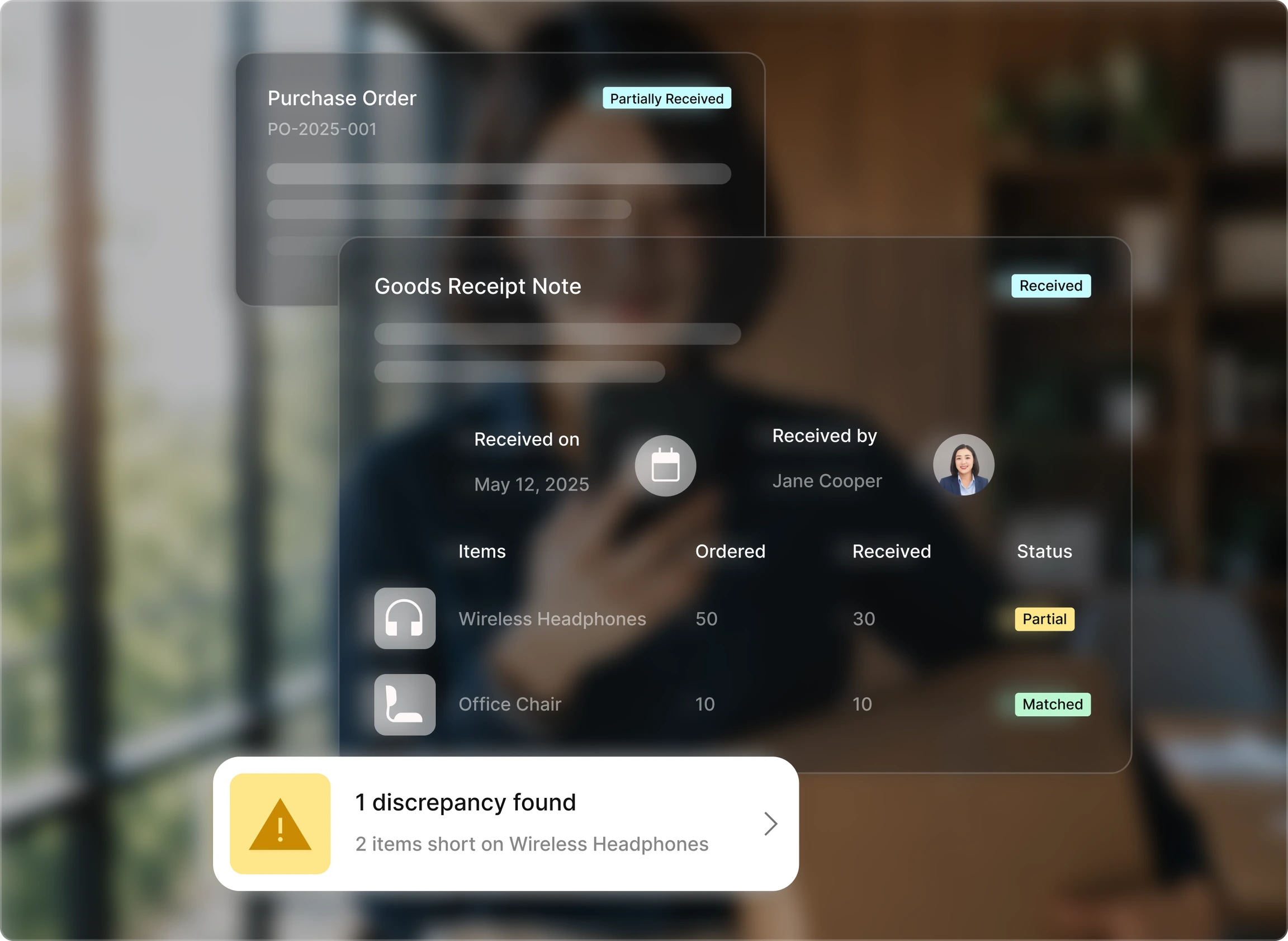
In practice, that means receiving against the original purchase order line by line, with every item and quantity confirmed and every variance recorded. Receiving management software supports partial receipts against open POs, so outstanding items stay visible until the order is complete, and damaged, missing, or substituted goods get logged at the point of receipt rather than discovered five weeks later.
The laptop order is a good example. Two of three arrive, nobody records it because two laptops feels like a delivery, and the invoice for three shows up at month-end. Now someone has to establish what arrived from memory, and the person who signed for it is not in that meeting.
One condition worth stating. Three-way matching only works where receiving is actually recorded, which is why services purchases with no physical delivery often use two-way matching instead.
What you stop doing: reconstructing deliveries after the fact, and paying for items that never arrived.
Invoices matched line by line
Three-way matching compares the supplier invoice against the purchase order and the delivery receipt. Automated matching checks those three records, flags discrepancies in price, quantity, or receipt details before approval, and routes exceptions to a reviewer, so the invoice cannot proceed to payment until the exception is resolved.
Here's the sequence in practice.
- The invoice arrives and TradoScan AI captures the header and line-item data. It goes beyond basic OCR and learns from corrections, so the invoices you receive every month get more accurate over time.
- The invoice is matched automatically against its purchase order and delivery receipt.
- Clean matches move through the approval workflow. Mismatches are routed to the right person, and nothing gets paid until that's resolved.
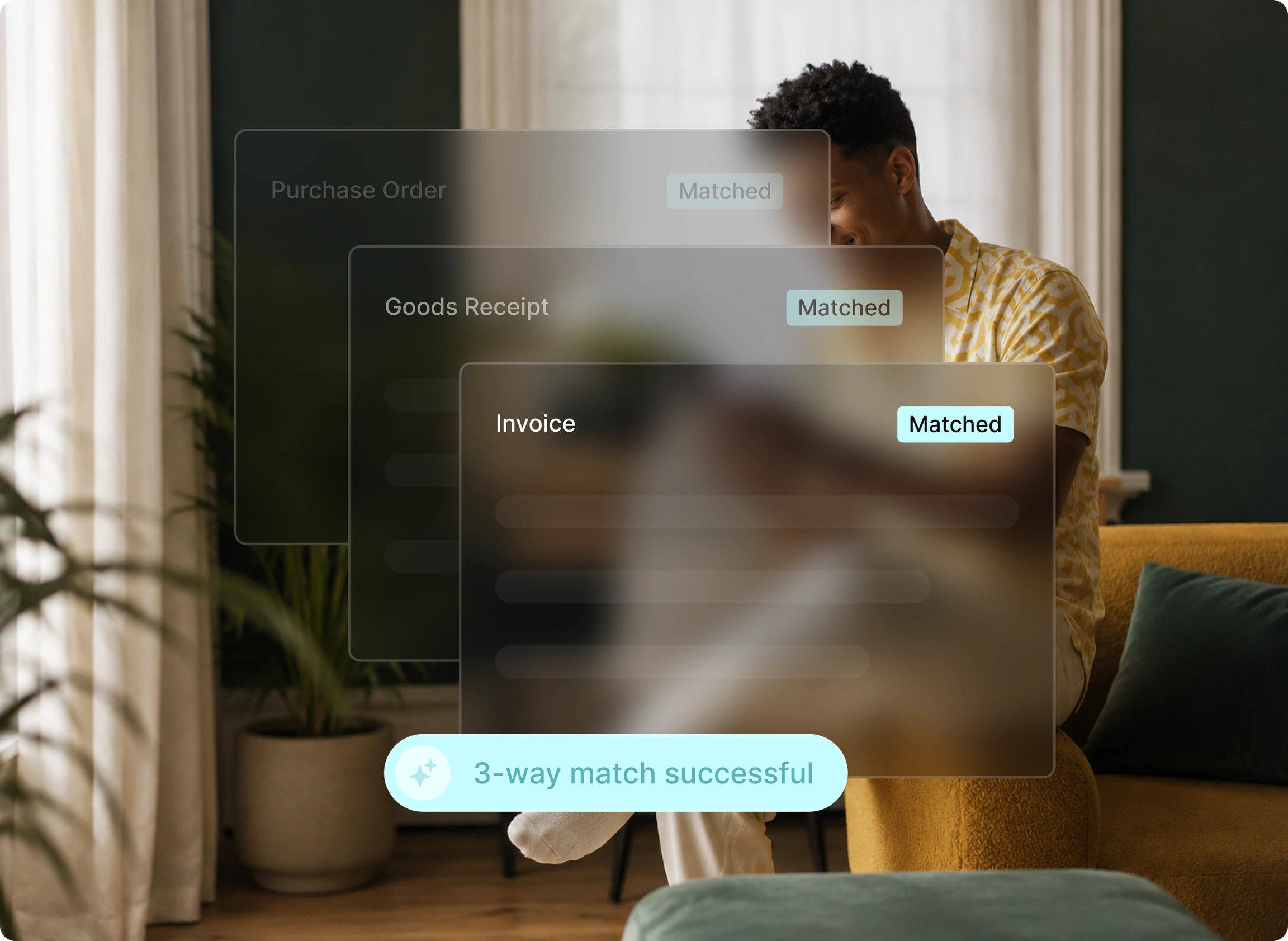
The practical shift is what your AP team spends its day doing. Without invoice matching software, they open three documents and compare them for every invoice, including the hundreds that are perfectly fine. With it, they review the exceptions. That's the same work applied only where it changes an outcome.
Back to the laptops. Three were ordered, two arrived and were recorded, and the invoice bills for three at a slightly higher unit price. Two discrepancies, both caught before payment, neither requiring anyone to remember anything. If you want the mechanics in more detail, we've broken down 3-way matching in accounts payable separately, and the capture side sits with AI procurement automation.
Payment then runs through TradoPay, which keeps the supplier payment attached to the record that authorized it.
What you stop doing: matching invoices that were always going to match.
Budget tracked in a side spreadsheet
Budget and spend controls track committed and actual spend as it happens, so budget pressure shows up before an approval rather than after an invoice. Committed spend is the money you've already promised through approved purchase orders that haven't been invoiced yet, and it's the number most accounting systems can't show you.
That gap is why month-end surprises happen. Your accounting system knows what has been paid. It doesn't know about the twelve POs sitting with suppliers, so the balance you're looking at is accurate and misleading at the same time.
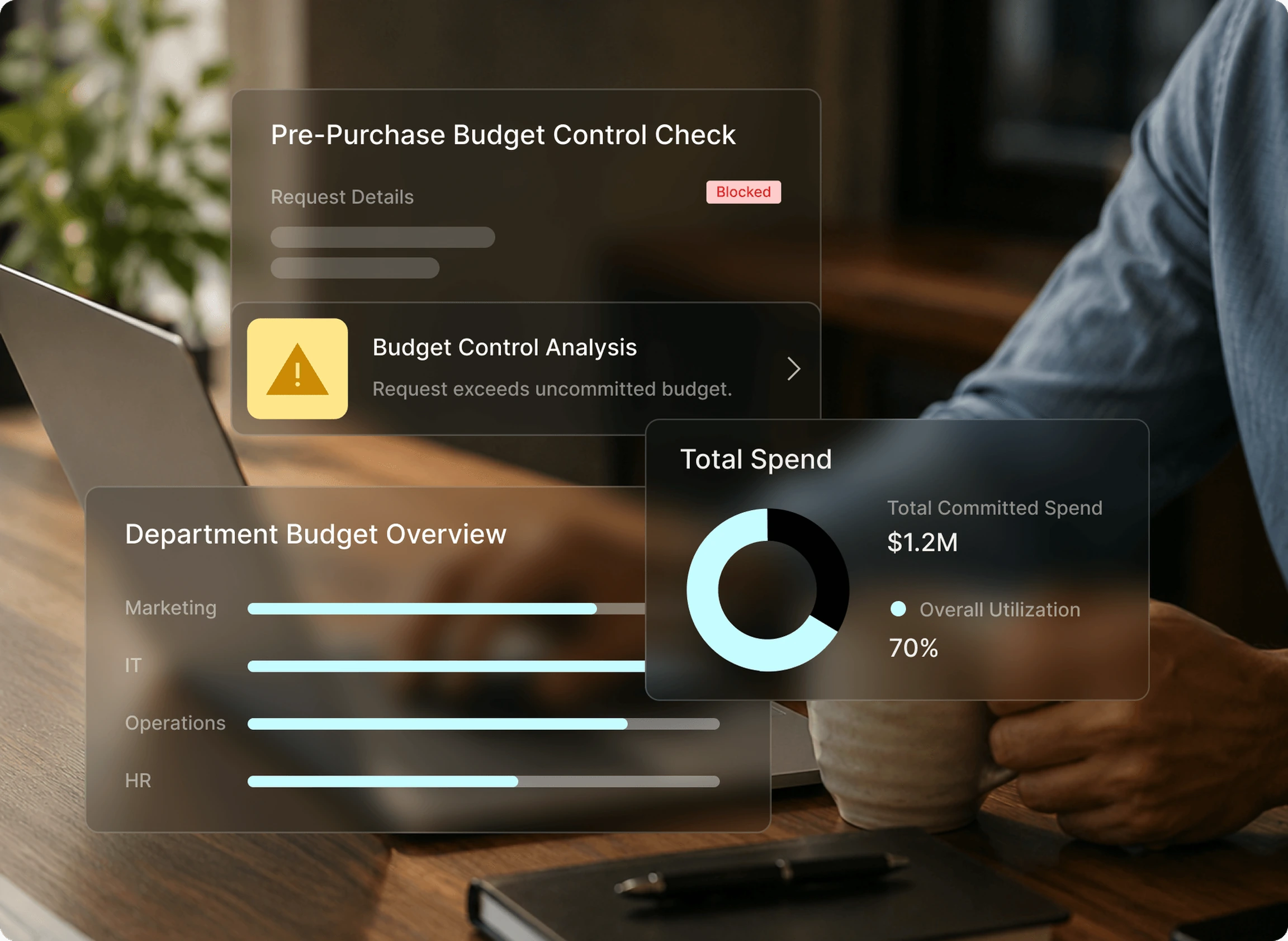
With connected budget controls, you set budgets by department, cost center, project, or GL code once, and every requisition is checked against available budget on submission. When a request would breach a threshold, it's flagged before it reaches an approver rather than after the money is gone. Procurement spend management software tracks requested, approved, ordered, received, and invoiced spend in one place, which is what makes the number current.
A department sitting 12% over budget would see it in week two. Not because someone ran a report, but because the budget updated the moment the purchase was approved.
This is also the honest answer to maverick spend. Most of it isn't people going around the process. It's people who couldn't see the process, buying something the organization genuinely needed.
What you stop doing: reconciling a spreadsheet that was accurate the day someone last remembered to update it.
Reports rebuilt from scratch every month
Reporting built on your purchasing records means spend by supplier, category, and team is already assembled. You're not exporting from three systems and rebuilding the same view every month, because every request, approval, order, receipt, and invoice was captured as it happened.
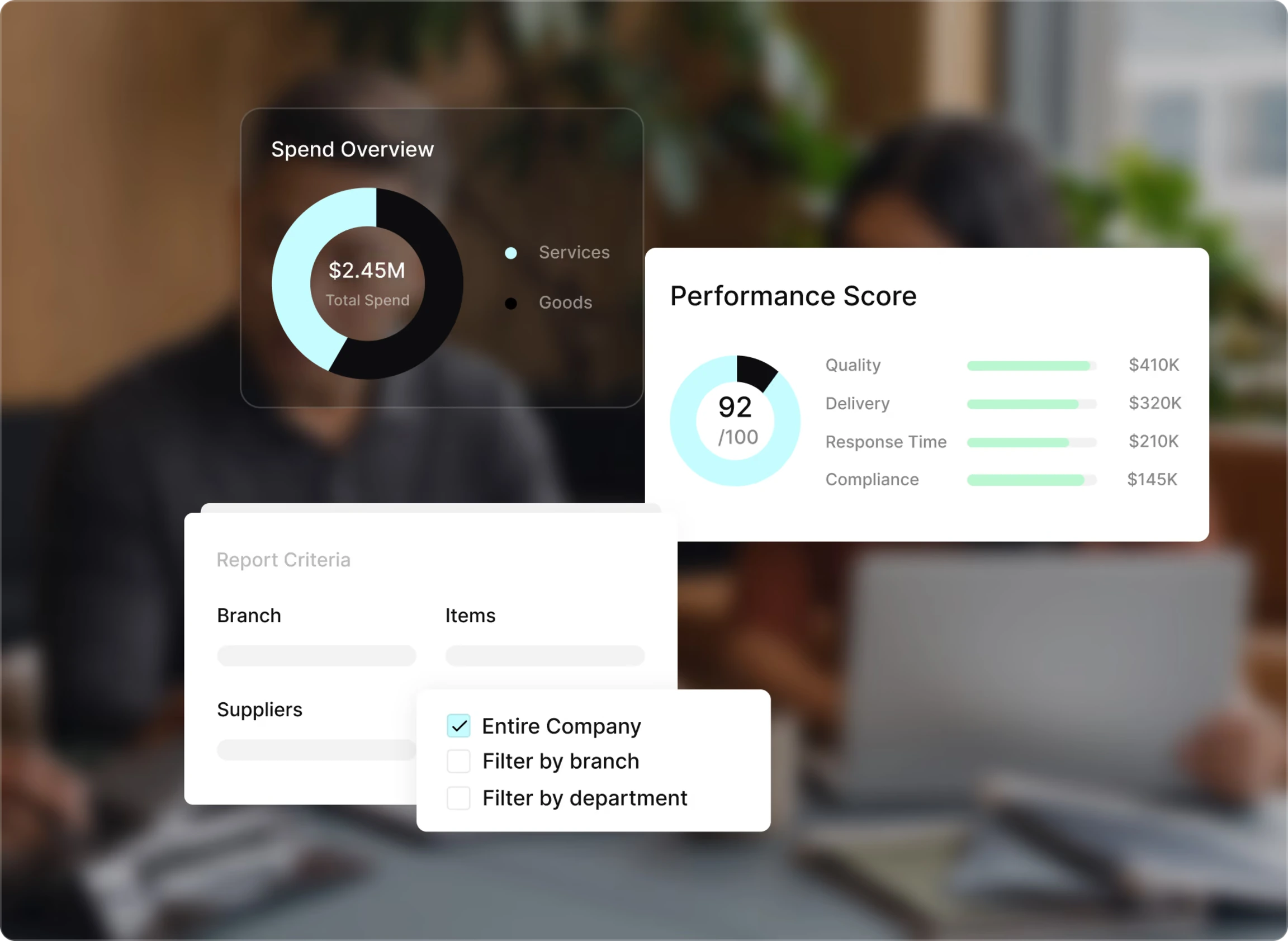
With connected reporting, you can build a report across any combination of supplier, department, category, GL code, or date range, and export it for an audit or a board review. Procurement reporting also keeps committed spend, actual spend, and budget variance in the same view, which is usually the version finance actually wants.
The test is simple. When your CFO asks what you spent with a given supplier last quarter and whether it was on contract, you can answer that day rather than that week.
What you stop doing: rebuilding the same report every month from data that has to be cleaned first.
The step most tool lists skip: getting it into your accounting system
Yes, procurement software connects to your accounting system. Tradogram integrates with QuickBooks Online, QuickBooks Desktop, Xero, Sage, NetSuite, and Microsoft Dynamics 365 Business Central, syncing approved purchase orders, item details, and vendor data so the same information doesn't get entered twice.
Treat that as the ninth step in your workflow rather than a technical footnote, because it's the one most evaluations skip. Every features table has an integrations row with a checkmark in it, and a checkmark tells you nothing about whether a person is still retyping approved POs into QuickBooks on Thursday afternoons.
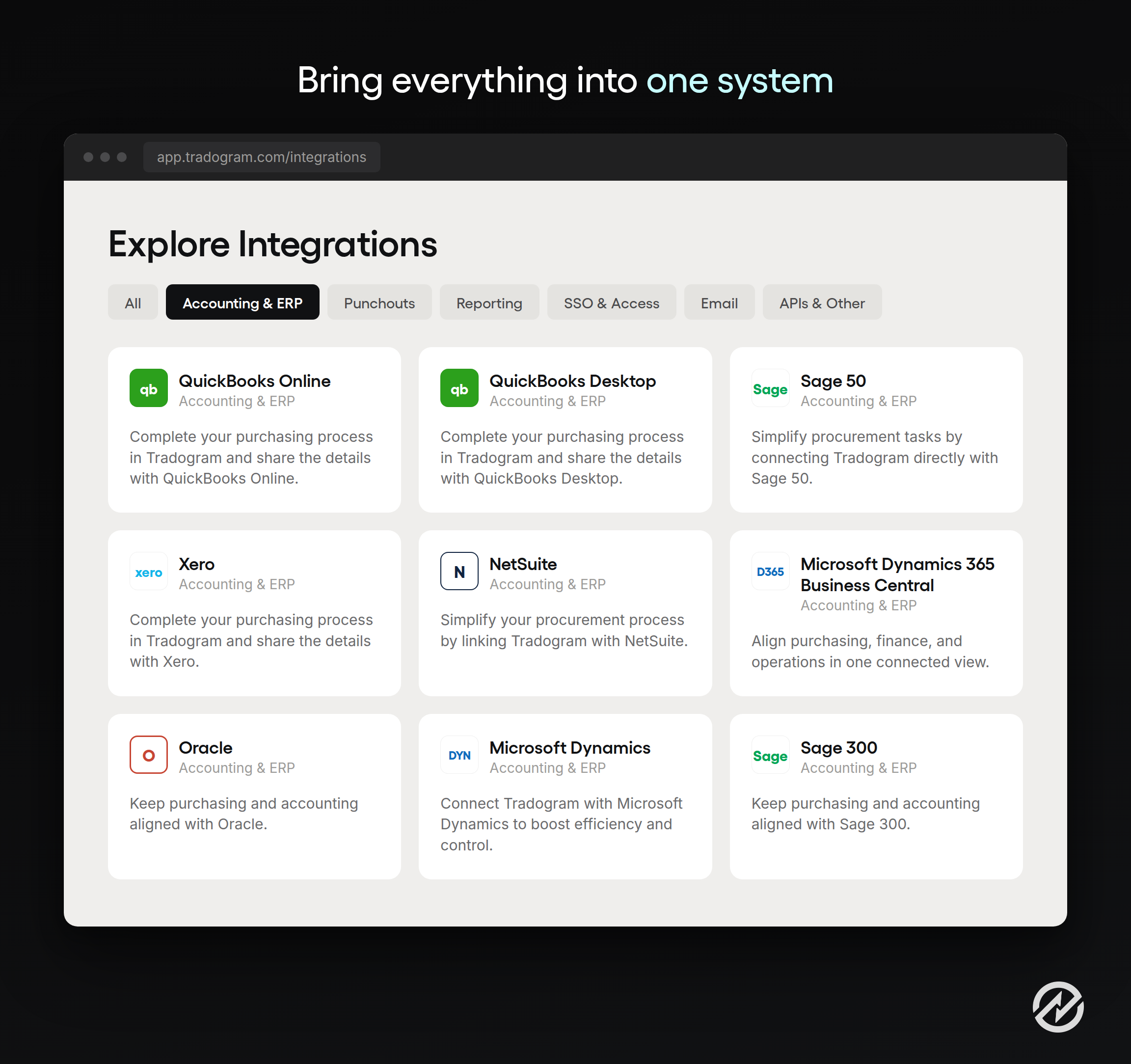
This is also where the ERP question usually comes up, and it deserves a straight answer. Procurement software doesn't replace your accounting system or your ERP. It sits upstream of them. Your accounting system is built to record what happened financially. It's generally not built to route the request that produced the commitment, record the delivery against it, or match the invoice to both. If your systems need to talk in a way the standard connectors don't cover, procurement integrations also include an open API. We've written more about integrating with your ERP if that's the part your finance team will ask about first.
So here's the test to bring to a demo. Ask what happens to an approved purchase order and whether anyone touches it again before it appears in your accounting system. If the answer involves a person, an export, or a CSV, you've added a system without removing a task.
What you stop doing: entering the same purchase twice, in two places, from two different states of accuracy.
Why the connections matter more than the tools
You can buy these tools separately, and plenty of teams do. But each boundary between tools becomes a manual handoff, which is the problem you started with. The practical test isn't whether a tool automates a step. It's whether the output of one step becomes the input of the next without anyone retyping it.

This is the part most buying processes get backwards. Automating one step doesn't remove the manual work, it relocates it. Fix intake and the requests arrive beautifully structured, then someone retypes them into a PO. Fix approvals and nothing stalls in an inbox, then month-end still takes four days because matching invoices is manual and nobody recorded the deliveries. The bottleneck moves to the next unautomated handoff and looks like a brand new problem, which is why teams end up buying three tools in eighteen months and still feel behind.
Based on our conversations with thousands of procurement professionals, three handoffs carry most of the weight:
Request to purchase order. The approved requisition becomes the PO with the line items, supplier, and custom fields already on it. This is the handoff that eliminates transposed quantities.
Purchase order to receipt. Deliveries are confirmed line by line against the open PO. This is the handoff that makes matching possible at all.
Receipt to invoice. The invoice is checked against both the order and what actually arrived. This is the handoff that stops you paying for three laptops when two showed up.
Here's the same purchase, run both ways.
| Step | Manual process | Connected process |
|---|---|---|
| Request | Email, any format, missing details | Structured form, budget checked at submission |
| Approval | Chased in inboxes, stalls when someone travels | Routed by rule, escalated or delegated automatically |
| Order | Retyped into a template | Created from the approved request, no re-entry |
| Sourcing | Quotes in a spreadsheet nobody can find later | Bids and scoring attached to the request |
| Receiving | Confirmed verbally, or not at all | Recorded line by line against the PO |
| Invoice | Three documents compared by hand, every time | Matched automatically, exceptions routed |
| Budget | Updated from memory, accurate on a good day | Committed and actual spend current by default |
| Accounting | Rekeyed into QuickBooks or NetSuite | Approved POs, items, and vendors synced |
That connected column is what procure to pay software actually means. The procure-to-pay process is the whole chain from the moment someone needs something to the moment the supplier is paid, not a fancier phrase for purchase order software.
The reframe worth carrying into your evaluation is this. You aren't buying eight tools. You're buying the absence of eight handoffs.
Where to start, and what to ask for
Start with the handoff whose failure costs you the most, not the one that generates the most complaints. Those are rarely the same thing. Approvals generate the complaints because everyone feels them. Receiving and matching cost the money, because that's where you pay for things that never arrived and where month-end goes sideways.
So when you get into demos, bring your own worst example and ask about it specifically. These eight questions cover the chain:
- How does a request get submitted, and what does the approver see when it arrives?
- How do approvals route, and what happens when an approver is away?
- How does an approved request become a purchase order?
- Where do supplier quotes live, and can I compare them side by side six months later?
- How does someone record a partial delivery?
- What happens when an invoice doesn't match the order or the receipt?
- When does my budget number change, and does it include committed spend?
- How does an approved purchase order reach my accounting system, and does anyone touch it on the way?
One thing worth knowing before you look at plans. Essentials covers core purchasing, supplier management, invoice, expense, and payment workflows, with requisitions, custom approval routing, receiving, budget tracking, sourcing, and contracts available as add-ons. Premium includes all of that as standard.
If the steps that hurt most are approvals and matching, Premium is the honest starting point rather than the entry plan, and it's worth pricing that tier instead of the headline number. You can compare Tradogram pricing directly, and see the full list of procurement tools available on the platform.
Customers who make this move tend to describe the result the same way, in terms of the chain rather than any single feature:
"The system is easy to operate, easy to control Transactions from Requisitions to Deliveries and invoice match."
Guram Nachkebia, Head Of Development, Aversi-Pharma LLC
Which brings us back to the laptop.
In a connected process, the request arrives with the specification, cost center, and budget line attached.
It routes by rule and reaches the approver on their phone in Denver.
The approved request becomes the PO, the supplier ships two of three, receiving records the shortfall, and the invoice for three is flagged before anyone approves it.
Nine days becomes about a day and a half, and nobody had to remember anything.
Pick the handoff that costs you the most, whether that's approvals, matching, or the PO nobody wants to retype, and ask to see that one during your no-obligation demo.