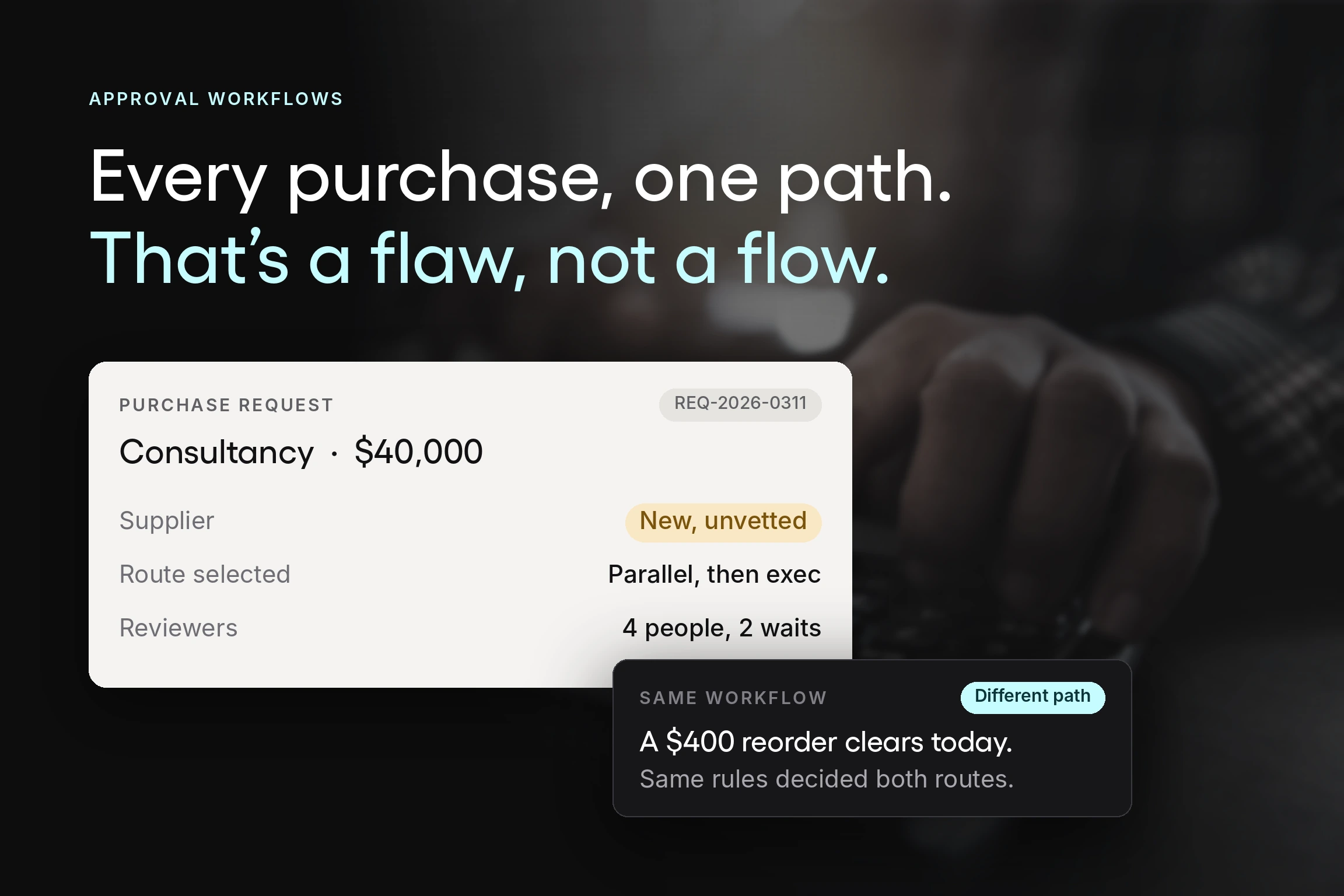


Two purchases arrive on the same Tuesday. One is a $400 reorder of printer toner from a supplier with a standing contract. The other is a $40,000 engagement with a consultancy nobody has used before.
In most organizations, both requests travel the same path. Same form, same approvers, same queue. The toner waits behind the consultancy, and the consultancy gets roughly the same fifteen seconds of scrutiny as the toner.
That is what a procurement approval workflow is supposed to prevent. Not by adding approvers, but by routing each request according to what it actually costs the organization to get it wrong.
At Tradogram, we have helped hundreds of organizations digitize their procurement processes, and the single most common design flaw is a workflow with one shape. This guide covers how the procurement approval process runs, the three routing shapes and when to use each, how to set thresholds that reflect risk, and what to test in purchasing approval software once manual routing has stopped scaling.
Key Takeaways
- A procurement approval workflow should have more than one shape. Linear routing suits low-value routine purchases, parallel routing suits requests where two reviewers do not depend on each other, and conditional routing picks between them based on the request itself. Organizations running everything through one path either over-scrutinize small purchases or under-scrutinize large ones.
- Approval thresholds should reflect risk, not just amount. A recurring purchase from a contracted supplier and a first-time purchase from an unknown one carry different risk at the same dollar value. Routing on amount alone cannot tell them apart, which is why the matrix needs category, supplier, and department alongside value.
- Most approval delays trace back to the request, not the approver. A request missing an estimated cost or budget line cannot be decided on, so it sits or bounces. Fixing the form usually moves cycle time more than escalating to approvers does.
- Service level agreements make approval delays visible. Setting a maximum turnaround per approval stage, and reporting against it, converts a vague complaint that approvals are slow into a specific number attached to a specific stage.
- Automation is worth it at the routing layer. Predefined rules that route requests, notify approvers, escalate when a request stalls, and record every action for audit readiness remove the administrative work. The review itself stays with the person accountable for the budget.
What is a procurement approval workflow?
A procurement approval workflow, sometimes called a purchase approval workflow, is the structured process that routes a purchase request to the right reviewers, in the right order, before the organization commits money. It defines who approves what, at which value, under what conditions, and what happens when someone does not respond.
It differs from a general business approval process in what it has to check. A procurement approval workflow validates budget availability, confirms the request follows procurement policy, applies spend thresholds, and often verifies that a contracted supplier or existing agreement should be used instead. If you want the broader concept first, our guide to what an approval workflow is covers the general mechanics; this guide is about applying them to purchasing.
A working procurement workflow does four things a verbal or email sign-off cannot:
- Prevents unauthorized purchases by requiring that someone with budget authority agrees before a commitment exists, which is the point at which financial control is cheapest to apply.
- Creates real-time visibility into approval status, so a requester can see where a request sits without asking, and finance teams can see pending commitments.
- Applies approval rules consistently, so the same criteria govern every department rather than depending on who is asking.
- Produces audit trails that record who approved what, against which budget, and when.
The procurement approval process, stage by stage
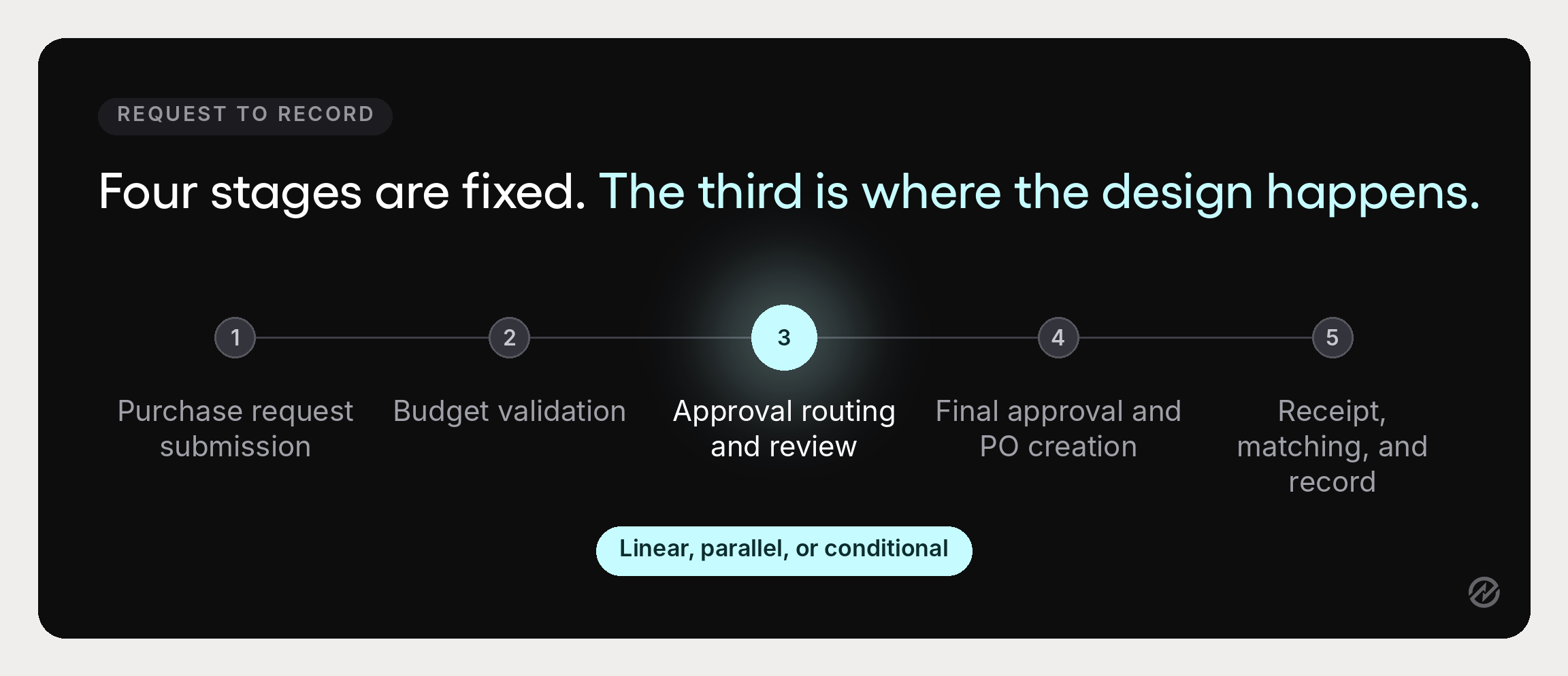
Five stages, and the whole design question is what happens inside stage three.
1. Purchase request submission
Someone submits a purchase requisition describing the item or service, quantity, estimated cost, budget line, business justification, and suggested vendor details. This initial request is internal and commits nothing.
2. Budget validation
The approval request is checked against the relevant budget using budget and spend control, including commitments already approved but not yet invoiced. A request that would breach the budget should surface it here rather than at quarter close.
3. Approval routing and review
The request routes to the appropriate reviewers based on predefined rules, and they approve, decline, or return it. This is where the routing shape matters, and where most of the elapsed time in the purchase approval process lives. The approval stages you choose here determine almost everything about how the purchasing process feels to use.
4. Final approval and purchase order creation
Once the last required approval lands, the approved request becomes an approved purchase order, a formal document that commits the organization and goes to the supplier. For the PO-specific mechanics of that handoff, see our guide to the purchase order approval workflow.
5. Receipt, matching, and record
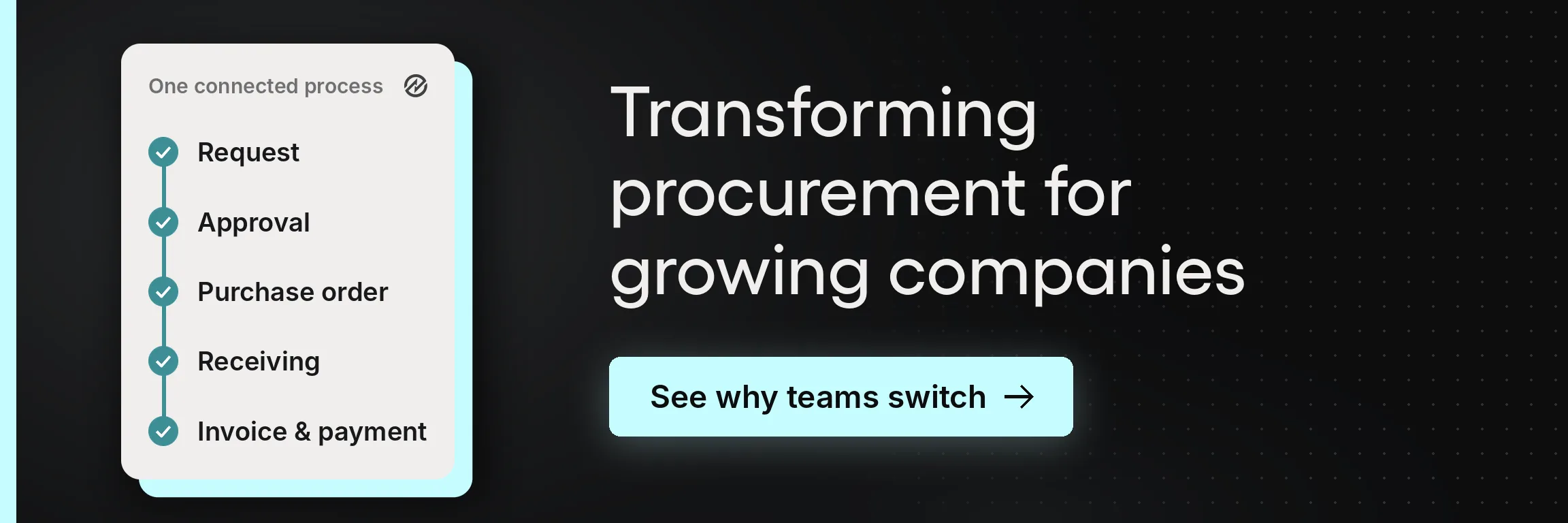
Goods arrive against a delivery receipt, and the vendor invoice is checked against the purchase order and receipt through three-way matching before invoice processing releases payment. The approval record is what makes that check possible.
The three routing shapes, and when to use each
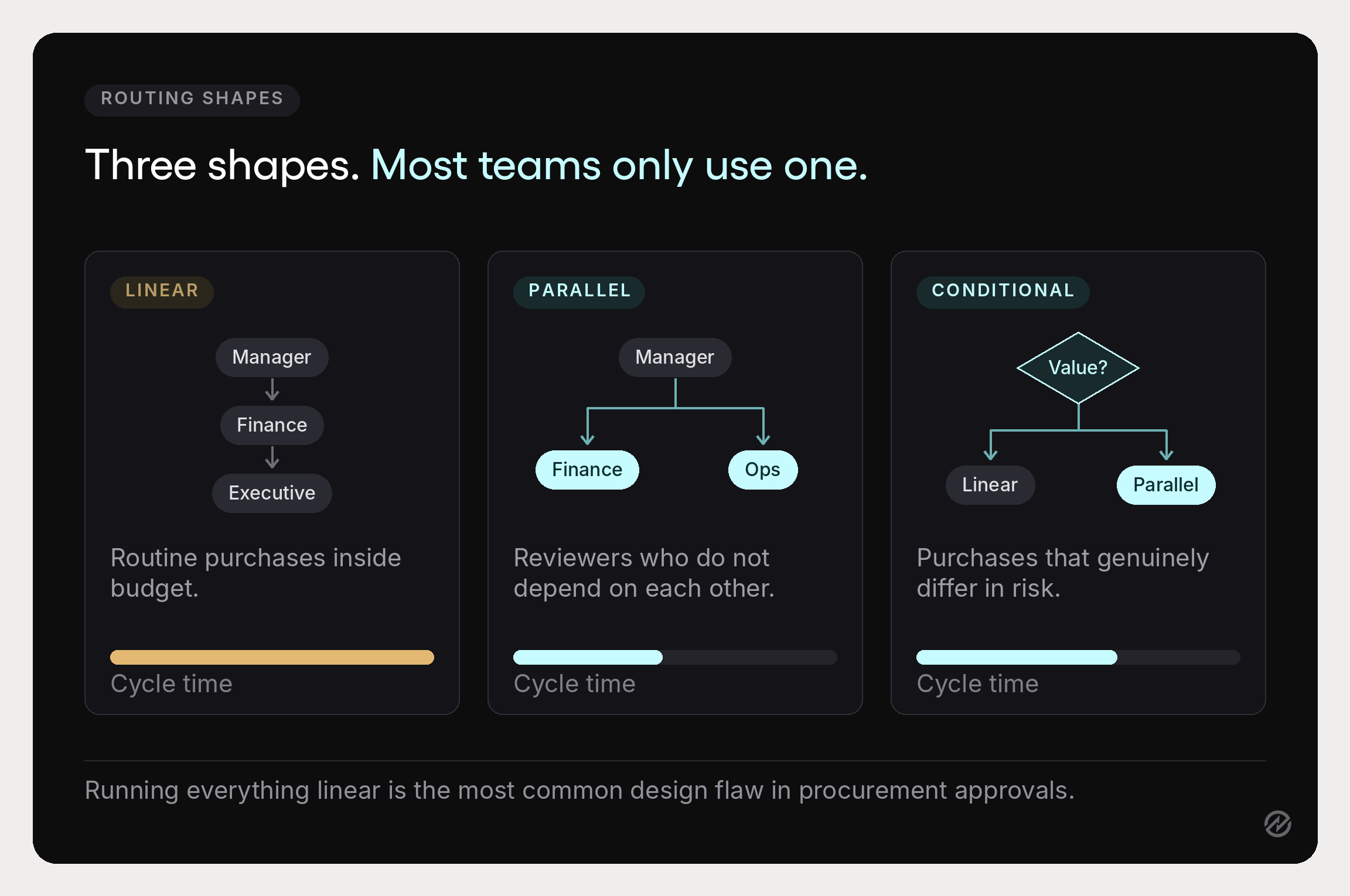
Most procurement teams inherit one approval chain and apply it to everything. Choosing deliberately between three shapes is the highest-leverage change available, and it costs nothing but a decision.
Linear approval workflow
A linear workflow moves the request from one approver to the next in sequence. The department manager reviews, then finance, then whoever comes after. Each approver waits for the one before.
Use it for: routine purchases inside an agreed budget, where a single reviewer is genuinely sufficient, or where a later approver needs the earlier one’s decision as input.
Watch for: approval chains that grew a stage at a time. Every sequential stage adds waiting time rather than review time, and a three-stage linear chain can turn three ten-minute reviews into a two-week process.
Parallel approval workflow
A parallel workflow sends the same request to multiple approvers simultaneously. Everyone reviews at once, and the request advances when all required approvals land.
Use it for: any situation where reviewers do not depend on each other. If finance is checking budget and an operations team lead is checking technical fit, neither needs the other’s answer first. Running them in sequence is pure added delay.
Watch for: ambiguity about whether all approvers must agree or just one. Define that explicitly, because “waiting on everyone” and “waiting on anyone” produce very different cycle times.
Parallel routing is the most underused of the three, and converting one sequential stage to parallel is frequently the largest single cycle-time saving available to a procurement team.
Conditional workflow
A conditional workflow decides the route based on the request itself. Conditional rules evaluate the data on the request and pick a path.
The simplest version uses value. Below $5,000, only department head approval is required and the request follows a linear path. Above $5,000, it routes to finance and the department head in parallel. Above $50,000, executive approval is added.
More useful versions add other dimensions. A request for a contracted supplier at agreed pricing can skip a stage the same value would otherwise trigger. A request in a category with compliance implications can add a reviewer regardless of amount. A new vendor can route through a supplier vetting step that a known vendor does not.
Use it for: any organization where purchases genuinely differ in risk, which is nearly all of them.
Watch for: complexity. Conditional routing that nobody can explain becomes a black box, and a black box is what people route around. Keep the rules short enough that a department head can describe them.
A worked procurement approval workflow example
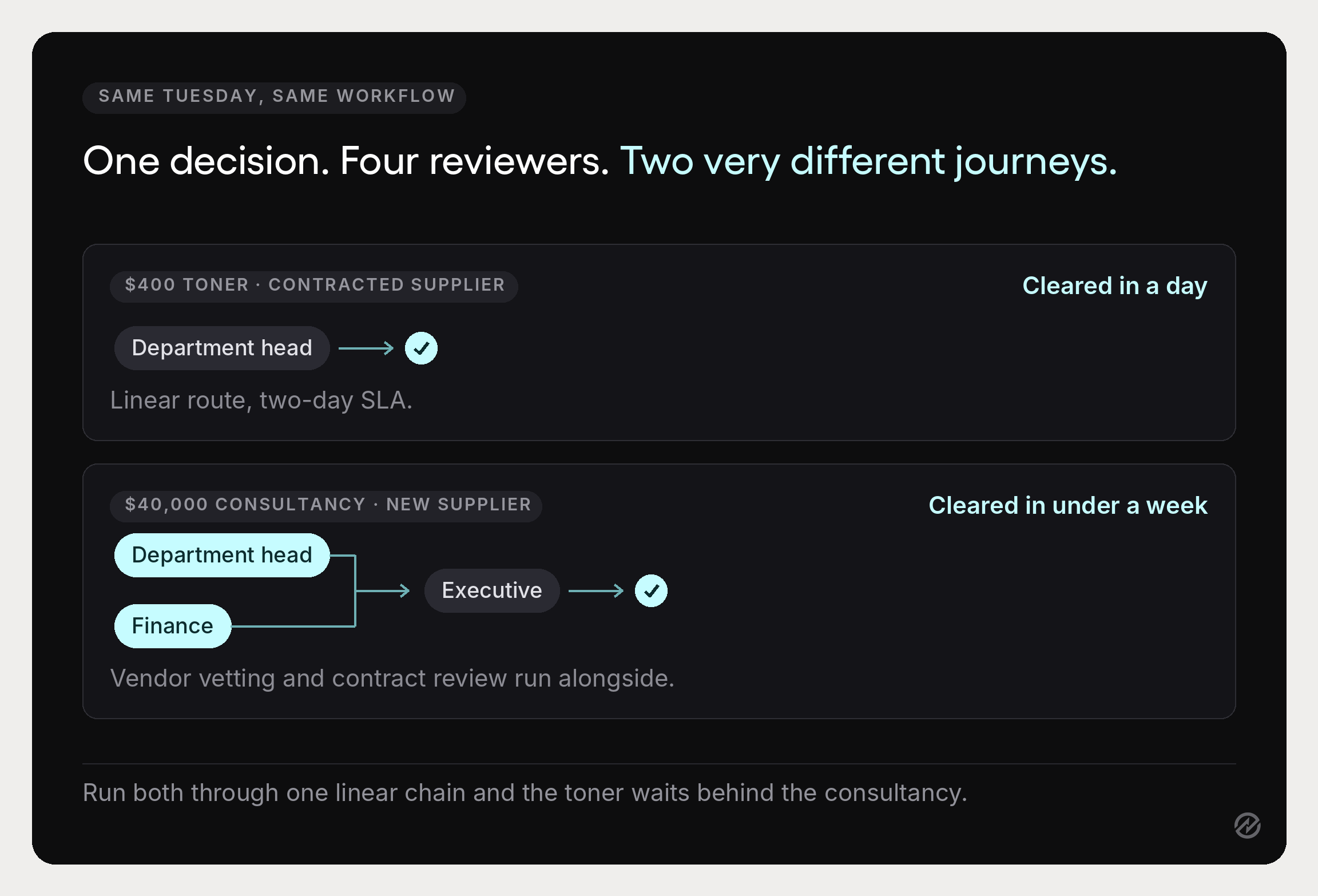
Take the two purchases from the top of this guide and run them through a conditional workflow.
The $400 toner reorder. The rules check three things: value is under the $2,500 threshold, the supplier is on contract, and the category is routine consumables. It routes linear to the department head with a two-day SLA. One approver, one decision, and in many organizations this could reasonably be auto-approved against a standing budget with a monthly review instead.
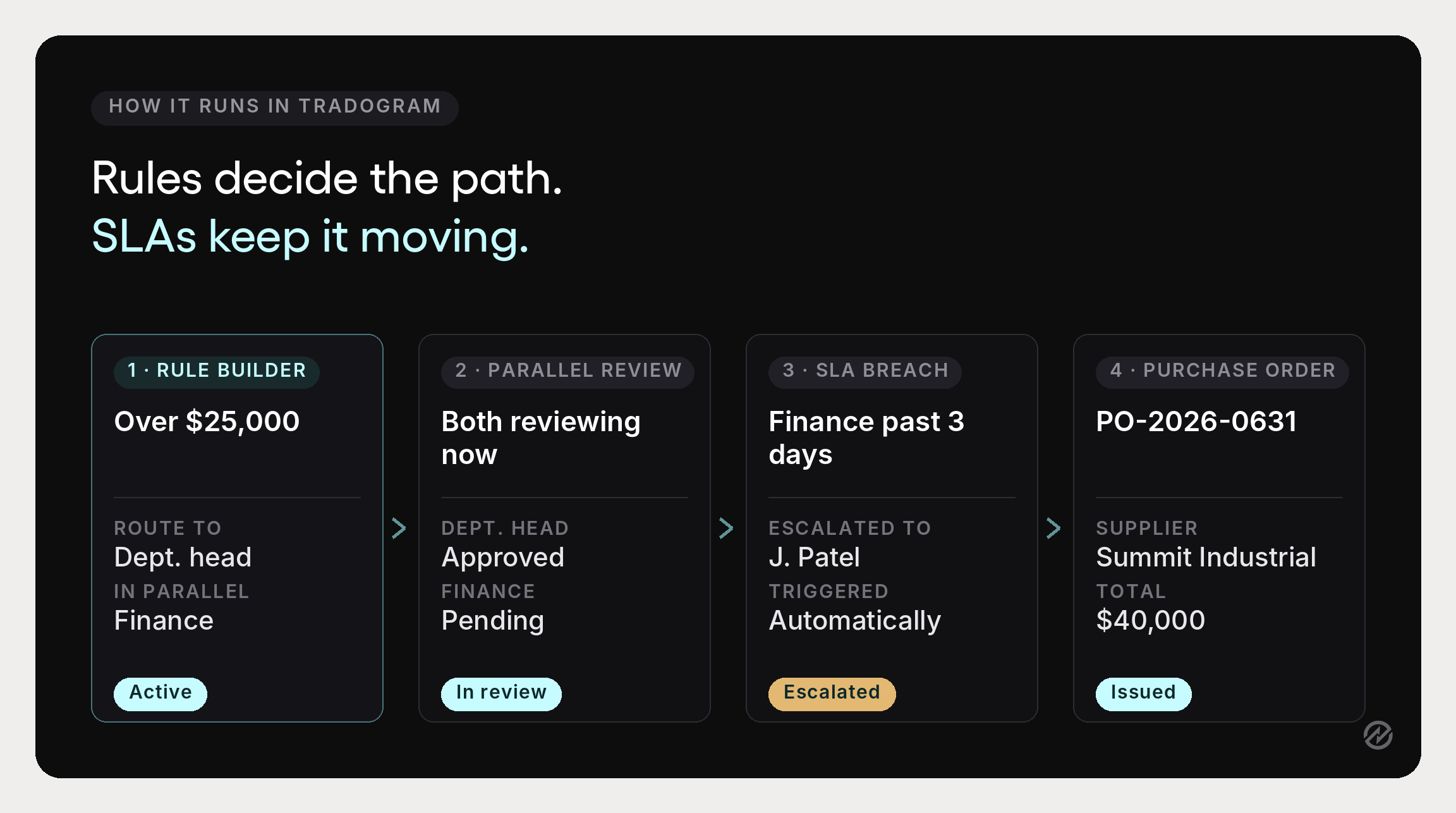
The $40,000 consultancy. Value clears both the $2,501 and $25,001 thresholds, the supplier is new, and the engagement carries contract terms. The rules route it in parallel to the department head and finance, both with a three-day SLA, then sequentially to an executive once both clear, with a vendor vetting step and contract management review running alongside. Four reviewers, but only two waiting periods, because the independent reviews happen at the same time.
Same workflow engine, same organization, two paths that look nothing alike. The toner clears in a day, and the consultancy gets genuine scrutiny in under a week. Run both through a single linear chain, and you get the opposite: the toner waits behind the consultancy, and the consultancy gets whatever attention is left over.
The design question is never “how many approvers should we have.” It is “what does this specific request need someone to check, and can any of those checks happen at the same time?”
Setting approval thresholds and building the matrix
Approval thresholds define the value each role can authorize without escalating. Write them down as a table rather than a paragraph:
- Up to $2,500: department head only
- $2,501 to $25,000: department head plus finance team review, in parallel
- $25,001 and above: adds executive approval
- Any value with new contract terms: adds legal or contract management review
- Any value with a new supplier: adds a vendor vetting step
The judgment is in where you set them. Thresholds set too low generate approval volume nobody has time for, which is how rubber-stamping starts, and an approval never declined is just a notification system. Set too high, they leave meaningful company spending ungoverned and unauthorized spending harder to catch.
A useful calibration check is the rejection rate at each stage. Pull a quarter of approvals and count how often each stage actually declined or returned something. A stage rejecting close to nothing isn't protecting the organization; it is confirming decisions already made, and its threshold is almost certainly set too low for the scrutiny it applies. Raising that threshold usually shortens cycle time without weakening a single real control.
Route on risk, not just amount
An approval hierarchy based on value alone is a ladder. A matrix adds the dimensions that actually change who should look: category, supplier, department, and project.
Risk-based routing follows from this. Low-risk purchases move on a fast path, and higher-risk ones pick up additional approval criteria. Our step-by-step guide to the procurement process sets this in the context of the wider procurement workflow.
In practice, the useful risk signals are whether the supplier is contracted, whether the category has compliance exposure, whether the spend is recurring or one-time, and whether an existing agreement already covers it. Routine buying against negotiated pricing should be fast, so attention is available for the purchases that need it.
This is also where vendor discounts get protected. A request naming a new supplier when a contracted one already covers that category should be caught at the routing stage, not after the purchase order has gone out. Supplier management software is built specifically to keep those records current.
Set SLAs per stage
Every approval stage should have a maximum turnaround time, communicated to approvers and reported against. Two days for a department head, three for finance, five for executive review, whatever fits the organization.
SLAs do two things. They convert “approvals are slow” into a number attached to a specific stage, and they give escalation something to trigger on. Without a defined turnaround, a stalled request has no moment when it becomes late, so requests can sit for weeks without anyone technically being at fault.
Two rules every matrix needs
Whatever shape you route on, two rules sit underneath it. Absence needs an answer, which is what the SLA gives you: escalation fires when the turnaround is breached, and delegation covers a planned absence, so a stalled request becomes late rather than invisible. And the person who requests a purchase should not be the person who approves it. Both are covered in full in our purchase order approval workflow guide, alongside the approval matrix they sit in.
Where procurement approval workflows break down
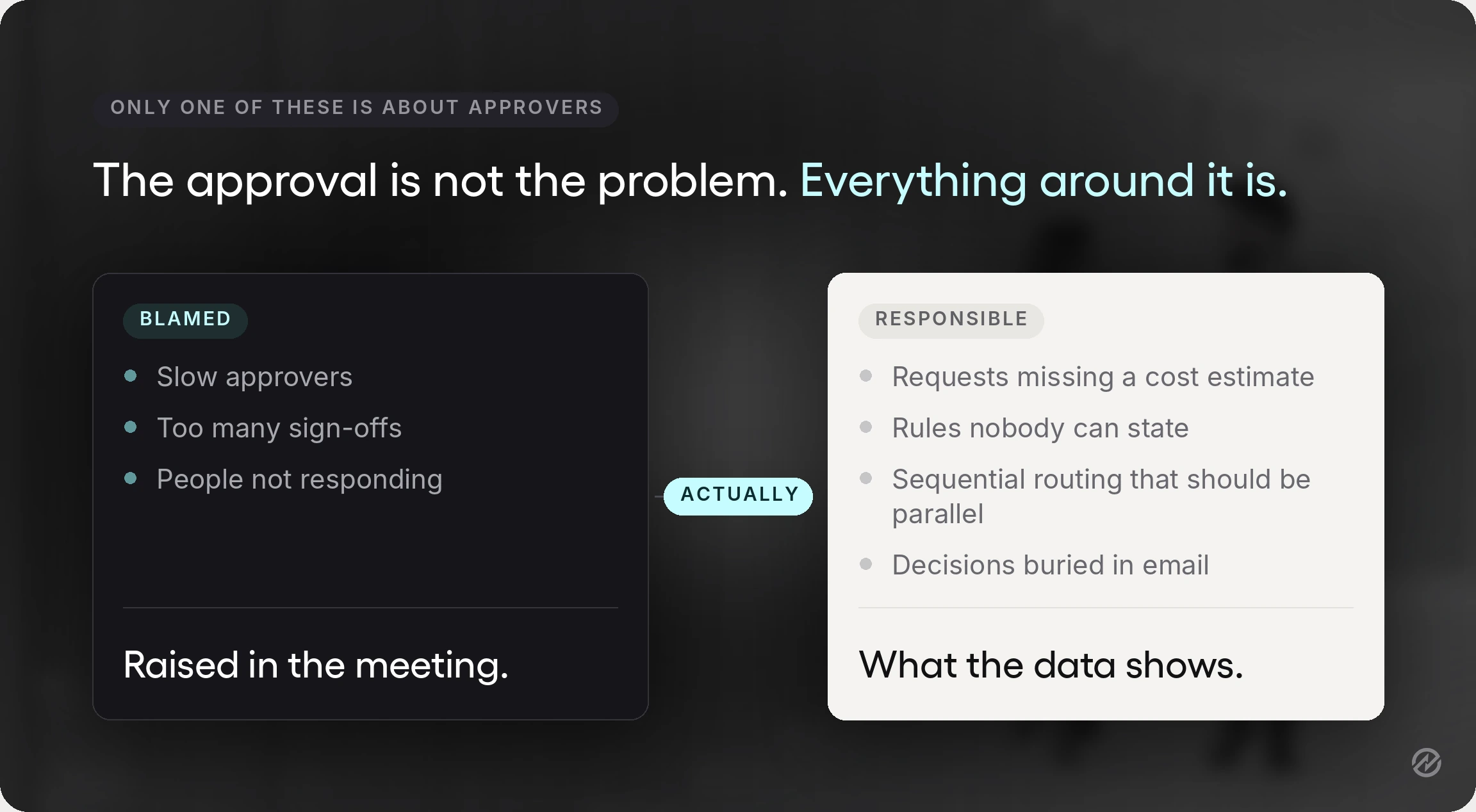
Six patterns account for most of the damage, and only one of them is really about approvers.
The request arrives incomplete. No estimated cost, no budget line, no justification. The approver cannot decide, so the request sits or bounces back. Approval delays that look like approver slowness are usually this.
Nobody can state the approval rules. Ask three managers who sign off on a $15,000 purchase, and you often get three answers. Unclear rules produce unnecessary escalations in one direction and skipped approvers in the other.
Everything runs linear. Requests queue behind reviewers who did not need to see them in that order, and the approval chain becomes the bottleneck rather than the control.
Approvals happen in email. Nobody can search them, so the audit trail is a mailbox, and the only record of a decision is a reply that says “fine by me.”
Data lives in disconnected systems. The request is in one place, the budget in another, the supplier record in a third. Approvers make decisions with partial information, and manual data entry errors creep in at every handoff.
No visibility for the requester. Someone submits a request and hears nothing, so they chase it. Chasing pulls approvers away from approving, which slows the queue further.
Manual procurement processes amplify all six. Manual processes are survivable at low volume and they stop scaling at exactly the point most organizations notice: more departments, more approvers, more purchasing volume, and no more administrative capacity. This is also the point where teams start looking at how to automate approvals rather than add headcount.
How procurement software streamlines purchasing and approvals
Procurement software streamlines purchasing and approvals by replacing the administrative layer around each decision, not the decision itself. Six things change.
Requests become structured. A configurable form with required fields replaces free-text email. Different request types can use different forms, so a contractor engagement asks different questions than a supply reorder, and the approver receives a complete request the first time.
Automated routing replaces manual forwarding. Automated approval workflows route each request on amount, department, category, GL code, project, supplier, or a combination using predefined rules. Automated workflows replace guesswork about who to send something to, so requesters no longer need to know the approval hierarchy to use it.
Budgets are checked before approval, not after. The system validates the request against the relevant budget line in real time, including approved but uninvoiced commitments, so the budget owner sees the position at the moment of decision.
Approval notifications and escalation run themselves. Approvers are notified immediately, reminded when a request waits, and bypassed through delegation or escalation when they are unavailable. Automated systems make a stalled request visible rather than silent.
Approval status is visible to everyone. Requesters track their own requests, procurement sees the queue, and finance teams see pending commitments. That real-time visibility into the approval flow removes most of the chasing that slows the entire process.
The audit trail builds itself. Every submission, comment, approval, rejection, delegation, and escalation is recorded with actor and timestamp. Audit readiness becomes a byproduct rather than a project.
Tradogram’s approval workflow software reports 75% less time spent on manual approval processes and 60% fewer compliance violations where consistent controls are applied. Those numbers depend on the rules underneath being sound, which is the honest caveat: automation enforces your policy, it does not write it for you.
The direction of travel is broader than one vendor. PwC’s 2024 Digital Procurement Survey, covering roughly 1,000 companies across nearly 60 countries, found respondents reporting a 44% digitalization rate for transactional procurement processes against a 70% target by 2027. The same survey named user take-up one of the most limiting factors, noting that success “depends more on the quality of the user experience” than on the technology itself. That finding is worth holding onto when comparing tools.
Choosing procurement approval workflow software
Most feature lists look identical, and most evaluation checklists test the same eight things. Our purchase order approval workflow guide covers that full checklist, from budget validation to audit trail export to accounting integrations.
What that checklist does not test, and what matters most if routing is your actual problem, is whether the rules engine can hold the shapes described above. Three questions get at it.
Can a single rule set run linear, parallel, and conditional paths? Not three separate workflows that someone picks between manually, but one engine that reads the request and chooses. Software with a single approver field, or with one fixed chain per department, will force you to simplify your policy rather than support it.
How many dimensions can a condition evaluate? Amount alone is a ladder. Ask to see a rule that combines amount with supplier status and category, because that is what risk-based routing requires and it is where most tools stop.
Can you change a rule without help? Thresholds drift, departments reorganize, and a matrix you cannot edit yourself is a matrix that goes stale. Ask to watch someone add a conditional path during the demo rather than hearing that it is possible.
A system that handles approvals alone, with no link to purchase orders, receiving, or invoice processing, tends to recreate the original problem in software form. The value comes from the stages sharing one record, which is what makes purchase order workflows and approval workflows reinforce each other rather than run in parallel silos.
Measuring workflow performance
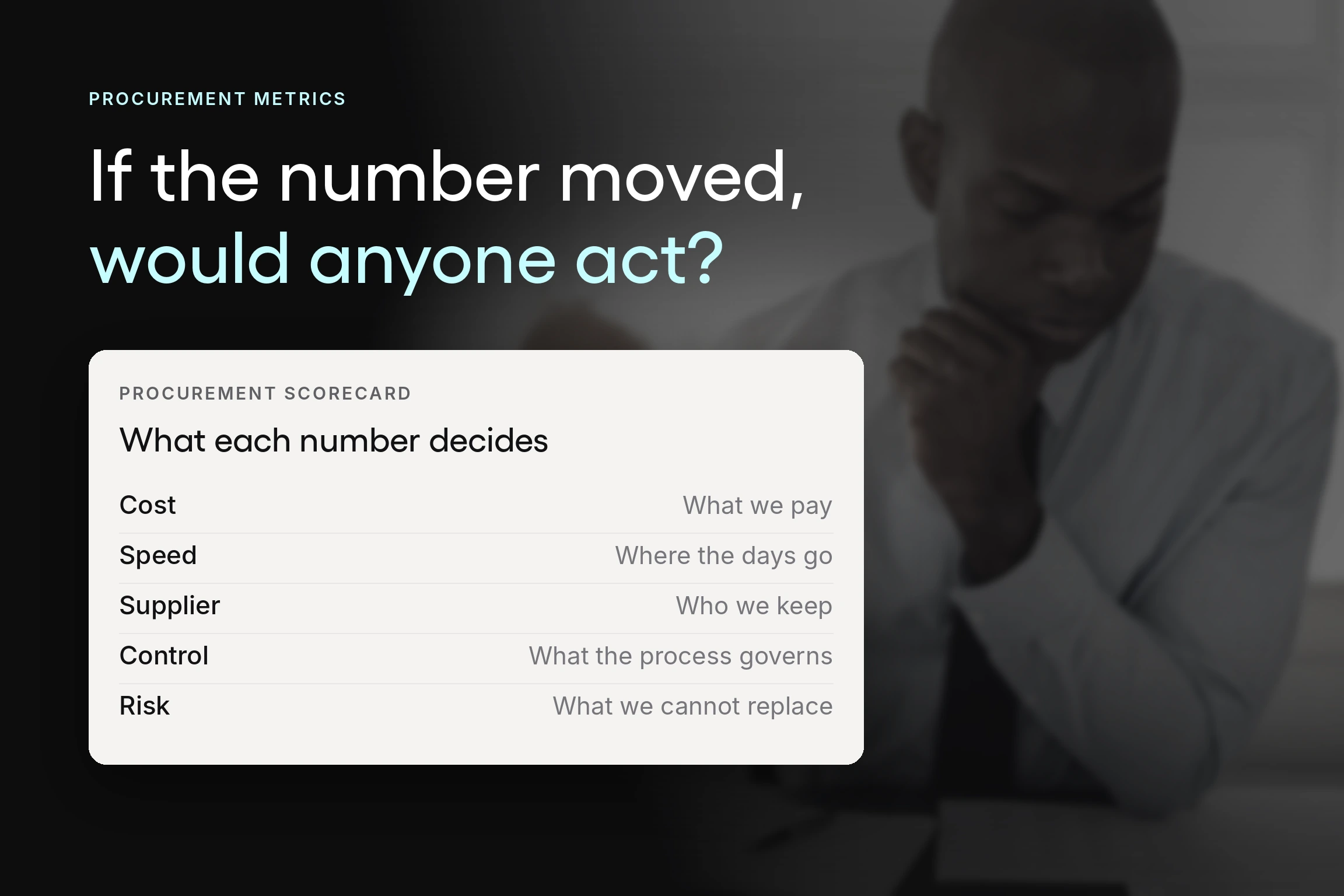
Five numbers tell you whether the design is working. Track them for a quarter before changing anything so you have a baseline.
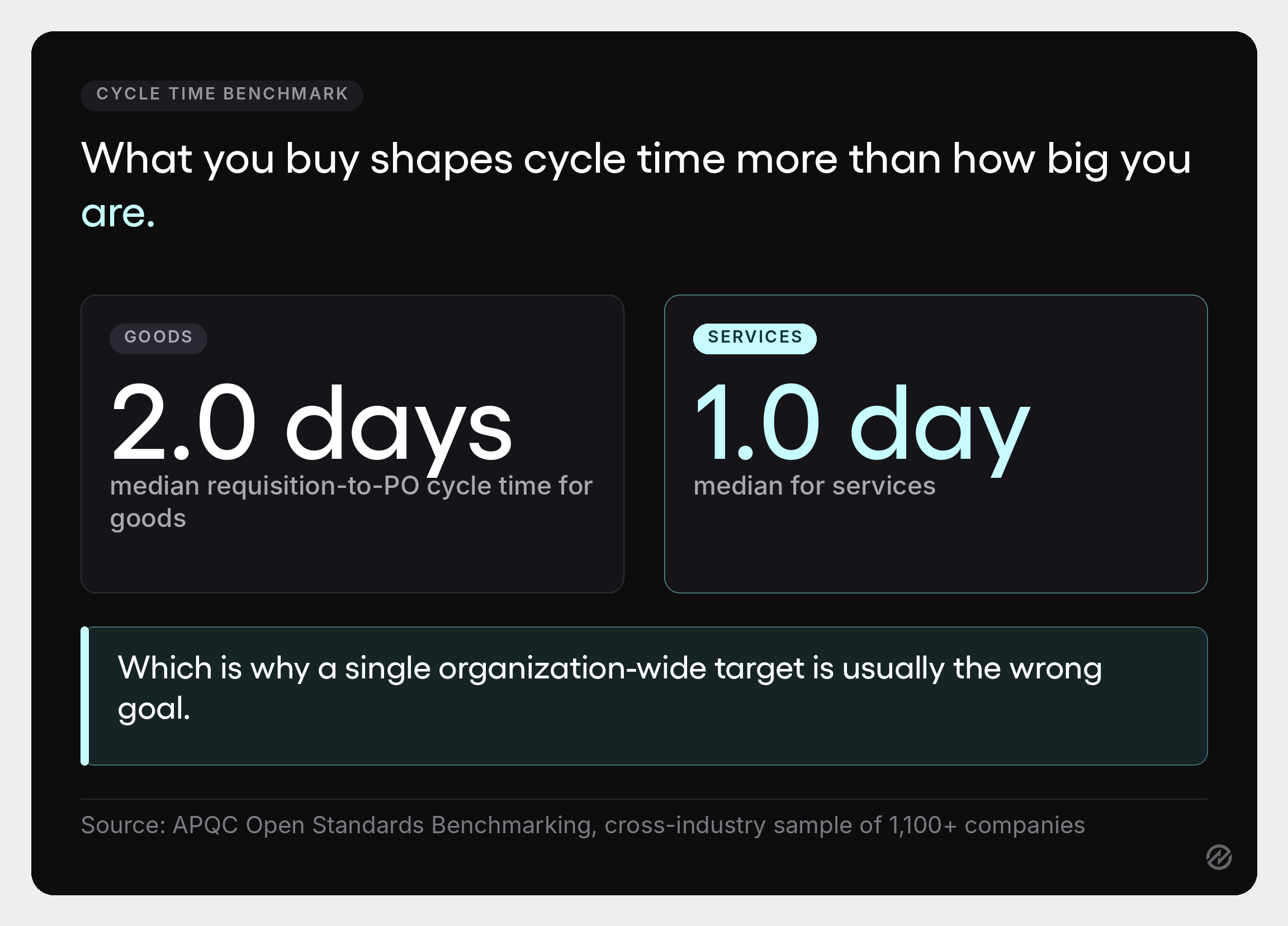
Requisition-to-PO cycle time. The headline number, measured from request submission to approved purchase order. APQC's Open Standards Benchmarking puts the cross-industry median at 2.0 days for goods and 1.0 day for services, each drawn from a sample of more than 1,100 organizations. The gap between those two figures is the useful part: what you are buying shapes cycle time more than how big you are, which is why a single organization-wide target tends to be the wrong goal.
Time per approval stage. The diagnostic number. Total cycle time tells you there is a problem; stage-level time tells you which stage. One stage almost always dominates, and it is rarely the one people assume.
First-pass approval rate. The share of requests approved without being returned for more information. A low rate points at the request form rather than the requester.
Rejection rate by stage. A stage rejecting close to nothing is applying scrutiny nobody needs. Either raise its threshold or convert it to a notification.
Percentage of spend with a prior approval. How much purchasing actually ran through the workflow before commitment. This is the number that tells you whether the policy is real, and it should be the one procurement leaders report upward.
Our guide to procurement KPIs covers the wider set, and procurement reporting is what makes these visible without a manual audit.
Where to start with automated approval workflows
The sequence that works is narrower than a redesign.
Write the approval matrix down first, including thresholds by role and what happens when an approver is away. Add estimated cost and budget line as required fields on purchase requests, which usually lifts the first-pass approval rate more than any change to the approval rules themselves. Measure time per stage for a month. Then convert the slowest sequential stage to parallel, if the reviewers do not depend on each other, and set an SLA on each remaining stage.
Only then configure software, and roll it out to one department before the whole organization. Most operational efficiency comes from the first two steps, which cost nothing but a decision and a form change. The software is what makes it durable when volume grows.
Tradogram connects purchase requests, configurable approval workflows, budget checks, purchase orders, receiving, and invoice matching in one system, configured around how your organization already buys rather than a fixed process. If you want to see how that maps to your current thresholds, book a demo and we will walk through it with your own matrix and departments.