


SaaS vs ERP
SaaS and ERP are acronyms that are commonly found together when comparing different ways to implement an ERP system - but standalone SaaS providers are becoming a popular way to overcome common disadvantages found in ERPs. For SaaS businesses, adopting ERP for SaaS companies is an increasingly attractive option due to its tailored approach to cloud-based software deployment. Clearing up the confusion surrounding “SaaS vs ERP” is crucial to understanding the value of SaaS platforms and the benefits of e-procurement systems. Simply put, software as a service (SaaS) is any subscription-based software that is hosted online from a central provider location. Enterprise resource planning (ERP) systems differ in that they can be owned and hosted on local servers (also referred to as “on-premises”) within an organization, but can sometimes also be delivered as SaaS products hosted online.So, why do people sometimes compare the advantages of standalone SaaS solutions against ERPs - if ERPs can be SaaS products themselves in many circumstances? It comes down to a consideration between locking into a single ERP system vs the diverse set of tools offered by combining services from a variety of different SaaS providers.
Weighing the advantages and disadvantages of procurement ERP software
One of the main appeals and advantages of procurement ERP software is their ability to deliver many types of tools on a single platform. These tools can include:
• Finance Resource Management• Supply Chain Management• Human Resource Management• Customer Resource Planning• Manufacturing Resource Planning
ERPs optimize business processes by sharing accurate information with relevant parties throughout an organization in a timely manner, eliminating redundant manual operations, and removing the clutter of duplicate records from the system.Some of the most noticeable benefits of procurement ERP software in an organization include a noticeable reduction in time spent on reporting, faster customer service response times, and improved internal control over business workflows.
However, while getting all of these tools in one package sounds great in theory, the diversity in what these systems can offer is the exact reason that so many disadvantages and problems with ERP platforms exist.
ERP Problems and Disadvantages
There are several common disadvantages and customization issues associated with ERP implementation:The average cost of implementing an ERP is extremely high. Small businesses can expect to pay upwards of $10,000 for a basic implementation, mid-sized businesses between $150,000 and half a million, while large enterprises are looking at a multi-million dollar investment for implementation.

And that’s just the upfront price. Don’t get blindsided by the additional costs from paying consultants, managing human resources, acquiring licences, sustaining recurring fees, and paying for training sessions that are needed to cover for another drawback...One of the driving causes behind ERP failure is their complexity. Because they offer so many different tools, ERPs are difficult for employees to learn and use. During implementation, teams will often struggle to adapt to the new tools, and sometimes employees and managers end up being replaced due to this challenge. The difficulty doesn’t end there, though…ERP implementation timelines are notorious for being drawn out. The benefits of procurement ERP software will not be visible immediately. In fact, it can take years before an ERP system begins providing its return on investment. What’s worse is that a failed ERP implementation carries the ever-present risk of never actually providing its benefit, resulting in catastrophic financial results for the company.
Mixing standalone SaaS tools vs a single ERP provider
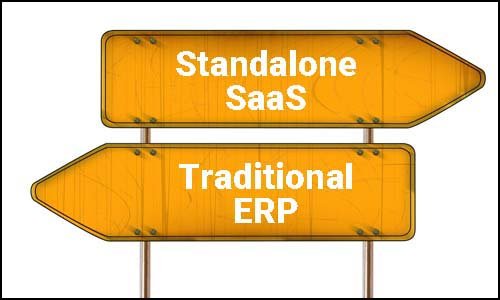
A sometimes overlooked approach to selecting business applications is considering the benefits of multi-sourcing several dedicated SaaS tools vs locking in with a single ERP provider. Adopting an eclectic software strategy helps to mitigate the problems traditionally associated with ERPs:SaaS providers are infinitely more affordable than their ERP counterparts. Not only do these tools cost less to implement, but other than standard monthly subscription fees, additional charges are few and far between on SaaS platforms. For a fraction of an ERPs cost, it’s common for SaaS providers to offer customization and integration work to fit your company’s specific needs as well...SaaS solutions are more agile in changing markets. The time it takes for cumbersome ERPs to develop their systems often lags far behind the latest advancements of certain service providers. While ERPs offer a wide range of tools, it can take months or years for those tools to cater to the evolving needs of the businesses that use them. Finally...Picking standalone SaaS tools vs an ERP solution avoids vendor lock-in. Back-pedaling out of an ERP buy-in is nearly impossible due to the high cost and slow nature of their implementation. In contrast, switching from one SaaS provider to another is a great way to keep your business strategy flexible and adaptable as competitors add new features and tools to the services they offer.
SaaS ERP
SaaS ERP is a software-as-a-service enterprise research planning system, which is usually a cloud-based system.
SaaS ERP Software
SaaS ERP software provides cloud-based hosting functionality, a subscription model, a high level of scalability, and automatic updates. It is a cost-effective solution that lowers costs compared to traditional ERP systems. It is also easy to implement and set up.
ERP software's main features include financial management (accounting process automation, expense tracking), supply chain management features (inventory tracking), and HR management features to take care of payroll processing.
Overall, ERP systems are designed to manage a wide range of business processes.
SaaS Procurement
SaaS procurement is a software solution dedicated to managing procurement within the organization.
SaaS Procurement Software
SaaS procurement tools enhance the procurement process and help organizations to streamline it by offering a variety of useful functionality. The main features procurement software solutions offer include sourcing tools, supplier management and inventory management tools, supplier collaboration tools, automation functionality, and powerful analytics.
Also, keep in mind that a good SaaS procurement software should offer integration with your current or other popular ERP systems to streamline the processes even further.
The benefits of SaaS based e-procurement vs ERP systems
To illustrate the level of detail and customization offered by SaaS providers vs their ERP counterparts, the benefits of e-procurement software can be used as an example:SaaS Based E-ProcurementTraditional ERPCost
As low as $10 per user per month.
(No implementation cost, free upgrades and updates to the latest version, free training and live support)
$10,000 - $10,000,000 Implementation Cost (Based on company size)(Not including license fees, consultants, recurring fees, and training)Procurement / Purchasing Features
Access all features with a monthly fee
• Approval Workflows• Strategic Sourcing• Procure to Pay • Supplier Management• Item Master Data• Spend Reports
• Requisitions• Delivery Management• Budget Tracking• Expense Tracking• GL Account Tracking• Project Cost Tracking• Toggle features on/off• Intuitive design
Modules sold separately
• Approval Workflows• Strategic Sourcing• Purchase to Pay• Contract Management• Supplier Management• Item Master Data• Spend Reports
• Consultants for sourcing event support and best practices.
(Some ERPs may offer different features / some listed features may not included in certain product packages)
Implementation and ROI Time
A few weeks.
Half a year or more depending on company size.
While it’s nice that some ERPs offer procurement tools, a lack of dedicated development often makes them sub-optimal when compared to SaaS providers that focus only on e-procurement.That’s not to say that ERPs can’t deliver effective tools in their software suites, but a simple comparison shows that the advantages of e-procurement tools can be acquired for far less through SaaS providers.
The benefits of dedicated e-procurement include:
• Reducing costs• Increasing productivity• Internal process control• Improving spend visibility• Digitally streamlining processes
If you’re thinking about using an e-procurement solution to improve your purchasing process, you may also be interested in checking out some accounts payable tips and tricks for streamlining procurement.
A Modern ERP Software for SaaS Companies
For SaaS companies seeking streamlined and scalable solutions, a modern ERP system tailored for the SaaS industry offers exceptional value. ERP for SaaS companies provides integrated, cloud-based functionalities that cater to the unique operational demands of subscription-based businesses. Unlike traditional ERP systems, which may require extensive on-premises setup, ERP for SaaS companies allows for quick deployment and seamless updates through a flexible, subscription model. This approach not only reduces upfront costs but also supports high scalability, enabling SaaS businesses to adapt as they grow and evolve in a competitive market.
Standalone SaaS vs ERP - Which one should you choose?
If you’re still stuck on weighing the benefits of standalone SaaS based applications vs ERP solutions, consider the three potential setups you can implement in your business:

Full SaaSPick a series of SaaS systems to use together that cover the functionality of a traditional ERP. This option may require some research time as you compare different options, but this option offers the most affordable and most flexible solution. One of the only drawbacks is not having all of these solutions fully integrated with one another, so consider using systems that already offer integrations with the tools you use.Traditional ERP + Standalone SaaS HybridMore and more companies are moving towards using this option. When ERPs lock access to certain modules behind more expensive software packages, finding SaaS providers that can offer these modules is a popular choice. Sometimes, standalone SaaS solutions are so affordable and comprehensive that they end up being used instead of an included ERP module.Full ERPSome companies are financially secure enough to take the risk of implementing a full ERP. The benefits of having a fully integrated system and access to consultants for added value are certainly appealing, but be wary of the challenges and disadvantages when choosing this option. If you run into difficulty, consider moving gradually towards an ERP + SaaS hybrid approach instead.Questions? Comments? We’d love to hear your thoughts on traditional ERPs vs standalone SaaS providers.Leave us a message, and let us know what you think!