


A purchase order isn't paperwork. Once a supplier accepts it, it's a legally binding document, which means the moment it leaves your system, you've committed the company to a price, a quantity, and a delivery date.
Most purchasing teams treat the PO as the record of a decision already made. It's the instrument that makes the decision real, and that distinction determines what must happen before issuance, not after.
This guide covers what purchase order management actually is, the seven stages a purchase order moves through, where each stage tends to fail during a manual process, what the supplier side of the process is worth once you stop ignoring it, and how to judge a purchase order management system without being sold a feature list.
At Tradogram, we have helped thousands of organizations digitize their procurement processes, and the pattern we see most often is not a company without a process. It is a company whose process exists on paper, works for the purchases people remember to route through it, and quietly does nothing about the rest.
What is purchase order management?
Purchase order management is the end-to-end process of creating, approving, issuing, tracking, and closing purchase orders, from the moment someone asks for something to the moment the matching invoice is paid and archived.
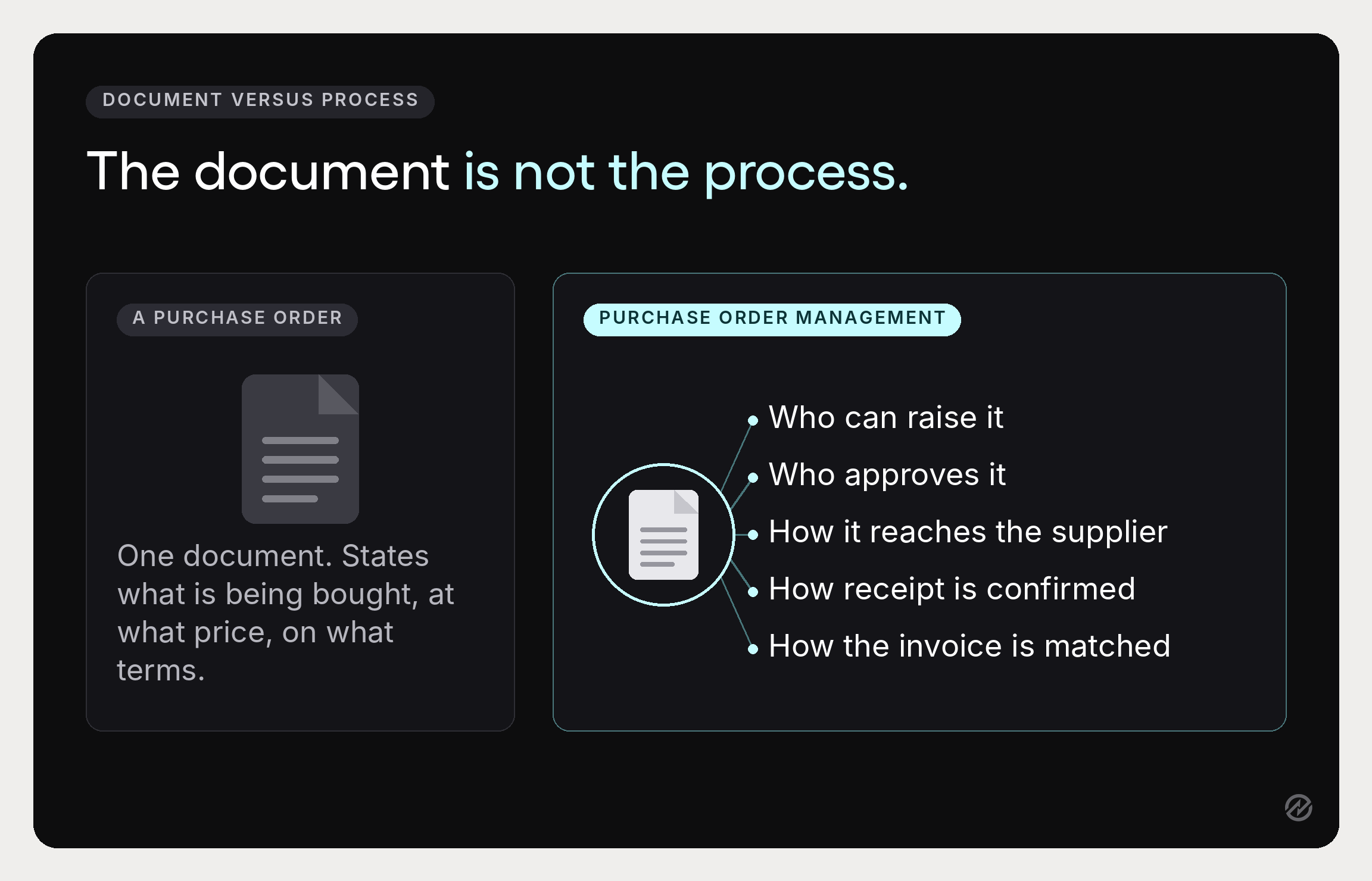
It helps to separate two things people tend to collapse. A purchase order is a document: legally binding once the supplier accepts it, stating what is being bought, at what price, and on what terms. Purchase order management is everything that happens around that document. Who is allowed to raise one. Who has to approve it and at what value. How it reaches the supplier. How you know it arrived. How the invoice gets checked against it. What is kept, and for how long.
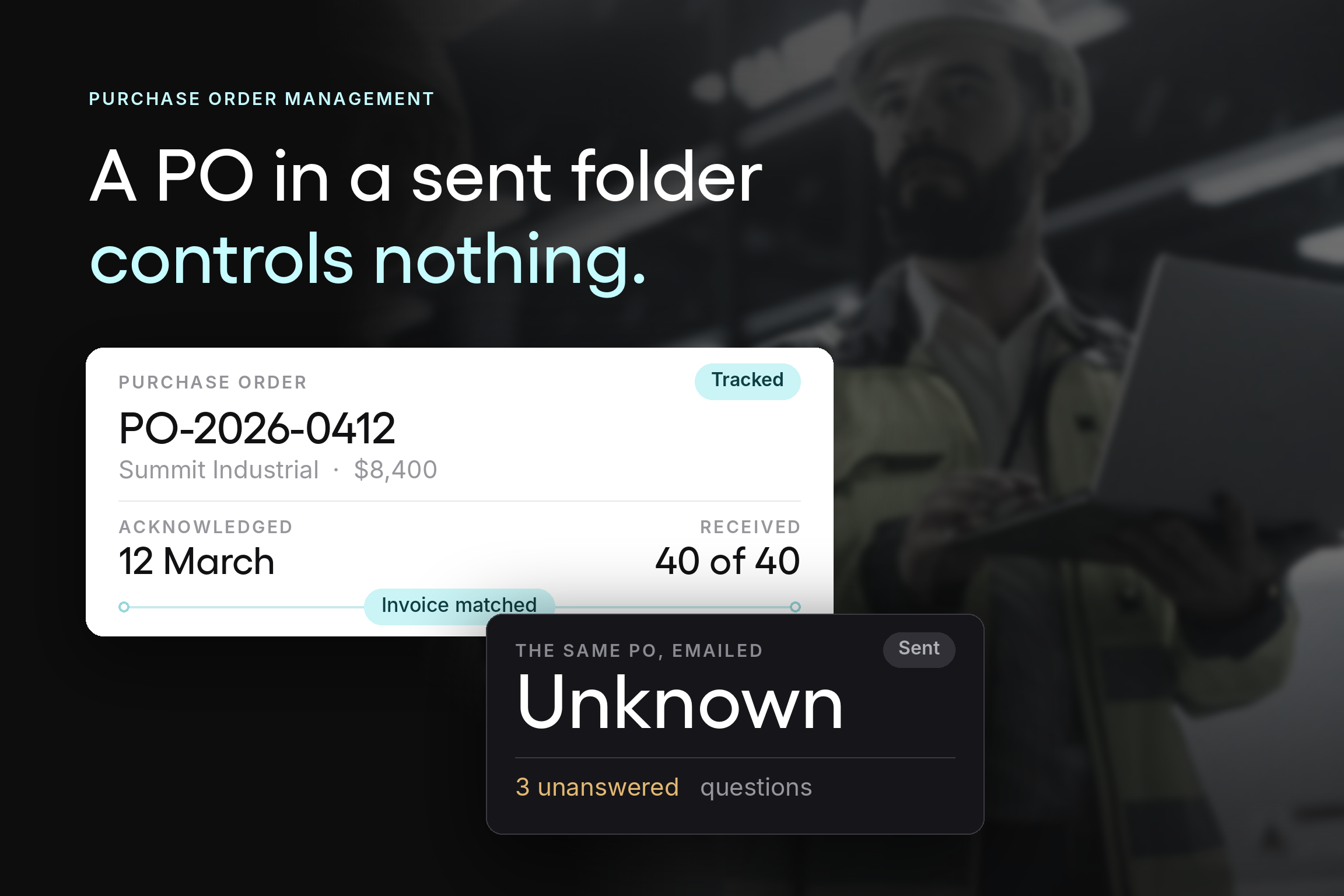
Companies that describe themselves as having a purchase order process usually mean they have the document. The management part is what is missing, and it is the part that produces the benefits. A purchase order sitting in someone’s sent folder controls nothing.
The practical test is whether you can answer four questions about any purchase from the last quarter without asking a person: who authorized it, what was actually received, whether the invoice matched, and where the record is. If any of those requires a conversation, the purchasing process is producing documents, not control.
The seven stages a purchase order moves through
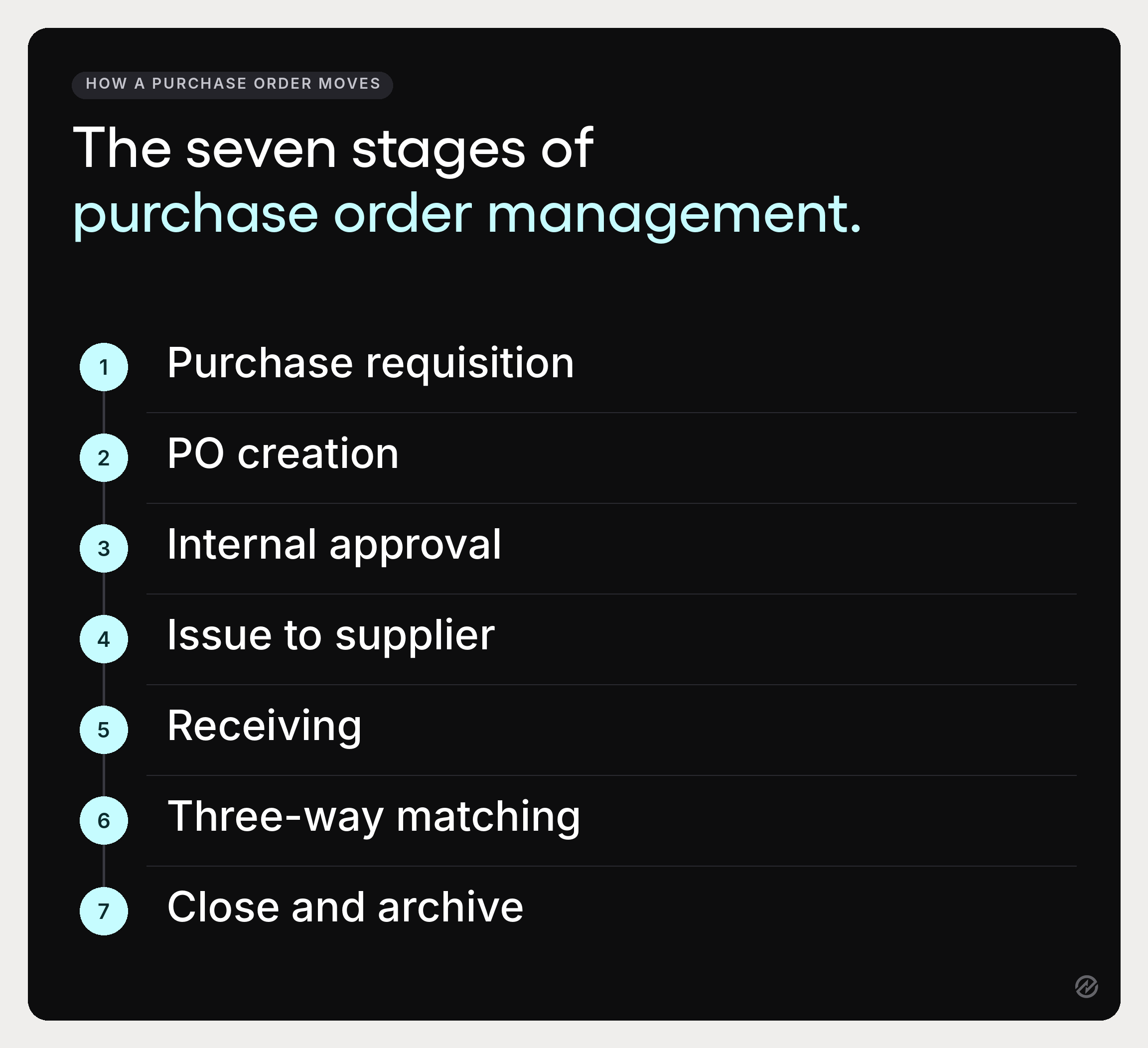
Every purchase order follows the same path. What differs between organizations is how much is automated and how many stages a person has to push it through by hand.
1. Purchase requisition. Someone identifies a need and raises an internal purchase request. A good purchase requisition carries the supplier, an estimated cost, the budget line it belongs to, and a reason. This is the cheapest possible moment to say no, and the stage most often skipped in businesses that are still buying by email.
What it prevents: buying things nobody checked the budget for.
Where it breaks: when raising a requisition is harder than just buying the item.
2. Purchase order creation. The approved request becomes a formal purchase order with a unique number, supplier details, line items, quantities, prices, delivery dates, and payment terms. Automated PO creation, where the requisition data carries straight through, removes the most common source of error in the whole purchasing process: someone retyping what someone else already typed.
What it prevents: manual data entry errors and mismatches between what was approved and what was ordered.
Where it breaks: when the requisition and the purchase order live in different systems.
3. Internal approval. The purchase order routes for approval to whoever holds authority for that amount and category. This stage determines whether the whole purchase order management process is credible.
What it prevents: unauthorized spending and commitments beyond budget limits.
Where it breaks: everywhere. More on this below, because it is the single biggest failure point in purchase order management.
4. Issue to the supplier. The purchase order goes out. Once the supplier accepts it, you have a binding agreement covering price, quantity, delivery timelines, and terms.
What it prevents: disputes about what was agreed.
Where it breaks: when issue and acknowledgement happen over email, so nobody can say with certainty whether the supplier has seen it.
5. Receiving. Goods or services arrive, and receipt is recorded against the purchase order. Partial deliveries, short shipments, and damaged items get noted here or not at all.
What it prevents: paying for things that never showed up.
Where it breaks: when the person receiving the delivery has no easy way to record it, so receipt gets reconstructed later from memory.
6. Three-way matching. The invoice is compared against the purchase order and the receiving record in a three-way match. Agreement releases payment. Disagreement raises an exception.
What it prevents: overpayments, duplicate orders billed twice, and price creep between quote and invoice.
Where it breaks: when there is no receiving record, leaving only a two-way match that catches price errors but not undelivered goods.
7. Close and archive. The purchase order is closed, the payment recorded, and the whole chain retained as an audit trail.
What it prevents: the annual scramble to reconstruct how a cost was authorized.
Where it breaks: when records live across three systems and an inbox.
Purchase order collaboration, and why the supplier side is often the neglected half
Purchase order collaboration means the buyer and the supplier working from the same purchase order record rather than exchanging messages about it.
Most purchasing processes are built entirely around the buyer’s internal steps and treat everything past “issue to supplier” as somebody else’s problem. That is where a surprising share of the cost hides.
Consider what happens without it.
You send a purchase order. The supplier may or may not have received it. They may have a question about a line item, which arrives as an email to one person. They ship partially and mention it in that thread.
Their invoice references their own reference number instead of your PO number. Your accounts payable team now has an invoice they cannot match, and resolving it means finding a conversation that lives in someone’s inbox.
Collaboration replaces that with a shared record. The supplier acknowledges the purchase order, so you know it landed. Questions and change requests attach to the order rather than to a person. Shipment and delivery updates post against the line items. The invoice arrives with the PO number because the supplier invoices from the order itself.
The payoff shows up in three places:
- Fewer invoice exceptions. An exception is an invoice that doesn't reconcile, and most trace back to differences in how the supplier and buyer understood the order. Ardent Partners puts the average invoice exception rate at 18.4%, and the gap between organizations largely reflects how well the two sides agreed before the invoice was written.
- Less status-chasing. Real-time visibility into order status is not a dashboard feature. It is the absence of somebody emailing a supplier to ask where things are.
- Better supplier relationships. Suppliers experience your purchasing department through how easy you are to transact with. Strong supplier relationships are built on clear purchase orders, fast acknowledgment, and invoices paid without dispute. Improve supplier relationships this way, and negotiations get easier too, because you are no longer starting from a backlog of unresolved admin.
A practical note: this works only if the supplier can participate without buying software. Supplier portals that require a vendor to maintain a paid account for each customer are used by large suppliers and ignored by small ones, which means the half of your spend most likely to cause exceptions is the half that opts out.
Judge any collaboration capability by what the smallest supplier on your list would have to do.
The four types of purchase orders, and when each earns its place
Choosing the right type of purchase order is the easiest efficiency gain available in purchase order management, and the one most businesses never make deliberately.
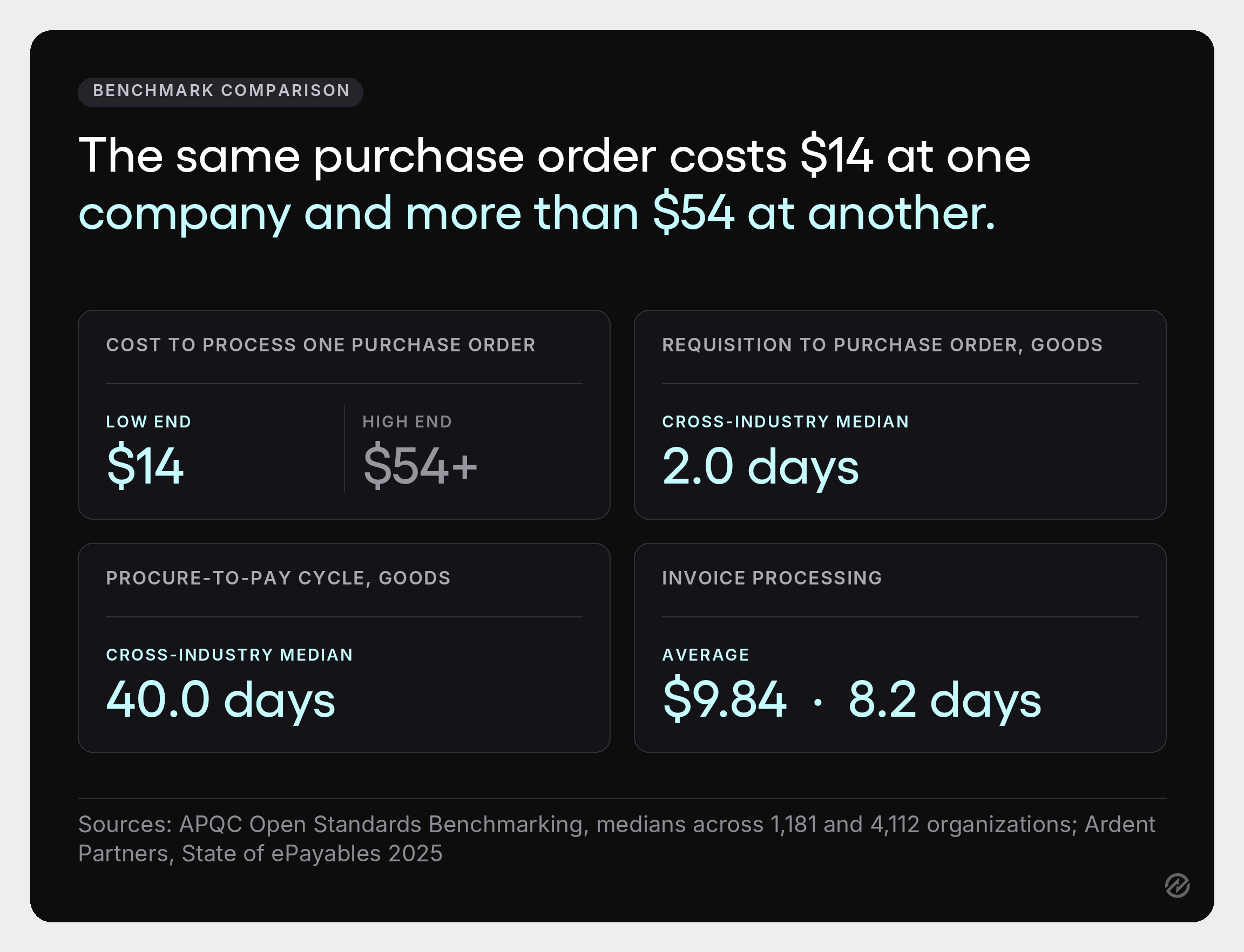
The blanket purchase order is the one most often missing. If your purchasing department raises the same order to the same supplier every month, you pay the processing cost repeatedly for a decision made once. APQC’s benchmarking puts the cost to process a single purchase order at anywhere from about $14 to more than $54, so the arithmetic on consolidating twelve orders into one agreement is not subtle.
Where manual purchase order management actually breaks down
Approval. It is almost always approval.
The mechanics are usually sound. Requisitions get raised, purchase orders get created, the format is fine.
Then the order reaches an approval process that depends on a named individual being available, and it sits. The requester watches it sit, notices they needed it three days ago, and buys it another way.
Now you have a purchase with no purchase order, an invoice that will not match, and a person who's learned the official route doesn't work.
That sequence is the origin of most of what gets labeled a compliance problem, but it is a routing problem that produces non-compliance as a symptom.
Three structural fixes, in order of impact:
- Route by amount and category, not by person. A $200 stationery order and a $40,000 equipment purchase should not travel the same path or need the same signature. Approval workflows that branch on value are the difference between a process that clears routine spend in minutes and one that treats everything as an exception.
- Give every approver a delegate. One person’s vacation shouldn't stop purchasing. This is a five-minute configuration change that removes a category of problem permanently.
- Set thresholds high enough to be believed. If everything needs approval, approval means nothing, and people stop reading the requests they are rubber-stamping. A threshold that lets low-value, low-risk purchases through without ceremony is what makes scrutiny of the remaining ones real.
The other failure modes are smaller but worth naming.
- Manual processes that require someone to retype data between systems generate errors at a rate proportional to volume.
- Missing receiving records reduce three-way matching to two-way matching, which catches price errors and misses undelivered goods entirely.
- And purchasing data spread across email, spreadsheets, and accounting systems means nobody can answer a question about last quarter without a reconstruction project.
What effective purchase order management is worth
The case for purchase order management matters less as an argument than as arithmetic, so here is the arithmetic.
Speed. APQC's benchmarking puts the median at 2.0 days to get from an approved requisition to an issued purchase order for goods, across 1,181 organizations. That's the middle of the distribution, not the target, and the organizations sitting well above it are usually the ones where approval depends on a named individual instead of a rule.
Processing cost. APQC puts the cost to process a single purchase order between about $14 and more than $54, a spread APQC attributes largely to how the work is structured rather than what is being bought. The same organizations buying the same things can differ nearly fourfold on what the paperwork costs them.
Downstream invoice cost. Ardent Partners' State of ePayables 2025 puts the average invoice processing cost at $9.84 and the average processing time at 8.2 days, with an 18.4% exception rate. A purchase order that matches cleanly is the difference between an invoice that flows and one that joins that 18.4%.
Purchase order quality is upstream of all of it, because an invoice that matches a clean purchase order is an invoice nobody has to investigate.
A cost-effective procurement process does not spend less on what it buys. It spends less on the act of buying, freeing attention to negotiate properly on what matters. Beyond the benchmarks, the benefits compound in ways that are harder to put a number on but easier to feel:
- Cost control before commitment. Budget checks that happen at requisition are spend control. Budget checks that happen at invoice are reporting.
- Cash flow you can forecast. Open purchase orders are committed spend not yet invoiced. Knowing that figure is the difference between managing cash flow and discovering it. It also makes early payment discounts capturable, because you know what is coming and can decide whether paying sooner is worth the discount.
- An audit trail nobody maintains. Every stage leaves a dated record as a byproduct. Maintain accurate records this way and audit stops being a project.
- Supplier performance you can prove. Purchase order history tells you which suppliers hit delivery dates and which quietly slip, which is the raw material for vendor selection and for the next negotiation. Over time, the same data feeds inventory management, demand forecasting, and a genuine view of purchasing trends.
- Cost savings that survive scrutiny. Savings claimed from a negotiation and savings visible in purchase order data are different things. The second kind is the kind finance teams accept, and it is how purchasing starts to optimize costs across business operations rather than one contract at a time.
Purchase order management best practices
Five practices separate the organizations that get value from purchase order management from those that get paperwork.
1. Standardize before you automate. Automating an inconsistent process produces inconsistency faster. Agree on the approval thresholds, the required fields, and the PO types in use before configuring anything. Procurement teams that skip this step end up rebuilding their workflow twice.
2. Make no PO, no pay real. The no PO, no pay policy works only if finance holds an invoice without a purchase order behind it. Announce it, allow a grace period, then enforce it. Softening it once teaches everyone it is optional, and the entire purchasing process reverts within a quarter.
3. Record receiving, without exception. Two-way matching is half a control. The receiving record is what turns a purchase order from a spending control into a delivery control, and it is what lets you match invoices with confidence.
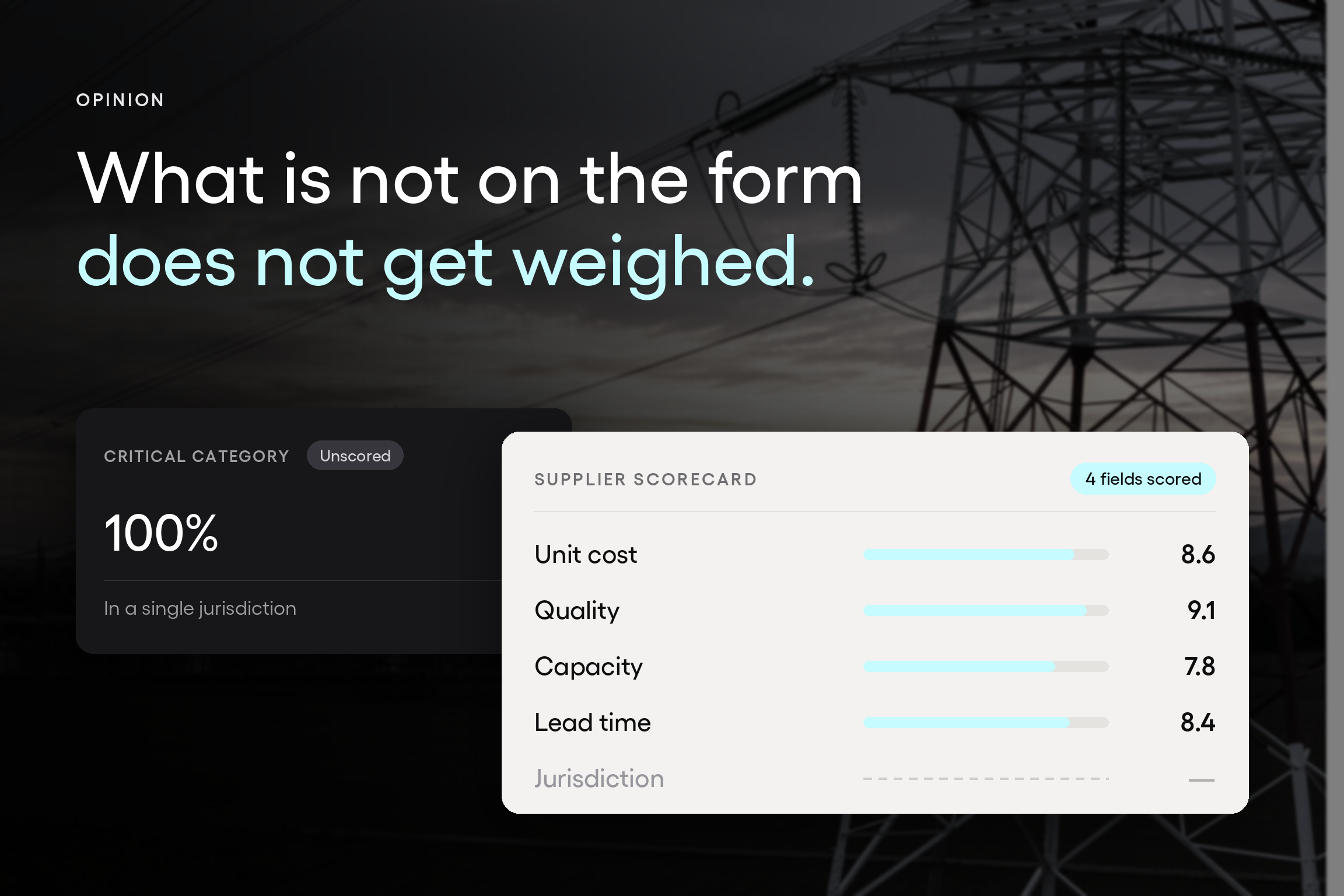
4. Keep supplier and item data clean. Duplicate supplier records, inconsistent item descriptions, and outdated payment terms quietly cause most matching failures. Nominate an owner for this data. Without one, it degrades by default.
5. Review the process, not just the spend. Once a quarter, look at approval cycle times by category, exception rates, and the proportion of spend arriving without a purchase order. Reporting tools that surface those three numbers will tell you more about your procurement operations than a spend report will, because they show where the process is being avoided.
Choosing a purchase order management system
Most purchase order software evaluations go wrong when they start with a feature list. Features are easy to match, and nearly every vendor will tick most boxes. The question that actually predicts whether a purchase order management system works is narrower: will the people who raise requests use it without being chased?
That framing changes what you look at.
Adoption before capability. The occasional requester, someone in operations who raises four purchase orders a year, is the user who determines your data quality. If the interface assumes daily familiarity, that person will keep emailing their manager instead, and the spend they represent stays invisible.
Test the system with someone who has never seen it.
Approval flexibility that matches your actual org. Routing by amount, by category, by department, with delegates and escalation. If the approval model has to be simplified to fit the software, the software will be worked around.
Integration with the systems you already run. Purchase order management software that cannot pass data to your accounting systems creates a second set of books. Tradogram connects to accounting platforms and ERP systems including QuickBooks, Oracle, Microsoft Dynamics, and JD Edwards, which matters less as a feature and more as the difference between one record and two.
Three-way matching built in, not bolted on. Invoice management and receipt management belong in the same system as the purchase orders they reconcile against. Splitting them is how exceptions become investigations.
Budget visibility at the point of request. Spend control works when the person raising the request sees the budget position before they submit, not when finance sees it afterward.
Pricing that does not punish adoption. Per-user licensing creates an incentive to limit access, which is the opposite of what a purchase order system needs. The value comes from everybody raising requests in one place. A pricing model that makes that expensive is working against the outcome you bought it for.
A note from the sales side, since this comes up in nearly every evaluation: the organizations that get the most from purchase order management software are rarely the ones that bought the most capability. They are the ones that matched the tool to a process they had already agreed on. Complex procurement needs are real, and a system should handle them, but buying for a complexity you have not yet organized around is how implementations stall.
Which of these is your current purchasing bottleneck?
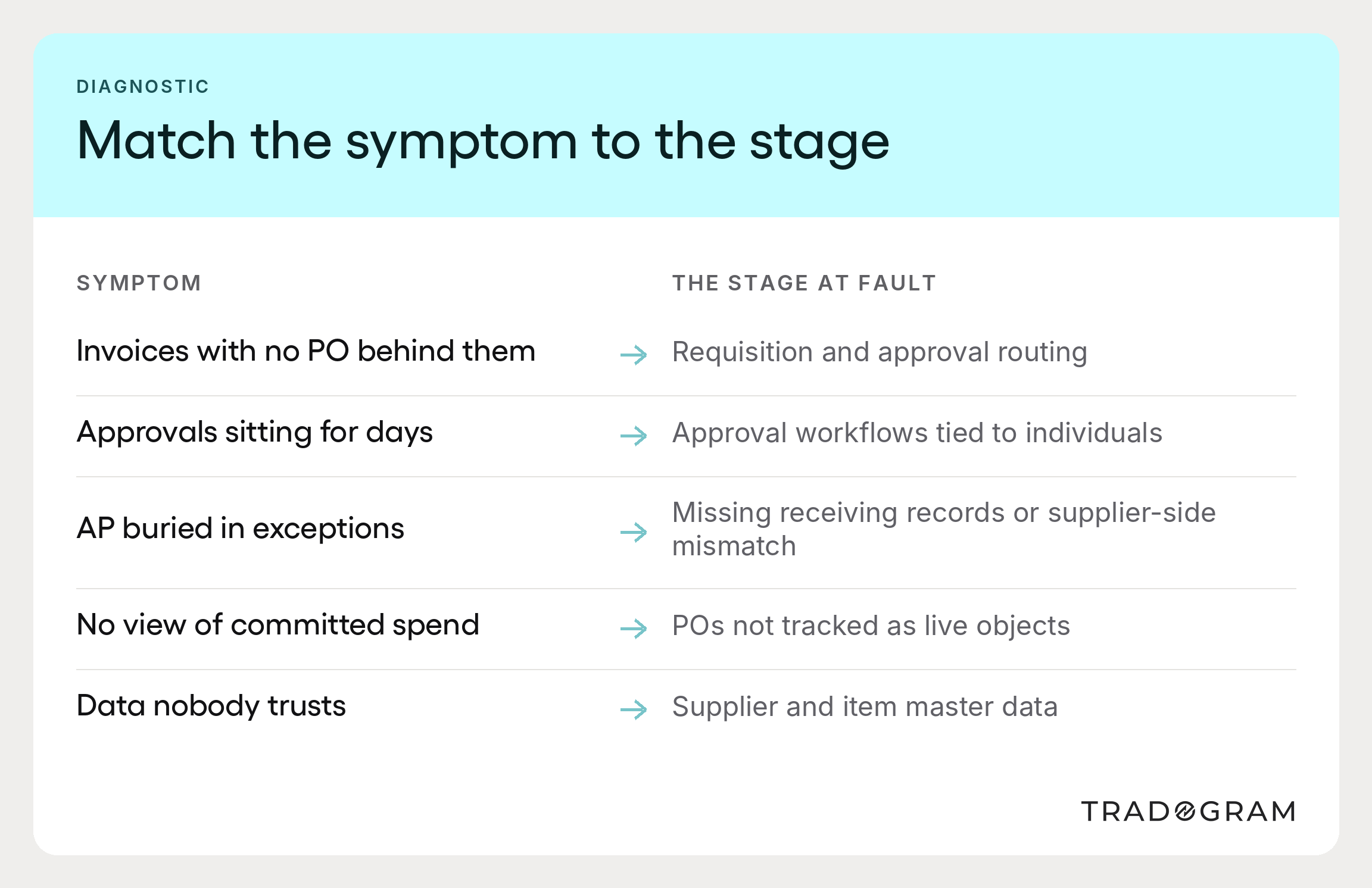
Purchase order management rarely fails all at once. It fails at one stage, and the symptoms show up somewhere else entirely. Before changing anything, work out which of these describes you.
Invoices keep arriving without a purchase order behind them. Your problem is at stages one and three, not accounts payable. People are buying outside the process because getting inside it is slower than working around it. Fix the routing and the threshold before you enforce anything.
Approvals sit for days. Your approval workflows depend on individuals. Route by amount and category, add delegates, and raise the threshold on low-risk categories. This is the highest-return change available in most organizations.
Accounts payable spends its time on exceptions. Look upstream. Either receiving isn't being recorded, so you are running a two-way match, or suppliers are invoicing from their own paperwork rather than your purchase order. The second one is a purchase order collaboration problem and is solved at the supplier end, not in AP.
Nobody can say what is committed but not yet invoiced. Your purchase orders are not being tracked as live objects. This is what makes cash flow unpredictable and makes it impossible to track purchase orders against a budget in any useful way.
The data is there, but nobody trusts it. Usually a master data problem. Duplicate suppliers and inconsistent item descriptions defeat even good advanced analytics, and no reporting will fix a record that was never clean.
Each has a different fix, and applying the wrong one is how organizations conclude that purchase order management doesn't work for them.
It works. It just has to be aimed at the stage that is actually failing. No successful business runs on purchasing that nobody can see, and no amount of procurement software fixes a stage you have misdiagnosed.
For most businesses, the sequence that holds is:
- Agree the thresholds
- Fix the routing
- Record receiving
- Clean the supplier data.
- Automate
Optimize purchase order management in that order and the operational efficiency gains arrive in the same order, each one making the next easier. Procurement teams that do it in that order tend to find the technology decision becomes obvious, because by then they know exactly what they need it to do.