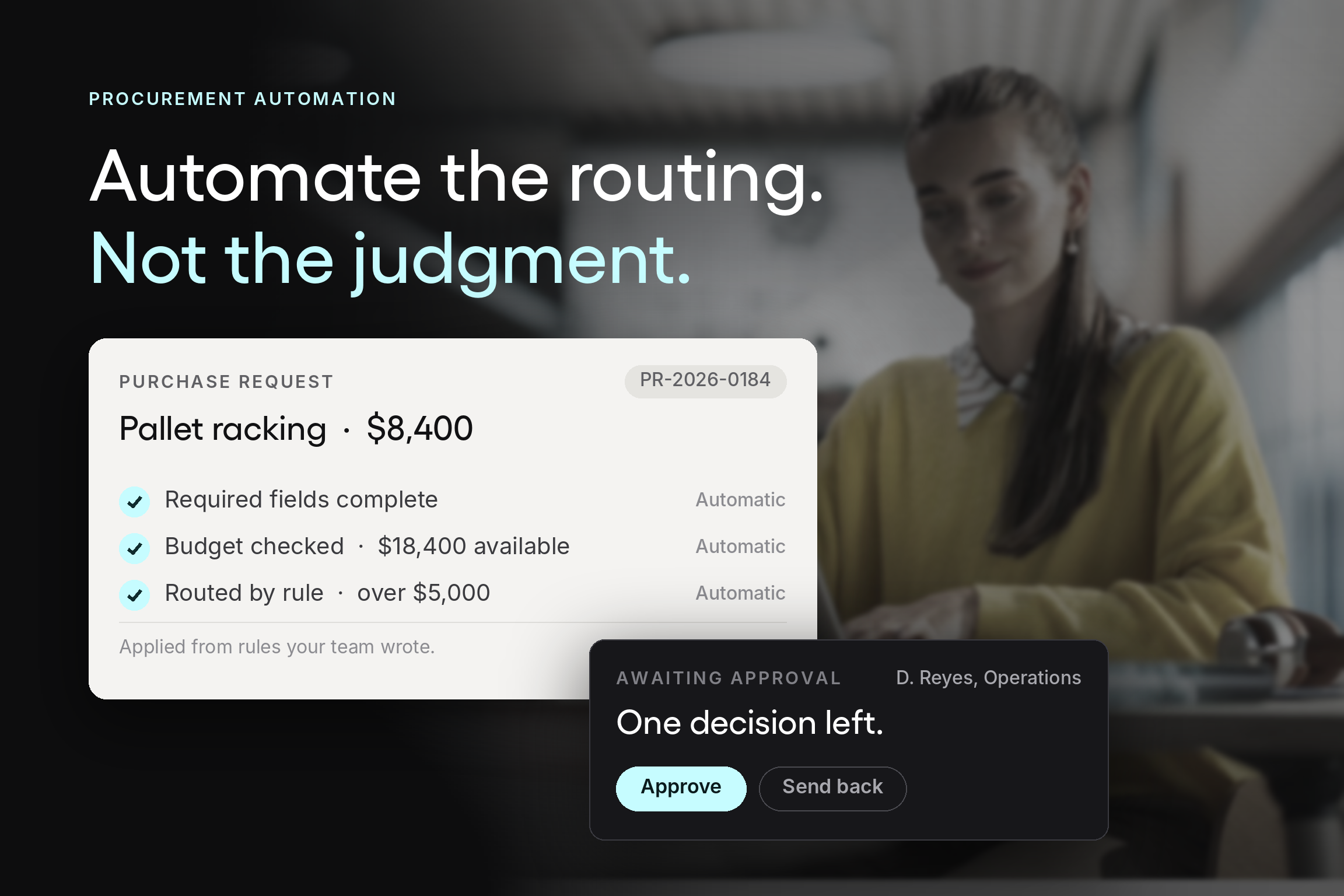



The objection to automating procurement is almost never “we like doing this manually.” It is something more specific and more reasonable: if the system starts making decisions, we lose the ability to see what is happening.
That concern is worth taking seriously, because plenty of automation projects have earned it. A workflow that approves things nobody reviewed, routes requests by rules nobody can explain, or produces purchase orders that surprise the budget owner has not removed manual work. It has removed oversight and left the manual work in place, now with less visibility than before.
But the tradeoff is false, and it's worth being precise about why. Automation and control are not opposing settings on a dial. Automation does one thing well: apply rules consistently. What it cannot do is decide what the rules should be. Teams that keep those two things straight end up with more oversight than they had manually, not less, because the rules are written down and the system applies them the same way every time.
At Tradogram, we have helped thousands of organizations digitize their procurement processes, and the ones who get this right share a pattern: they decide the governance first, automate enforcement second, and never hand over judgment.
This guide covers what procurement automation actually changes, which parts of the purchasing process are worth automating, which parts are not, and how to evaluate procurement automation software if you get that far.
What procurement automation actually means
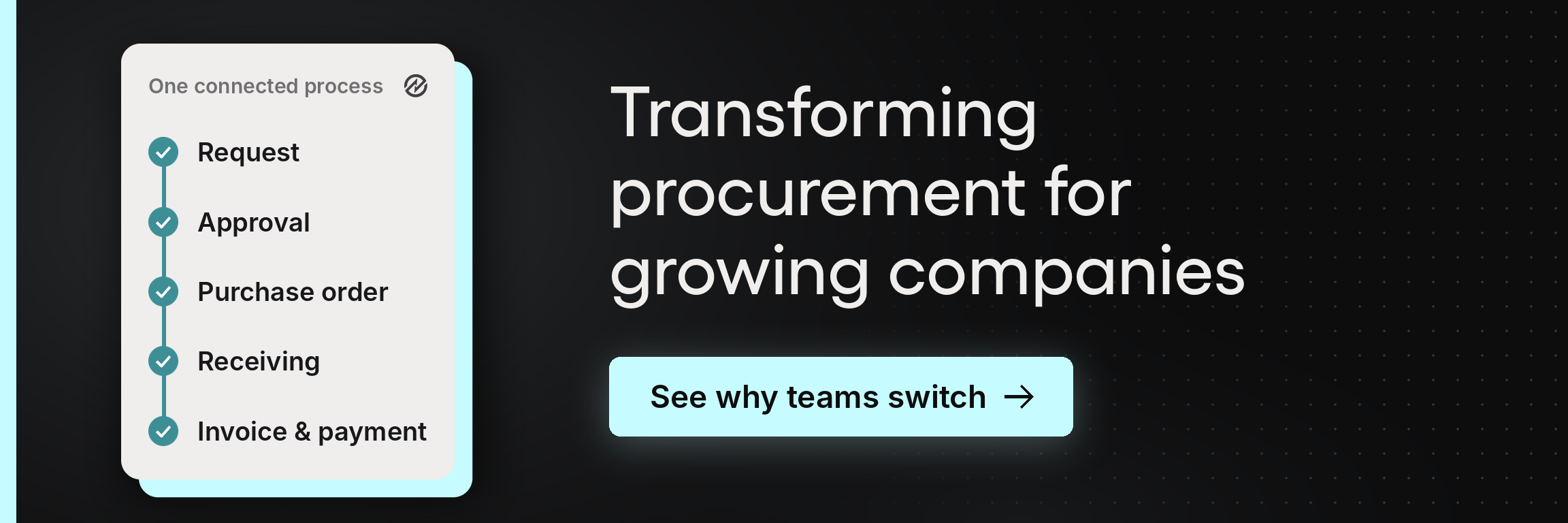
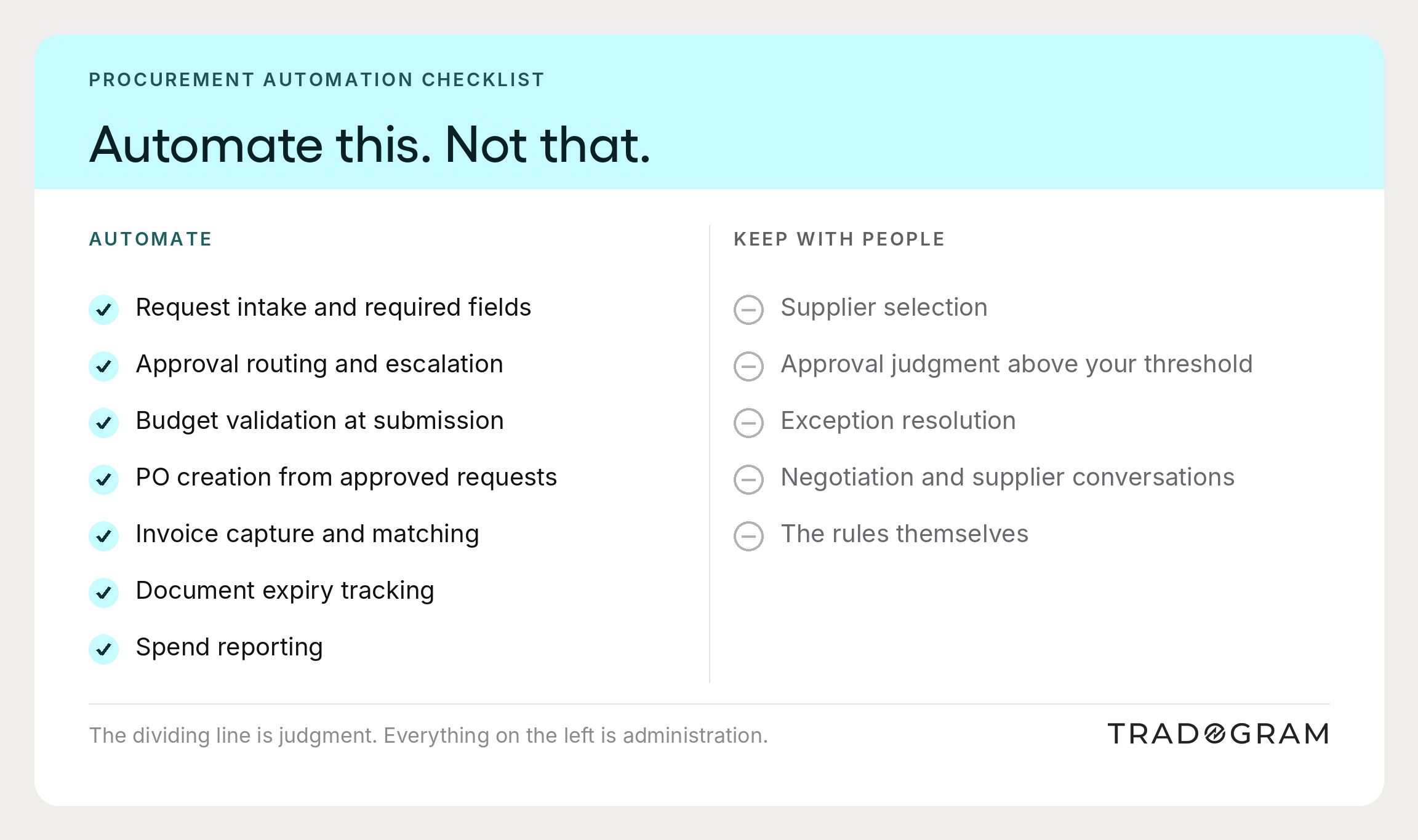
Procurement automation refers to using software to carry out the repetitive, rule-based steps of the procurement process so that people spend their time on the parts that need judgment. It covers request intake, approval routing, budget validation, purchase order creation, invoice processing, supplier records, and reporting.
It is not a system that decides what to buy or which supplier deserves the business. That distinction matters more than any feature list, because it determines whether automation strengthens governance or hollows it out.
A useful way to think about the scope: in any of your procurement workflows, there are decisions, and there is everything between the decisions. The decisions are where human judgment belongs. Everything between them is administration, and administration is what automated workflows handle well.
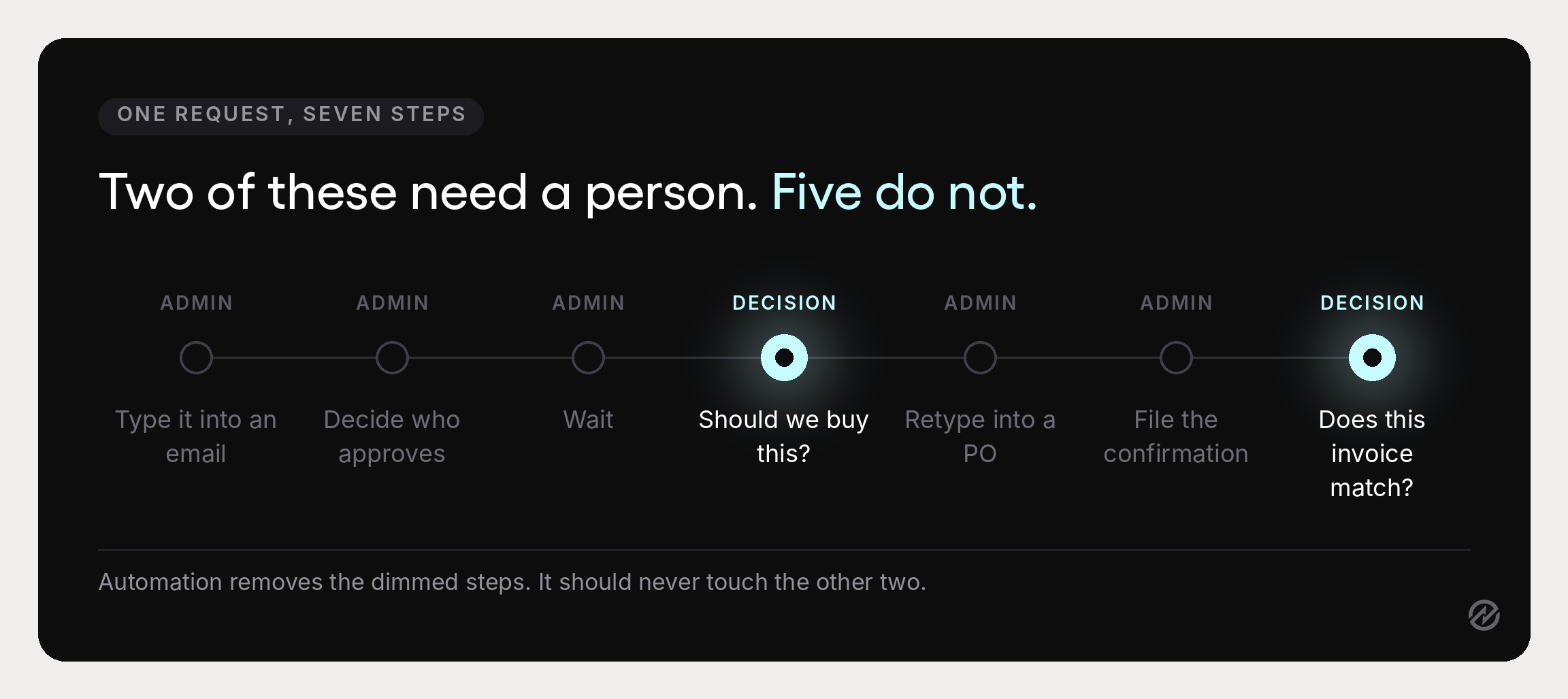
Consider one purchase request moving through a manual process. Someone types it into an email. Someone else decides who should approve it. It waits. An approver reads it and replies. Someone retypes the details into a purchase order. Someone files the confirmation. Later, someone compares an invoice against the order by eye.
There are two actual decisions in that sequence: should we buy this, and does this invoice match what we agreed? Everything else is data entry, routing, and checking. Procurement process automation removes that layer and leaves the two decisions intact, with better information attached to each. That is the whole of what automated procurement does well, and describing it that plainly is more useful than any list of automation solutions.
Why the control objection deserves a real answer
Procurement professionals who resist automation are usually protecting something legitimate. Three concerns come up repeatedly, and each has a specific answer.
“We will not know what the system is doing.” This is fair when automation is opaque. It stops being true when the rules are written down and visible. An approval matrix that a department head can read and explain is more transparent than a manual process where routing depended on who someone thought to ask.
“It will approve things it should not.” Automation should route and validate rather than approve. Budget checks, threshold rules, and required fields decide what reaches a human and what information it brings. The human still decides. The distinction between automatic routing and automatic approval is the whole argument, and software that blurs it is worth avoiding.
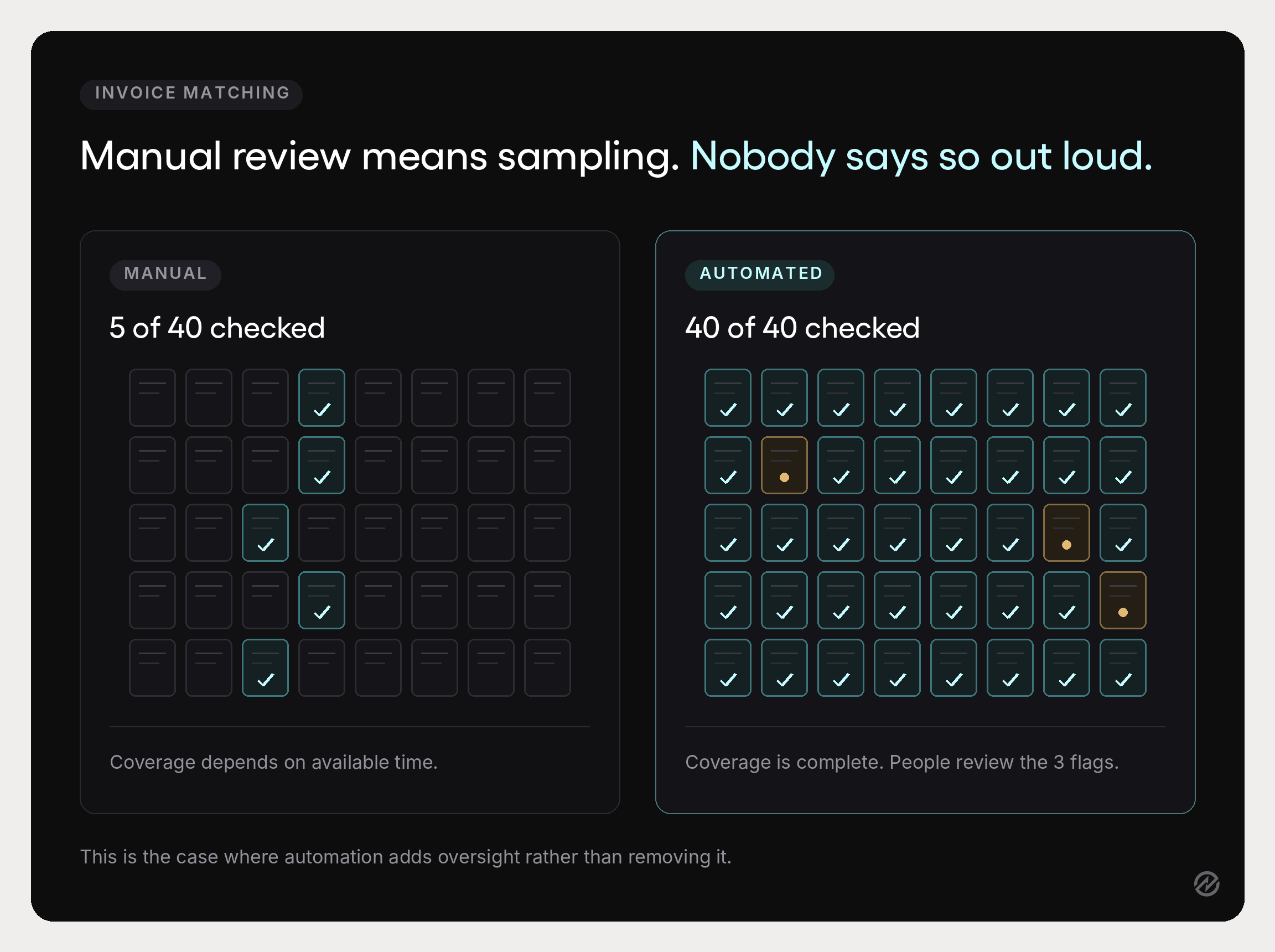
“Exceptions will get missed.” The opposite tends to happen. Manual processes bury exceptions because nobody has time to check everything. Automated procurement systems check everything mechanically and surface only what doesn't match, which is how a team of three ends up with better coverage than they'd get reviewing a sample by hand.
The underlying point: manual oversight is not the same as good oversight. It usually means spot checks, institutional memory, and hoping someone notices. Replacing that with written rules and consistent enforcement improves control, even if it feels like a loss of touch.
What to automate, and what each change preserves
These are the areas where automation removes real manual effort from procurement operations without touching judgment. Each is a distinct set of procurement tasks rather than a single switch. Each one is worth evaluating on the same question: what does this remove, and what oversight does it add back?
Purchase requests and intake
What it replaces. Free-text emails, spreadsheet request logs, and verbal asks that arrive without the information an approver needs.
What changes. Purchase requisitions are submitted through configurable forms with required fields: item, quantity, estimated cost, budget line, business justification, and suggested supplier. Different request types can use different forms, so a contractor engagement asks different questions than a supply reorder.
What oversight it adds. Every request is complete before it reaches anyone, and every request exists as a record rather than a message. Incomplete purchase requests are the single most common cause of approval delay, and the form is the cheapest place to fix it. Our guide to the purchase requisition process covers the intake design in detail.
Approval routing
What it replaces. Requesters guessing who should approve, approvers forwarding things onward, and follow-up emails asking where something is.
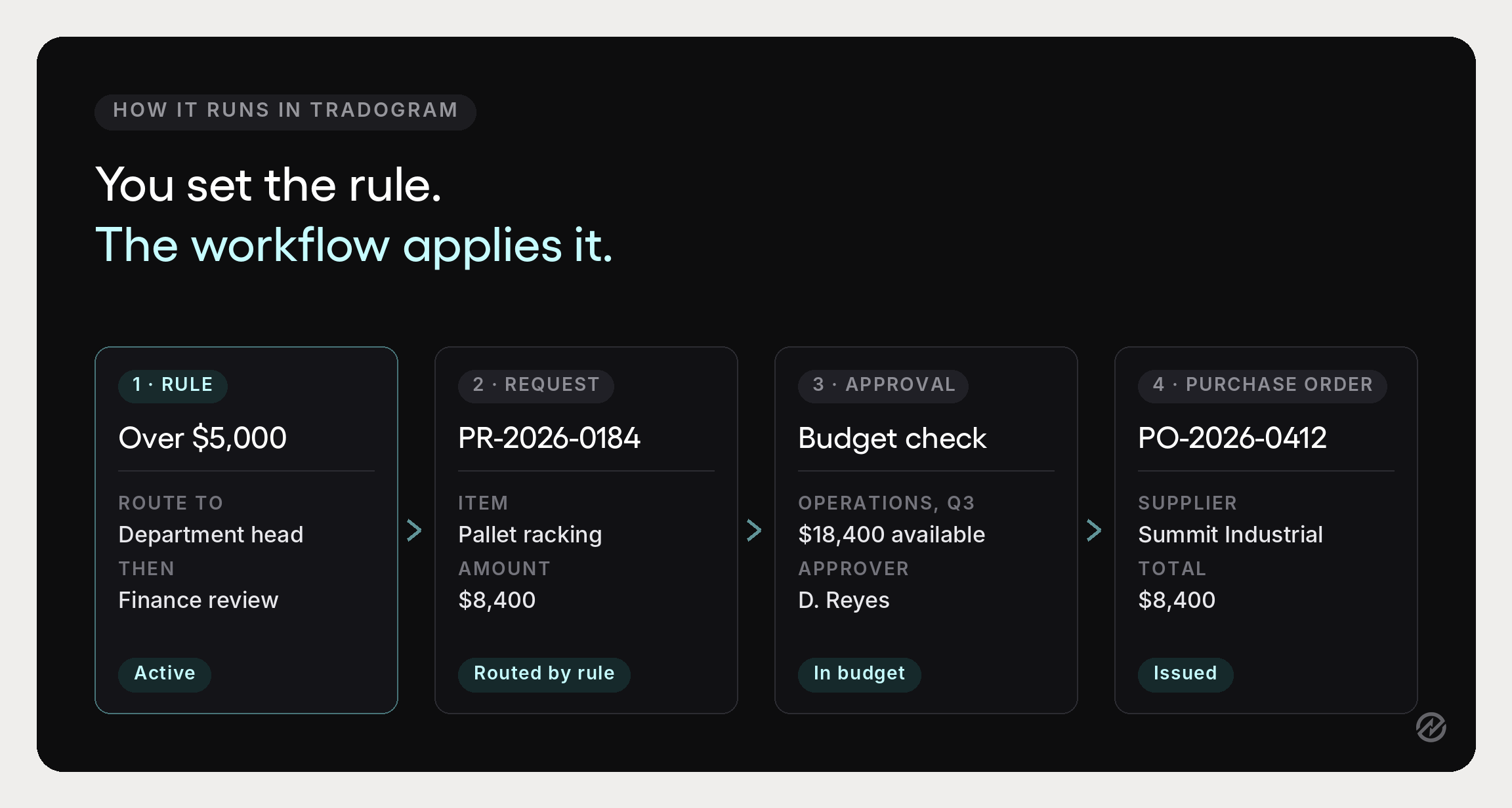
What changes. Approval workflow automation routes each request on amount, department, category, GL code, project, or a combination. Approval workflows can run in sequence or in parallel, with escalation when a request sits and delegation when an approver is away. Designing those routes is covered in our guide to the procurement approval workflow.
What oversight it adds. The approval process becomes inspectable. You can answer who approved what, under which rule, and how long each stage took, which is not possible when approvals live in inboxes.
Budget validation
What it replaces. Checking budget availability after the fact, usually at month-end, when the money is already committed.
What changes. The request is validated against the relevant budget at submission using budget and spend control, including approved but uninvoiced commitments.
What oversight it adds. Budget owners see the real position at the moment of decision rather than a figure that lags reality. This is where spend management stops being retrospective.
Purchase order creation
What it replaces. Retyping an approved request into a purchase order, which is where transcription errors originate.
What changes. An approved requisition becomes a purchase order carrying the same line items, prices, and terms.
What oversight it adds. The purchase order always exists before the goods do, which is the precondition for every downstream control in the procure-to-pay process. The approval side of that handoff is covered in our purchase order approval workflow guide.
Invoice processing and matching
What it replaces. Manual data entry from invoices, and comparing invoices against orders and receipts by eye.
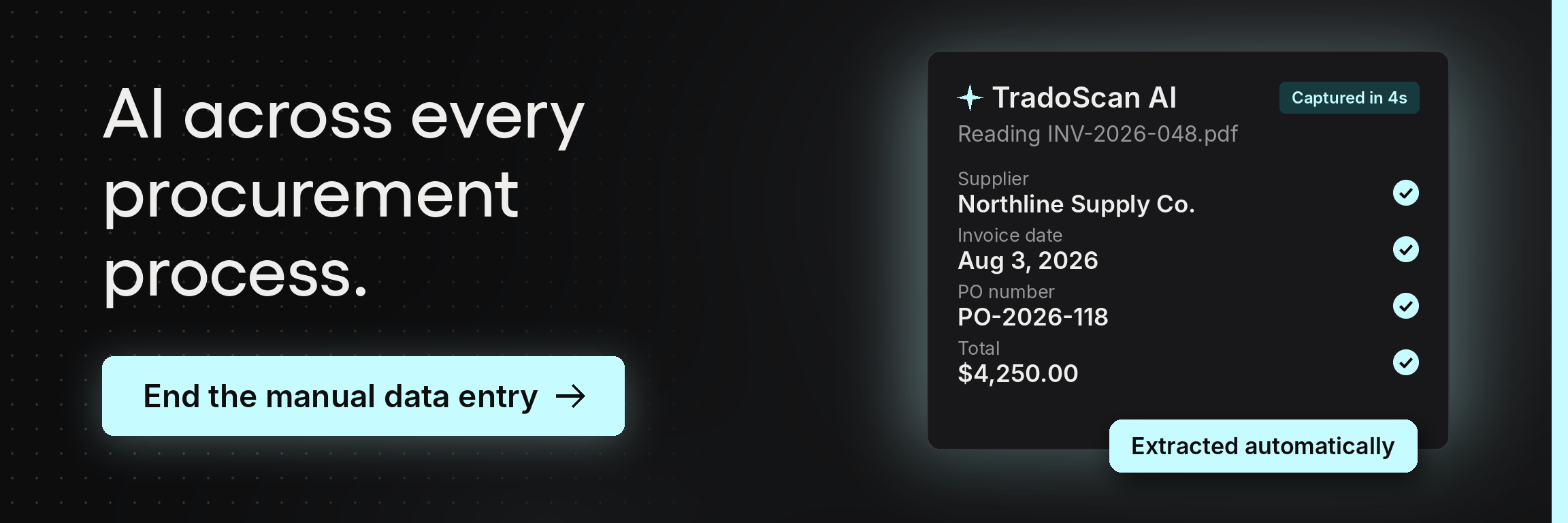
What changes. Document capture extracts invoice data into structured records rather than requiring someone to type it. Invoice matching software compares each invoice against the purchase order and receiving record through three-way matching, and invoice approvals route only where something does not line up.
What oversight it adds. This is the clearest example of automation increasing control. Manual matching means sampling. Automated matching checks every invoice and surfaces the exceptions, so the team reviews what actually needs review. Fewer manual data entry errors, and better coverage.
Supplier onboarding and records
What it replaces. Chasing documents by email, storing certificates in shared drives, and discovering at renewal that nobody has current insurance details.
What changes. Vendor onboarding runs through a defined intake with required documentation, and supplier management software keeps supplier data in one record with expiry tracking.
What oversight it adds. Supplier management becomes a review rather than a search, and vendor management stops depending on who remembers what. Contract compliance and regulatory requirements are checkable because the documents are attached to the supplier rather than to somebody’s mailbox.
Contract management
What it replaces. Agreements in folders, renewal dates in calendars, and negotiated pricing nobody at the point of purchase can see.
What changes. Automating contract management means terms, renewal dates, and pricing attach to the supplier record and stay visible where purchasing happens.
What oversight it adds. Agreements stop auto-renewing unreviewed, and buyers stop paying list price against a contract they did not know existed.
Reporting and analytics
What it replaces. Exporting to a spreadsheet whenever anyone asks a question about spend.
What changes. Because each stage writes to the same data set, procurement data is queryable. Procurement reporting and data analytics across spending patterns, supplier performance, and cycle times becomes a view rather than a project, and historical volume becomes usable for demand forecasting rather than sitting in exports.
What oversight it adds. Procurement leaders can track key performance indicators continuously instead of assembling them for a quarterly meeting, which is the difference between managing and reporting.
What not to automate
This section is the one most procurement automation guides leave out, and it is the part that determines whether the rest works.
Supplier selection. Software can collect and compare quotes. It should not choose. Strategic sourcing decisions involve capability, risk, and relationship factors that no scoring model captures fully, and delegating them to a spreadsheet formula is how organizations end up with the cheapest supplier rather than the least expensive one.
Approval judgment above a threshold. Auto-approval is appropriate for low-value, on-contract, in-budget purchases where a human review adds nothing. Above that line, someone should read it. The threshold is a decision the organization makes deliberately, not a default the software sets.
Exception handling. Automated systems should surface exceptions, not resolve them. An invoice that does not match its purchase order needs a person to work out why. A system that silently adjusts tolerance to make the mismatch disappear has removed the control you were paying for.
Supplier relationships. Automation handles the administration around a relationship: documents, reminders, performance data. Supplier relationship management itself, including negotiation and the conversations that resolve problems, does not automate. Optimizing supplier negotiations is a human activity supported by better data.
The rules themselves. Thresholds, routing logic, and required documentation should be reviewed by people on a schedule. Procurement strategies change, organizations restructure, and a rule set nobody has revisited in three years quietly governs decisions based on out-of-date assumptions.
The benefits of procurement automation
Generic benefit lists are why this topic is hard to rank for and hard to trust. Here is what actually changes, with the mechanism attached to each.
Less manual effort on repetitive tasks. Data entry, routing, chasing, and matching are the four manual tasks that consume the most time. Removing them doesn't reduce headcount so much as return hours to procurement teams that were doing administration instead of procurement.
Fewer manual errors. Human error in purchasing is rarely dramatic. It is a transposed figure, a duplicate order, an invoice paid twice. Automated processes remove the transcription steps where those originate.
Cost savings that hold. Not from negotiating harder, but from preventing off-contract buying, catching duplicate payments, and making sure agreed pricing reaches the point of purchase. These are unglamorous, they compound, and over a few years they add up to significant cost savings without a single renegotiation.
Shorter procurement cycle times. Most of the elapsed time in a purchase is waiting, not working. Automated routing and notifications attack the waiting directly.
Consistent compliance. Automated systems enforce compliance the same way for every department and every purchase, making an audit a retrieval exercise rather than a reconstruction.
Timely payments and better supplier relationships. Suppliers notice being paid on schedule. Faster invoice processing is a relationship asset as much as a finance one.
Visibility into spending patterns. The ability to answer where the money went, by category and department, without an export.
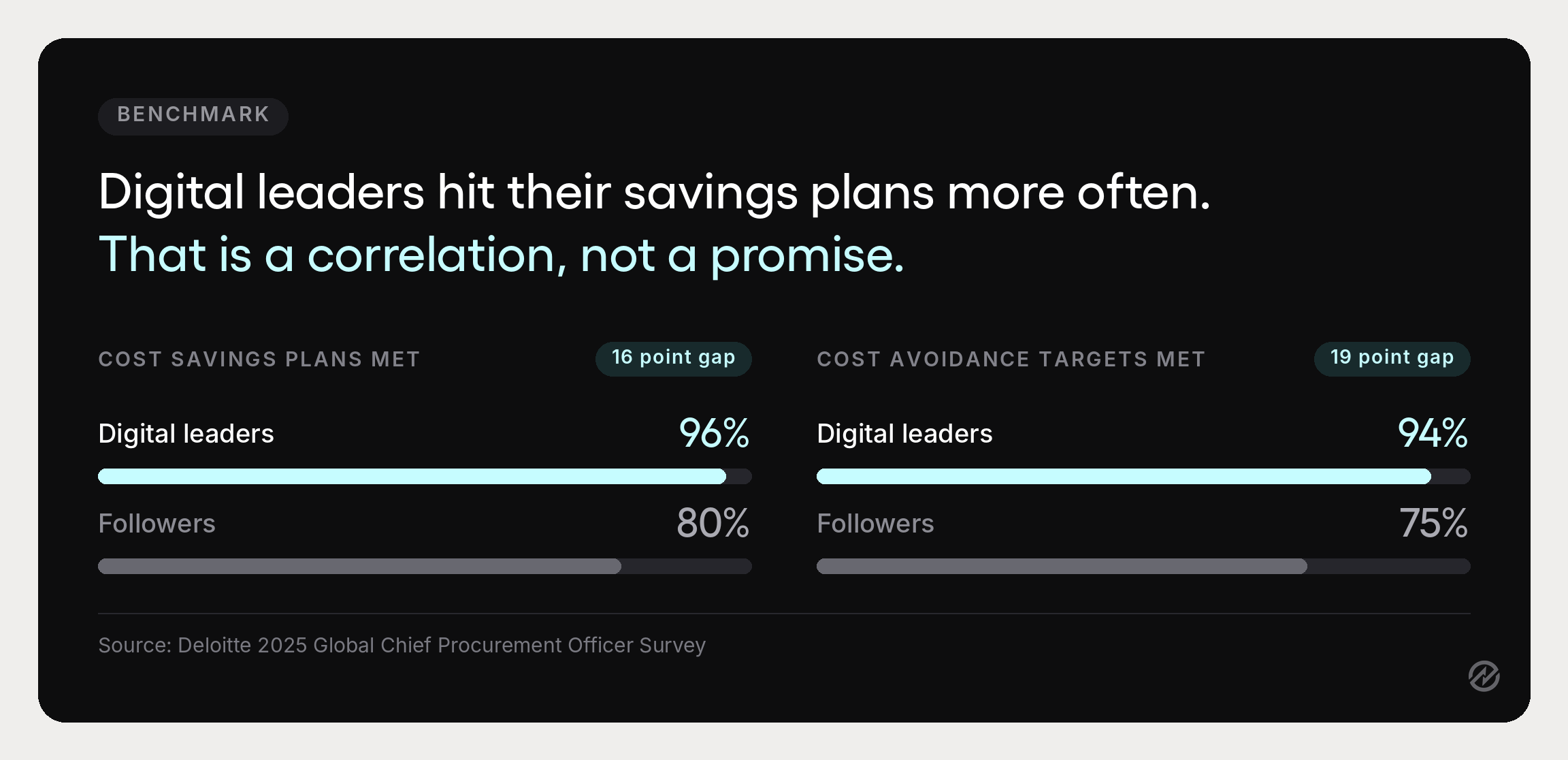
On measurable returns, treat vendor claims carefully, including ours. Deloitte’s 2025 Global Chief Procurement Officer Survey offers a more credible signal than any single-vendor figure: 96% of the organizations Deloitte classifies as Digital Masters met or exceeded their cost savings plans, versus 80% of followers, with a similar gap on cost avoidance at 94% versus 75%. That is a correlation rather than a promise, and it is the honest version of what procurement automation investments tend to produce.
What features matter in procurement automation software
Most procurement automation tools describe themselves identically. These are the questions that separate them, and they are worth asking in a demo rather than reading off a comparison page.
- Can the rules match your actual governance? Automated procurement software should support approval routing across amount, department, supplier, project, category, and GL code, with sequential and parallel paths. A procurement automation system with a single approver field will force you to simplify your policy to fit it.
- Can you configure it without IT? Mid-market teams rarely have engineering capacity to spare. If every threshold change is a support ticket, the rules will drift out of date.
- Are budgets validated before approval? After-the-fact validation is a record, not a control.
- Does document capture produce structured records? AI-assisted document capture that extracts invoice data into usable fields is the difference between less typing and a scanned image nobody can search.
- Does matching surface exceptions rather than hide them? Configurable tolerances, with mismatches flagged specifically rather than absorbed.
- Does it connect to your existing systems? Alignment with accounting and ERP systems matters more than integration count. Procurement integrations with QuickBooks, Xero, NetSuite, Sage, and Dynamics 365 Business Central determine whether procurement data reaches finance without export files.
- Is the audit trail complete and exportable? Every action, with actor and timestamp.
- Will requesters use it? The largest group of users has the least investment in procurement controls. Their experience decides adoption, and adoption decides everything else.
A note on scope. Point tools and single-purpose procurement systems that automate one stage tend to recreate the fragmentation they were bought to solve, because the request lives in one system and the invoice in another. The value comes from the stages sharing one record. For a side-by-side view of what is available, our guide to procurement automation tools compares the options.
Two terms worth defining, because they get used loosely.
- Robotic process automation describes software that mimics human actions across existing applications, bridging systems that cannot talk to each other.
- Enterprise resource planning suites often include purchasing modules, which may be enough if yours is fully implemented. Many mid-market teams find the purchasing side of their ERP was never finished, and connecting a procurement layer to it is faster than completing it.
Implementing automation without a transformation program
Organizations that succeed here don't start with the entire procurement process. They start with one thing.
Pick a high-volume, repeatable task. Of the technology and software solutions available, approval routing and invoice matching usually return the most for the least disruption because they are frequent, rule-based, and currently manual.
Standardize before you configure. Write down the thresholds, required fields, and routing rules first. Automating an undefined process encodes the disagreement and makes it harder to see. This is also where you decide which existing workflows are worth keeping and which only survive because nobody questioned them.
Run it in one department. A pilot gives you real adoption data and a working example, which is worth more in the internal argument than any business case.
Expect integration work. Connecting an automated procurement process to legacy systems and other business processes is the most commonly underestimated part. Seamless integration is a phrase worth distrusting; ask specifically what syncs, in which direction, and how often.
Treat change management as part of the project. Employee resistance is rational when a new system is harder than the email it replaced. The fix is usually a simpler request form rather than more training.
Then expand. Add the next process once the first is genuinely working, not once it is technically live.
This modular approach is slower on paper and faster in practice, because each stage delivers something before the next begins.
Measuring whether it worked
Four measures, tracked against a baseline you record before starting.
Cycle time by stage. Request to approval, approval to purchase order, invoice receipt to payment. Stage-level figures tell you where the time goes. For external context, APQC’s Open Standards Benchmarking puts the cross-industry median at 2.0 days for goods and 1.0 day for services from requisition to purchase order.
Touches per transaction. How many people handle a routine purchase. This is the number that most directly reflects removed administration.
Exception rate. The share of invoices or requests needing manual intervention. Rising exceptions usually mean upstream data quality, not a matching problem.
Percentage of spend under an approved process. How much purchasing actually ran through the workflow. This is the control measure, and it is the one to report upward.
Tracking performance metrics continuously, rather than at review time, separates a system that improves from one that plateaus. Our guide to procurement KPIs covers the wider set.
How to get started with procurement automation
If the current process is entirely manual, the first move is not software. It is writing down the approval thresholds and the required fields on a purchase request. Those two decisions determine whether any automation you configure afterward reflects your governance or someone else’s defaults.
Then start embracing procurement automation on the single most repetitive thing your team does. For most organizations, that is approval routing, because it is high volume, entirely rule-based, and currently consuming attention from people whose judgment you actually want elsewhere.
Measure it for a quarter. Then take the next process.
Tradogram is built for this kind of incremental adoption: configurable approval routing, budget controls, purchase orders, receiving, invoice matching, and supplier records in one system, set up around how your organization already operates rather than requiring you to adopt a fixed workflow.
If you want to see how that maps to your current thresholds, book a demo and we will walk through it with your own rules.