


You have heard the stories. Someone signs for procurement software in January and is still not live in June. That is not a myth, and it is not rare.
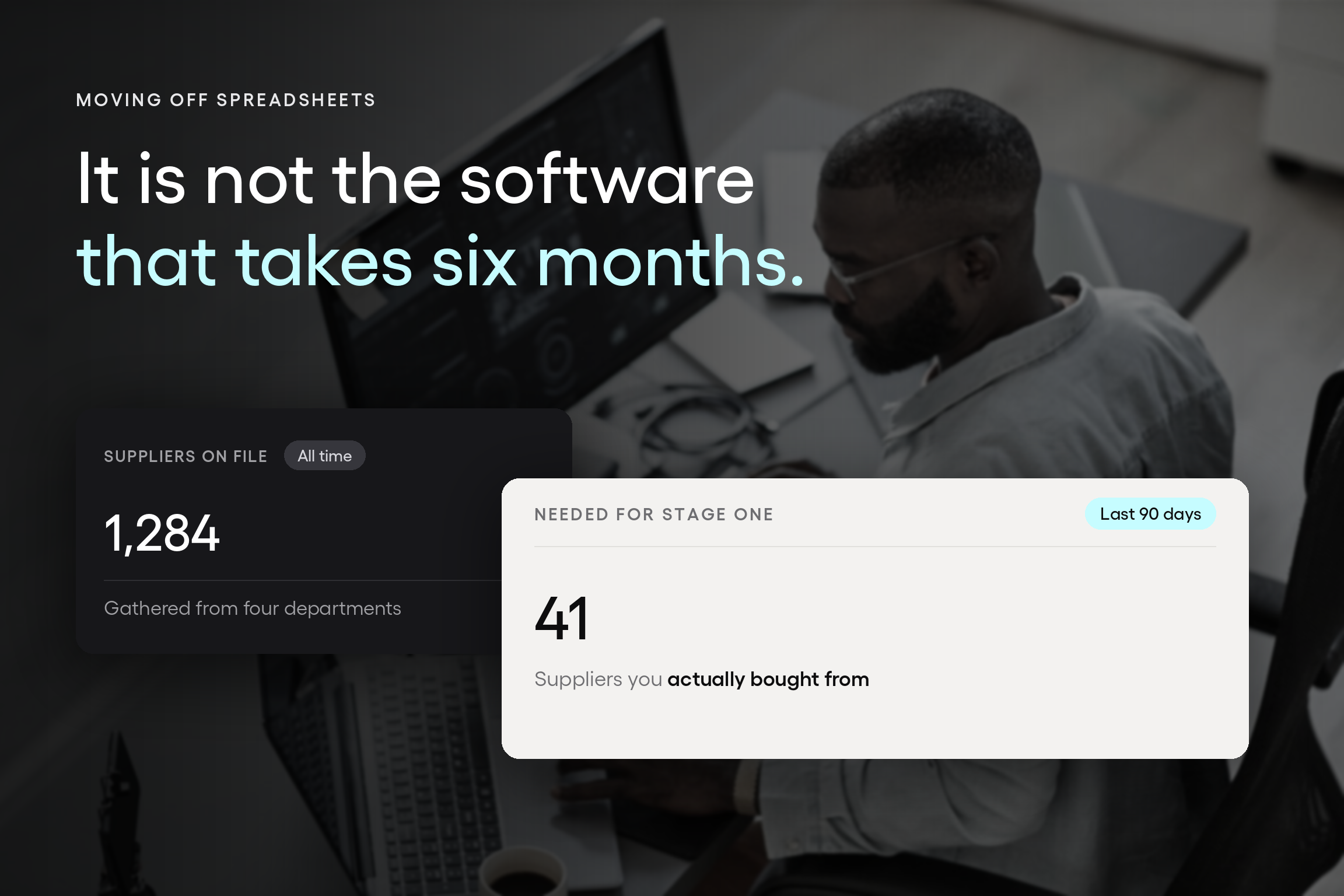
But the reason it happens is almost never what people assume. The software is rarely what takes six months. Waiting on a clean supplier list from four different departments is what takes six months.
Which is oddly good news, because it means the timeline is largely yours to set, and the way to set it is to stop trying to move everything at once.
This article is about sequence: what to move first, what to move second, what to leave alone for now, and how to know a stage worked before you start the next one.
If you are still deciding which tools replace which parts of a manual process, the article about procurement tools that replace manual PO workflows covers that question. This one assumes you have decided and are trying to work out how to start without losing a quarter to it.
Moving purchasing off spreadsheets means relocating four things into one system:
- How people request purchases
- How those requests get approved
- How orders reach suppliers
- How the record is kept
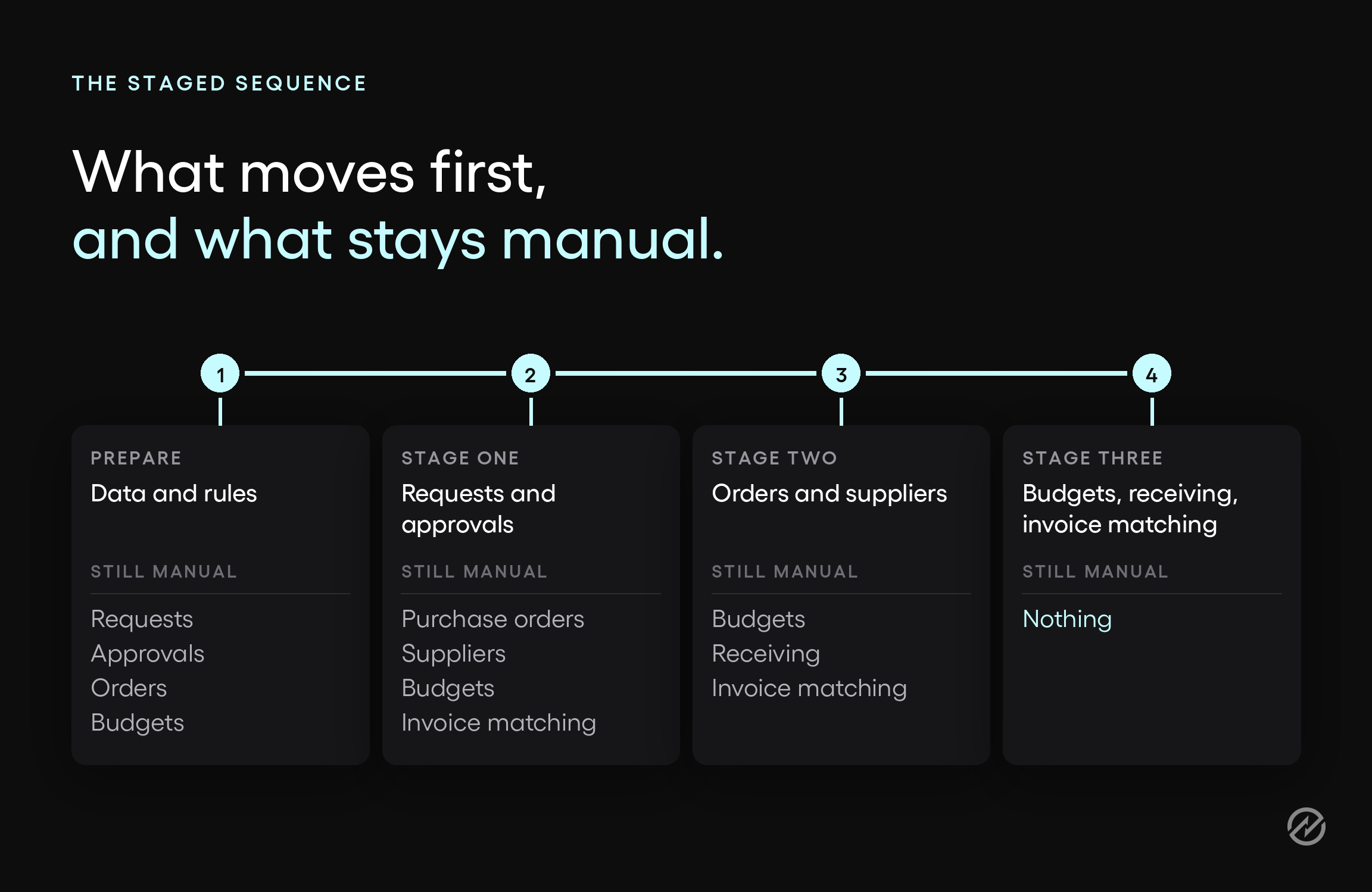
In the end, you want them all to be connected, but they do not have to move together. Most organizations move requests and approvals first, then orders and suppliers, then budgets and invoice matching.
When to move, and when your spreadsheet is still fine
A spreadsheet is fine when one person sees every purchase and approvals happen in conversation. It stops being fine when a system built for simplicity meets complicated procurement needs.
That distinction matters more than it sounds, because the trigger is complexity outgrowing the method, not the method being wrong. Plenty of organizations run purchasing on spreadsheets perfectly well, and a small team where the person approving a purchase is sitting ten feet from the person requesting it does not need software to route anything.
Three signals suggest your company has outgrown a spreadsheet:
- Approvals cross departments. Once a request has to reach someone who was not part of the conversation, the spreadsheet stops being the record and email becomes the record.
- More than one person edits the file. Two people editing the same sheet is a version problem waiting to happen, and version problems in purchasing turn into money problems.
- Finance cannot see what is committed. If the first time your finance lead learns about a purchase is when the invoice arrives, the spreadsheet is recording history rather than controlling spend.
If none of those is true for you, close this tab and keep the spreadsheet. It is doing its job.
What actually decides whether this takes weeks or months
For a first workflow, the variable isn't the software, and it isn't the vendor. It is how quickly your organization can produce a clean list of active suppliers and users.
Here is the pattern, from Mike Rowsell, who runs Customer Success at Tradogram and has watched this migration go both ways many times.
Organizations that provide structured supplier, item, user, and department data within about a week maintain a strong onboarding pace and move straight into training.
Organizations that have to gather that data from several departments, or clean it before they can use it, can spend months on it. He is also clear that this is usually nobody's fault. Sometimes the data genuinely lives in four places, and the people who own each piece are on four different schedules.
Picture how that goes. An operations manager starts pulling together a supplier list, discovers that three departments each keep their own, finds that a third of the entries are inactive, and spends two months reconciling before anyone logs into anything.
Nothing went wrong. Everyone did the sensible thing. And the project is now two months old with no workflow live.
The counterintuitive fix is to need less data, sooner.
You do not need every supplier you have ever used. You need the suppliers you actually bought from in the last ninety days, which is a far shorter list and one you can usually assemble from recent invoices without asking anyone. Add the rest as they come up; that is also how they will stay current.
There is one shortcut worth checking before you start any of this. If you run QuickBooks Online, or another system connected by API, vendor and supplier records can transfer automatically, provided the data in that system is clean.
The most painful part of the migration may already be solved by a system that is sitting there doing something else. It is worth ten minutes on the accounting integrations page before you open a spreadsheet to start typing.
When you do get to the structured version, there is an artifact for it. Tradogram provides an implementation sheet that lays out what the system needs in the format it expects, so you are filling in a defined shape rather than guessing. The next section covers what that is.
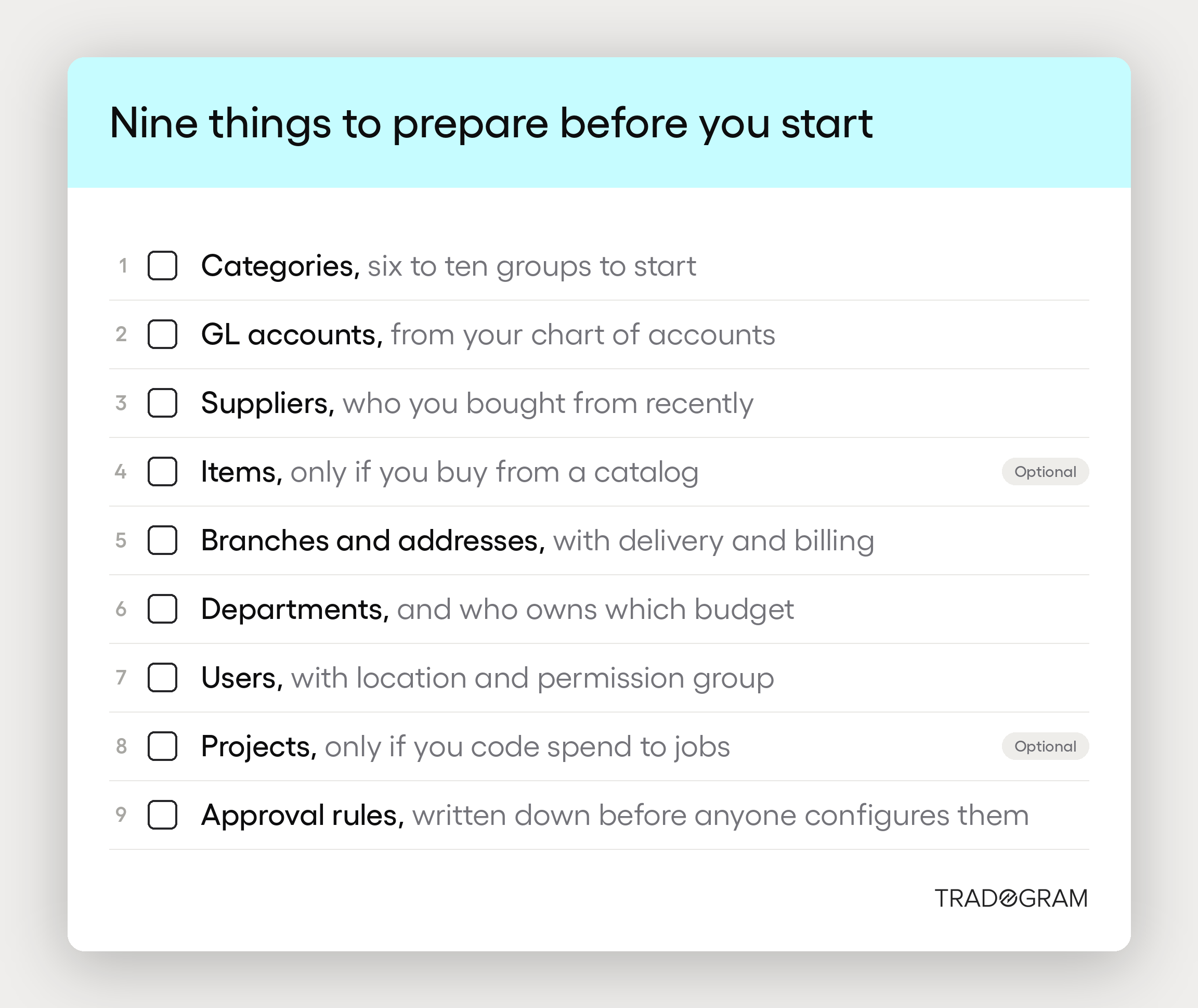
Nine things to prepare before you start
The fastest transitions are not the ones with the most complete data. They are the ones where the right data arrives first.
There are nine pieces, and the order is not arbitrary. Some of them stand alone. Others cannot be built until the pieces underneath them exist, which is why gathering this in the wrong order creates rework that feels like software trouble but isn't.
- Categories. How you group items and suppliers. Nothing needs to be in place before it, and supplier records depend on it, so a rough grouping now saves reclassifying later. Six to ten categories is usually enough to start.
- GL accounts. Names and numbers from your chart of accounts. Your finance lead has this already, and it is a five-minute request rather than a project.
- Suppliers. Company name, address, and a main contact name and email are what actually make a supplier record work. Bring over who you bought from recently, not everyone you have ever used. This one depends on your categories, which is why it sits here rather than first.
- Items. Only if you buy the same things repeatedly from a catalog. This depends on categories, GL accounts, and suppliers all being in place, which makes it the most time-consuming one to do early and the easiest one to defer.
- Branches and addresses. Your locations, with addresses and which one is used for delivery, billing, or distribution. Single-location organizations can move through this in a minute.
- Departments. Who owns which budget, and which categories and GL accounts belong to them. This is where your organization chart meets your chart of accounts, and it is worth getting right.
- Users. Name, email, main location, and permission group for each person. Common groups include requisitioner, approver, purchaser, receiver, and accounts payable.
- Projects. Only if you track spend by project or job. Like items, this is a foundation layer you can add later without disturbing anything already built.
- Approval rules, written down before anyone configures them. Transaction type, the amount range it applies to, the department it covers, and who approves in what order. This is the one that depends on nearly everything above it, and it is usually the moment a team discovers their real policy is not the policy they thought they had.
Two of those nine are optional for most teams. Items only matter if you buy from a repeating catalog, and projects only matter if you code spend to jobs. Both can be added once the first workflow is running, and neither should hold up a start.
If you want the detail on each of these, including the fields that matter and where teams tend to get stuck, what to prepare before onboarding procurement software covers all nine.
Stage one: move requests and approvals
Move requests and approvals first. They are where the delay is most visible, they need the least data to work, and they produce a result your finance lead can see within days.
To start this stage, you need four of the nine: your locations, your departments, your users, and a short supplier list. You do not yet need a complete item catalog, budget structures, or full supplier records with payment terms and bank details attached. Those matter, but gathering them now is what turns a two-week start into a two-month one.
What changes on day one is small and immediately visible. Requests arrive on a form instead of in an email, so the approver gets the description, cost center, and amount without having to ask for any of them.
A purchase requisition is the internal request that starts this, and purchase requisition software is what replaces the row in your spreadsheet where someone typed what they wanted.
Approvals are the half that removes the chasing. With purchase approval software, routing rules are set by amount, department, supplier, project, location, or general ledger (GL) code, so a $200 request and a $20,000 request follow different paths without anyone deciding where to forward it.
When an approver is away, the request escalates or delegates rather than waiting. If you want the mechanics of the approval step in more depth, we have covered the purchase requisition approval process separately.
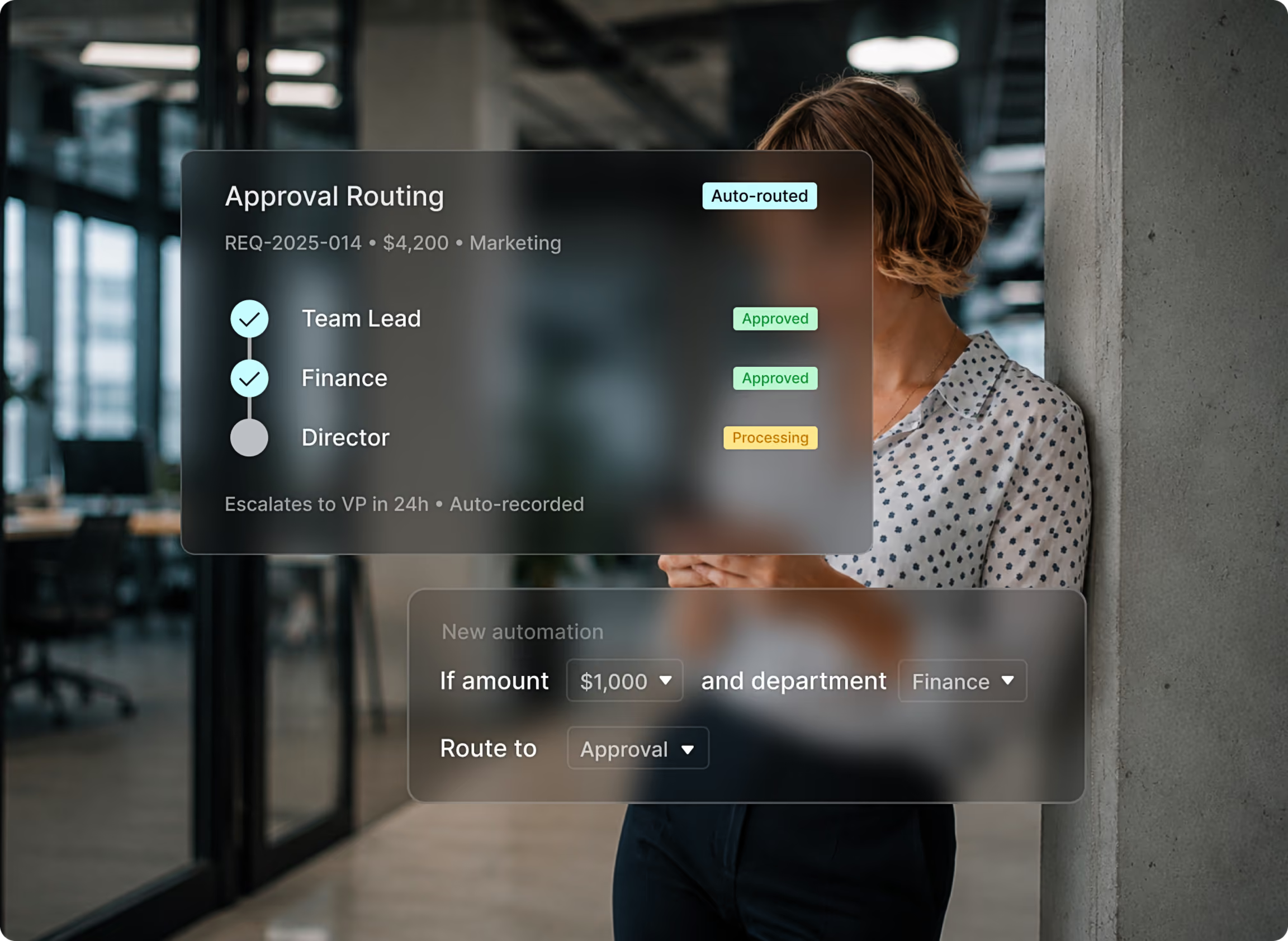
Before you go live with this stage, run your approval rules against real scenarios rather than discovering them in production. Take last month's five most awkward purchases, the ones that went to the wrong person or sat for a week, and check that each one routes where it should.
Rule configuration and rule testing are both documented steps, and an hour spent here is worth more than any amount of training. Some implementations also include a short practice period before go-live, where your team runs real scenarios and clears the practice data afterward. If that is on the table, use it for exactly this.
How to tell this stage worked: every request in a two-week window arrived through the system and routed without anyone forwarding an email.
Stage two: move purchase orders and supplier records
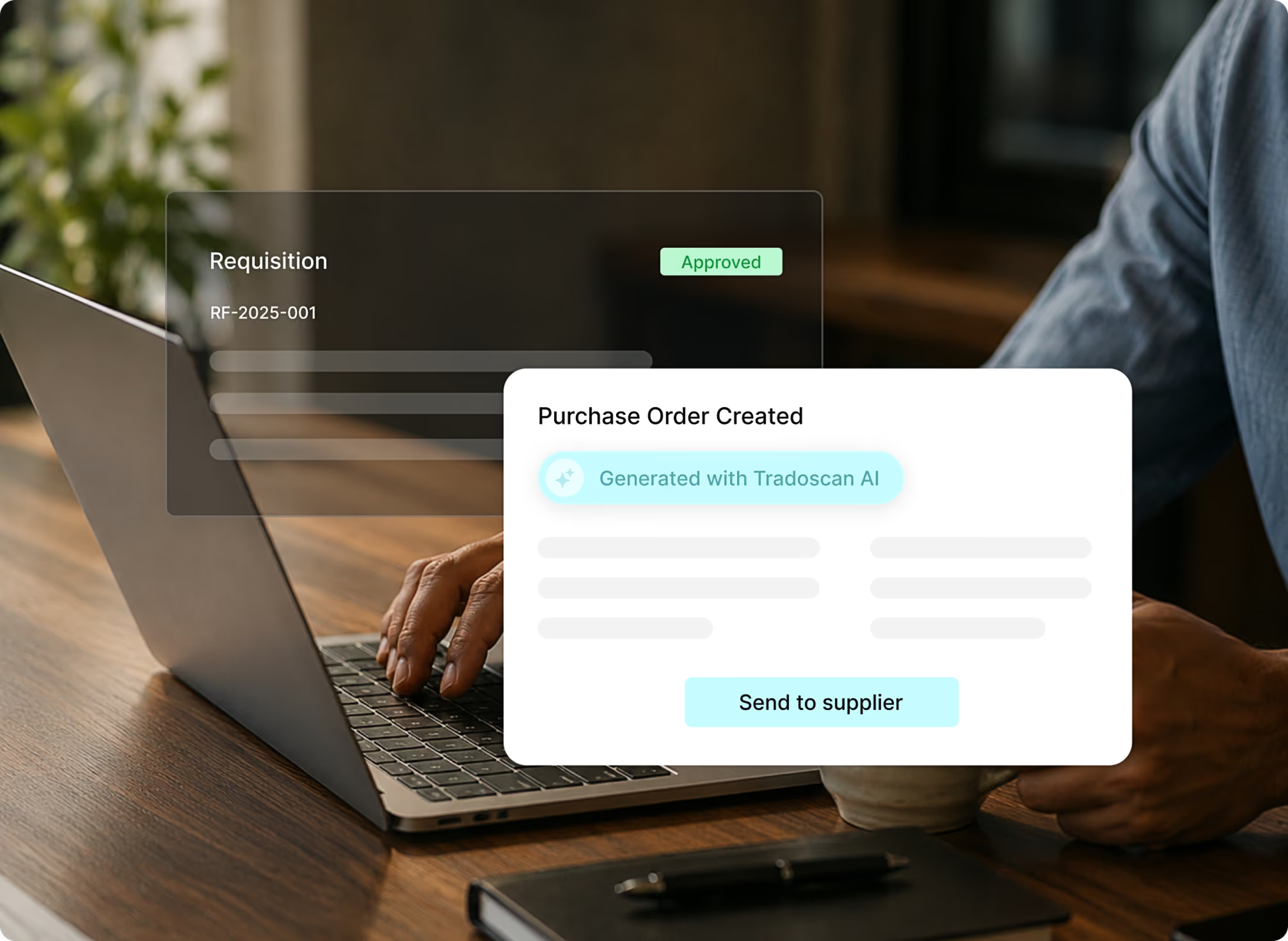
Orders and suppliers come next, once approvals are stable. The reason for that order is mechanical: a purchase order (PO) created from an approved request carries its own data forward, so the work you did in stage one becomes the input for stage two rather than something you repeat.
Purchase order software turns an approved request into a PO without re-entry, which stops transposed quantities and duplicate order versions. If you want the full lifecycle rather than the migration view, how purchase order management works covers it.
Two things about this stage tend to surprise people.
The first is that you are not going to be chasing every vendor for their details. Suppliers can onboard themselves, entering and maintaining their own information rather than sending it to you to type in.
Most people moving off a spreadsheet have mentally budgeted a week for that work, and it largely does not exist. Supplier management software is where those records live once they arrive.
The second is that if your team already buys from Amazon, Costco, or Home Depot, those carts can convert into compliant purchase orders through TradoCart, across more than 25 vendors, without setting up a PunchOut catalog. For a lot of mid-market teams, that covers a meaningful slice of everyday buying on day one.
Budgets, receiving, and invoice matching can all stay exactly where they are while this happens.
How to tell this stage worked: no purchase order left the building outside the system this month.
Stage three: move budgets, receiving, and invoice matching
Budgets come last, and that is deliberate rather than a concession. Budget control is the highest-value stage and the one that depends most on the stages before it, because committed spend only means something once requests and orders are both in the system. Move it first, and you track commitments in one place and purchases in another.
Once requests and orders are in, budget and spend control shows committed and actual spend as it happens rather than at month-end, and flags a request that would breach a threshold before it reaches an approver instead of after the invoice arrives. This is usually the visibility your finance lead wanted when they agreed to the whole procurement system.
Receiving and invoice matching sit alongside it as the accounts payable payoff.
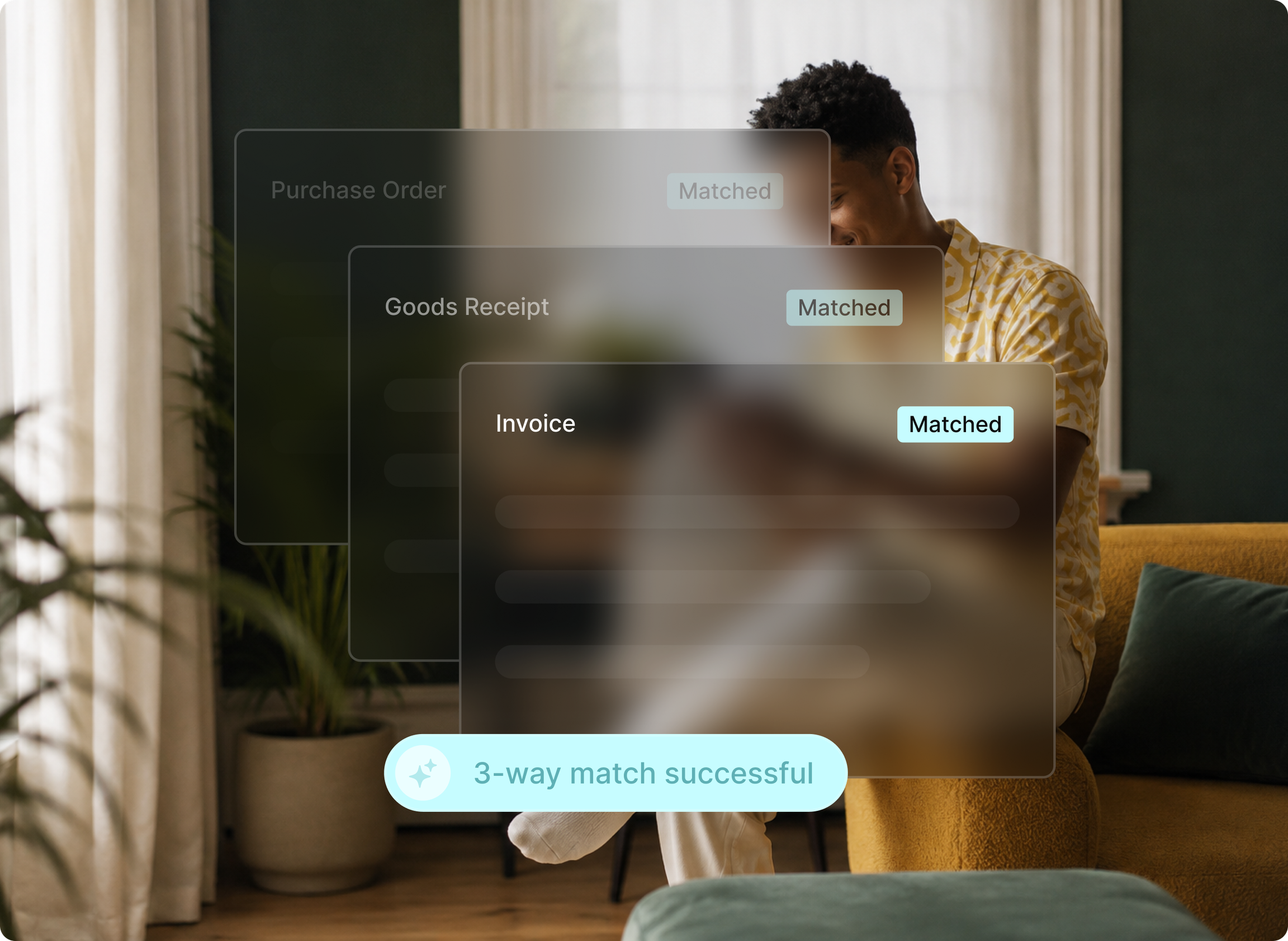
Once deliveries are recorded against the order, an invoice can be matched against both, and your AP team reviews exceptions instead of comparing every invoice by hand.
Worth saying plainly: many organizations stop after stage two and stay there for a while. That is a legitimate resting point, not an unfinished project. If requests, approvals, and orders are in the system and the spreadsheet is now only tracking budget, you have already fixed the part that was costing you time.
How to tell this stage worked: the committed spend figure matches what finance expects without anyone reconciling it.
What stays in the spreadsheet while you stage
Yes, you can keep using the spreadsheet while you switch, and for the first few weeks you probably should. Running requests and approvals in the new system while purchase orders still come out of the spreadsheet is a normal intermediate state, not a failure of the rollout.
One rule matters here. No object keeps two records. Once a stage moves, that stage's record moves with it. Two systems are fine. Two records of the same purchase order are not, because the moment they disagree, you have to work out which one is right, and you will be doing that at the worst possible time.
Keep the old spreadsheet when you are done. Make it read-only, stop writing to it, and leave it where people can find it. It is your history for anything that happened before the move, and deleting it is the one irreversible step in this whole sequence.
How to implement a purchase order system without a six-month project
A first workflow takes weeks rather than months when your data is ready, and materially longer when it is not. That condition isn't a disclaimer; it is the main variable, so it is worth repeating every time a timeline comes up.
The realistic shape looks like this.
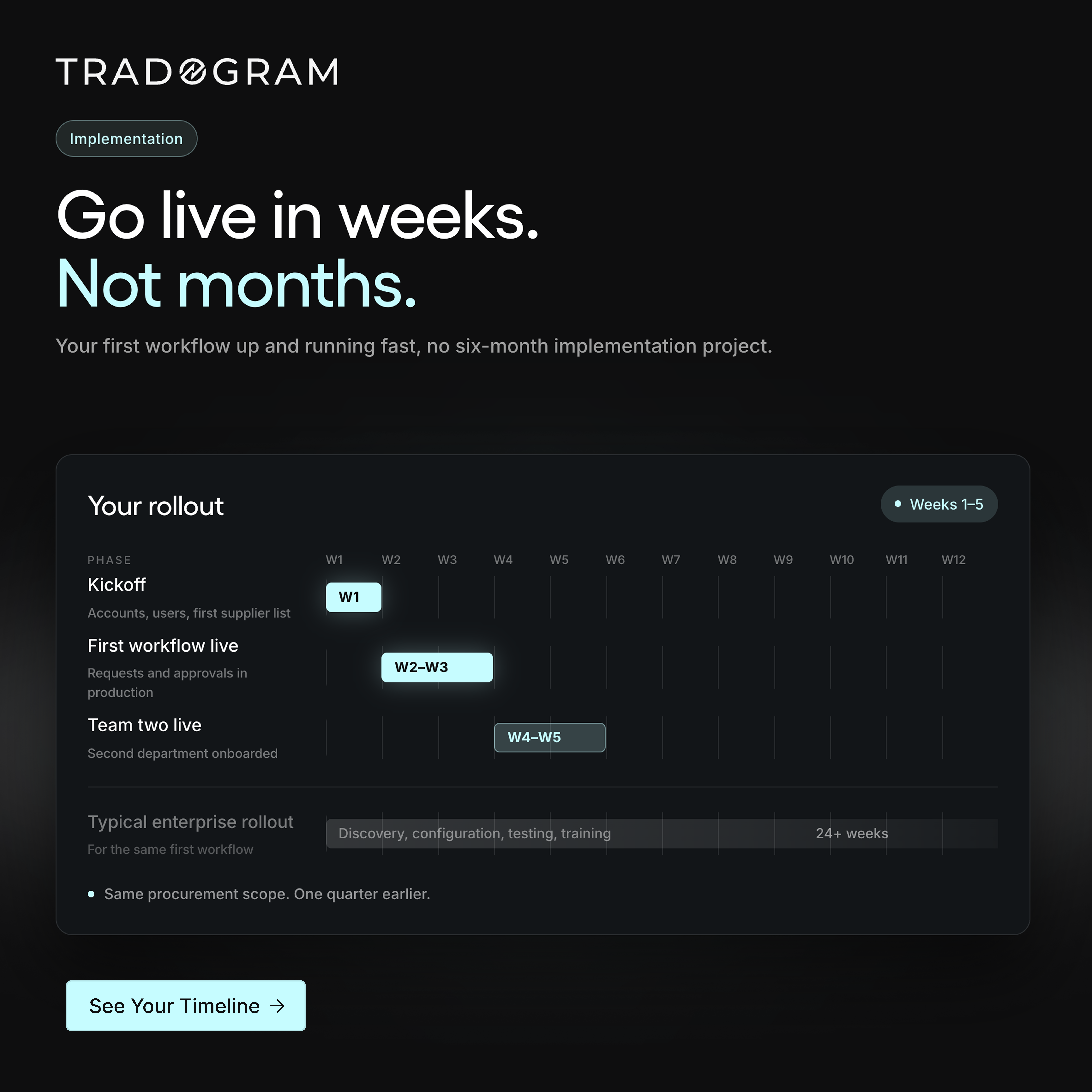
Setup and your first supplier list come first, covering accounts, users, and the suppliers you actually buy from.
Then the first workflow goes live, which is requests and approvals running in production for real purchases.
Then a second team or department comes on, using what the first one learned.
How long that shape takes depends almost entirely on the middle step, and the middle step is yours rather than your vendor's.
When the data doesn't arrive quickly, none of it holds, and no vendor can fix that on their side. That is the honest answer to the six-month story, and it is also why staging beats a full rollout even for organizations that could manage a full rollout.
A stage that goes badly costs you a week. A full rollout that goes badly costs you a quarter (or two), and by then everyone involved has an opinion about the software.
Proportionate implementation means the first useful thing works quickly and the rest follows. It does not mean the work is small, and any vendor telling you there is no work is describing a different product than the one you will be using.
If you are still comparing options rather than planning a move, a purchase order system for smaller teams is a better starting point than this article, and we have also compared purchasing and procurement platforms for teams building a shortlist.
What this could look like on Monday
Open your last three months of invoices and write down the suppliers that appear. That list is shorter than the one you were dreading, and it is the item on the checklist that takes longest. Everything else on it is a request to someone who already has the answer.
Everything after that is a decision about pace rather than scope. You can move one stage and sit there for a quarter. You can leave purchase orders, budgets, and invoices exactly where they are, and the spreadsheet will keep working for the parts you have not moved yet. None of this commits you to a project.
The organizations that stall are not the ones that started too early. They are the ones that tried to assemble everything before starting anything. In this case, perfection was the enemy of good.
Reed Global eliminated 100% of manual accounts payable data entry and doubled the speed of its procure-to-pay cycle. That is what it looks like once the stages connect. It is not where anyone begins.