


What happens when I Edit a PO I sent to a supplier?
When you make changes to a Purchase Order (PO) that has already been issued, Tradogram ensures the process is documented internally while providing you with options to manage the supplier's expectations.
The Workflow for Editing
- Modify and Approval: After you finish editing the PO, the system will automatically re-trigger any internal approvals required based on your branch's rules.
- Notification Choice: Before you submit your changes, you will have an explicit option to notify the supplier.

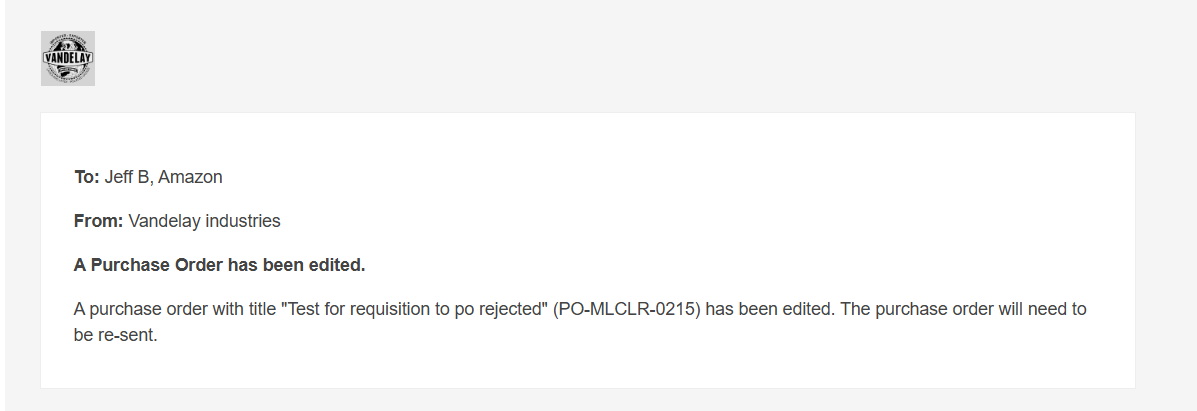
- Finalizing: If you chose to notify them, the supplier will receive an automated email as soon as the editing process is finalized, informing them that an update has been made.
- Resending: Once the revised PO has passed all internal approvals, you can also choose to manually send the updated document to the supplier again to ensure they have the latest PDF.
Tracking Changes (Activity Log)
Transparency is maintained through the document's Activity Log, which tracks every modification made to the PO.
- Timestamped Entries: Every edit creates an entry with a date and time stamp.
- Privacy: The Activity Log and any internal edit notes are private to your organization. The supplier cannot see these internal audit trails.
Thank you! Your submission has been received!
Oops! Something went wrong while submitting the form.
.webp)
.png)


