


What type of reporting is available?
Tradogram provides multiple ways to extract data and analyze your spend. Whether you need a high-level summary or a granular breakdown of specific transactions, there is a reporting method suited for your needs.
Report Builder
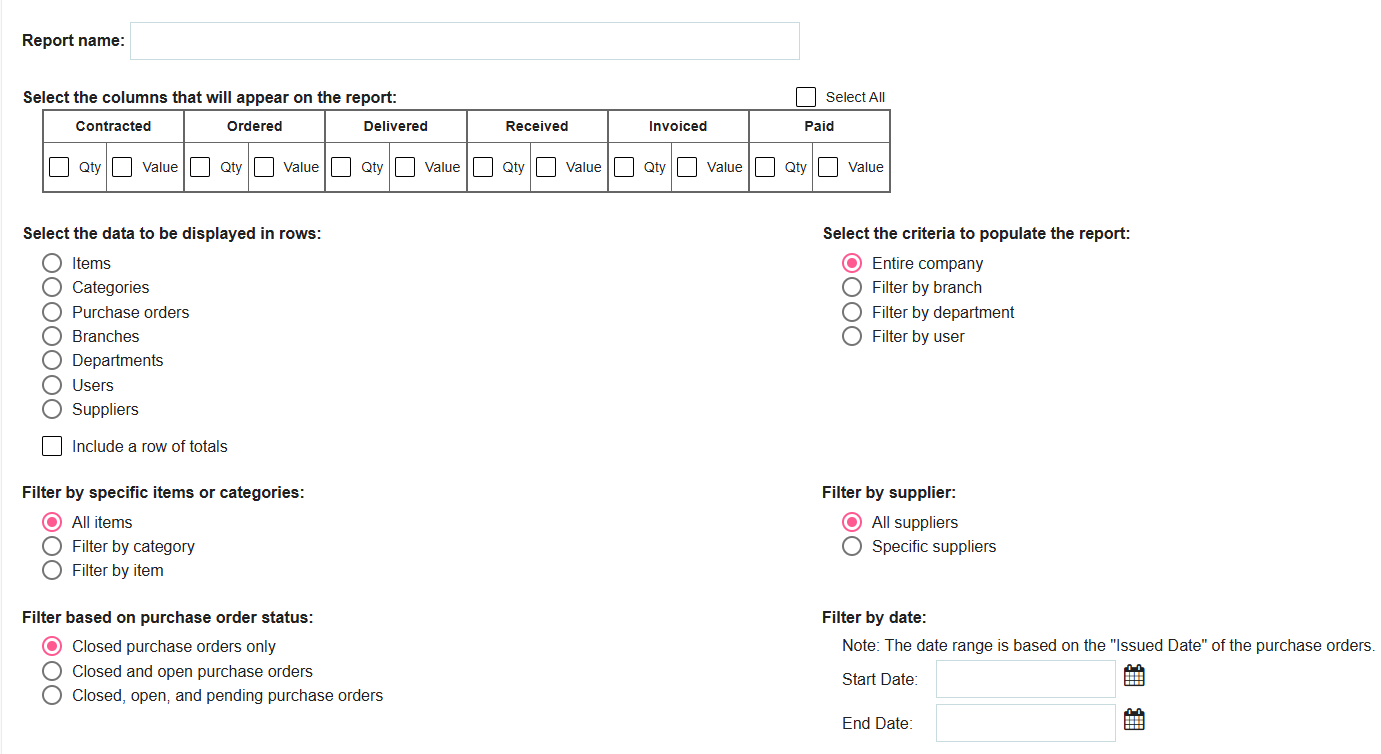
The Report Builder is our most flexible tool, allowing you to create custom reports from scratch. You can choose specific columns (like contracted vs. invoiced spend), define how rows are categorized (by user, department, or supplier), and apply deep filters to get exactly the data you need.
System Reports
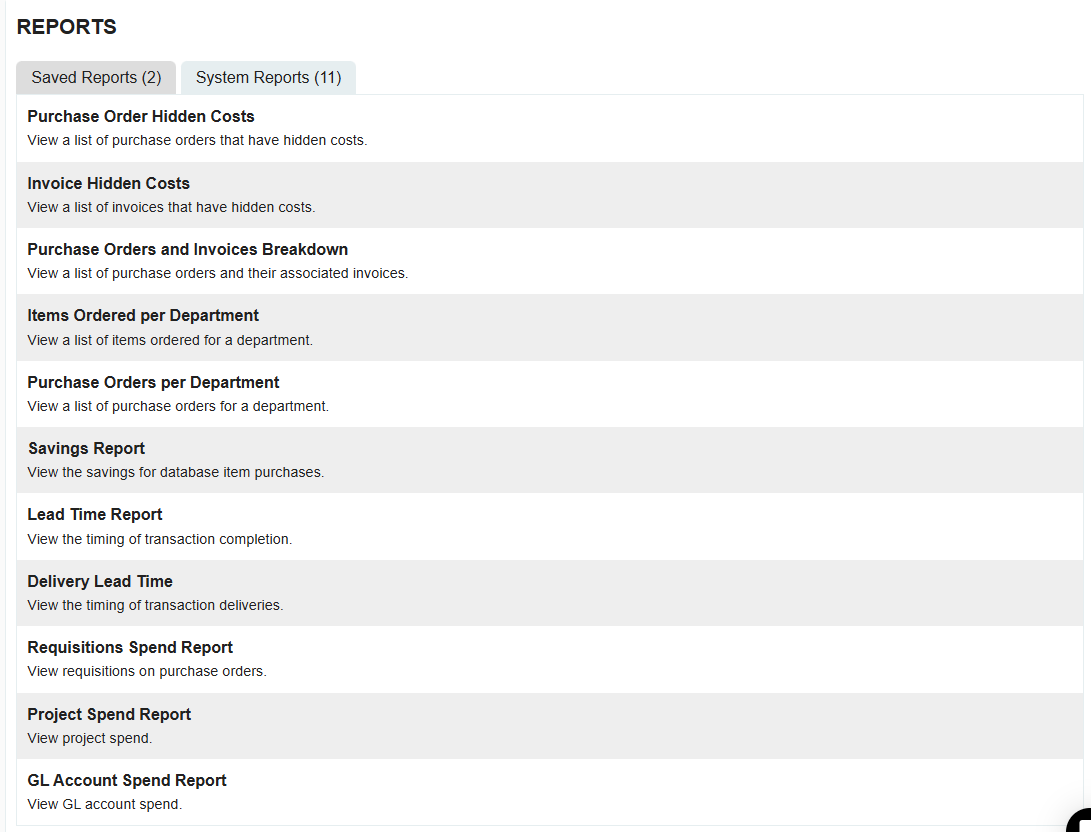
System Reports are a library of pre-configured, "out-of-the-box" reports designed to cover the most common procurement needs. These reports are ready to run instantly without any setup required.
Transaction Exports
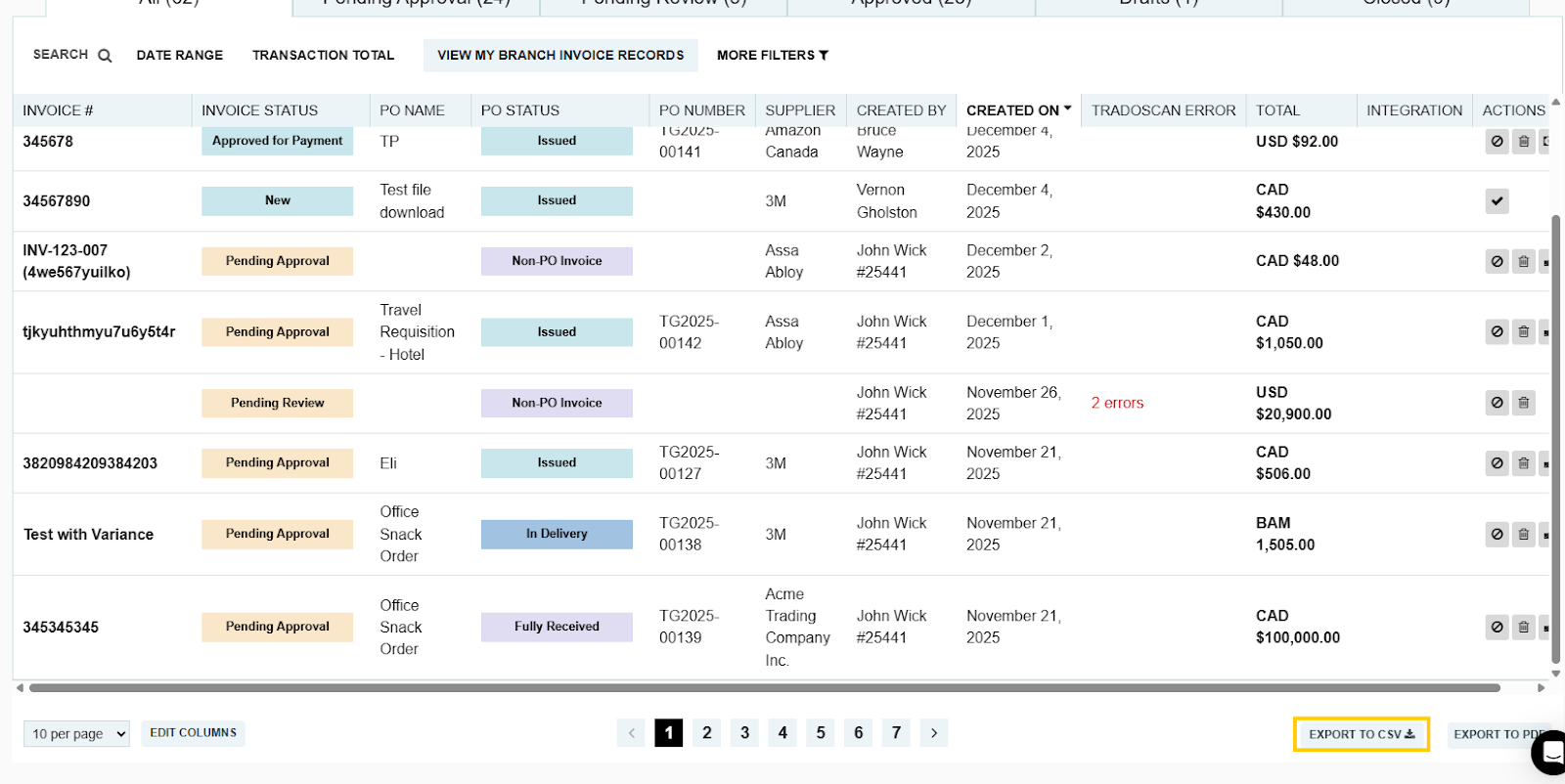
On any transaction list page (such as Purchase Orders, Invoices, or Requisitions), you can use the Export feature. This allows you to download your current filtered view directly into a CSV file.
- Tip: You can customize the columns in your list view before exporting to ensure the CSV contains all the specific fields you need.
.webp)
.png)


