


How can suppliers that will receive a request be selected?
When creating a request (RFP/RFQ), you have the flexibility to choose one or multiple suppliers to invite to the request.
Step-by-Step Guide
- While creating the request, click the "Choose Supplier" button.
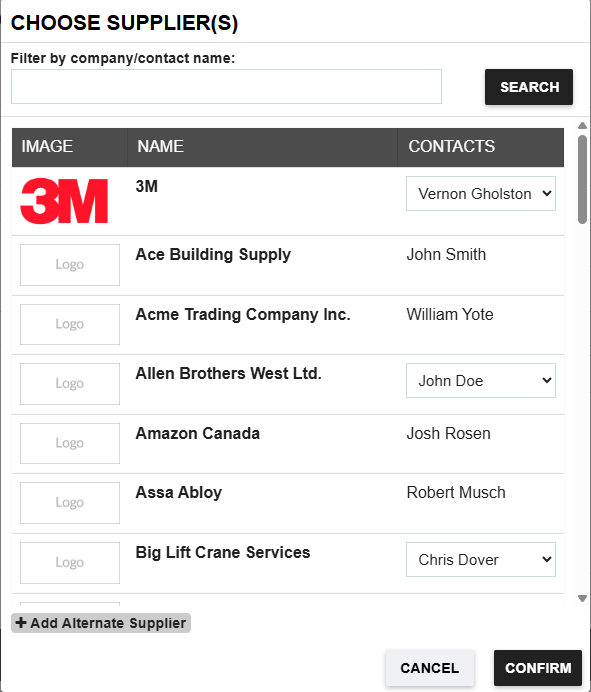
- Select the supplier(s) you want to include by clicking on their names from your supplier database list.
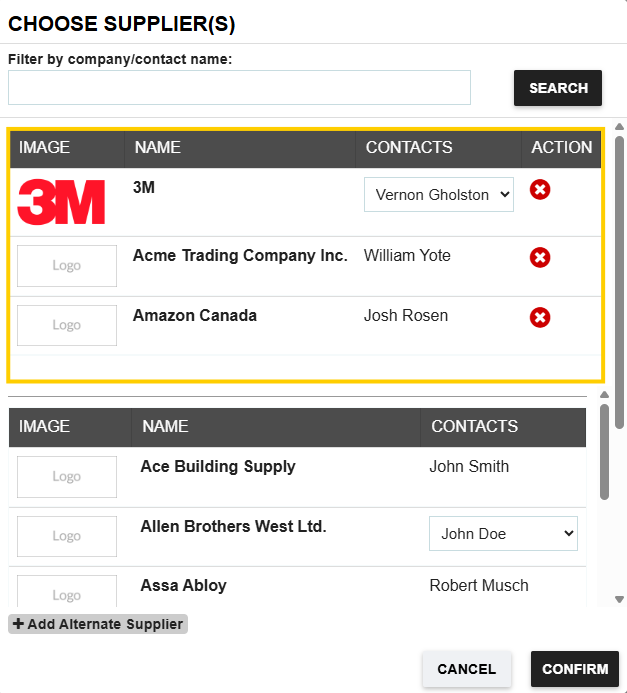
- As you select suppliers, you will see a separate list of the selected recipients, distinct from your main database list.
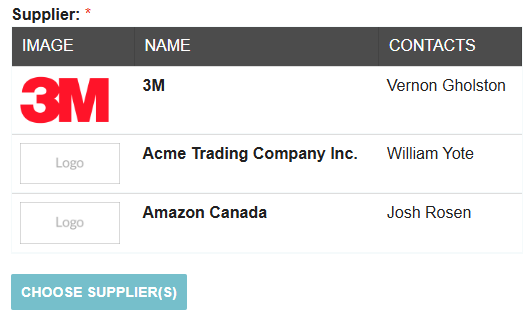
- When you are done, click Confirm to add the chosen suppliers to the request.
Your selected supplier list will appear on the Request.
Adding Alternate Suppliers
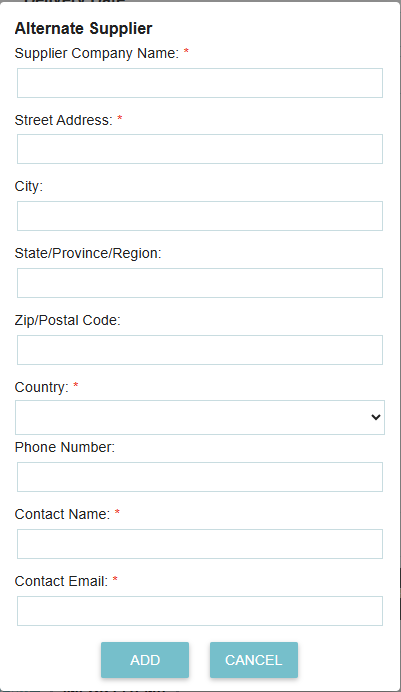
If you need to include a supplier who is not yet in your database, you can use the "ADD ALTERNATE SUPPLIER" option.
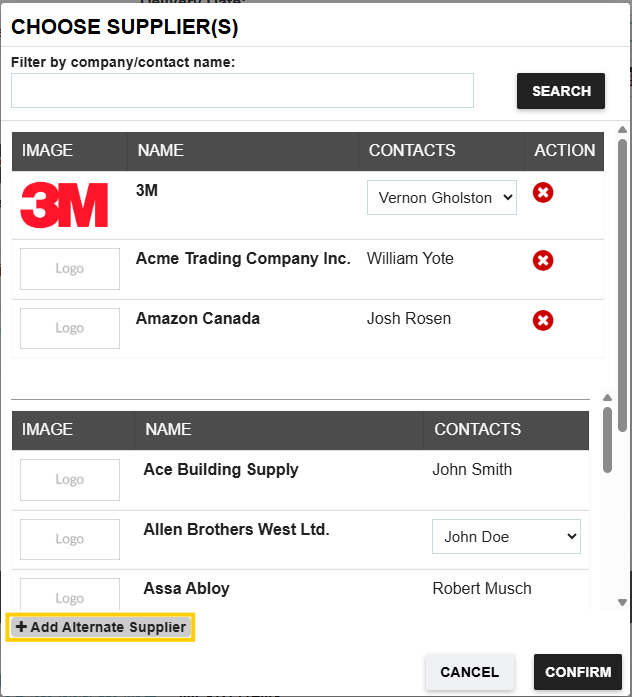
This allows you to manually enter the necessary details for a new vendor to be included in this specific request.
Thank you! Your submission has been received!
Oops! Something went wrong while submitting the form.
.webp)
.png)


