


What is the “Currency” Option Used For When Creating a Transaction?
The Preferred Currency setting determines the monetary unit used for a specific transaction. While the system automatically defaults to your company’s base currency, this field allows you to manage international sourcing and purchasing with ease.
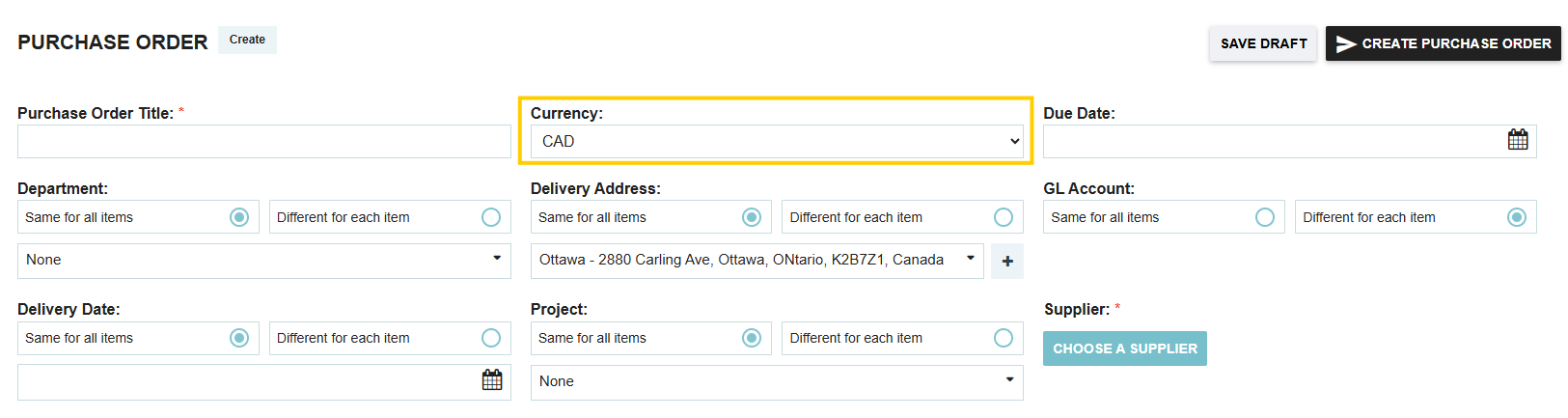
How Currency Selection Works
- Defaults: The currency will always start defaulted to your company's primary currency. However, if you have a supplier default currency saved in your database for the selected vendor, the transaction will automatically update to match their profile.
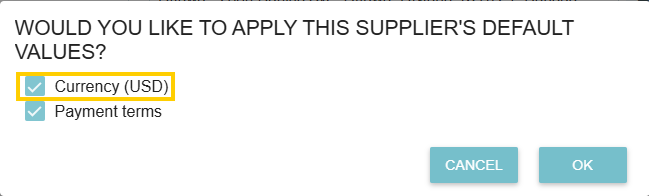
- Manual Updates: You can manually update the currency at any time during the document creation process.
- Budget Conversion: To maintain accurate financial tracking, all affected budgets in the system are automatically converted back to the branch’s preferred currency (unless an individual budget is specifically configured otherwise), regardless of the currency used in the transaction.
Currency Logic in Sourcing Requests
When using the Request module for competitive bidding, the preferred currency serves a specific role in how suppliers respond:
- The Default for Bids: It acts as the initial currency for the request sent to all participants.
- Locking the Field: You have the option to lock the currency field. This ensures that all supplier quotes are received in your specified currency for easier comparison.
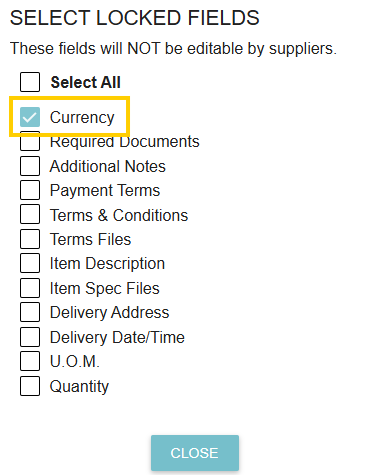
- Supplier Flexibility: If the field is not locked, suppliers can change the currency on their offer response to reflect their local billing requirements.
Exchange Rate Accuracy
To ensure your conversions and budget impacts are precise, Tradogram automatically updates currency exchange rates every 12 hours.
Thank you! Your submission has been received!
Oops! Something went wrong while submitting the form.
.webp)
.png)


