


What is the “Require Supplier Acceptance” checkbox used for?
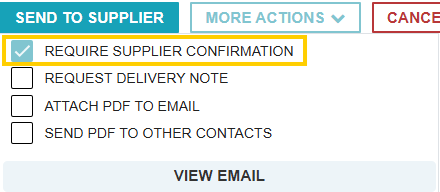
The Require Supplier Acceptance checkbox (sometimes labeled as "Require Supplier Confirmation") is a workflow control used to ensure a supplier formally acknowledges and agrees to the terms of a Purchase Order before the procurement process moves forward.
How the Workflow Changes
When this option is selected during the creation of a PO, the transaction follows a specific sequence:
- Pending Status: Once the PO is sent, it enters a "Pending Supplier Acceptance" status.
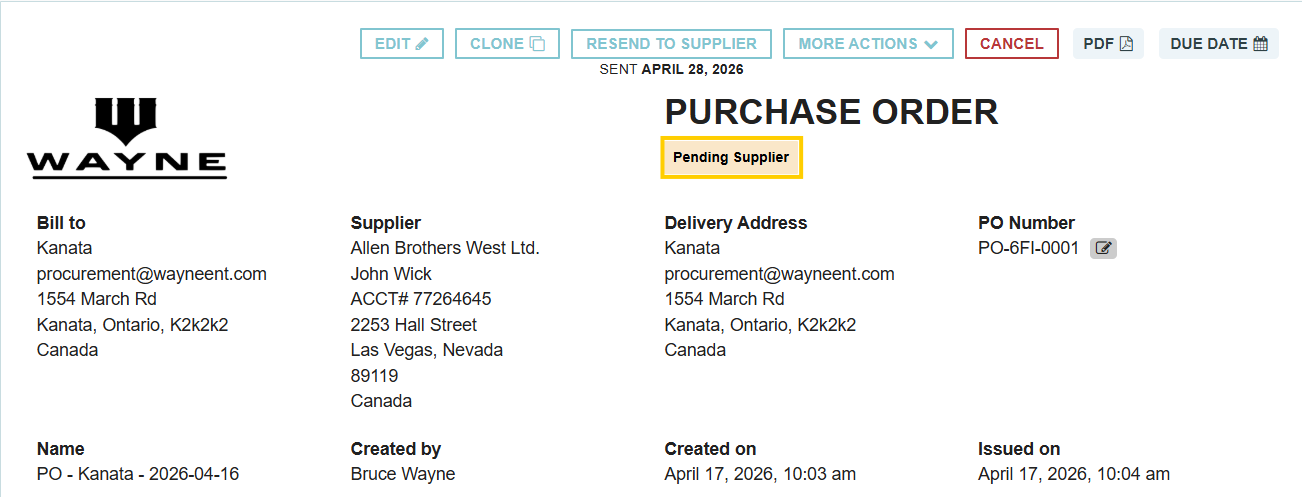
- Workflow Lock: While in this pending state, the transaction is "frozen." You cannot add deliveries or reconcile invoices until the supplier accepts the order.
- Issuance: The status only changes to "Issued" once the supplier confirms acceptance.
Supplier Interaction
- Email Notification: The supplier receives an email containing a link to an electronic version of the PO.
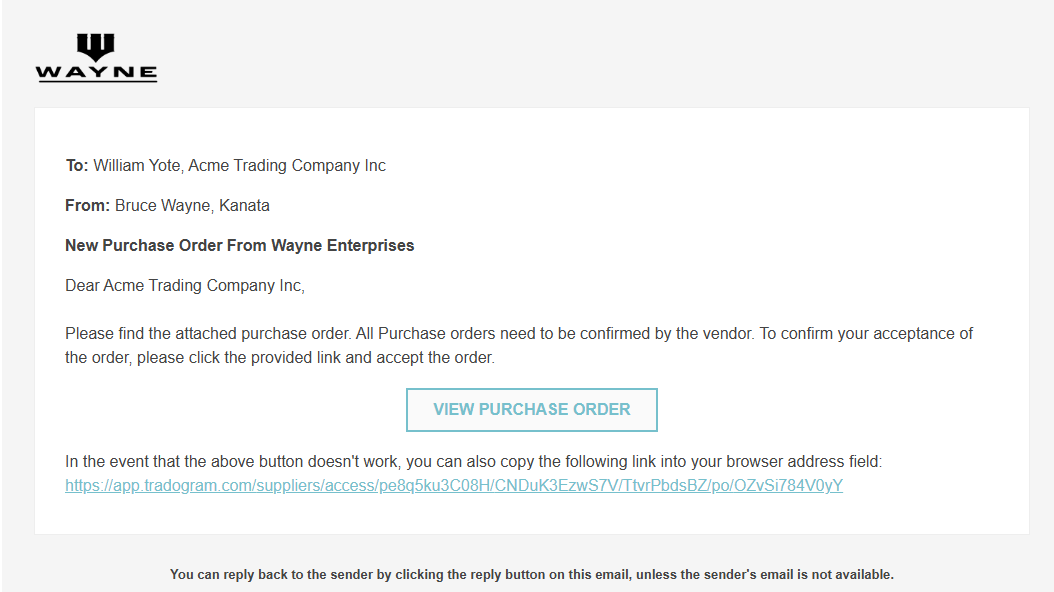
- One-Click Response: From that secure page, they can choose to Accept or Decline the PO.
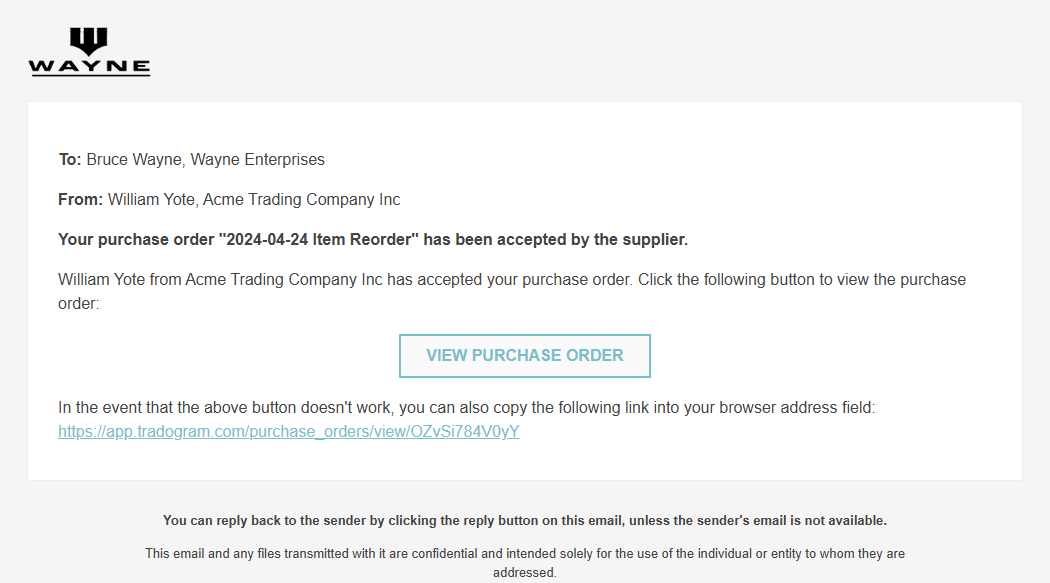
- Automatic Alerts: As soon as the supplier responds, an alert notification is sent back to the user who created the PO.
Handling Non-Responsive Suppliers
If a supplier is unable to accept the PO electronically, or if they have confirmed via phone/email and you need to move the process along, you have two options:
- Resend: You can resend the PO to the supplier to put the invitation back at the top of their inbox.
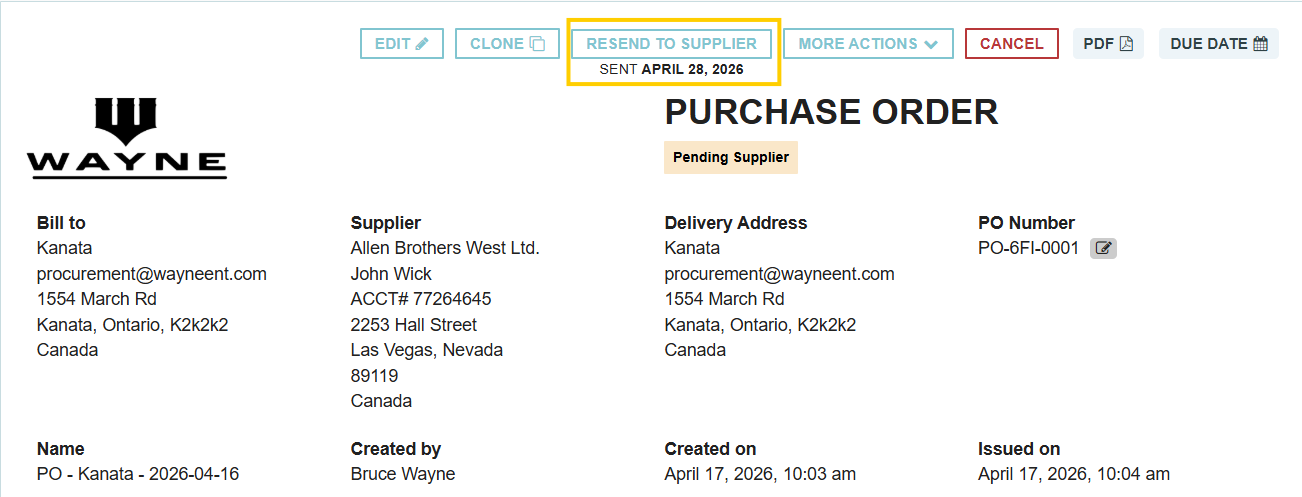
- Accept on Behalf: You can manually override the pending status. Navigate to the PO, click More Actions, and select "Accepted by Supplier".
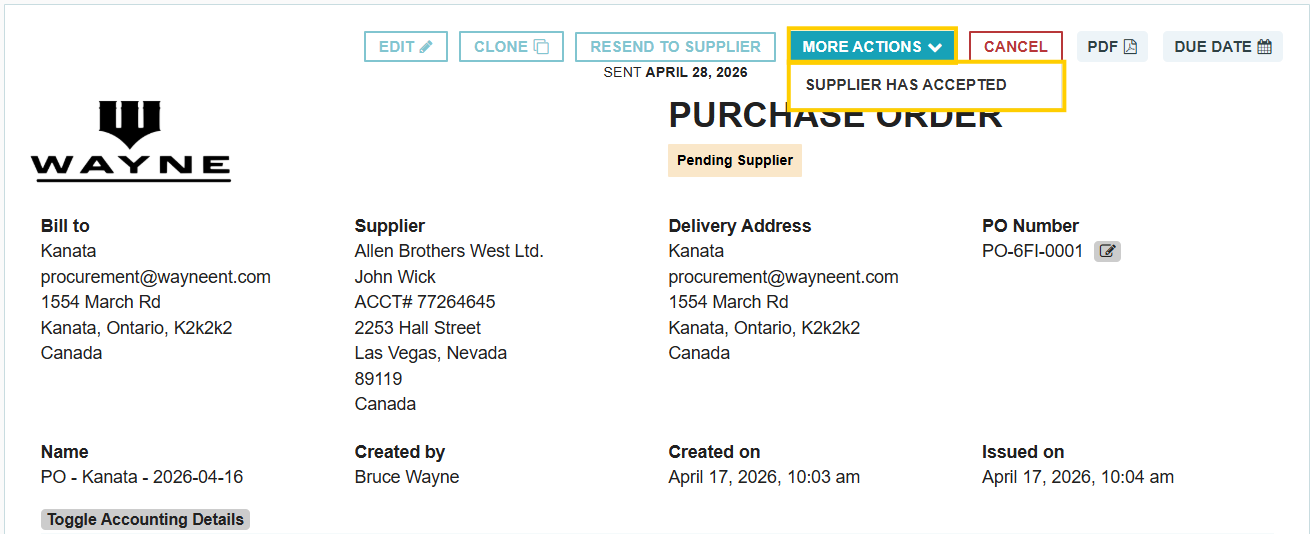
- Audit Trail: If you accept on their behalf, the Activity Log will specifically record which internal user performed the action for full accountability.

Thank you! Your submission has been received!
Oops! Something went wrong while submitting the form.
.webp)
.png)


