


What is the report builder used for?
The Report Builder is a powerful tool used to compile and analyze information stored within Tradogram into custom, shareable reports. This feature allows you to visualize your spending data, track procurement performance, and export information for external use.
Customizing Your Report
When creating a report, you have several layers of filters and sorting options to ensure the data is relevant to your needs:
Name Your Report
Reports must have a name before they are generated

Select Your Columns (Key Metrics)
You can choose to display both the Quantity and the Value for items at various stages of the procurement lifecycle:
- Contracted: Items associated with a created contract.
- Ordered: Spend linked to created Purchase Orders.
- Delivered: Items that have been marked as delivered.
- Received: Spend that has been officially booked or received into the system.
- Invoiced: Items that have reached the invoicing stage.
- Paid: Spend that has been invoiced and marked as paid.

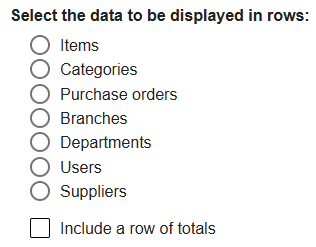
Define Your Rows (Data Breakdown)
Choose how to categorize the rows in your report. You can break down spend by:
- Items, Item Categories, Purchase Orders, Branches, Departments, Users, or Suppliers.
- Note: You can also choose to include totals for a high-level summary.
Apply Filters
Narrow down the results to focus on specific data points:
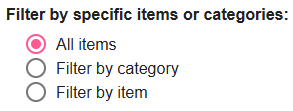
- Items & Categories: Include all items or filter by specific ones.
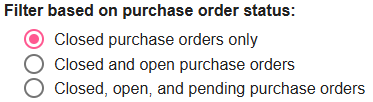
- PO Status: Choose to view only "Closed" POs, "Open & Closed" (approved), or include "Pending" status for a view of all POs.
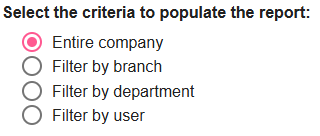
- Organizational Criteria: Filter data by the Entire Company, or narrow it down to specific Branches, Departments, or Users.
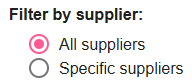
- Suppliers: Include all suppliers or select specific vendors.
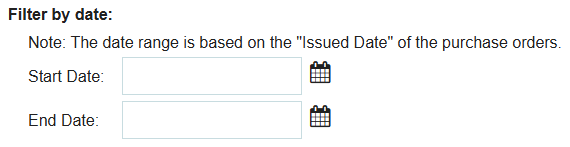
- Date Range: Select a specific reporting period based on the Issued Date of the Purchase Orders.
Managing Your Reports
Once your report is generated, you have several ways to manage and share the data:
- Save Report: Saves the criteria so you can access the report any time from the "View Reports" section. Saved reports can also be shared with other team members.
- Edit Criteria: Allows you to quickly return to the builder screen to tweak your filters or columns.
- Export Report: Download your data in CSV, Excel, or PDF formats for offline analysis or presentations.

*Please note that the report builder will only contain transactions that include a Purchase Order - standalone invoices and expenses are not included.
.webp)
.png)


