


What are requisition notes used for?
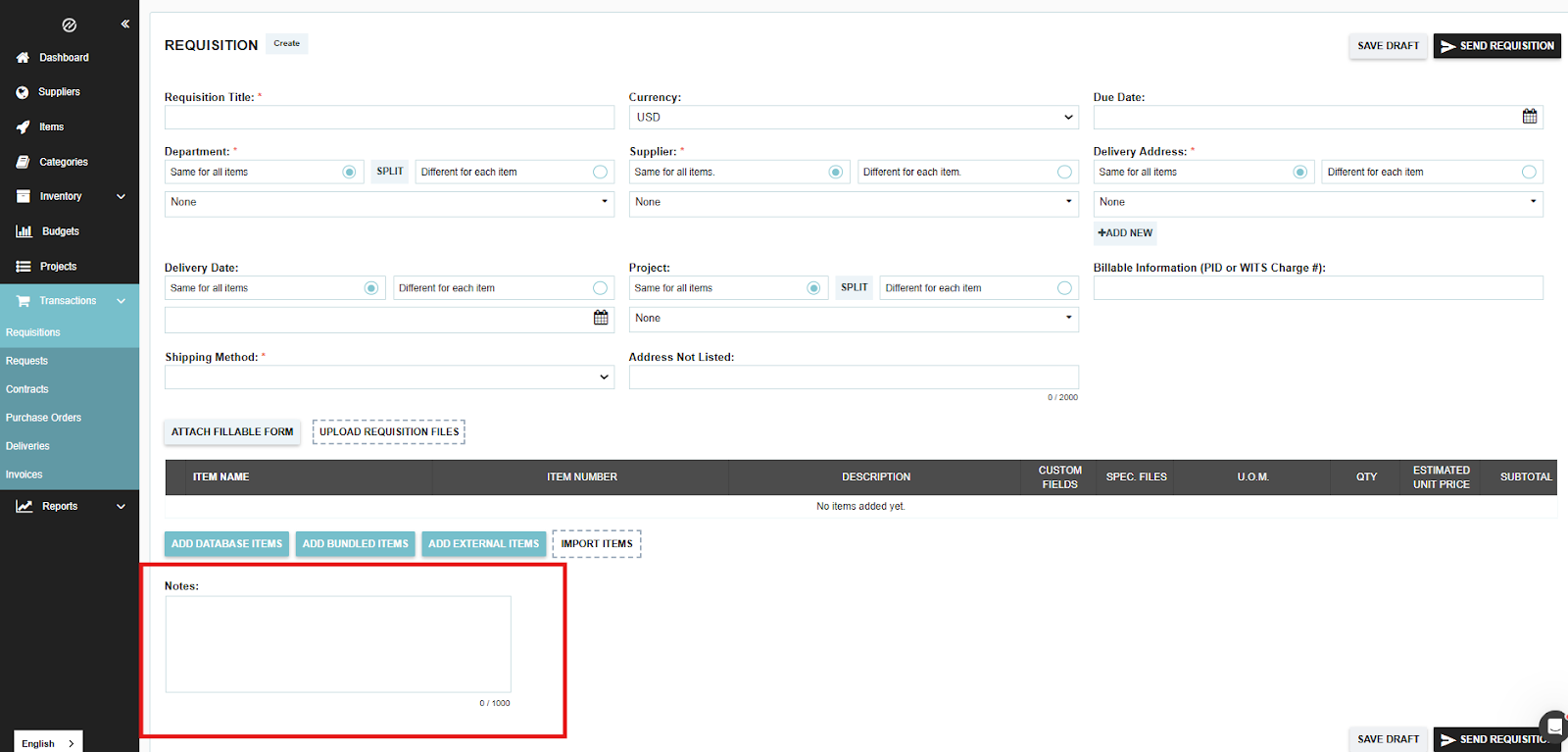
Requisition Notes are designed for permanent, internal documentation. They serve as a one-way communication tool for the person creating a requisition to provide essential context, instructions, or justifications to the managers and purchasing teams who will review the request.
How to Use Requisition Notes
Notes are best used for information that needs to stay attached to the record for its entire lifecycle. Common uses include:
- Business Justification: Explaining why an item is needed (e.g., "Replacement for broken equipment in Room 4").
- Specific Instructions: Providing details for the buyer (e.g., "Please ensure these are delivered before Friday for the board meeting").
- Budgeting Context: Noting which project or grant the funds should be allocated to.
Privacy Note: Requisition Notes are Internal Only. They are visible to your team and your approvers, but they are never shared with or visible to your suppliers.
Notes vs. Messaging: Which should you use?
While Notes are great for "setting and forgetting" information, Tradogram also offers a Messaging System for active conversations.
Pro Tip: If an approver has a question about a requisition, they should use the Messages tab. This creates a timestamped conversation thread that alerts the requester immediately, rather than editing the Notes field which does not trigger a notification.
.webp)
.png)


