


What happens if a branch has no approved addresses?
In Tradogram, having a delivery address associated with a branch ensures that orders are shipped to the correct location. If a specific branch doesn't have an "approved" or saved address, here is how the system handles it:
Default Behavior
If no delivery addresses are saved for a specific branch, all address fields on new transactions (like Purchase Orders or Requisitions) will default to the Main Branch address.
Manual Overrides
Users are not locked into the default address. If a shipment needs to go elsewhere:
- Manual Entry: You can manually type in a delivery address during the transaction creation process.
- One-Time Deliveries: This is useful for one-off shipments that don't require a permanent saved address in the system.
Best Practice: Adding Branch Addresses
To save time and prevent errors, we recommend adding at least one approved address to each branch:
- Go to your Company Profile.
- Select Branches.
- Edit the specific branch and add a Delivery Address.
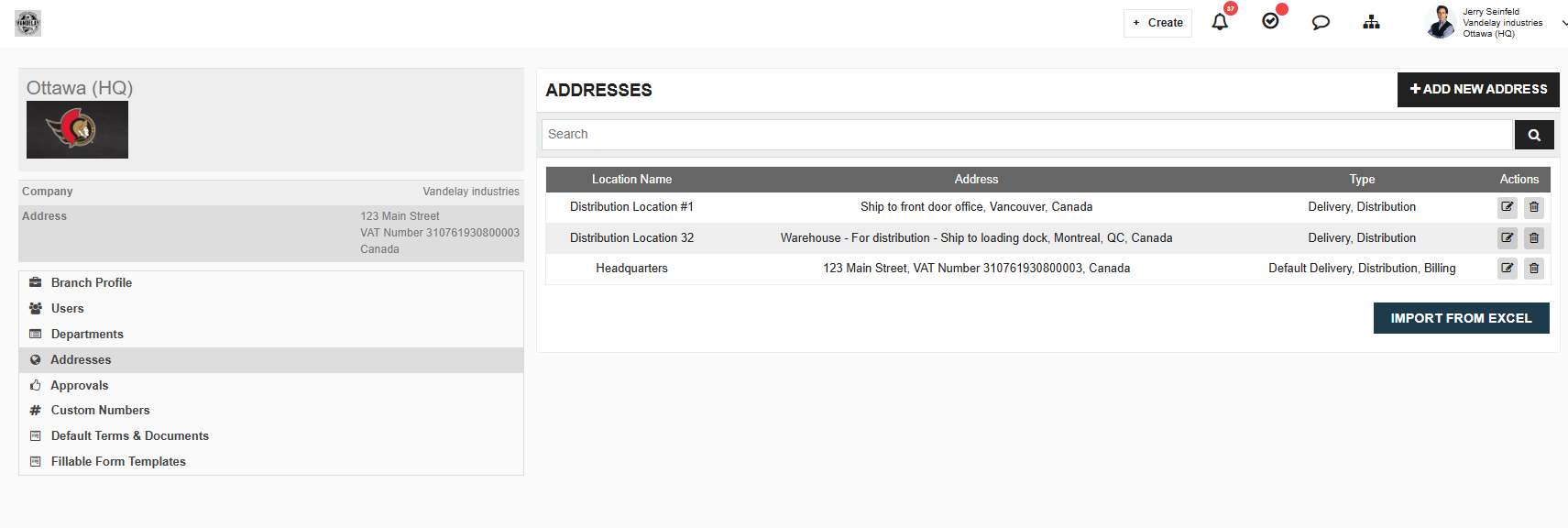
Success Tip: Setting up approved addresses for each branch prevents users from accidentally shipping items to your Main Branch/Headquarters when they should be going to a satellite office or job site.
.webp)
.png)


