


How are “Additional Documents” different from “Required Documents”?
In Tradogram, there are three types of documents you can manage on a transaction, each serving a different purpose for internal use and communication with your suppliers:
Required Documents
A list of documents (e.g., certifications, insurance forms) that you are requiring the supplier to provide back to you with the order.
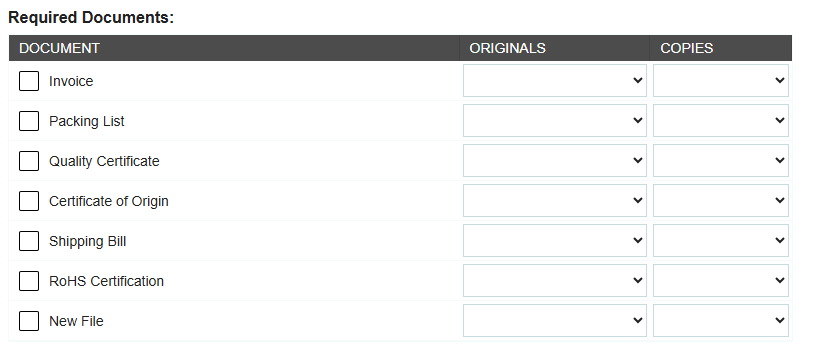
A supplier will see this as a list of documents on the Request or Purchase Order. (image shows the required documents list on the Purchase Order PDF)

Additional Documents
Any files (e.g., sketches, technical diagrams, terms and conditions attachment) that you attach directly to the Purchase Order (PO) or Request that the supplier needs for processing the order.
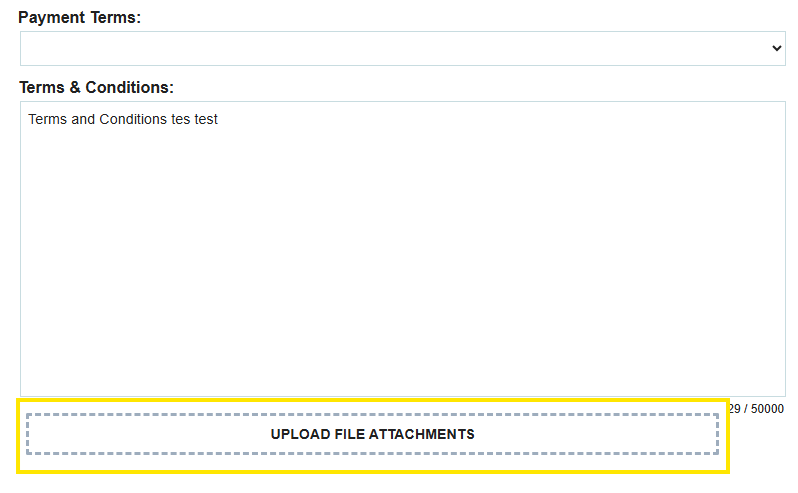
The supplier will be able to access these files on the electronic copy of the transactions they receive.
Item Specification Files
Files attached specifically to an item's profile in the item database or added to the line item on a transaction (e.g., spec sheets, manuals). If the specification file is uploaded to the item in the item database, it will be automatically attached to the item when it’s added to the transaction.

The supplier will be able to access these files on the electronic copy of the transactions they receive.

All documents attached to a transaction, whether Additional Documents or Item Specification Files, will be visible to the supplier when you send them the transaction.
.webp)
.png)


