


What is the maximum number of branches that can be created under one company?
Tradogram is built to scale alongside your business. Therefore, there is no limit to the number of branches you can create under a single company account. Whether you are managing two local offices or hundreds of international locations, the system is designed to support your entire organizational structure.
Why Use Multiple Branches?
Adding separate branches is the most effective way to organize your procurement data and user access. Key benefits include:
- Regional Settings: Each branch can have its own unique currency, time zone, and localized logo.
- User Access Control: Restrict users so they can only see transactions and budgets relevant to their specific branch.
- Custom Approval Workflows: Set up different management hierarchies for each location (e.g., the approval path for your New York office can be different from your London office).
- Segmented Reporting: Easily filter your spend analysis by branch to see which locations are staying within budget.
How to Add a New Branch
If you have Company Admin permissions, you can expand your organization at any time:
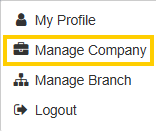
- Navigate to Manage Company.
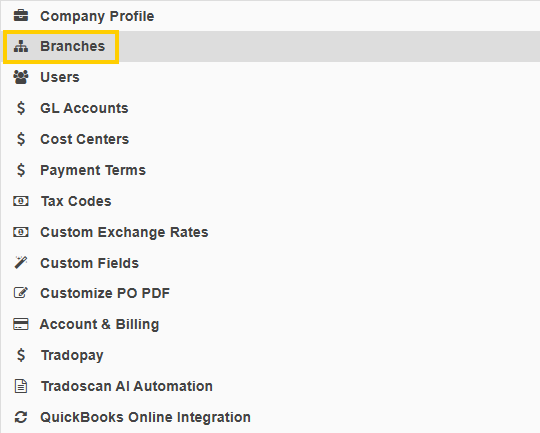
- Select the Branches tab.
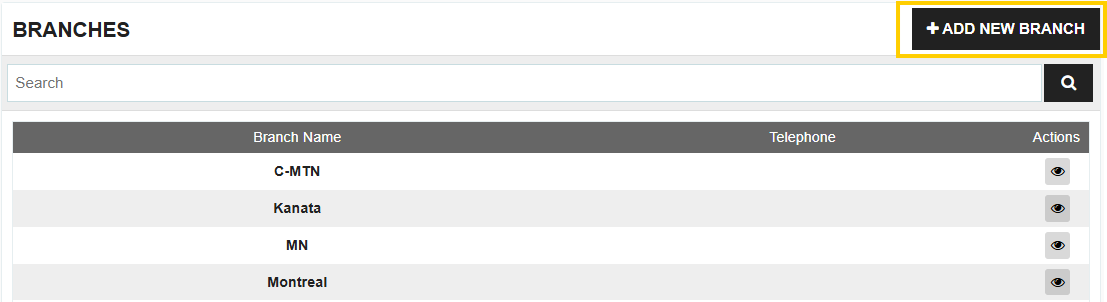
- Click the Add Branch button and enter the new location's details.
Pro Tip: Global vs. Local
Even with unlimited branches, you can still maintain "Global" items and suppliers that are shared across every location, or you can restrict specific vendors to only work with specific branches.
Thank you! Your submission has been received!
Oops! Something went wrong while submitting the form.
.webp)
.png)


