


What does the sealed bidding option do?
The Sealed Bidding option is a feature used when creating a request to ensure a fair and confidential bidding process by controlling when the bid is sent out and when the offers can be reviewed.
How a Sealed Bid Works
When you enable sealed bidding, you must define two specific points in time: a start date/time and a submission deadline date/time.
- Before Start Time: The request will not be sent to the suppliers until the scheduled start time.
- During Active Period: Suppliers are able to submit and edit their bid offers. Crucially, Tradogram users in your account will not be able to view any submitted bids during this active period.
- After Deadline: Once the submission deadline passes, suppliers can no longer submit or edit their bids. Users in your account will then be able to see and evaluate all the submitted offers.
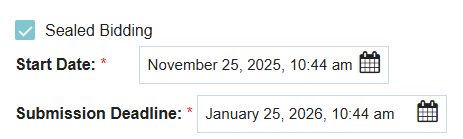
How to Enable Sealed Bidding
- Per-Request: When creating a new request, simply click the "Sealed Bidding" option to activate it for that specific sourcing event.
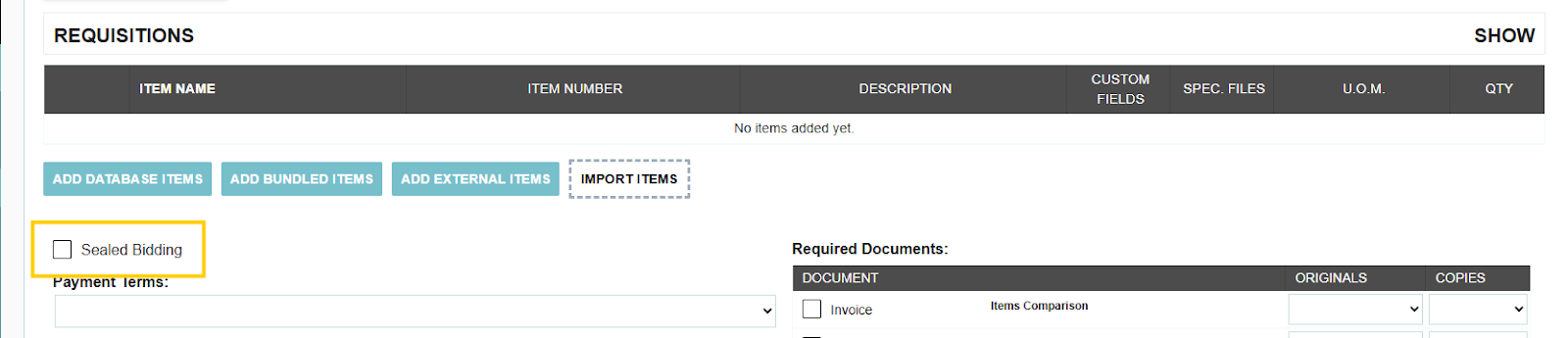
- Default Setting: If your organization is required to perform sealed bids for all requests, you can make this feature a default setting in your Branch Profile settings.

Thank you! Your submission has been received!
Oops! Something went wrong while submitting the form.
.webp)
.png)


