


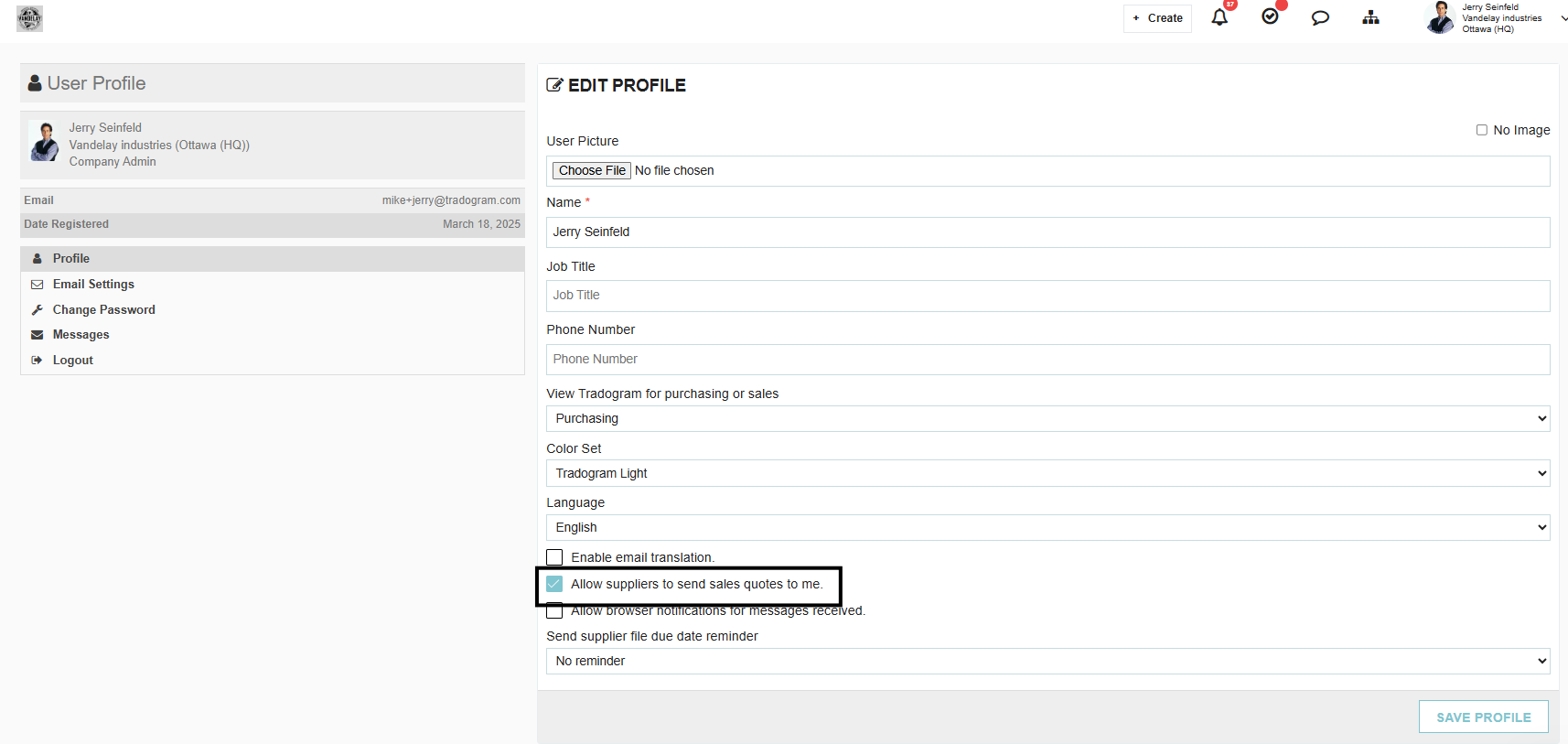
What is the “Allow suppliers to send sales quotes to me.” checkbox option used for?
This setting enables a proactive sales channel within Tradogram, allowing your trusted suppliers to send you quotes directly without waiting for a formal Request (RFQ).
What does this option do?
By checking this box, you permit suppliers to initiate and send Sales Quotes to specific users within your company. This is particularly useful for suppliers who frequently offer seasonal promotions, bulk discounts, or updated pricing on items you regularly purchase.
Requirements for Suppliers
For a supplier to send you a quote through this feature:
- Tradogram Account: The supplier must have their own registered Tradogram account.
- Customer Database: The supplier must add your company to their internal "Customer Database" within their account.
- Recipient Selection: Once connected, the supplier can select one or more authorized users from your company to receive the quote.
Why enable this?
- Streamlined Sourcing: Receive unsolicited but relevant pricing updates directly in your portal rather than via fragmented emails.
- Easier Conversion: Once a Sales Quote is received, you can easily review it and convert it into a Purchase Order, saving time on data entry.
How to Enable this?
- Users Profile Settings: Navigate to your user profiel settings page.
- Select and Save: click “Allow suppliers to send sales quotes to me” and select “Save profile”
Note: Enabling this does not mean any supplier on the platform can message you. You must first have an established relationship or connection with the supplier on Tradogram for them to see you in their customer list.
Thank you! Your submission has been received!
Oops! Something went wrong while submitting the form.
.webp)
.png)


