


How Can Accounts Payable Use Contracts?
In Tradogram, the Contracts module provides the Accounts Payable (AP) team with a centralized hub for monitoring financial commitments, tracking spend against limits, and simplifying the invoice reconciliation process. Contracts act as a master record that ensures all subsequent purchasing activity remains within agreed-upon terms.
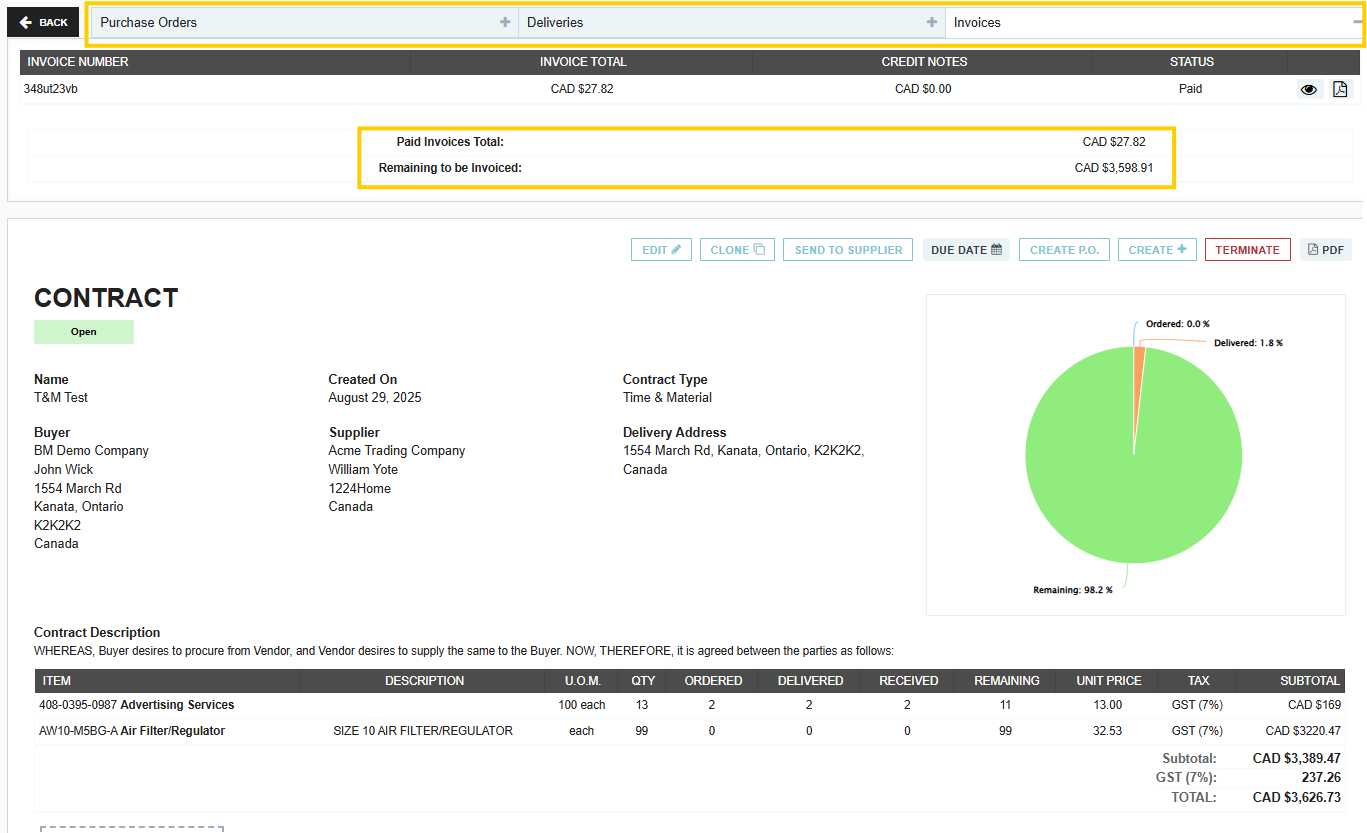
Simplified Reconciliations and Matching
When a contract is established, Purchase Orders (POs) can be generated directly from that contract.
- Two-Way Matching: For each PO created, an invoice file can be associated with it to record a 2-way match for the transaction.
- Document Visibility: Each contract maintains a comprehensive list of all associated Purchase Orders. AP teams can reference this list to quickly review purchasing history and verify records during the audit process.
Tracking Spend and Contract Types
Depending on the contract structure, AP can monitor different financial metrics to prevent overspending:
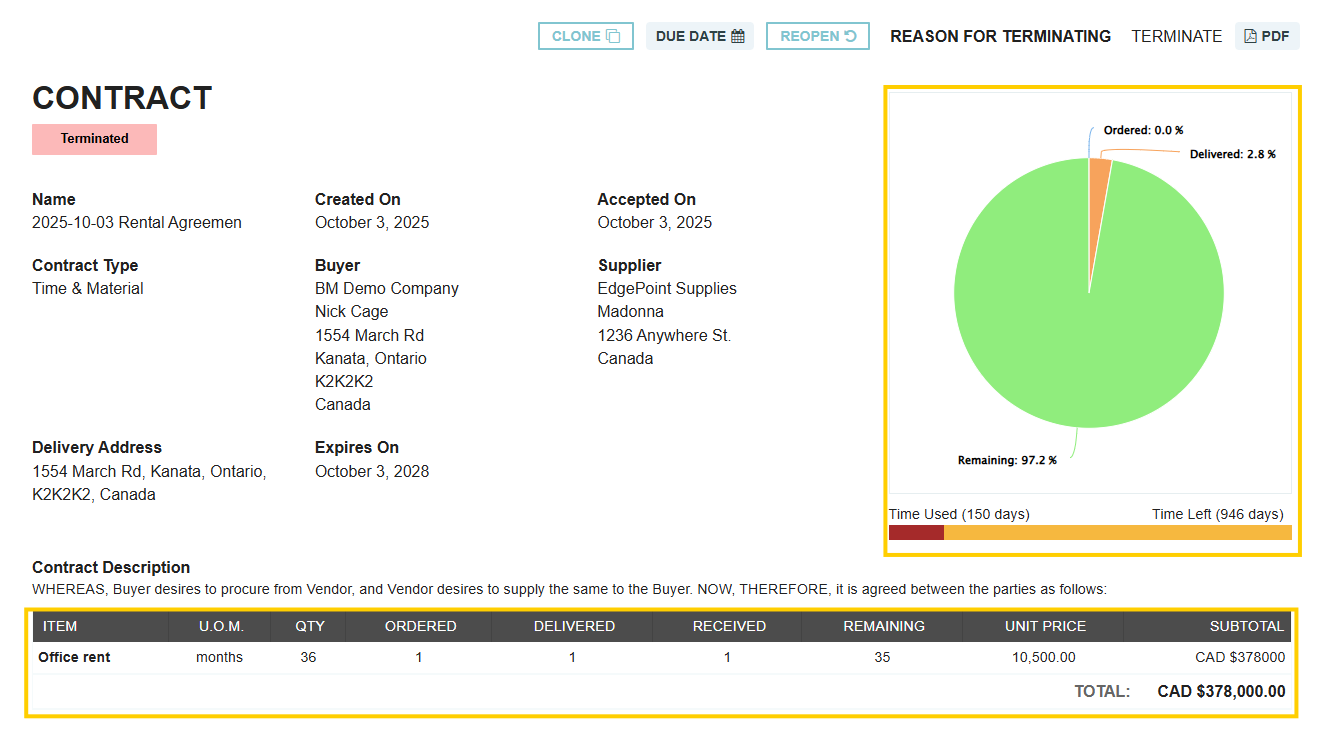
- Time and Material Contracts: These allow AP to track granular details, including total items contracted, ordered, delivered, received, and remaining. They also show the remaining duration of the contract term.
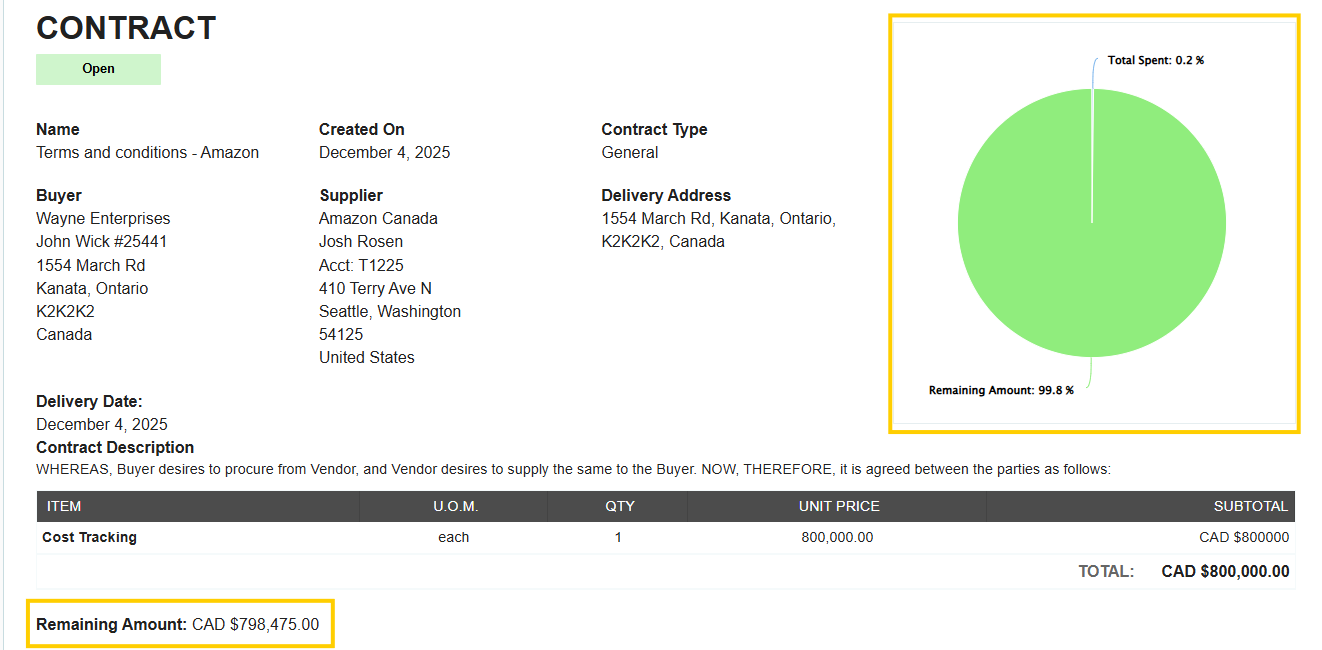
- General Contracts: These focus on total spend, allowing AP to track the remaining balance on the contract and the time until expiry.
See the difference between a general contract and time and material contract here
Proactive Monitoring and Reporting
Contracts help the finance team stay ahead of renewals and billing milestones:
- Expiry Notifications: Users can be automatically notified when a contract is 14 days away from its expiration date.
- Invoice Tracking: AP can track the total "Amount Invoiced" specifically against a contract to ensure total payments do not exceed the contracted value.
- Seamless Workflow: Requisitions or POs can be initiated directly from the contract, ensuring that the correct pricing and GL accounts are used from the start.
Thank you! Your submission has been received!
Oops! Something went wrong while submitting the form.
.webp)
.png)


