


Is it Possible to Distribute Awarded Offers Among Multiple Suppliers?
Yes. Tradogram is designed to support "split-awarding," where a single sourcing event (RFQ or RFP) results in multiple Purchase Orders or Contracts distributed across different vendors.
How to Create Multiple POs from One Request
The key to distributing an award is ensuring the request remains "Open" until all vendors have been processed.
Step-by-Step Workflow:
- Select the First Supplier: Navigate to your request, click the supplier's name, and select "Accept & Create PO".
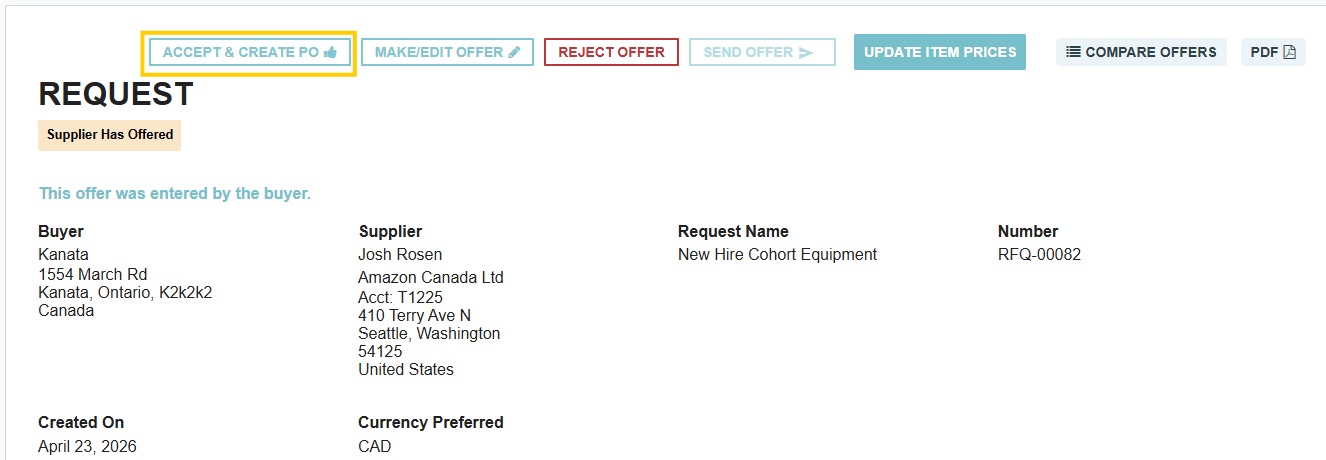
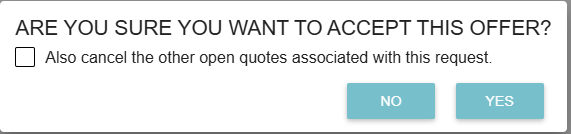
- Maintain Other Quotes: When prompted, ensure the option to cancel other offers is NOT selected. This keeps the sourcing event active for your other vendors.
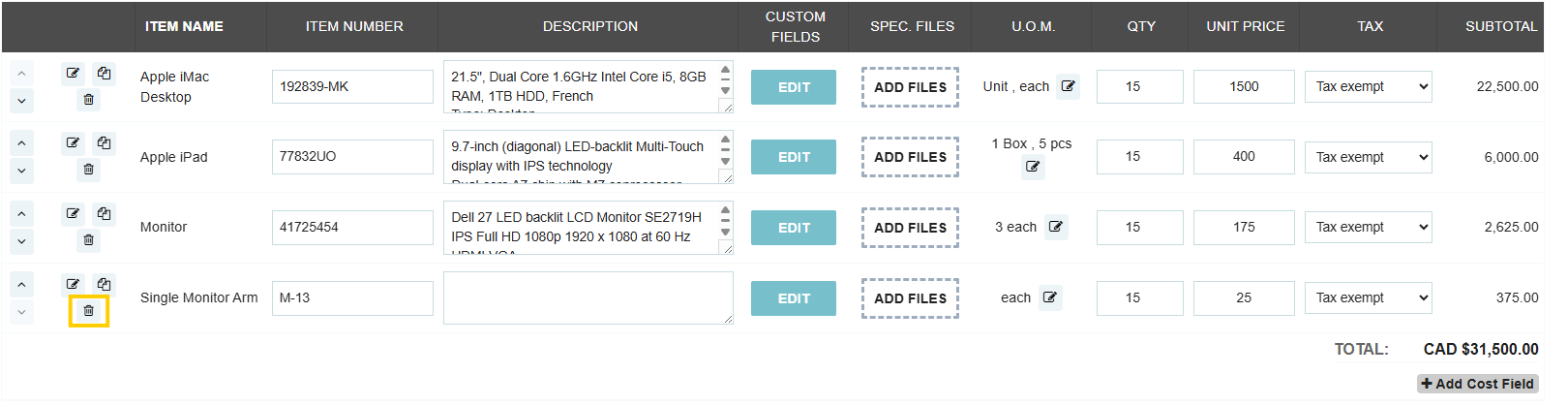
- Refine the Order: The PO will automatically include all items from the request. Click "Edit" and use the delete button to remove any items you are not awarding to this specific supplier.
- Save and Submit: Finalize this first PO. You will now see the status "Buyer Has Accepted" next to this vendor in your request list.
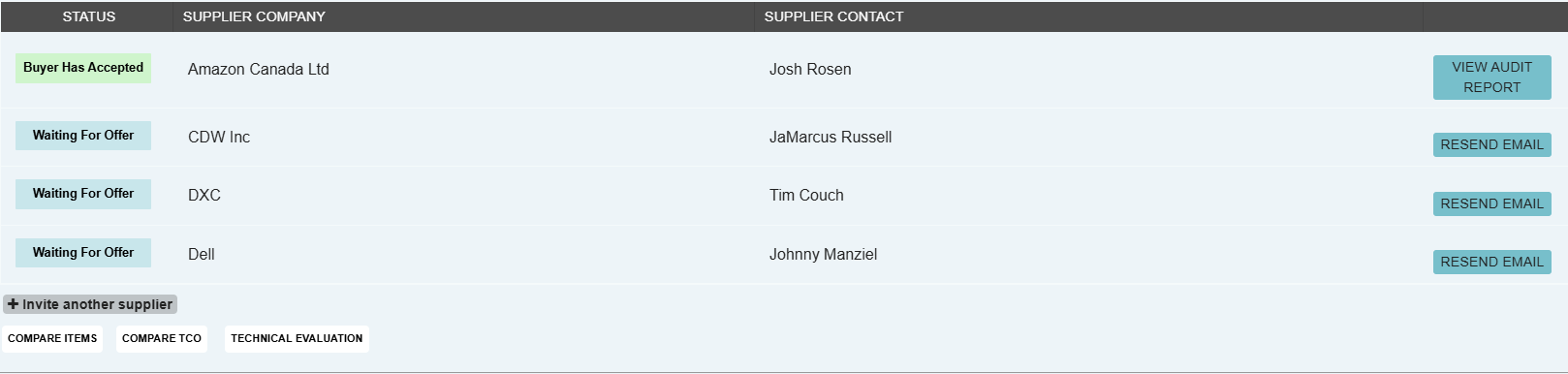
- Repeat for Subsequent Suppliers: Navigate back to the same request and repeat the process for the next vendor.
- Finalizing the Event: On your last supplier, you can check the box to cancel all remaining open quotes to officially close the sourcing event.
Key Benefits of Split-Awarding
- Best-of-Breed Sourcing: Award specific line items to the vendors who offered the best price or lead time for that particular product.
- Risk Mitigation: Avoid relying on a single source by splitting a large order across multiple capable suppliers.
- Item-Level Control: Use the Edit function to curate exactly which items from a 50-item RFQ go to Supplier A versus Supplier B.
Thank you! Your submission has been received!
Oops! Something went wrong while submitting the form.
.webp)
.png)


