


How to Reverse a "Declined" Invoice from a Supplier
When a supplier invoice is marked as Declined in Tradogram, the action is final to ensure a clear audit trail. Because a rejection effectively "closes" that specific digital submission, the status cannot be toggled back to "Pending" or "Approved" by the user.
Note: This is separate from an internal approval rejection
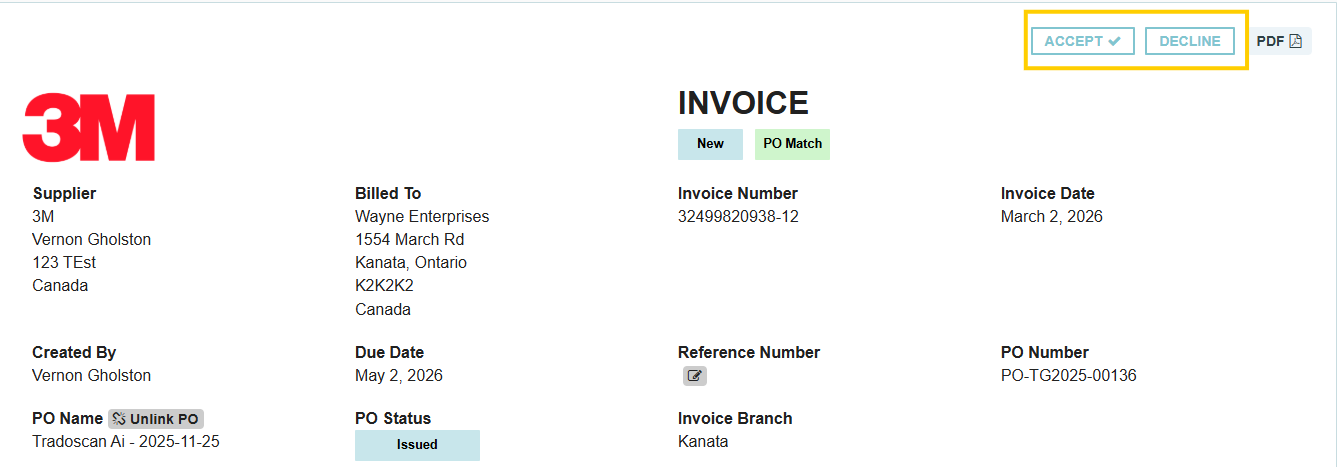
The Solution: Re-submission
If an invoice was declined by mistake, the resolution must happen on the supplier's end.
Steps to resolve:
- Contact the Supplier: Reach out to your vendor and inform them that the invoice was rejected in error.
- Request a Re-send: Ask the supplier to re-submit the invoice through their portal or via the original submission method.
- Process as Normal: Once the supplier re-sends the document, it will appear as a new "Pending" invoice in your dashboard, allowing you to approve or process it correctly.
Why can't I just "Undo" the rejection?
Tradogram maintains a strict record of communication between buyers and suppliers. A "Rejection" is a formal notification sent back to the vendor; allowing a simple "undo" would create discrepancies between what the supplier sees in their portal and what you see in your management dashboard.
Pro Tip: Using Messages
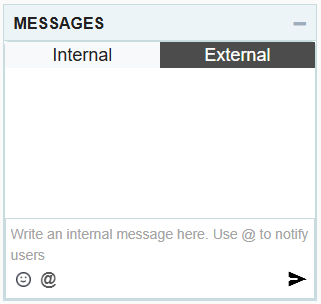
To avoid this in the future, if you are unsure about an invoice, use the External Messages section to ask the supplier for clarification before hitting the Decline button. This keeps the invoice active while you gather more information.
.webp)
.png)


