


Item Import Errors
CSV Column Headers Do Not Match

This indicates that the column headers in your import file differ from the headers in our official template.
To resolve this issue:
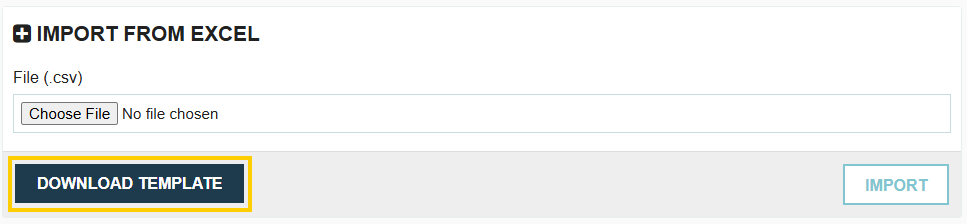
- Click the Download Template button to obtain the latest, correct template.
- Copy your existing import data into the newly downloaded template.
- Save and re-upload the new file.
Cannot import more than 1000 Records

Name/Classification is Mandatory

The Item Name is a required field for every item. You cannot import or create an item without a name.
Item Number is Mandatory

This error occurs if the "Require Item Numbers" setting is enabled in your Branch Profile settings. If this is active, every item in your import file must include an item number.
Item Number Already Exists
This error occurs if the "Enable Unique Item Numbers" setting is active in your branch profile settings. Each item number in your import must be unique and cannot match any existing item number already stored in your account.
Item Name/Number Combination Already Exists
Tradogram does not allow duplicate items. This error means there is a row in your import (or an existing record in your account) that shares the exact same Name and Number combination.
UOM Configuration Errors
Every item must have a properly defined Unit of Measurement (UOM) to be imported:
- Item Unit Amount is mandatory: You must provide a numerical value for the unit amount.

- Item Unit is mandatory: You must provide a unit for the item.

- Item Unit must be a valid unit: The value must match the preset dropdown options in Tradogram exactly. Use this table to identify the right values for the item unit.

Invalid Category

The category name provided does not match any existing item category in your account.
- Multiple Categories: You can map an item to multiple categories by separating the names with a semicolon (;) without spaces.
Supplier Doesn't Exist

The supplier name entered does not match an existing supplier in your database. If mapping to multiple suppliers, use a semicolon (;) to separate them.
GL Account Doesn't Exist

The GL Account name or number provided does not match your existing GL Account list. If mapping to multiple accounts, use a semicolon (;) to separate them.
Item Bundle Doesn't Exist

Items can only be mapped to bundles that have already been created in Tradogram. Ensure the bundle exists in the system before attempting to link items to it via import.
Type Error

The Type field only accepts three specific values: "Buy", "Sell", or "Both". Any other text will result in an error. This only applies when your account is set to “Both Purchase and Sales” in your company profile settings.
.webp)
.png)


