


What are item categories used for?
In Tradogram, Item Categories serve as a powerful management tool for organizing your item database. By grouping items under common classifications, you can automate workflows, control spending, and gain deeper insights into your company's purchasing habits.
Parent and Sub-Category Structure
Tradogram supports a hierarchical structure, allowing you to create Parent Categories (e.g., IT Hardware) and Sub-Categories (e.g., Laptops, Monitors). While sub-categories help with granular organization, please note that the advanced system uses listed below apply specifically to the Parent Category.
Key Uses of Item Categories
- Automated Approvals: You can configure approval rules triggered by specific categories. For example, any purchase categorized under "Hazardous Materials" can be automatically routed to a Safety Officer for review.

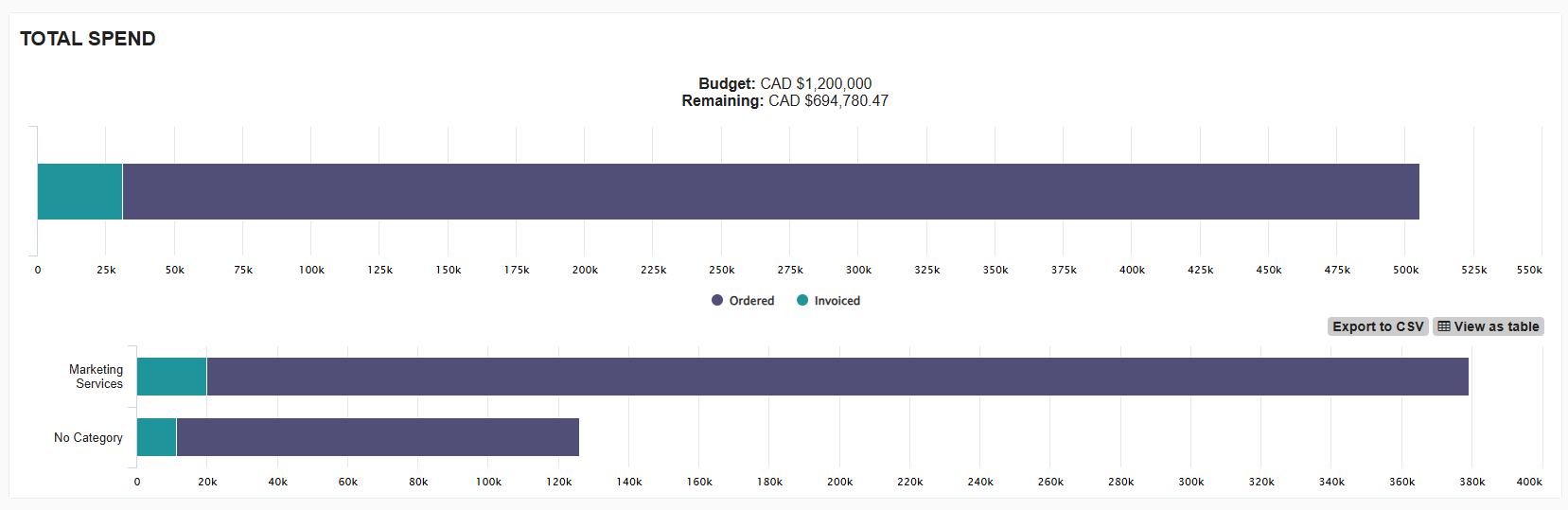
- Budgeting & Spend Limits: Budgets can be set at the category level. This allows you to track and limit spending for specific types of goods, such as "Travel" or "Office Supplies," across the entire organization.
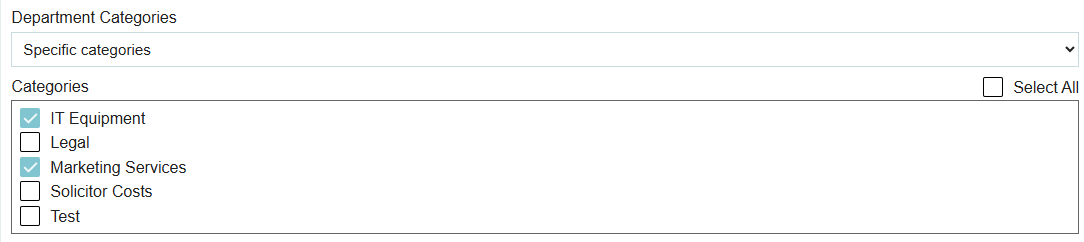
- Department Purchasing Restrictions: Admins can restrict departments to only see and purchase from specific categories. This ensures, for example, that the Marketing department only accesses "Promotional Materials" and doesn't accidentally order "Industrial Chemicals."
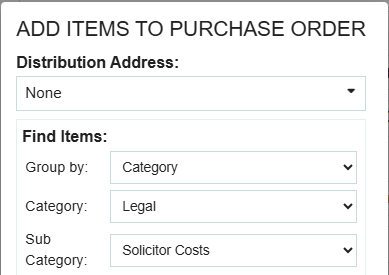
- Enhanced Sorting & Filtering: Categories make it easy to manage a large item database. When creating a transaction, users can use both parent and sub-categories to quickly filter and find the exact items they need to add to an order.
Accounting and Reporting
Item categories are essential for accurate financial analysis. By categorizing your items, you can:
- Analyze Spending Patterns: Use the Report Builder to see exactly how much is being spent on software versus hardware, or services versus physical goods.
- GL Account Mapping: Categories often align with your General Ledger accounts, making it easier to reconcile your procurement data with your accounting software.
Thank you! Your submission has been received!
Oops! Something went wrong while submitting the form.
.webp)
.png)


