


Why Can't I See a Budget?
If a budget is missing or appears to have disappeared from your view, it is usually due to permission settings, user-specific restrictions, or the status of the budget itself. Follow these steps to locate the missing information.
Check User Permissions
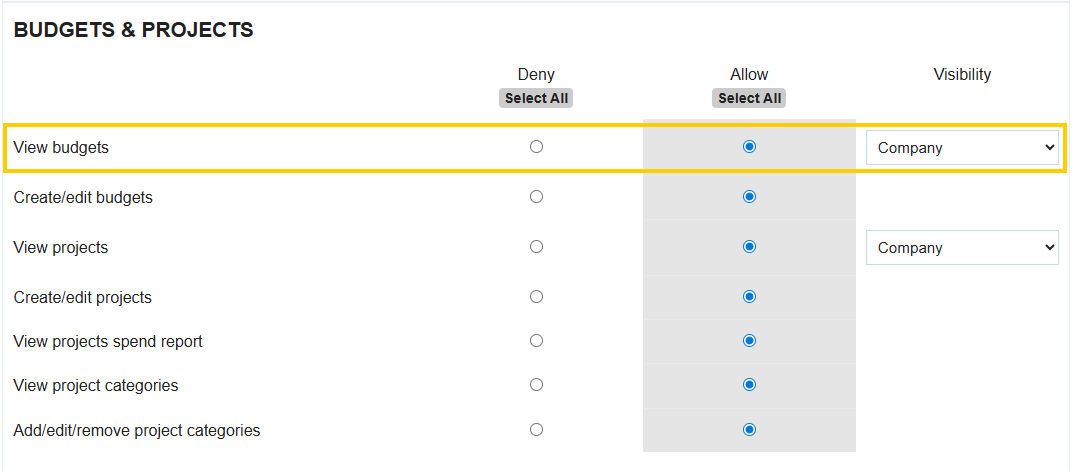
The most common reason a user cannot see a budget is that their profile does not have the "View Budgets" permission enabled.
- How to fix: A Company Admin must go to Manage Branch > Users, select the user's profile, and ensure the specific View Budgets permission is checked.
Check Budget Access Restrictions
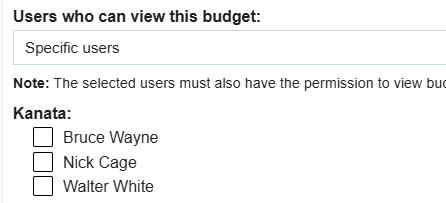
Budgets can be restricted to specific individuals. Even if a user has the general permission to view budgets, they must also be included in the specific budget's visibility settings.
- View Settings: When creating or editing a budget, check the setting labeled "Users who can view this budget."
- Two Options:
- All users with permission to view budgets: Anyone with the general permission can see it.

- Specific Users: Only the users manually selected from the dropdown list will be able to see this specific budget.
Check the Status Tabs
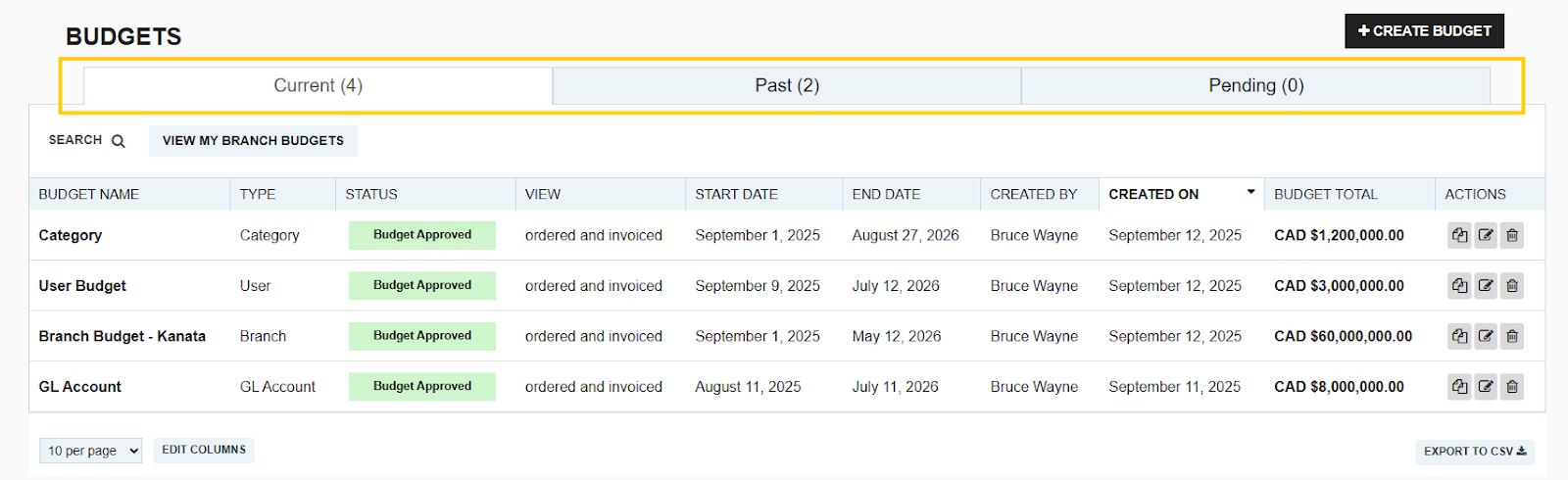
The Budget screen uses filters to keep your workspace clean. If a budget isn't in the main view, it may have moved to a different tab based on its date or approval status.
- Current: Displays budgets that are currently active or are scheduled to become active on a future date.
- Past: Displays budgets where the "End Date" has already passed. These are no longer active but remain available for historical reporting.
- Pending: Displays budgets that have been created but are currently awaiting approval before they can be activated.
Thank you! Your submission has been received!
Oops! Something went wrong while submitting the form.
.webp)
.png)


