


Upgrading to a Premium Account
After you have worked with our product expert team to select the Tradogram package that is right for your organization, you can easily upgrade your account and gain immediate access to all Premium features.
Step-by-Step Upgrade Guide
- Ensure You Have an Account: You must already have a basic Tradogram account created. If you have not created an account, create one here
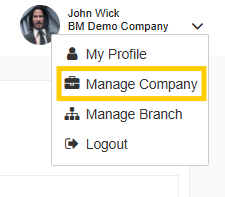
- Navigate to Manage Company from the top-right dropdown menu.
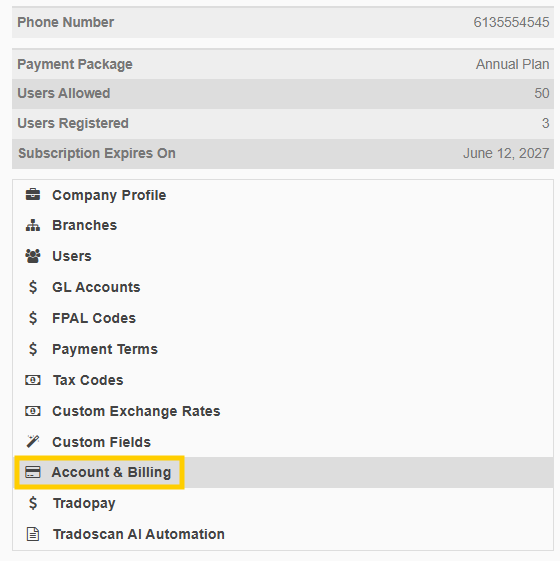
- Select Account & Billing from the left-hand panel.
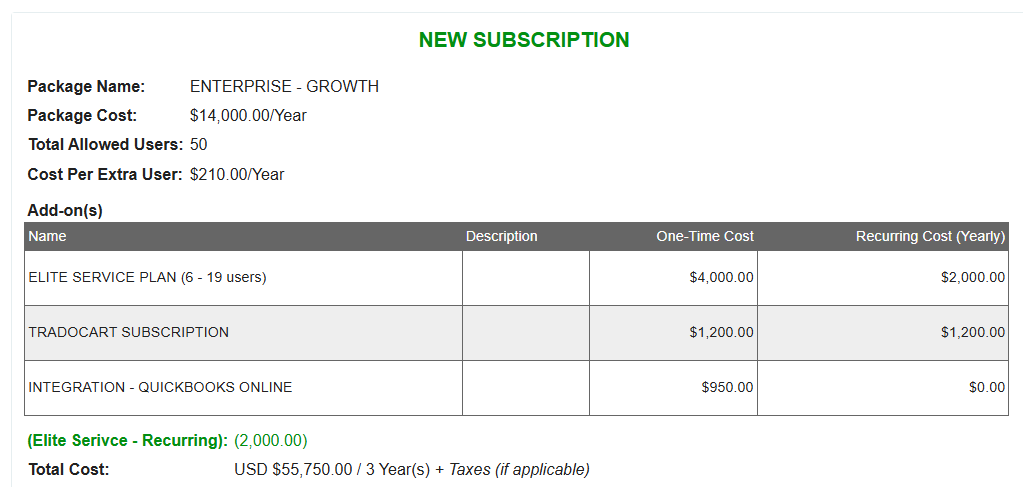
- Here, you will see the details of the quote provided by our team.
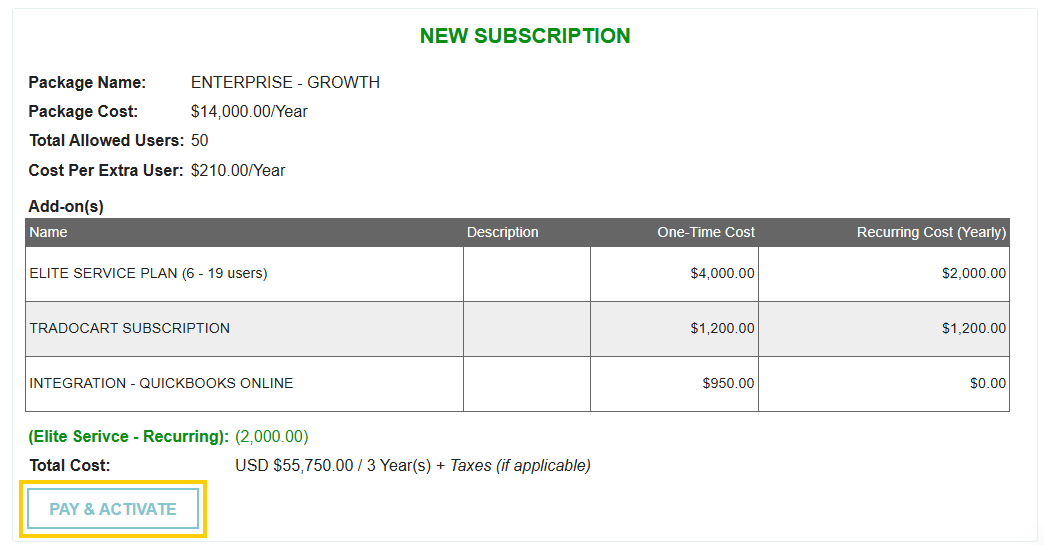
- Click the PAY & ACTIVATE button.
- You will be prompted to enter your credit card information and submit the payment.
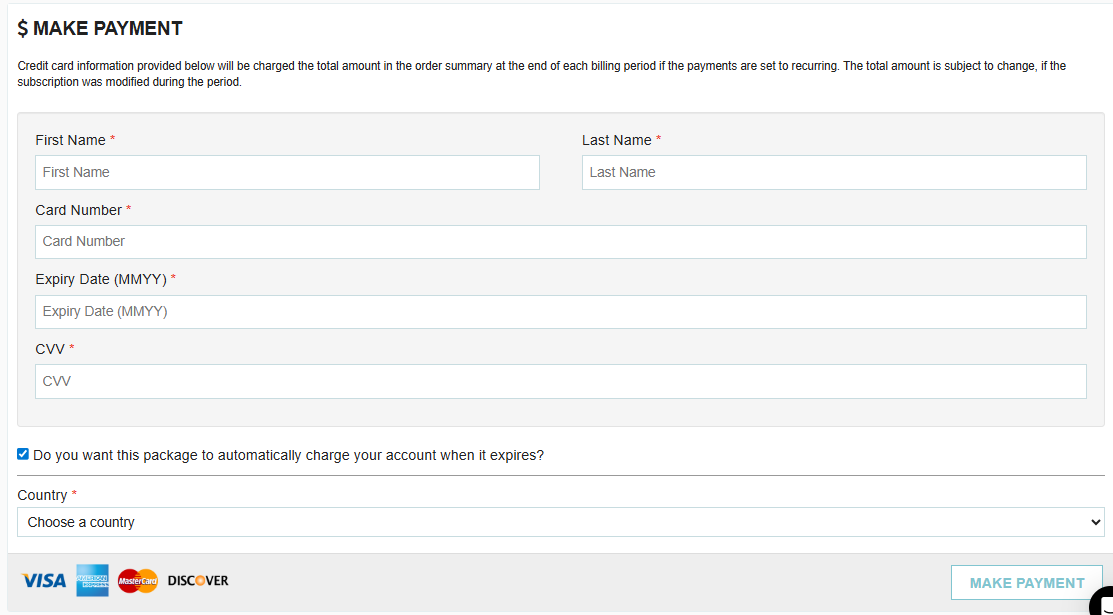
Once the payment is submitted, your account is immediately upgraded to the Premium package, and you are ready to start using all of Tradogram's features.
Thank you! Your submission has been received!
Oops! Something went wrong while submitting the form.
.webp)
.png)


