


What does the “reference number” on an invoice mean?
The Reference Number field in Tradogram is a flexible tracking tool used to link an invoice to its actual financial settlement. While the Invoice Number identifies the bill itself, the Reference Number identifies the payment transaction associated with it.
Common Uses for the Reference Number
This field is most often used to document how a payment was completed, making it easier for accounting teams to reconcile bank statements with Tradogram records. Common entries include:
- Payment Confirmation Numbers: A digital receipt code from a credit card or wire transfer.
- Check Numbers: The specific number of the physical check issued to the vendor.
- Transaction IDs: External IDs from payment platforms like PayPal, Stripe, or Bill.com.
- Supplier-Provided References: In some cases, a supplier may require you to include a specific reference code with your payment to ensure it is applied to the correct account.
How to Add a Reference Number
There are two ways to populate this field depending on where you are in the payment process:
1. During the "Mark as Paid" Workflow (Recommended)
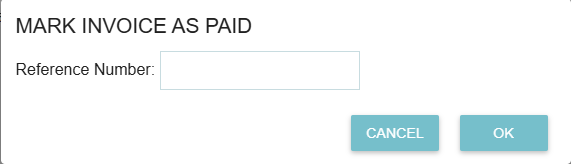
When you are ready to close out an invoice, clicking the "Mark as Paid" button will trigger a pop-up window. This window includes a dedicated field to enter the Reference Number, allowing you to record the payment details at the exact moment the transaction occurs.
2. Manual Entry/Edit
If you need to add or change a reference number after an invoice has already been processed:
- Open the specific Invoice.
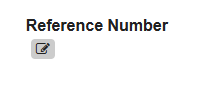
- Click the Edit icon.
- Locate the Reference Number field and enter the desired information.
- Save the changes.
Why Use Reference Numbers?
- Audit Readiness: Providing a "paper trail" (like a check or wire number) makes year-end audits much smoother.
- Vendor Communication: If a supplier claims they haven't received payment, you can quickly provide the specific reference or confirmation number to help them track the funds on their end.
- Internal Reporting: Use the Report Builder to pull reports that include the reference number, helping your finance team match Tradogram data with your external accounting software.
.webp)
.png)


