


Approval Import Errors
This guide details the potential errors you may experience when importing approval rules into Tradogram and provides solutions for resolving each issue.
CSV Column Headers Do Not Match

This indicates that the column headers in your import file differ from the headers in our official template.
To resolve this issue:
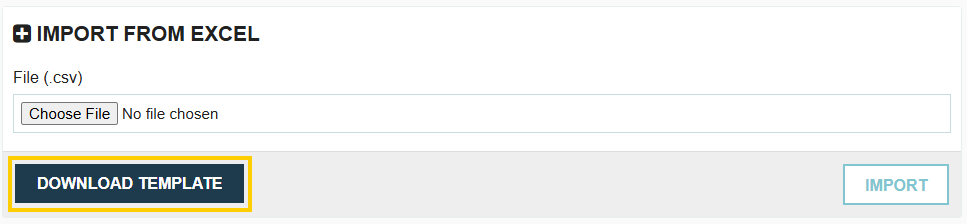
- Click the Download Template button to obtain the latest, correct template.
- Copy your existing import data into the newly downloaded template.
- Save and re-upload the new file.
Approval Code not Found

This error occurs when updating existing approval rules via re-import. If the code in your import file does not match an existing approval rule code in the system, the update cannot be performed.
Transaction Type is Mandatory
You must specify the type of transaction this approval rule applies to.
Hierarchy Level is Mandatory
You must specify the hierarchy level of the approval step.
Approver is Mandatory
You must designate at least one approver for the rule.
Invalid Transaction Type

The value entered for the transaction type does not match one of the system's supported types. It must be one of the following exact values: Budget, Requisition, Request, Contract, Expense, Purchase Order, or Invoice.
Invalid Transaction Option

This field should only be entered when the Transaction Type is Invoice. The only two accepted values are: "Non PO Invoice" or "PO Invoice". If this field is left blank, the rule will apply to both PO and Non-PO invoices.
At Least One Condition is Mandatory
To create an approval rule, at least one condition must be defined. Multiple conditions can be used, but the rule requires one of the following criteria: Category, Department, Project, GL Account, Supplier, Transaction Creator, Min Amount, or Max Amount.
Review how to configure an approval rule here
Hierarchy Number Must be Between 1 and 10

The hierarchy level you assign to the approval step must be a whole number between 1 and 10, as Tradogram only supports up to 10 levels of approval.
Approver Name Not Found in User List

The name of the primary approver does not exactly match an active user in your system. This often requires checking for exact spelling, capitalisation, and extra spaces.
Alternate Approver Name Not Found in User List

The name(s) of the alternate approver(s) do not exactly match active users in your system. You can list up to 5 alternate approvers, and they must be separated by a semicolon (;) without spaces (e.g., Jane Doe;John Smith).
Exempted User Name Not Found in User List

The name(s) of the exempted user(s) do not exactly match active users in your system. Multiple exempted users can be listed, and they must be separated by a comma (,) without spaces (e.g., Jane Doe,John Smith).
Please Check Send Alerts and Try Again

This setting applies to alternate approvers and determines whether they receive an alert. Accepted values are "Y" for Yes and "N" for No. If you have multiple alternate approvers, separate the responses by a semicolon (;) (e.g., Y;N;Y).
Please Check Must Approve and Try Again

This setting decides whether the primary approver must approve transactions they create themselves. Accepted values are only "Y" or "N".
Department Name Not Found in Department List
The department name(s) used in the approval condition do not exactly match existing departments in your database. Multiple department names can be listed, and they must be separated by a comma (,) without spaces.
Category Name Not Found in Category List

The category name(s) used in the approval condition do not exactly match existing categories in your database. Multiple category names can be listed, and they must be separated by a comma (,) without spaces.
Project Name Not Found in Project List

The project name(s) used in the approval condition do not exactly match existing projects in your database. Multiple project names can be listed, and they must be separated by a comma (,) without spaces.
GL Account Name Not Found in GL Account List

The GL account name(s) or number(s) used in the approval condition do not exactly match existing GL Accounts in your database. Multiple GL Accounts can be listed, and they must be separated by a comma (,) without spaces.
Supplier Name Not Found in Supplier List

The supplier name(s) used in the approval condition do not exactly match existing suppliers in your database. Multiple supplier names can be listed, and they must be separated by a comma (,) without spaces.
Transaction Creator Name Not Found in User List

The name(s) used to define the transaction creator criteria do not exactly match active users in your system. Multiple creators can be listed, and they must be separated by a comma (,) without spaces.
Min/Max Amount Cannot Contain Commas

Dollar amounts for the minimum or maximum amount must be entered as a simple number without commas (e.g., 100000.00).
.webp)
.png)


