


User Import Errors
This guide details potential errors you may encounter when importing or updating users in Tradogram and how to resolve them.
CSV Column Headers Do Not Match

This indicates that the column headers in your import file differ from the headers in our official template.
To resolve this issue:
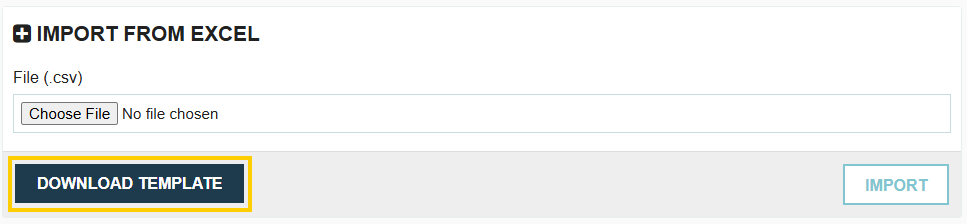
- Click the Download Template button to obtain the latest, correct template.
- Copy your existing import data into the newly downloaded template.
- Save and re-upload the new file.
You Cannot Import More Than [Number] Users. Add More Seats Under Account and Billing

This error occurs when you are attempting to add more users than your current subscription allows. To fix this, an administrator must navigate to Account & Billing to purchase additional user seats before the import can be successfully processed.
Name is Mandatory

The Name field is a required field. You cannot create or import a user in Tradogram without providing a user name.
Email is Mandatory

The Email field is a required field. You cannot create or import a user in Tradogram without providing an email address.
Email is Already Registered on the System

This means the email address you are attempting to import is already registered as an active or inactive user in your Tradogram account. Review the existing user list to confirm the user's status.
Group is Mandatory
Assigning a user to a Group (role) in Tradogram is mandatory. This Group provides the baseline, preset permissions for the user upon registration. Permissions can be edited at any time after the user is created.
The available Groups are:
- Accounts Payable
- Approver
- Auditor
- Branch Admin
- Company Admin
- General
- Purchaser
- Purchaser & Sales
- Receiver
- Requisitioner
- Sales
Invalid Group Name

This means the Group name entered in your import file is not an exact match to one of the available Groups listed above. Check your spelling and casing against the official list.
Invalid Branch Name

This error occurs if the branch name entered in the "Branch" column or the "Other Branch(es)" column is not an exact match to one of the branches defined in your Tradogram account.
Invalid Department Name

This error occurs when you attempt to associate a user with a department whose name does not exactly match an existing department in your database.
- Mapping to Multiple Departments: When listing multiple department names in a single field, you must use a semicolon (;) without spaces to differentiate them (e.g., Sales;Finance). Using a comma will result in this error. The department name must also be an EXACT MATCH to the department name in your database.
Invalid Project Name

This error occurs when you attempt to associate a user with a project whose name does not exactly match an existing project in your database.
- Mapping to Multiple Projects: When listing multiple project names in a single field, you must use a semicolon (;) without spaces to differentiate them (e.g., ProjectA;ProjectB). Using a comma will result in this error. The project name must also be an EXACT MATCH to the project name in your database.
.webp)
.png)


