


Department Import Errors
This guide details the potential errors you may experience when importing or updating departments in Tradogram and how to resolve them.
CSV Column Headers Do Not Match

This indicates that the column headers in your import file differ from the headers in our official template.
To resolve this issue:
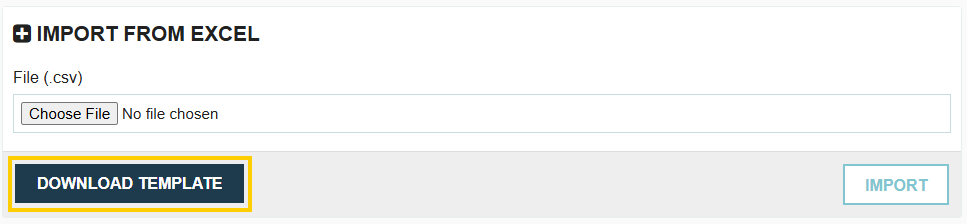
- Click the Download Template button to obtain the latest, correct template.
- Copy your existing import data into the newly downloaded template.
- Save and re-upload the new file.
Name is Mandatory

The Department Name field is a required field in Tradogram. A department cannot be imported or created without a name. Ensure the Name field is filled in for every department row in your import file.
Department Code not Found

This error is specific to when you are attempting to update existing departments by exporting and then re-importing a CSV file. If the system cannot find the department code in your import file (typically found in the first column) that matches an existing record, it cannot perform the update. You must verify the codes by exporting the department CSV and reviewing the code column.
Not Found in Department Category List

This error occurs when you attempt to set Category restrictions using category names that do not exactly match existing categories in your database.
- Mapping to One Category: Verify the spelling and status of the category name used in your import file against your active category database. The name must be an EXACT MATCH.
- Mapping to Multiple Categories: When listing multiple categories in a single field, you must use a semicolon (;) without spaces to differentiate them (e.g., Software;Marketing Supplies). Using a comma will result in this error.
Not Found in GL Account List

This error occurs when you attempt to set GL Account restrictions using GL account names or numbers that do not exactly match existing GL Accounts in your database.
- Mapping to One GL Account: Verify the spelling and status of the GL Account Name or Number used in your import file against your active GL Account database. The value must be an EXACT MATCH.
- Mapping to Multiple GL Accounts: When listing multiple GL Accounts in a single field, you must use a semicolon (;) without spaces to differentiate the GL Account Name (e.g., 40005;50004). Using a comma will result in this error.
Not Found in Company User List

This error occurs when you attempt to assign a Department Manager, Purchaser, or Department User using a name or email that does not exactly match an existing, active user in your company's user list.
- Mapping to One User: Verify the spelling and status of the user's name or email used in your import file against your active user database. The name or email must be an EXACT MATCH.
- Mapping to Multiple Users: When listing multiple users in a single field (such as Department Users), you must use a semicolon (;) without spaces to differentiate them (e.g., John Wick;Walter White). Using a comma will result in this error.
.webp)
.png)


